00197973-10_SM_MaterialTower.pdf - 第103页
0019797 3 - 10 / 02 , 2016 Z Axis SIPLACE Mat. Towe r St ora ge Serv ice Manual © ASM 6- 21 Remove all cables of the connectors to be removed, which are not part of t he hybrid cable. Mark the cables for easy re - mounti…
Z Axis 00197973-10 / 02 , 2016
6-20 © ASM SIPLACE Mat. Tower Storage Service Manual
Machine operating
condition:
• Shut down
Main electrical
power:
• Equipment disconnected from power supply system. The Main Switch
(switched off) locked by means of a padlock to secure the main switch
against unintentional switching on.
Compressed air /
Nitrogen (if used):
• Equipment disconnected from compressed air or nitrogen supply.
Access:
• Open both doors of the machine.
6.3.4 Exchange steps
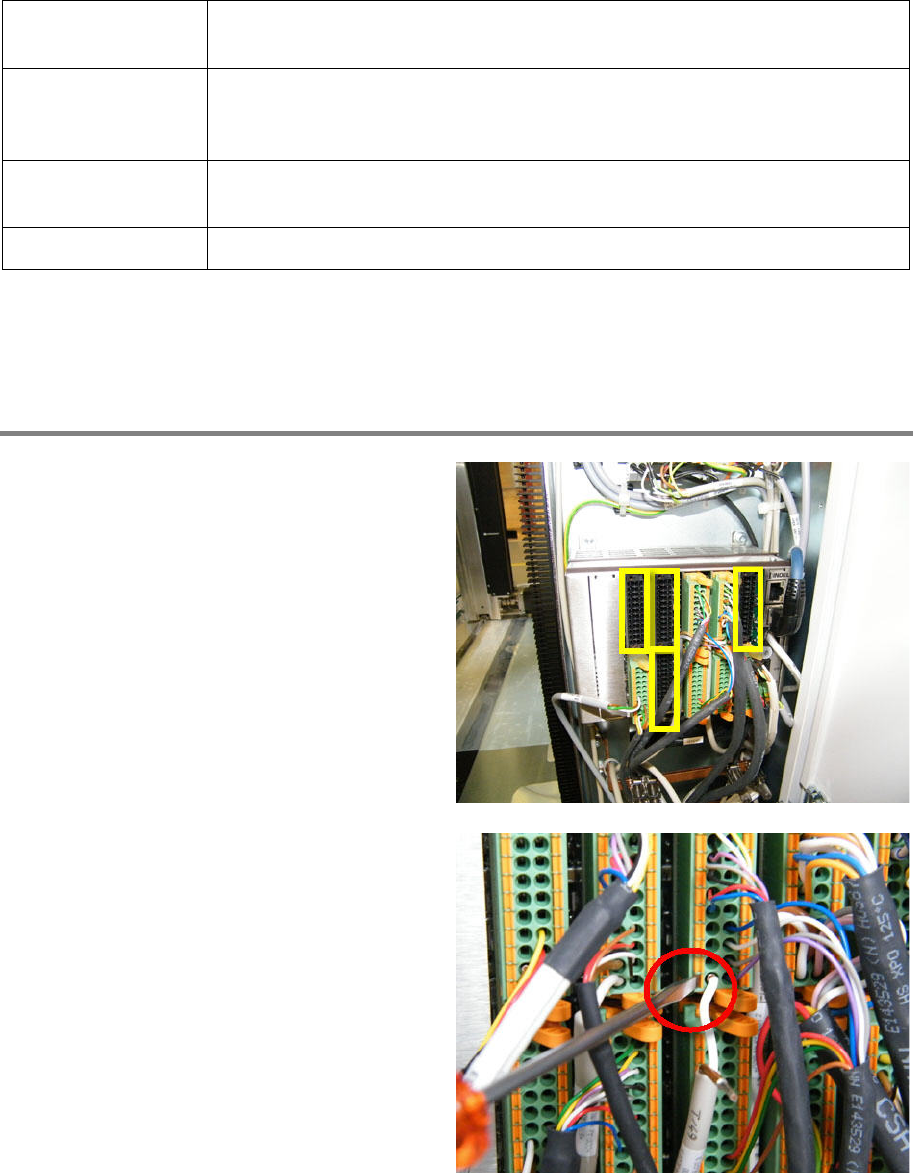
Remove hybrid cable from terminal
The following connectors have to be removed:
• Slot 1 X1
• Slot 4 X1 and X2
• Slot 5 X1
Remove the power supply cables (brown/white)
of all connectors to be removed, by means of the
screwdriver.
00197973-10 / 02 , 2016 Z Axis
SIPLACE Mat. Tower Storage Service Manual © ASM 6-21
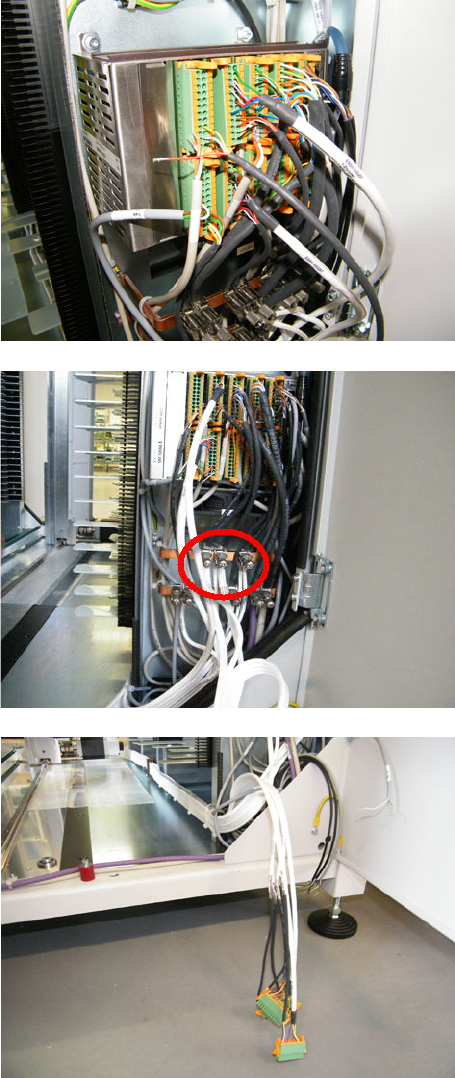
Remove all cables of the connectors
to be
removed, which are not part of the hybrid cable.
Mark the cables for easy re
-mounting after the
exchange of the hybrid cable.
Loosen the shield terminals by hand and remove
the cables of the hybrid cable which has to be
exchanged. It is possible that other cables use
the same shield terminal, if so do not remove
them.
Loosen the four connectors and remove them.
Z Axis 00197973-10 / 02 , 2016
6-22 © ASM SIPLACE Mat. Tower Storage Service Manual
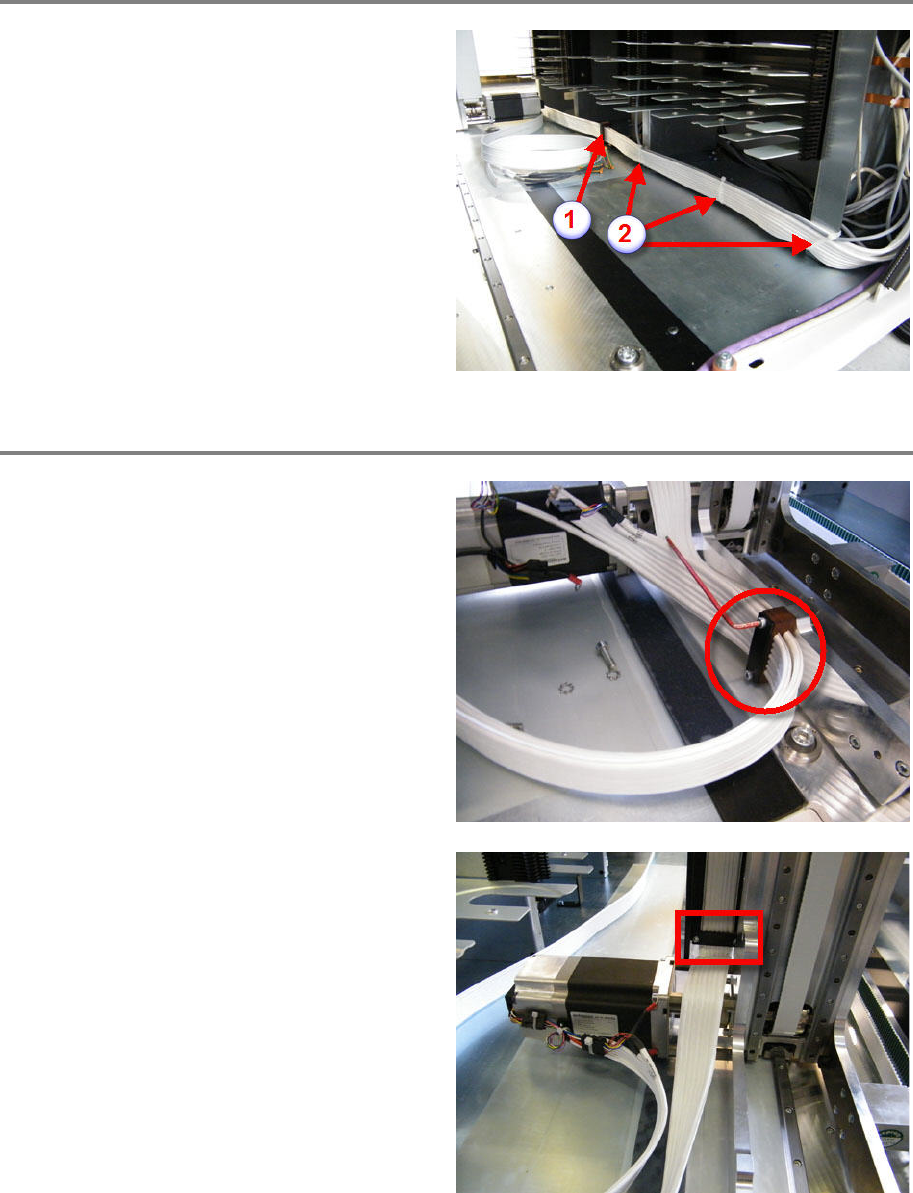
Remove hybrid cable along X axis
Loosen and remove the two screws and the
cable clamping itself (1).
Cut off the cable ties and remove them (2).
Remove the defective hybrid cable.
Remove hybrid cable at Z motor
Manually move the gripper upwards for
unhindered access on the bottom.
Loosen and remove the two screws and the
cable clamping itself.
Cut off and remove the cable tie.
Remove the defective hybrid cable.
Loosen and remove the two screws and the
cable clamping itself.