00197973-10_SM_MaterialTower.pdf - 第99页
0019797 3 - 10 / 02 , 2016 Z Axis SIPLACE Mat. Towe r St ora ge Serv ice Manual © ASM 6- 17 Step 10 Lift the Y axis t o the height w here yo u can measure 1m between t he beg inning of the belt holding and the middle of …
Z Axis 00197973-10 / 02 , 2016
6-16 © ASM SIPLACE Mat. Tower Storage Service Manual
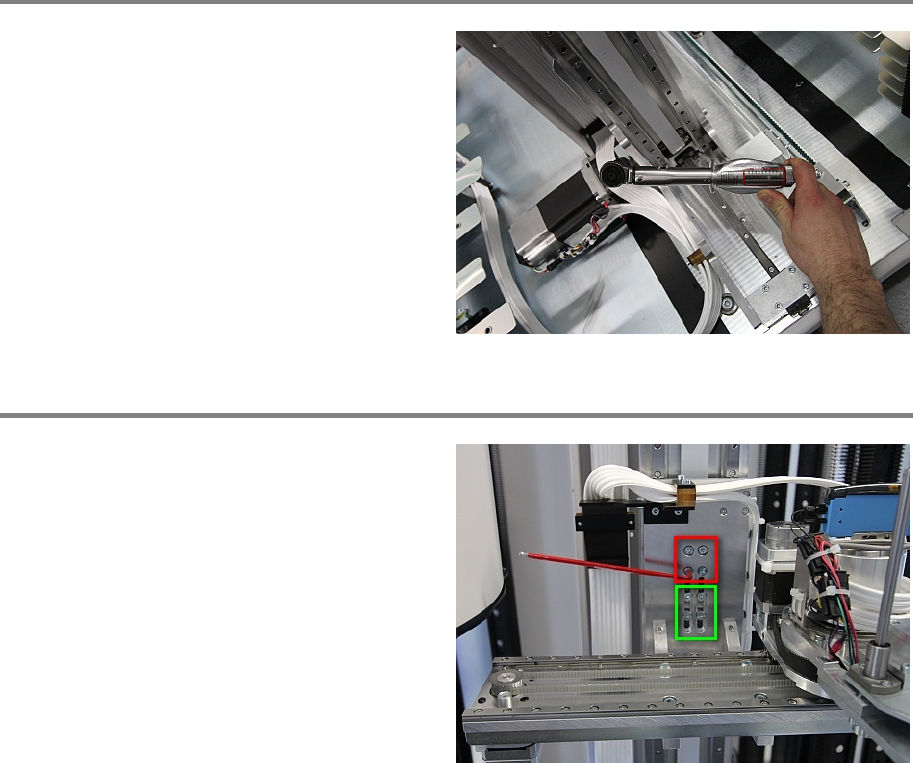
Step 8
Fasten the screw of the coupling using a torque
key adjusted on 7 Newton.
Step 9
Use Loctite on all screws.
Strongly fasten the 4 upper screws (red
rectangle) that connect the Y axis to the Z belt.
Loosely fasten the 4 lower screws (green
rectangle). They still must be movable during
setup of the belt tension.
00197973-10 / 02 , 2016 Z Axis
SIPLACE Mat. Tower Storage Service Manual © ASM 6-17
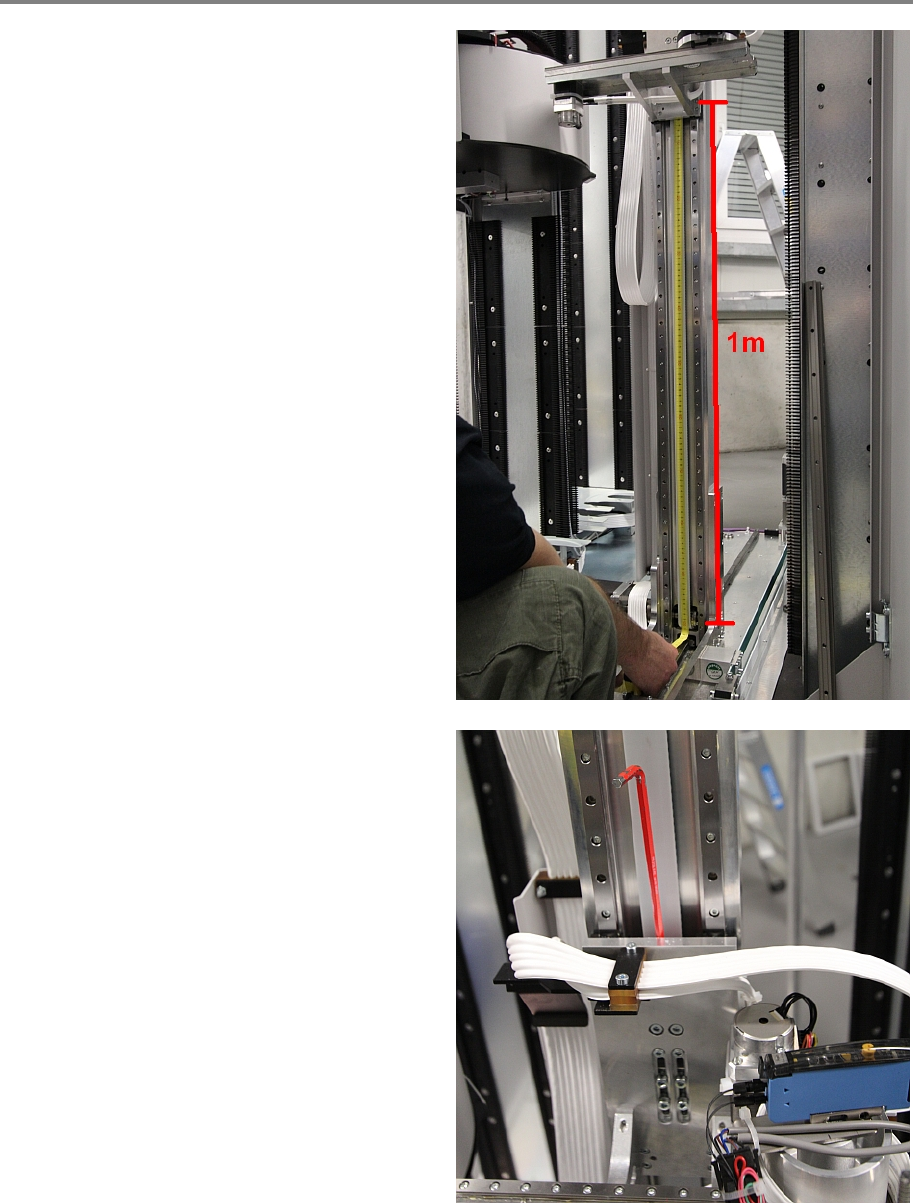
Step 10
Lift the Y axis to the height where you can
measure 1m between the beginning of the belt
holding and the middle of the lower pulley.
Required tension for the Z belt is
35 Hz ± 1 Hz
Measure the belt tension approximately in the
middle of the measuring distance. Turn the belt
tension screw accordingly to achieve the correct
tension, as shown in the picture.
Z Axis 00197973-10 / 02 , 2016
6-18 © ASM SIPLACE Mat. Tower Storage Service Manual
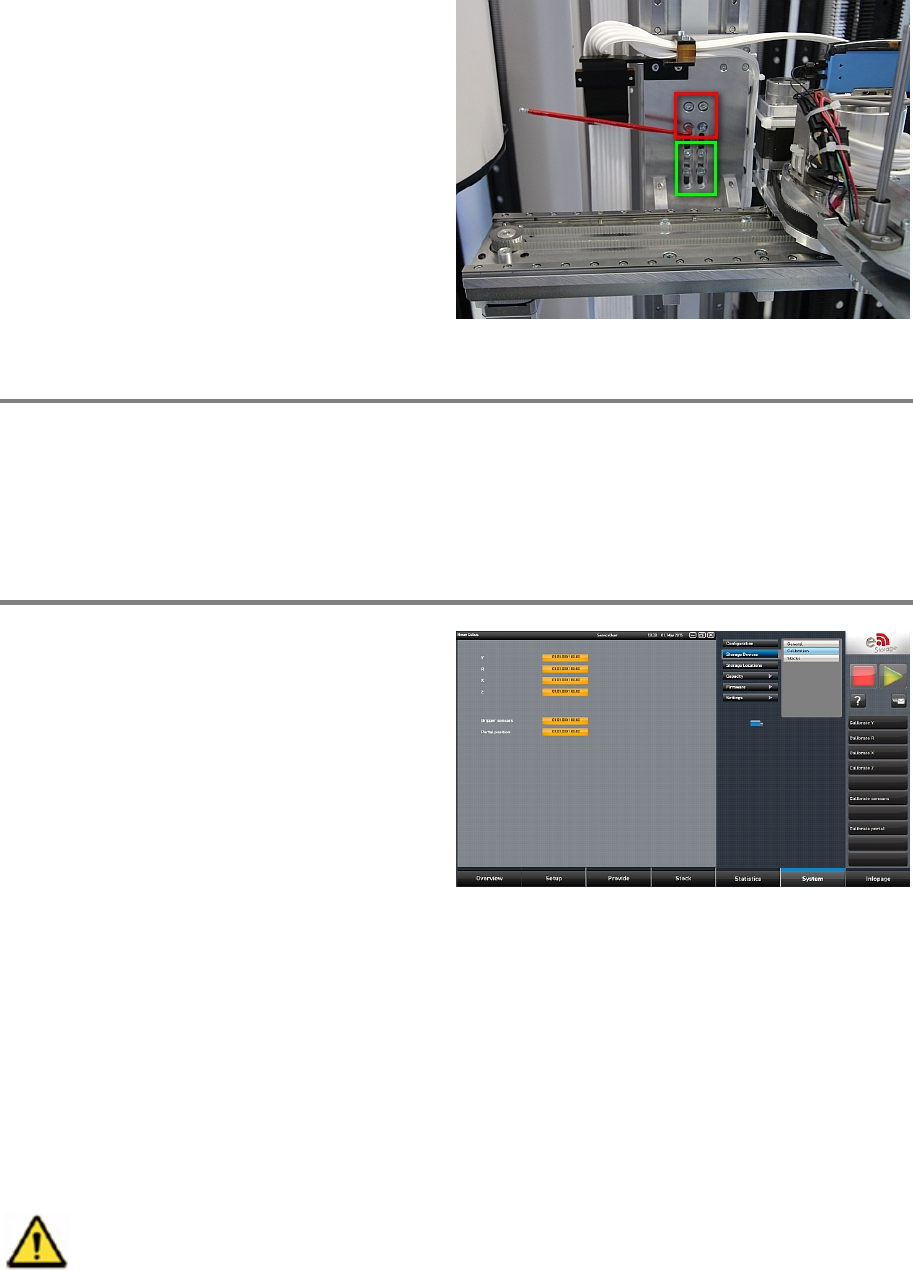
Use Loctite on all screws.
If the correct tension has been achieved,
strongly fasten the 4 lower screws (green
rectangle).
Step 11
Remove all tools and close the doors of the machine.
Plug in the power connector and switch on the machine.
Initialize the machine by means of the software.
Step 12
In the software, in
System - Storage
Devices/Units
select the appropriate machine in
the table and press
Load.
In tab
Calibration calibrate the Z axis and follow
the instructions given by the software.
6.3 Hybrid cable Z drag chain
6.3.1 Introduction
This modification instruction describes how to change the hybrid cable Z drag chain on SIPLACE
Material Tower.
Spare part number: 03124543-01
Before starting the maintenance, read the Safety instructions carefully.