00197973-10_SM_MaterialTower.pdf - 第90页
Z Axis 001 97973 - 10 / 02 , 20 16 6-8 © ASM SIPLACE Mat. Tower S tor ag e Service Ma nual Step 3 Remov e the old motor by means of th e four fix ation screws. Moun t the new motor in the same direction as the old one. S…
00197973-10 / 02 , 2016 Z Axis
SIPLACE Mat. Tower Storage Service Manual © ASM 6-7
6.1.4 Exchange steps
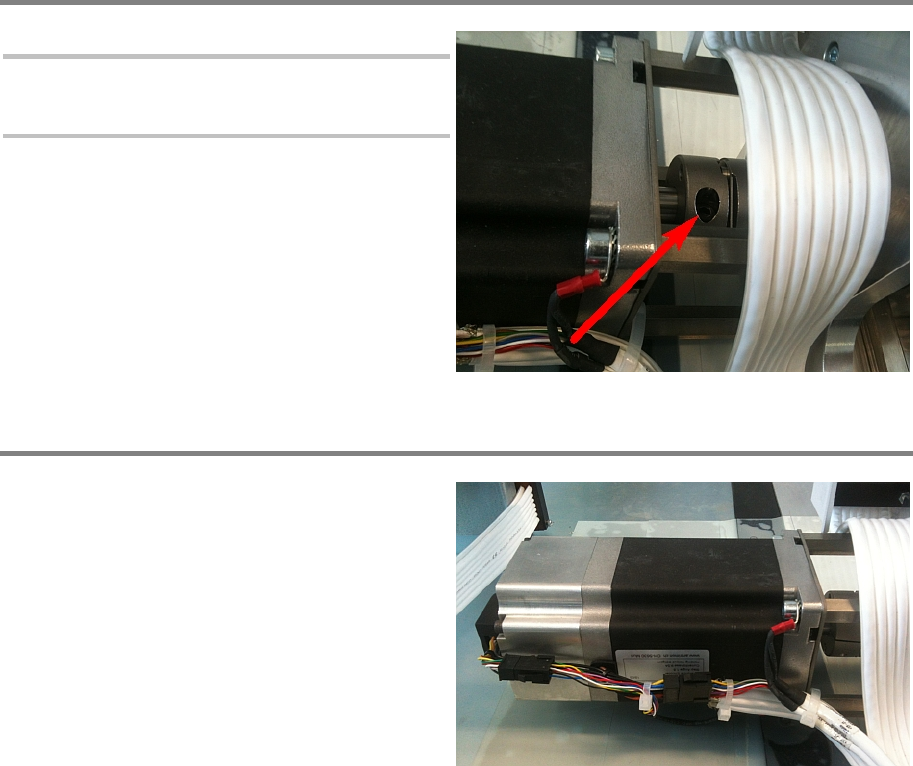
Step 1
Note:
To prevent the Y axis from falling down,
pull it down to the bottom.
Loosen the screw of the coupling on the motor
side.
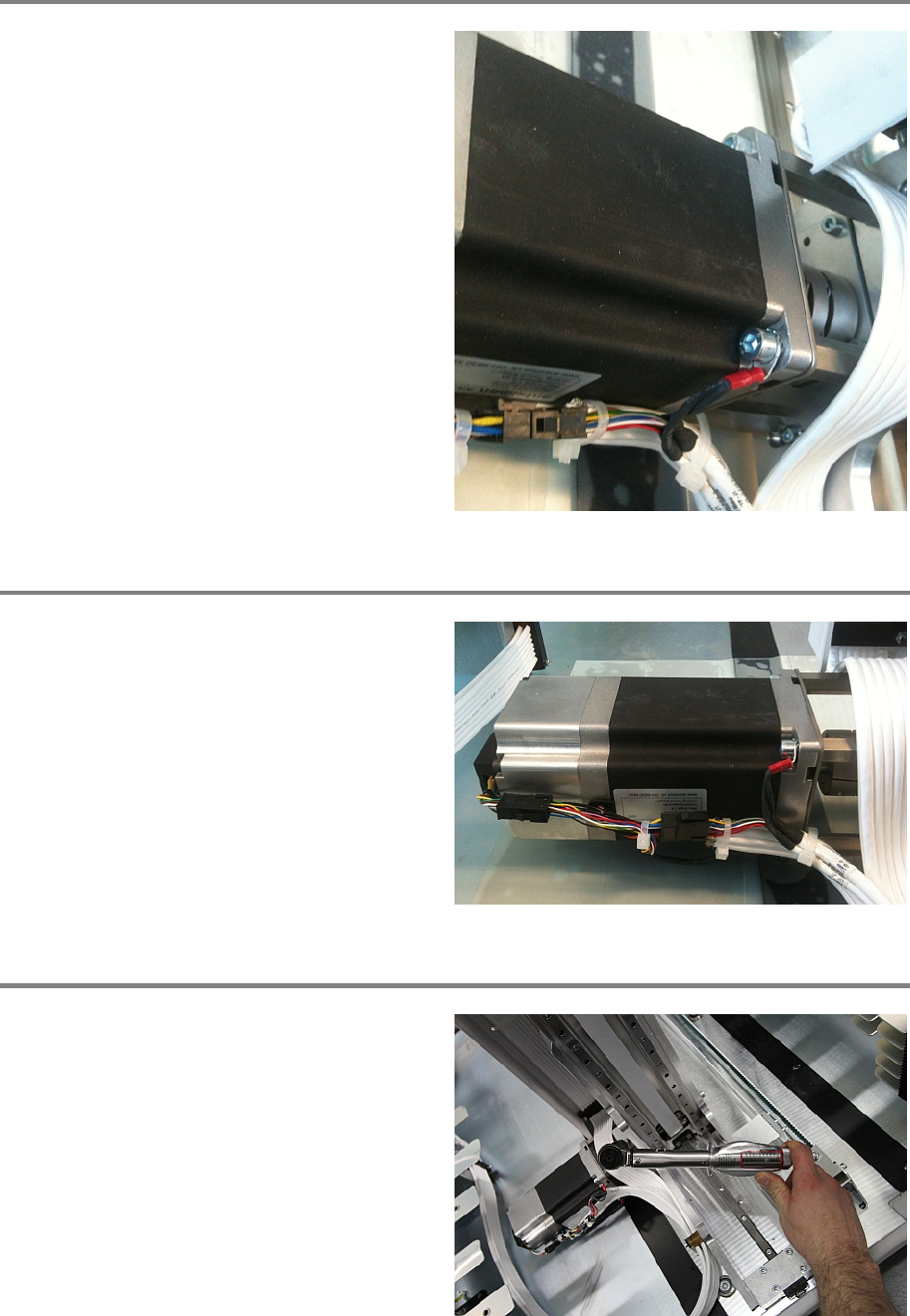
Step 2
Cut all cable ties and disconnect all cables.
Z Axis 00197973-10 / 02 , 2016
6-8 © ASM SIPLACE Mat. Tower Storage Service Manual
Step 3
Remove the old motor by means of the four
fixation screws. Mount the new motor in the
same direction as the old one.
Step 4
Reconnect all cables and fixate them with cable
ties as shown in the picture.
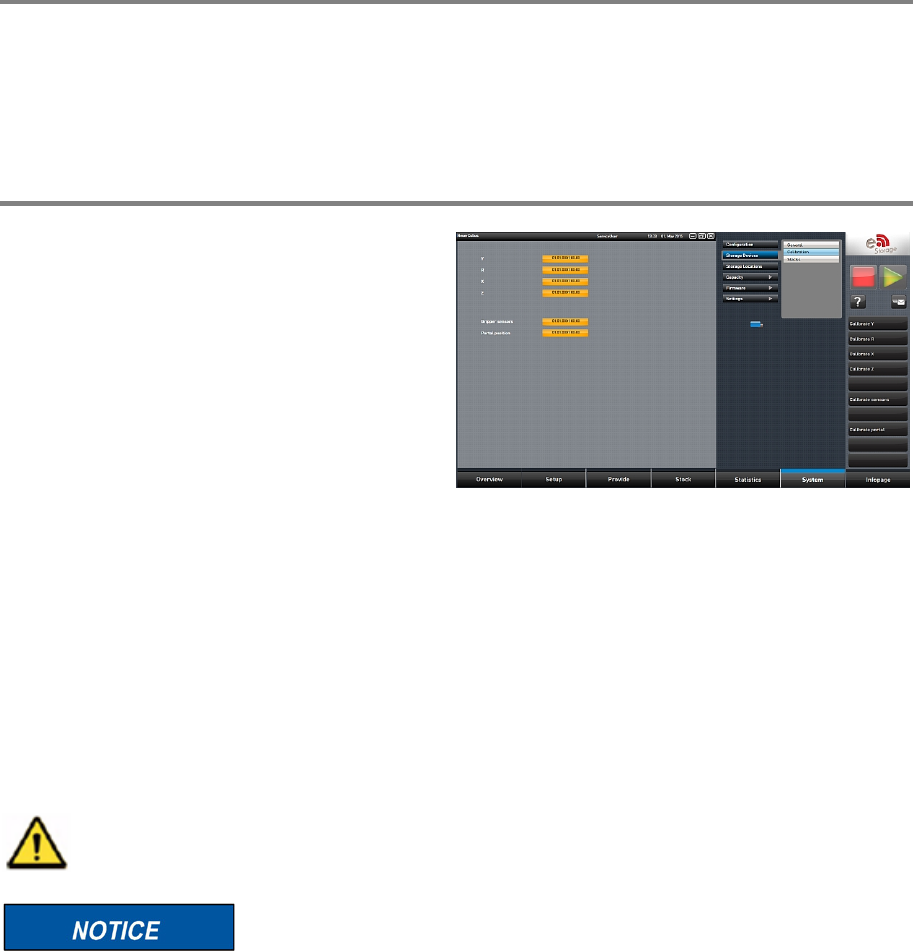
Step 5
Fasten the screw of the coupling using a torque
key adjusted on 7 Newton.
00197973-10 / 02 , 2016 Z Axis
SIPLACE Mat. Tower Storage Service Manual © ASM 6-9
Step 6
Remove all tools and close the doors of the machine.
Plug in the power connector and switch on the machine.
Initialize the machine by means of the software.
Step 7
In the software, in
System - Storage
Devices/Units
select the appropriate machine in
t
he table and press Load.
In tab
Calibration calibrate the Z axis and follow
the instructions given by the software.
6.2 Z Belt
6.2.1 Introduction
This modification instruction describes how to change the belt of the Z axis on SIPLACE Material
Tower.
Spare part number: 03126676-01
Before starting the maintenance, read the Safety instructions carefully.
After this modification all stacks must be recalibrated. Therefore,
SIPLACE Material Tower
must be emptied in advance by means of the software.
6.2.2 Tools, Material and Scheduling
For an effective and efficient maintenance, the following resources have to be provided: