00197973-10_SM_MaterialTower.pdf - 第182页
Portal 00197 973 - 10 / 02 , 2016 8- 18 © ASM SIPLACE Mat. Tower St ora ge Ser vice Manu al Step 5 Re - attach the inner part and fix it with both screws. Step 6 From below the portal, hold he sensor fixation and tighten…
00197973-10 / 02 , 2016 Portal
SIPLACE Mat. Tower Storage Service Manual © ASM 8-17
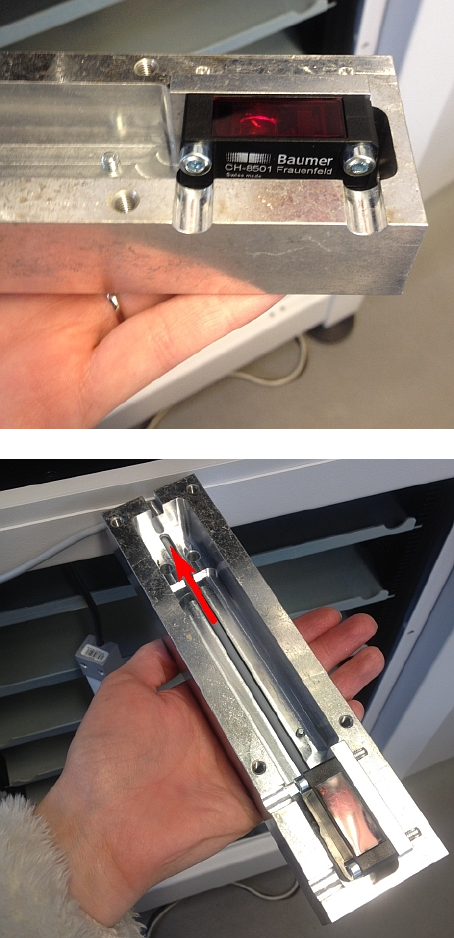
Exchange the old sensor with the new one.
Put the cable through the opening.
Portal 00197973-10 / 02 , 2016
8-18 © ASM SIPLACE Mat. Tower Storage Service Manual
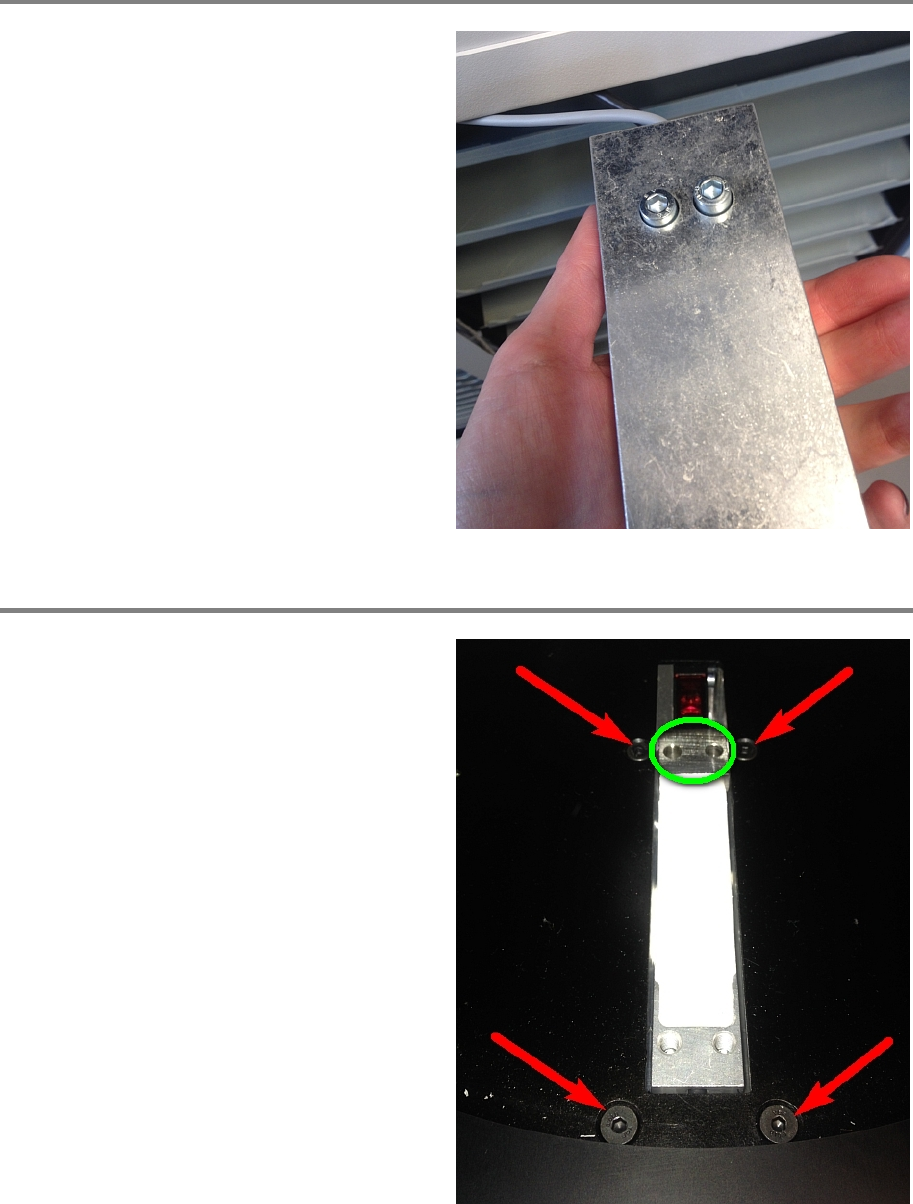
Step 5
Re
-attach the inner part and fix it with both
screws.
Step 6
From below the portal, hold he sensor fixation
and tighten the four screws.
Place the distance holder (marked green).
00197973-10 / 02 , 2016 Portal
SIPLACE Mat. Tower Storage Service Manual © ASM 8-19
Step 7
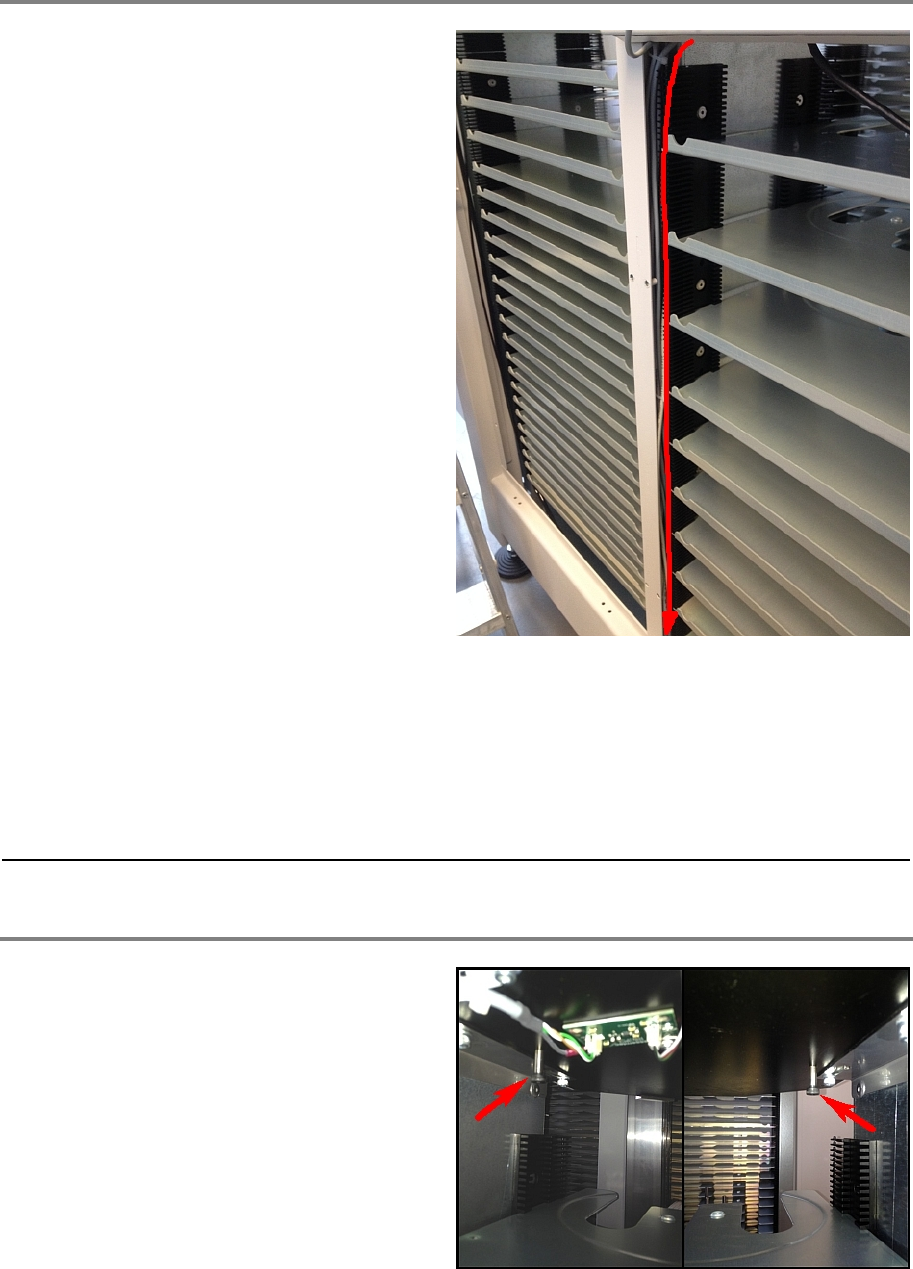
Follow the cables and part for part cut the cable
tie, remove the old cable and fix the new cable
by means of a cable tie.
Connect the new cable correctly on the Indel COP.
brown 24V ReelDetector X1S1_24V: Connector 1
blue GND ReelDetector X1S1_GND: Connector 7
white ExtTeachReelDetector X1S1_GND: Connector 8
black ReelDetector X1S1_IN03: Connector 15
Step 8
Remove the two screws that are positioned
below the portal.