00197973-10_SM_MaterialTower.pdf - 第122页
Gripper 0019797 3 - 10 / 02 , 2016 7-4 © ASM SIPLACE Mat. Tower S tor ag e Service Ma nual Remove cable from gri pper Remove the three c onnectors (1). Cut off the three c able ties a nd remove them (2). Remove the c onn…
00197973-10 / 02 , 2016 Gripper
SIPLACE Mat. Tower Storage Service Manual © ASM 7-3
Access:
• Open both doors of the machine.
• Pull the Z axis towards you.
• Pull the gripper up (is a bit hard because the Z motor has a break) so
you have better access.
7.1.4 Exchange steps
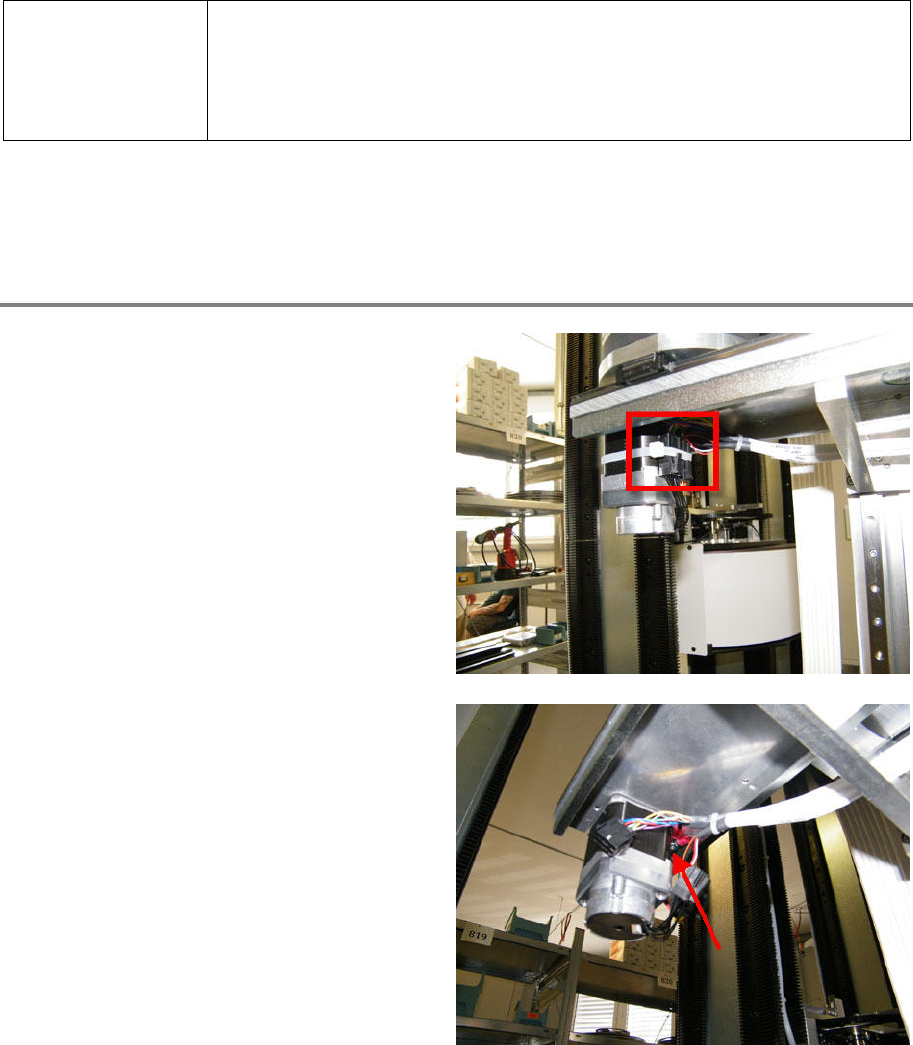
Remove cable from Y axis motor
Cut off the cable tie and remove it.
Remove the connectors.
Loosen and remove the shield screw.
Gripper 00197973-10 / 02 , 2016
7-4 © ASM SIPLACE Mat. Tower Storage Service Manual
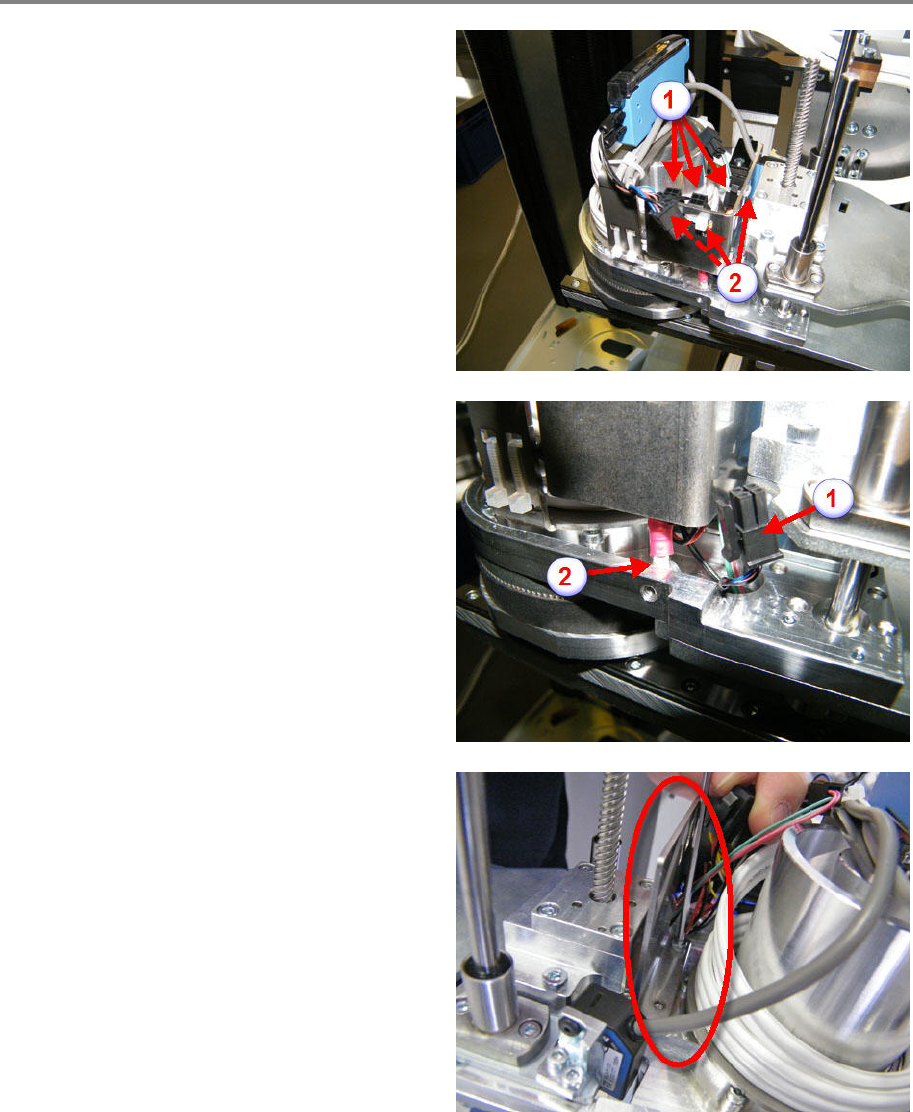
Remove cable from gripper
Remove the three connectors (1).
Cut off the three cable ties and remove them (2).
Remove the connector (1).
Loosen and remove the shield screw (2)
Loosen and remove the two fixing screws of
the
sheet metal.
Remove the sheet metal.
00197973-10 / 02 , 2016 Gripper
SIPLACE Mat. Tower Storage Service Manual © ASM 7-5
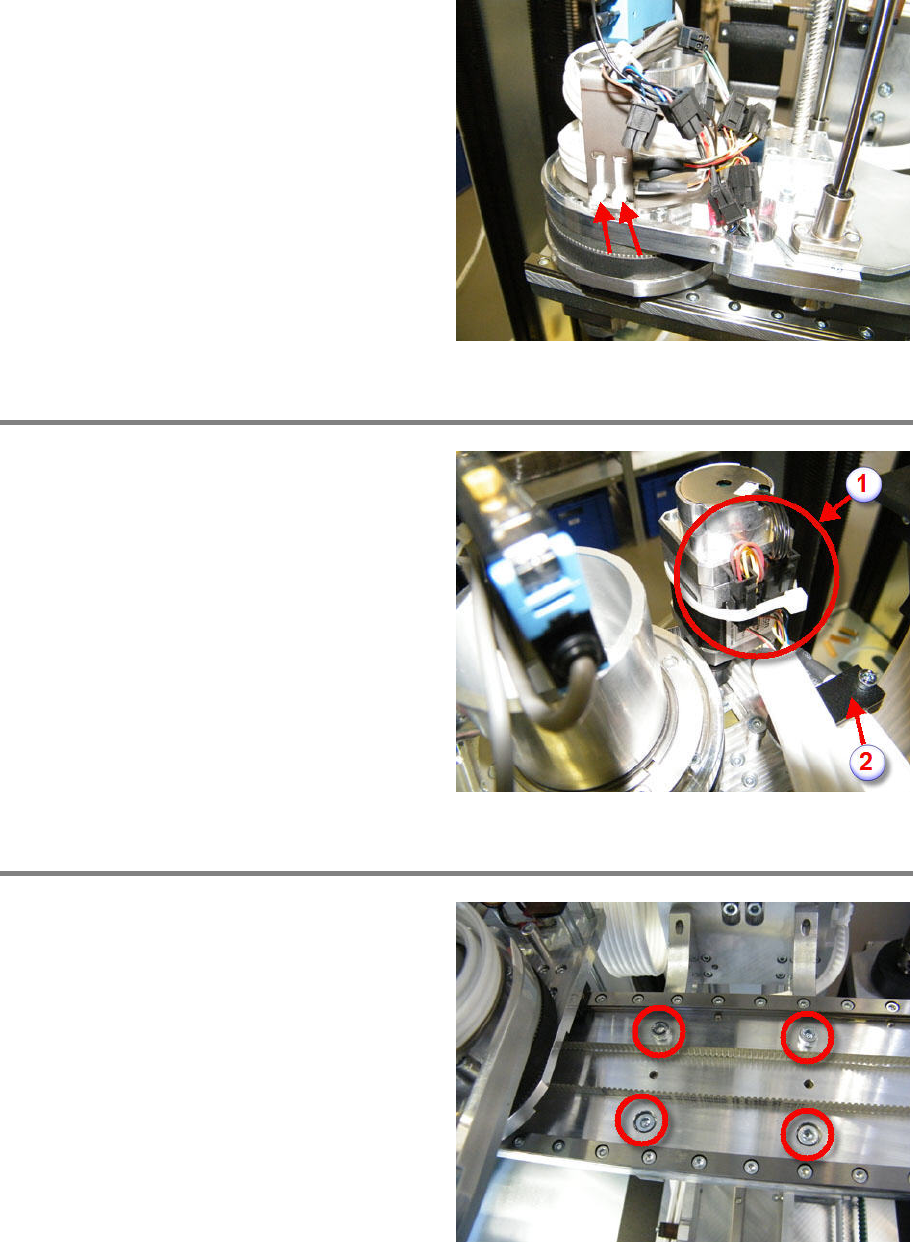
Cut off and remove the cable ties.
Slip out the cable (three loops).
Remove cable from R motor
Cut off the cable tie and remove it (1).
Remove the three connectors (1).
Loosen and remove the shield screw (1).
L
oosen and remove the cable clamp (2).
Exchange gripper with Y carriage
Loosen and remove the four fixing screws.
Exchange the gripper with th
e new one.
Screw in and tighten the four fixing screws.