00197973-10_SM_MaterialTower.pdf - 第140页
Gripper 0019797 3 - 10 / 02 , 2016 7- 22 © ASM SIPLACE Mat. Tower St ora ge Ser vice Manu al Step 3 Using your finger, check the belt ca n be fixed on this position as sho wn in t he picture. Mind the teeth are on the i …
00197973-10 / 02 , 2016 Gripper
SIPLACE Mat. Tower Storage Service Manual © ASM 7-21
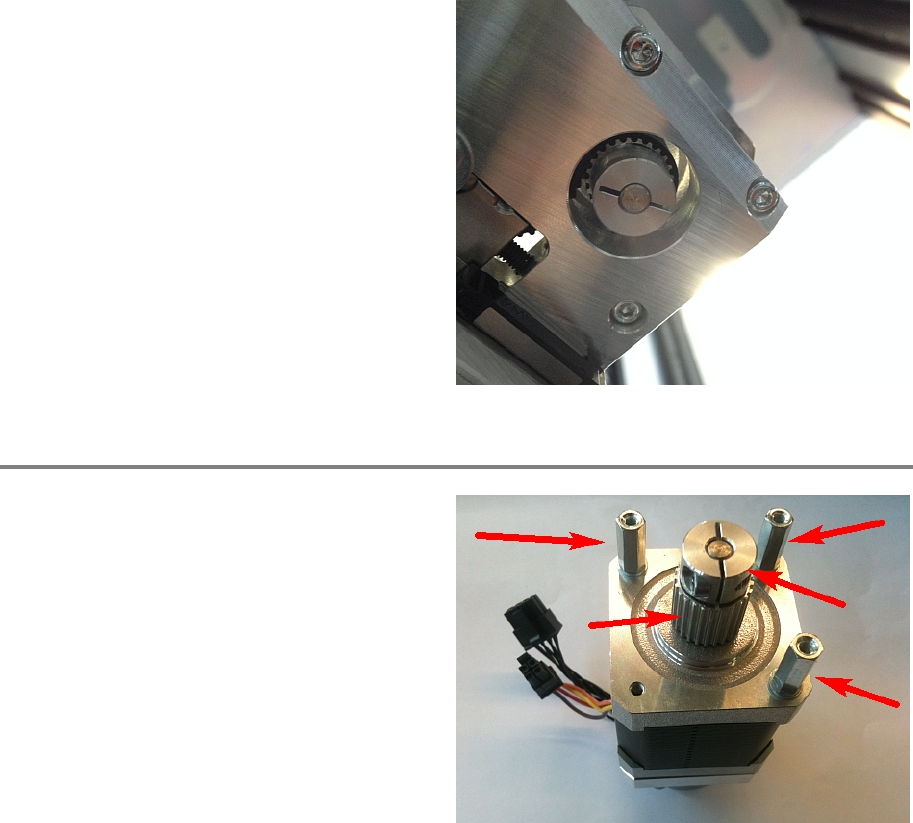
Remove
the three screws on the underside of
the X axis and take out the motor.
Step 2
Exchange the three distance screws, the pulley
and the fitting
to the new motor.
Gripper 00197973-10 / 02 , 2016
7-22 © ASM SIPLACE Mat. Tower Storage Service Manual
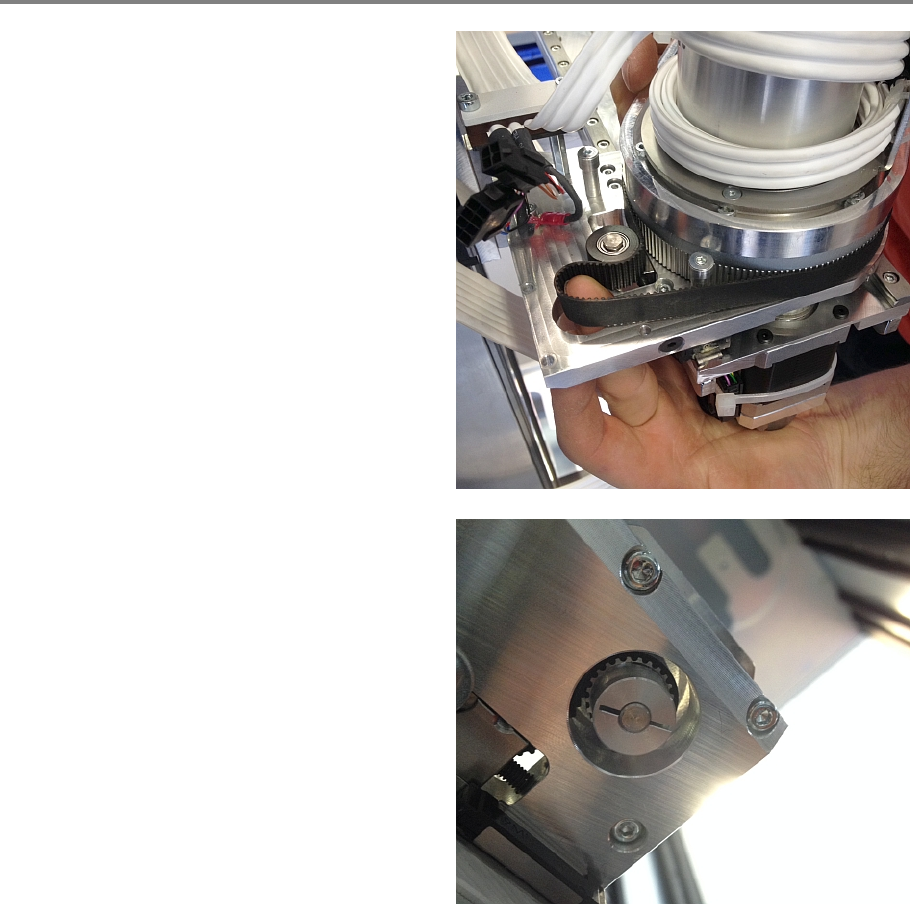
Step 3
Using your finger, check the belt can be fixed on
this position as shown in the picture. Mind the
teeth are on the i
nside.
Put the new motor through this belt gap on its
place and tighten all three screws on the
underside of the X axis.
00197973-10 / 02 , 2016 Gripper
SIPLACE Mat. Tower Storage Service Manual © ASM 7-23
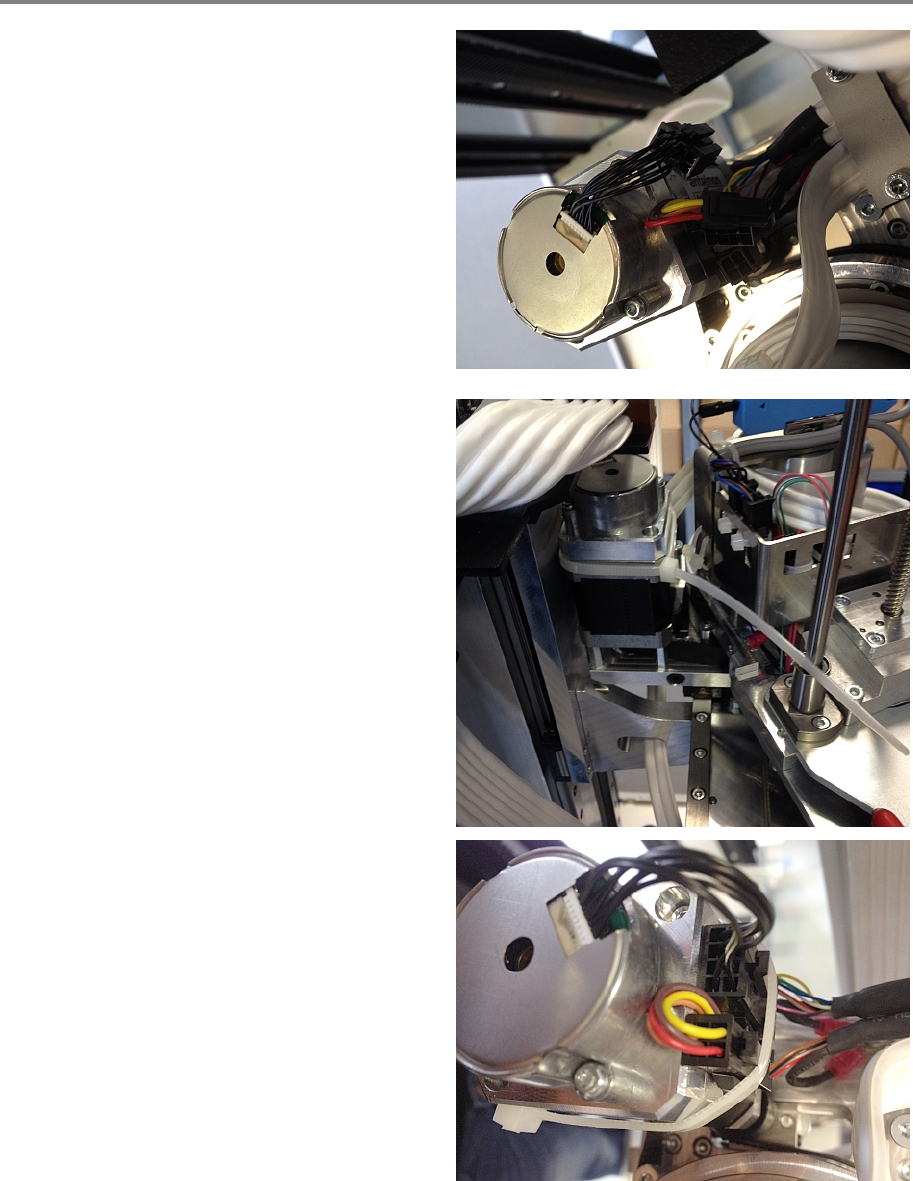
Step 4
Re
-connect all cables.
Fixate the cables with a cable tie. Carefully place
the connectors below the cable tie as shown in
the picture. The ending of the cable tie must be
in exactly this corner.