00197973-10_SM_MaterialTower.pdf - 第180页
Portal 00197 973 - 10 / 02 , 2016 8- 16 © ASM SIPLACE Mat. Tower St ora ge Ser vice Manu al Step 3 Remove the inner part by loosen ing the two screws. Put the inner pa rt away, for exa mple put it on a shelf below the po…
00197973-10 / 02 , 2016 Portal
SIPLACE Mat. Tower Storage Service Manual © ASM 8-15
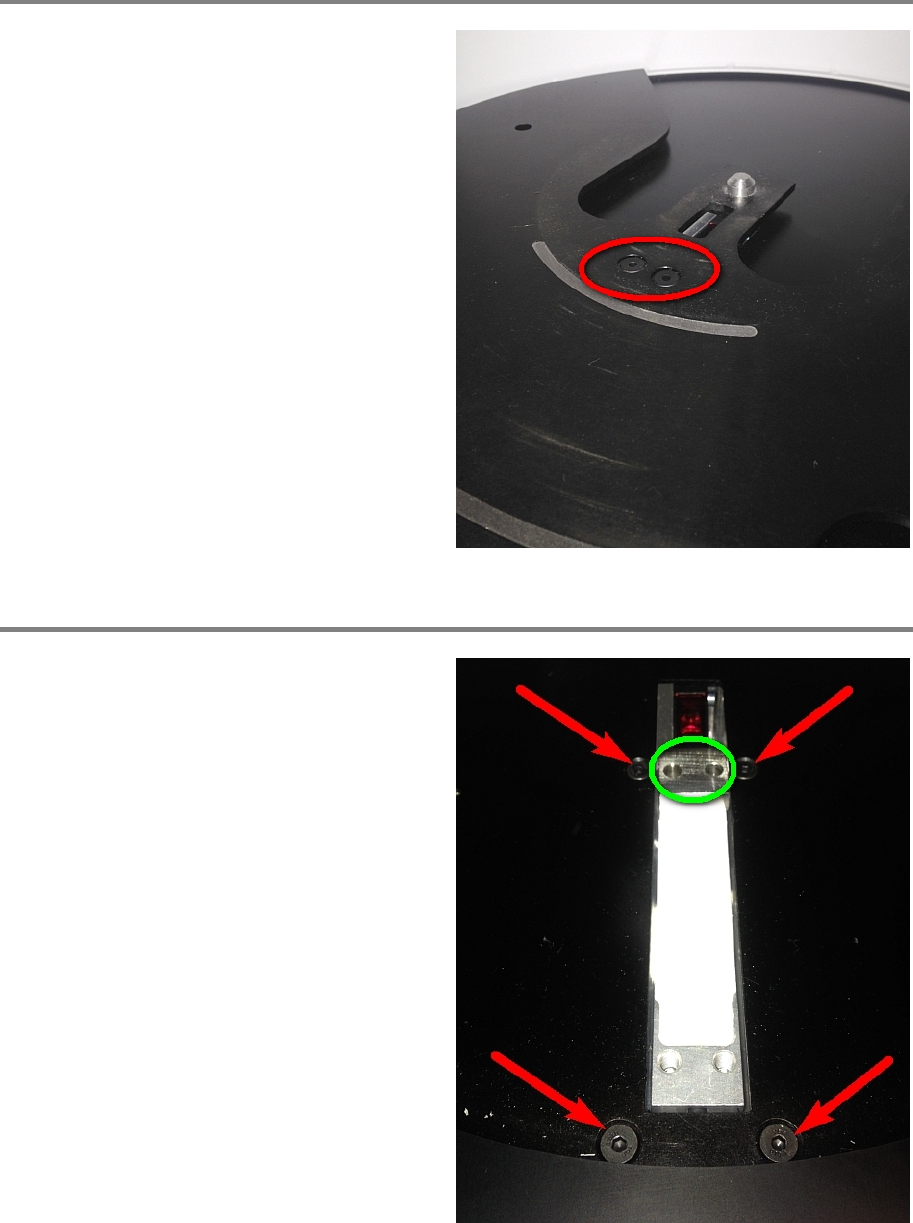
Step 1
Remove the reel support plate by loosening the
two screws.
Step 2
Remove the distance holder (marked green).
Remove the four screws holding the sensor
fixation.
From below the portal, carefully take out the
sensor fixation.
Portal 00197973-10 / 02 , 2016
8-16 © ASM SIPLACE Mat. Tower Storage Service Manual
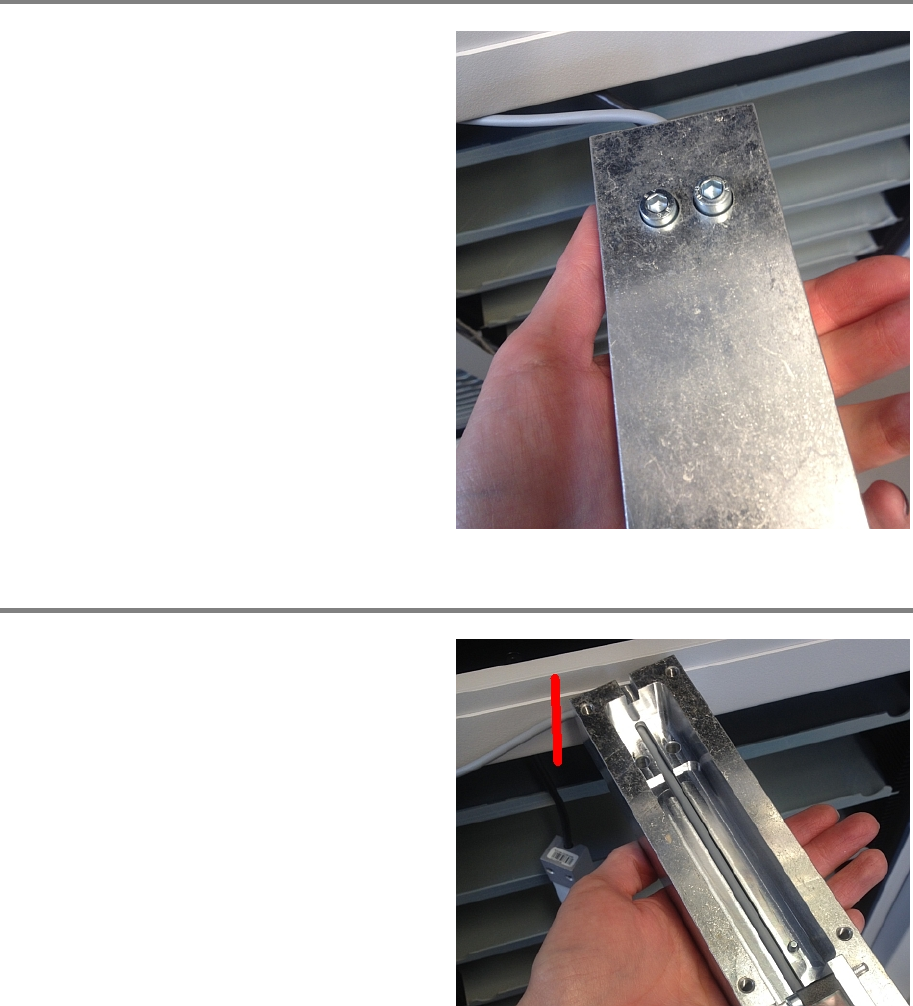
Step 3
Remove the inner part by loosening the two
screws.
Put the inner part away, for example put it on a
shelf below the portal.
Step 4
Cut the s
ensor cable.
00197973-10 / 02 , 2016 Portal
SIPLACE Mat. Tower Storage Service Manual © ASM 8-17
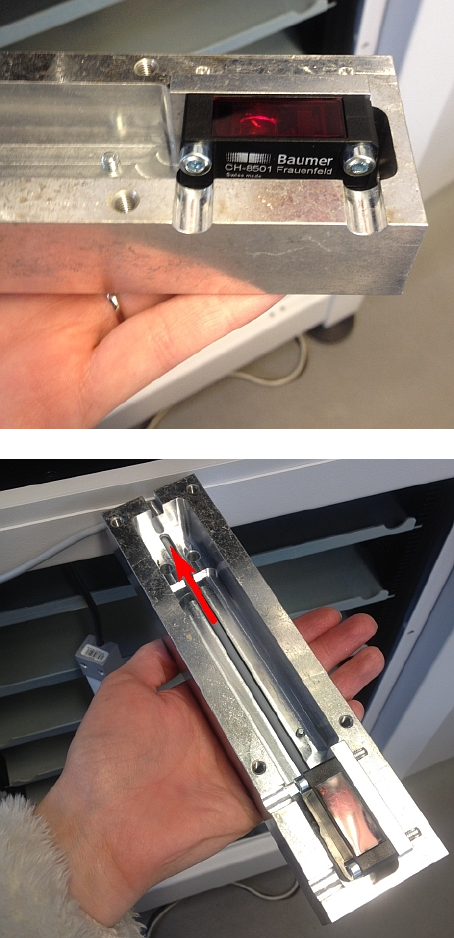
Exchange the old sensor with the new one.
Put the cable through the opening.