00197973-10_SM_MaterialTower.pdf - 第77页
0019797 3 - 10 / 02 , 2016 Y Axis SIPLACE Mat. Towe r St ora ge Serv ice Manual © ASM 5- 11 Step 3 Throu gh the holes on the right si de of the Y plate i t's possibl e to lose the Y belt fixatio n from the gripper w…
Y Axis 00197973-10 / 02 , 2016
5-10 © ASM SIPLACE Mat. Tower Storage Service Manual
Machine loading:
•
All stored items must be unloaded in advance.
Machine operating
condition:
• Shut down
Main electrical
power:
• Equipment disconnected from power supply system. The Main Switch
(switched off) locked by means of a padlock to secure the main switch
against unintentional switching on.
Compressed air /
Nitrogen (if used):
• Equipment disconnected from compressed air or nitrogen supply.
Access:
• Open the door on the right side of the machine
• Pull the Z axis towards you
• Pull the gripper up (is a bit hard because the Z motor has a break) so
you have better access to the Y axis
5.2.4 Exchange steps
Step 1
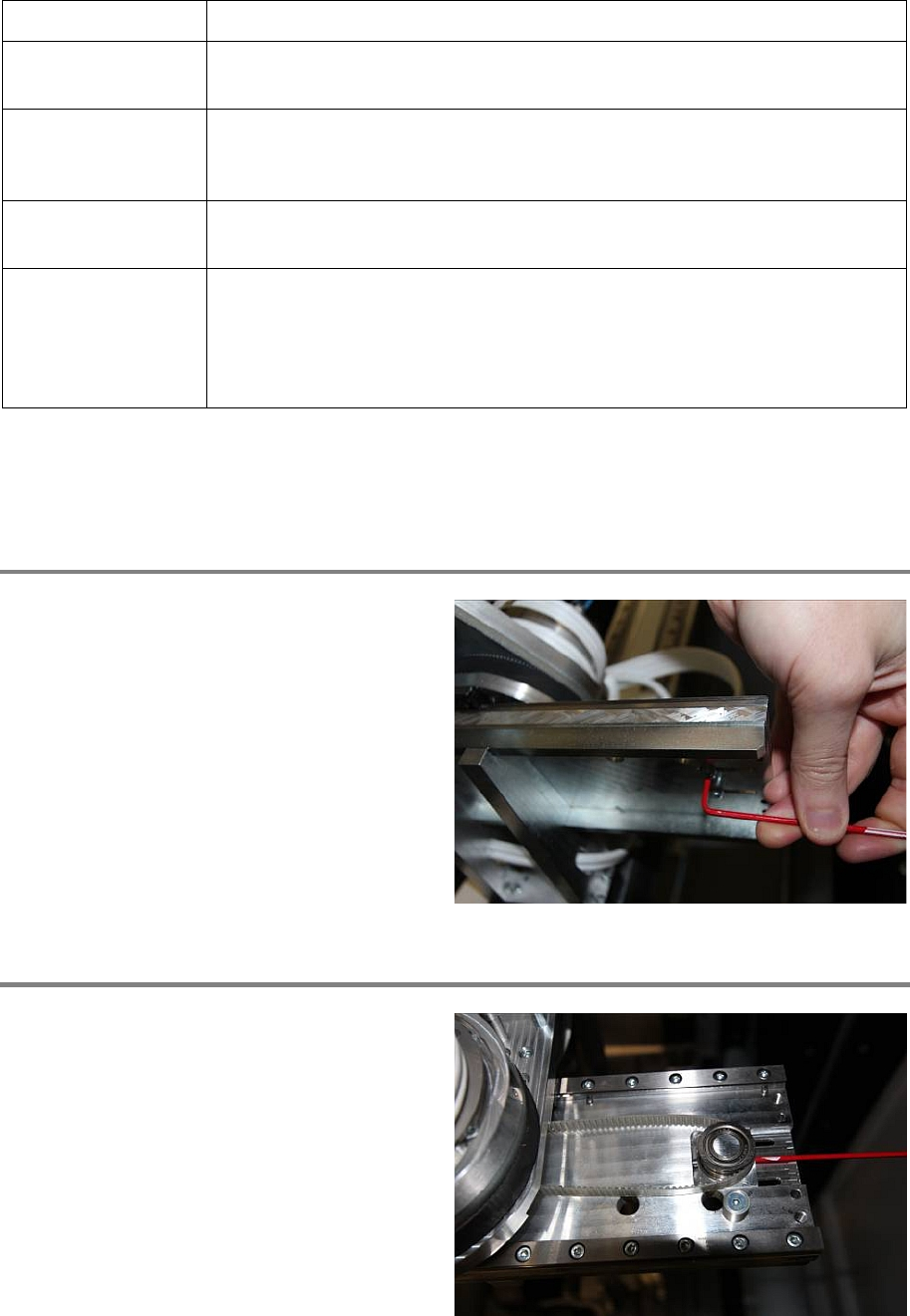
At the right side of the Y axis, slightly loose the
screws of the pulley.
Step 2
By losing the grub screw on the pulley, the Y belt
gets loose.
00197973-10 / 02 , 2016 Y Axis
SIPLACE Mat. Tower Storage Service Manual © ASM 5-11
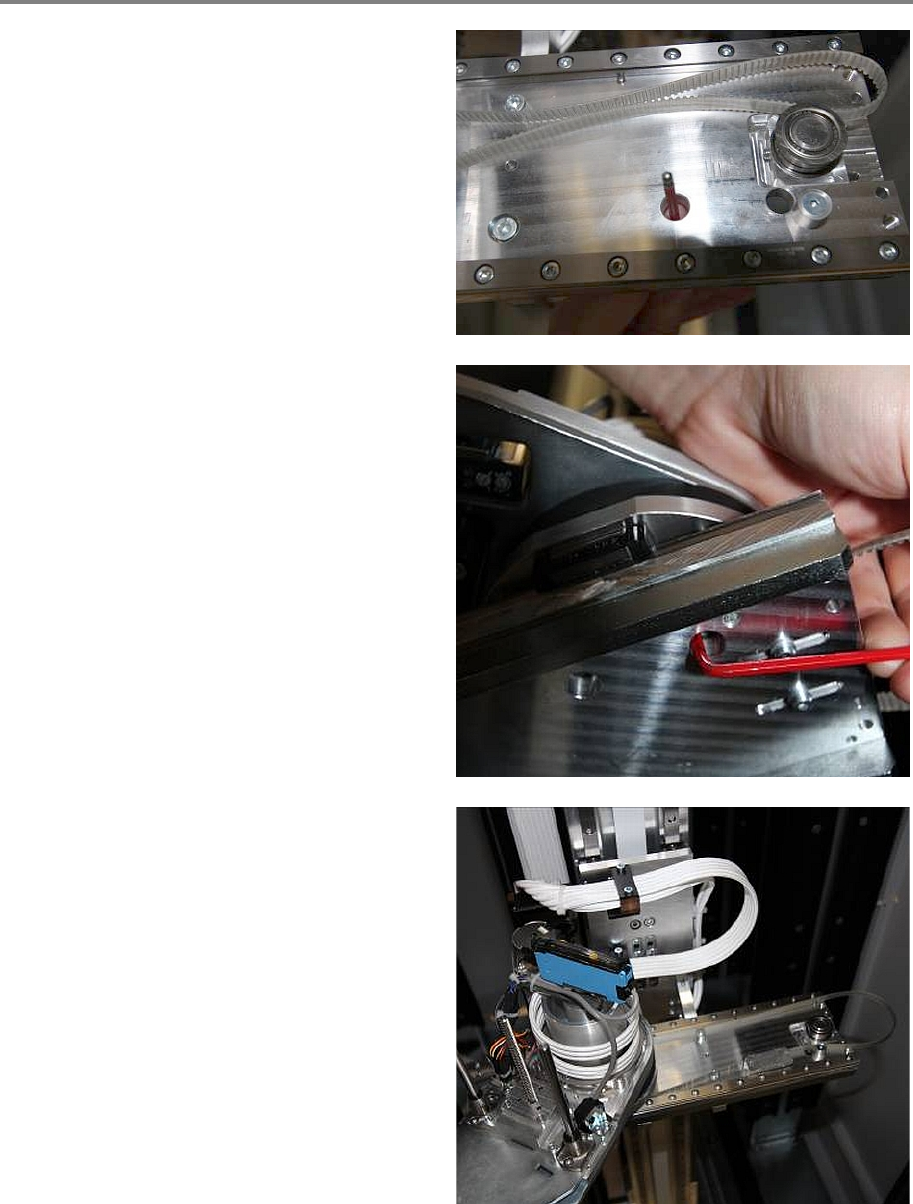
Step 3
Through the holes on the right side of the Y
plate it's possible to lose the Y belt fixation from
the gripper with the Allen Key.
So manually move the gripper to the right and
loose the two screws for the Y belt fixation. (The
screws are from Bossard B3_M4x12)
Now it's possible to move the gripper to the left
and pull out the Y belt fixation from beyond the
gripper.
Y Axis 00197973-10 / 02 , 2016
5-12 © ASM SIPLACE Mat. Tower Storage Service Manual
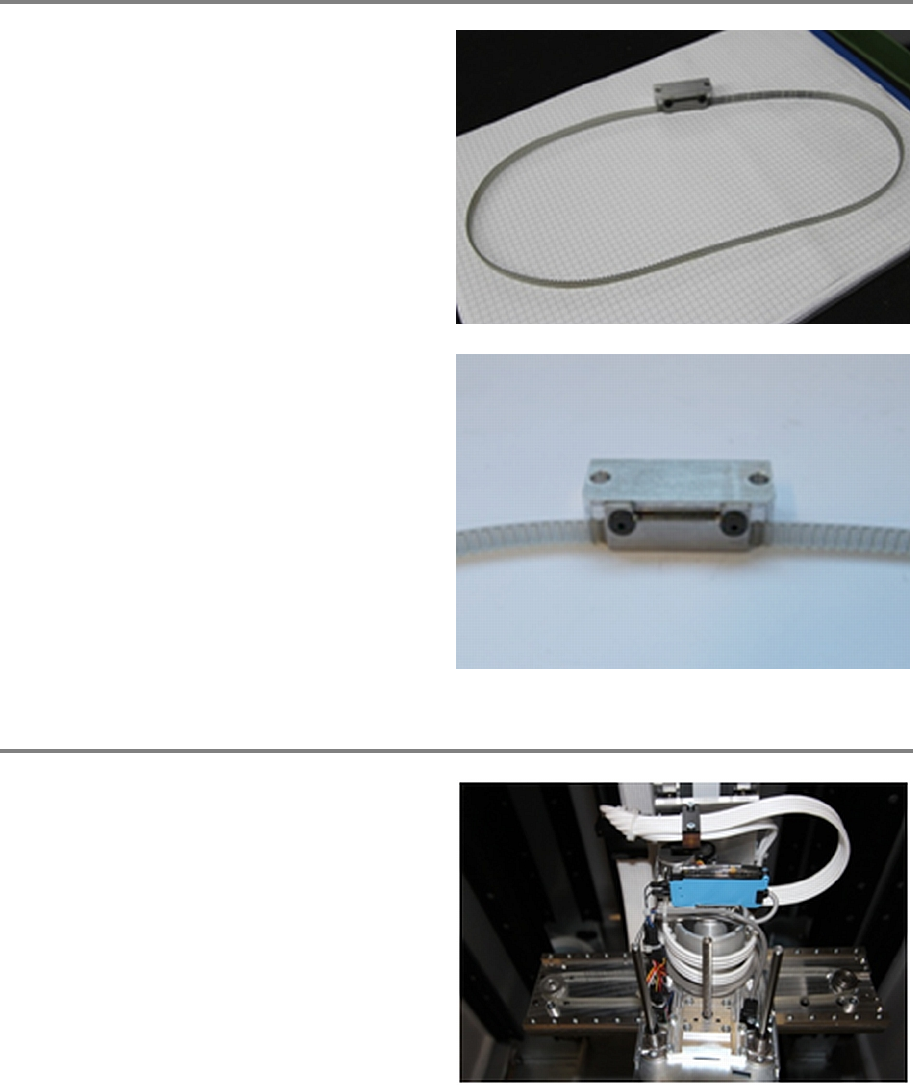
Step 4
Take out the Y belt including the belt fixation.
Loose the fixation on the Y belt. (Two black
screws from Bossard B1206_M3x8)
Step 5
Put the new Y belt (without the Y belt fixation)
over the motor pulley, underneath the gripper
and over the pulley on the right side.