00197973-10_SM_MaterialTower.pdf - 第108页
Z Axis 001 97973 - 10 / 02 , 20 16 6- 26 © ASM SIPLACE Mat. Tower St ora ge Ser vice Manu al Loosen and rem ove the two fi xing screws of the sheet metal. Remove the sheet metal. Cut off and re move the cable ties. Slip …
00197973-10 / 02 , 2016 Z Axis
SIPLACE Mat. Tower Storage Service Manual © ASM 6-25
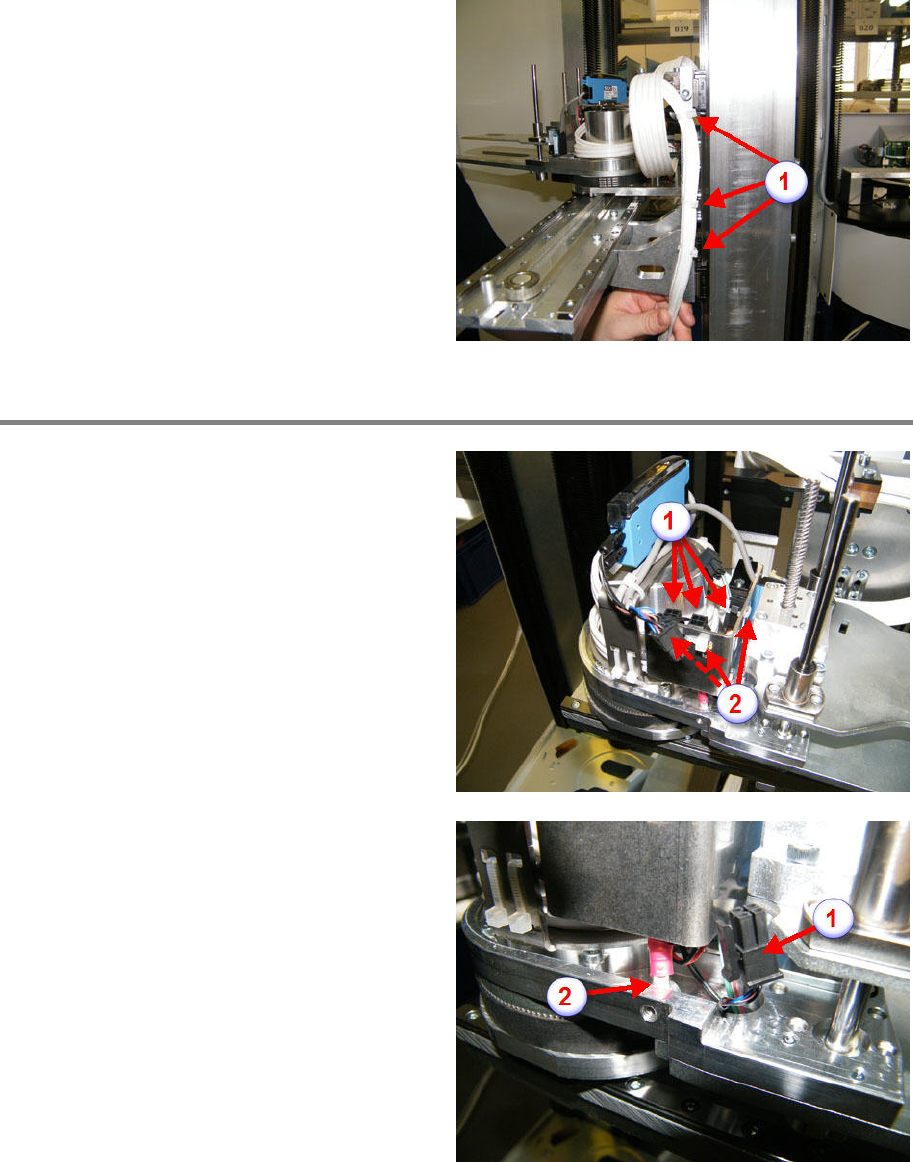
Cut off and remove the cable ties (1).
Remove cable from gripper
Remove the three connectors (1).
Cut off the three cable ties and remove them (2).
Remove the connector (1).
Loosen and remove the shield screw (2)
Z Axis 00197973-10 / 02 , 2016
6-26 © ASM SIPLACE Mat. Tower Storage Service Manual
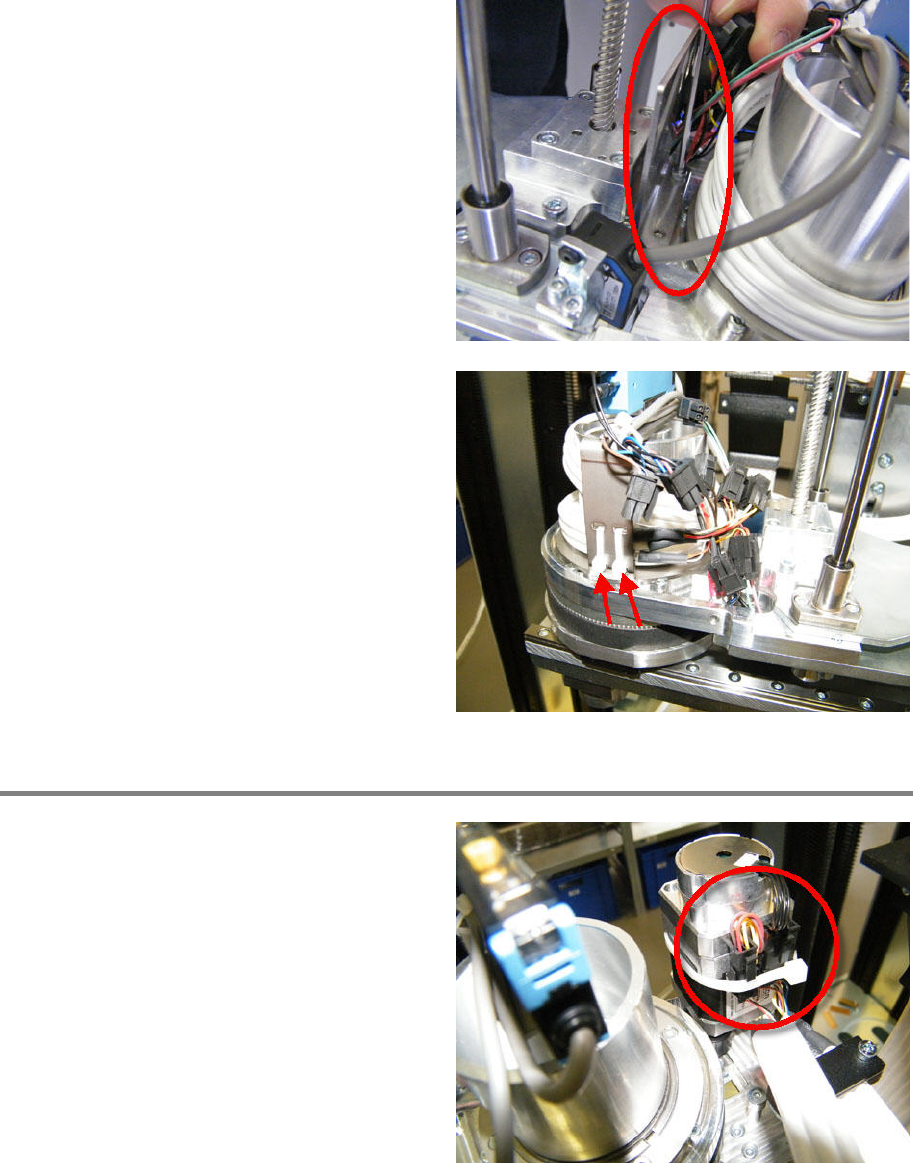
Loosen and remove the two fixing screws of the
sheet metal.
Remove the sheet metal.
Cut off and remove the cable ties.
Slip out the cable (three loops).
Remove cable from R motor
Cut off the cable tie and remove it.
Remove the three connectors.
Loosen and rem
ove the shield screw.
00197973-10 / 02 , 2016 Z Axis
SIPLACE Mat. Tower Storage Service Manual © ASM 6-27
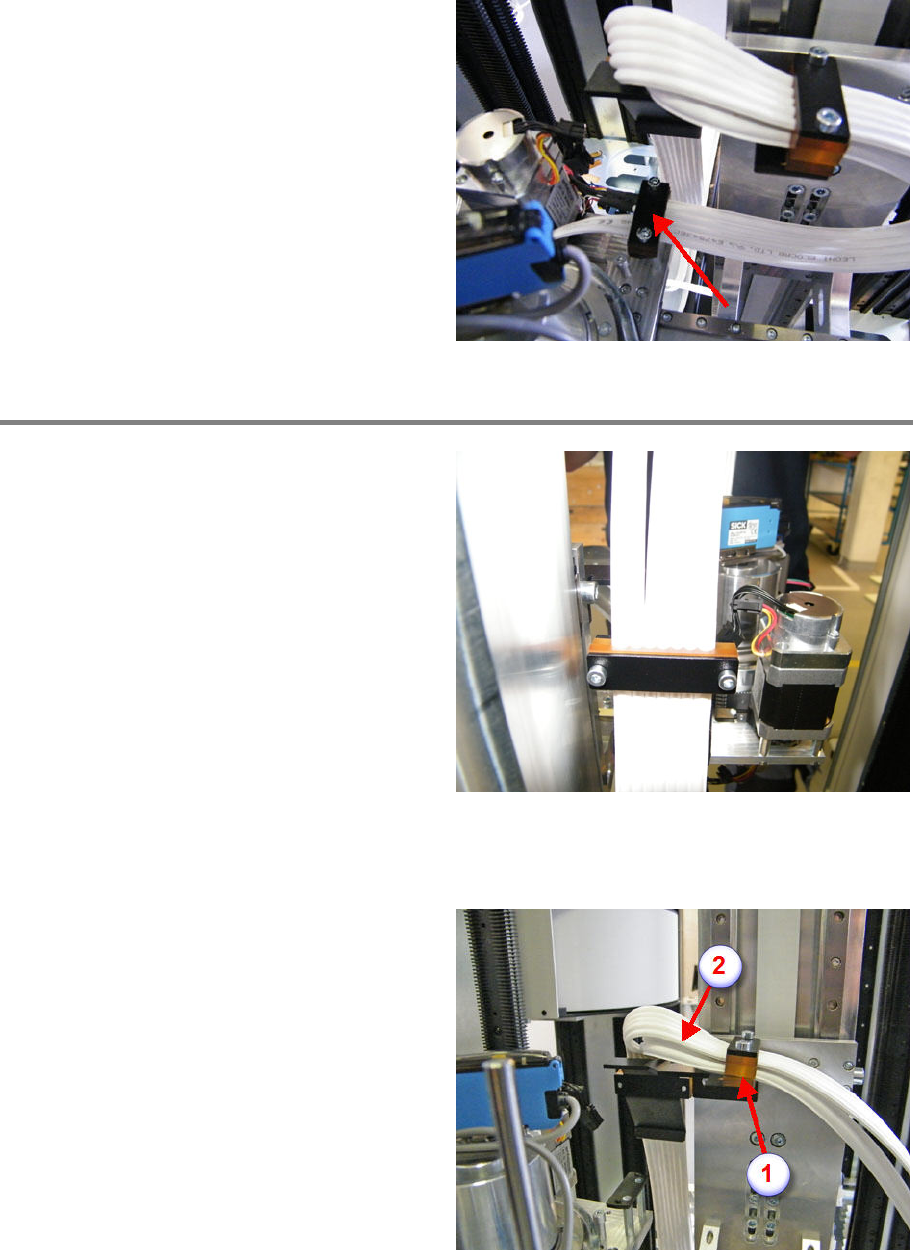
Remove all the cable clamps.
For easy re
-mounting later, put the clamps
together the right way before putting aside.
Exchange hybrid cable
Remove the defective hybrid cable completely.
Roll out the new cable very carefully.
Start mounting the new cable with the cable
clamp close to the R motor (see picture).
Position the cable according to the picture
(wider cable bundle of cutted cable on the R
motor side ).
The cable cutting should end 10 mm above the
clamp approximately.
Mount the clamp, make sure the notches of the
form clamping parts correspond to the hybrid
cable diameter.
Do not tighten the clamp fixing screws.
Mount the second clamp (1), make sure the
notches of the form clamping parts correspond
to the hybrid cable diameter. The wider cable
bundle on top.
Do not tighten the clamp fixing screws.
Pay attention to a smooth cable routing (2).