00197973-10_SM_MaterialTower.pdf - 第114页
Z Axis 001 97973 - 10 / 02 , 20 16 6- 32 © ASM SIPLACE Mat. Tower St ora ge Ser vice Manu al Mount cable du ct Lay the hybrid cable into the cable duct, according to the pictur e. Mount the two cable clamps , make sure t…
00197973-10 / 02 , 2016 Z Axis
SIPLACE Mat. Tower Storage Service Manual © ASM 6-31
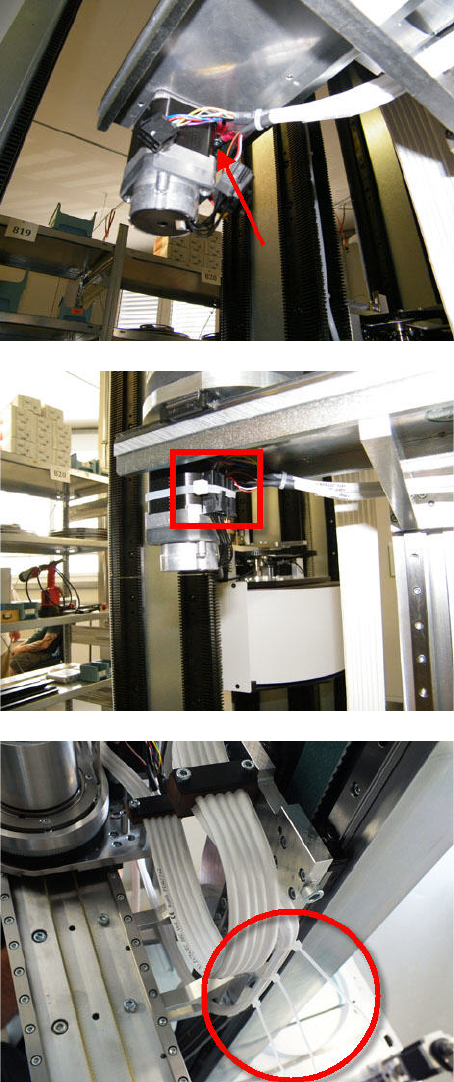
Fix the shield by using scr
ew and washer.
Tighten the screw.
Plug in all connectors.
Fix the plugs by a cable tie.
Fix the cable by three cable ties (see picture).
Z Axis 00197973-10 / 02 , 2016
6-32 © ASM SIPLACE Mat. Tower Storage Service Manual
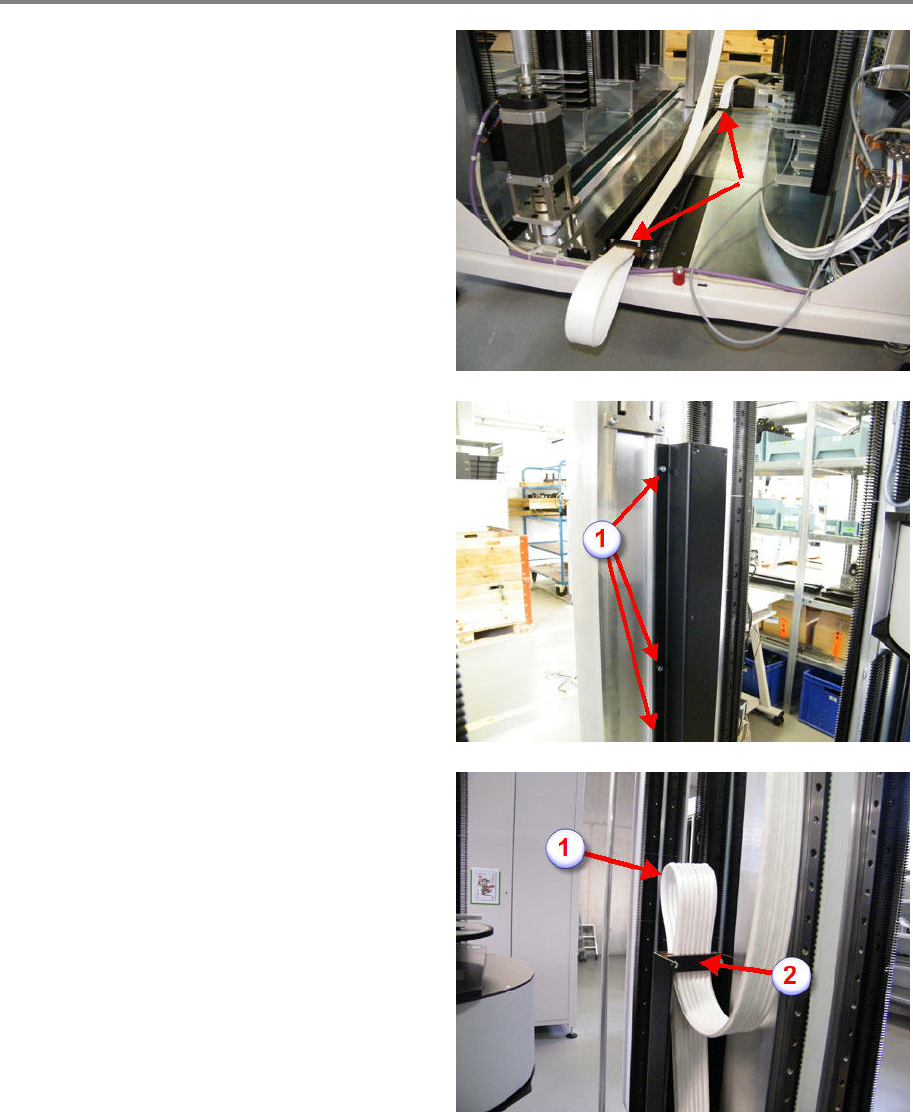
Mount cable duct
Lay the hybrid cable into the cable duct,
according to the picture.
Mount the two cable clamps, make sure the
notches of the form clamping parts correspond
to the hybrid cable diameter. Do not tighten the
clamping screws.
Put up the cable duct and fix it with the two or
three upper screws (1). Do not tighten the
screws.
Manually move the gripper to the uppermost
position.
Make a loop with the cable as shown on picture
(1).
Tighten the screws of the upper cable clamp (2),
do not overtighten.
Stretch the hybrid cable in the duct very carefully.
Tighten the screws of the lower cable clamp, do not overtighten.
Screw in the remaining fixing screws of the duct and tighten all five screws.
Fix the hybrid cable along the cable duct by means of cable ties.
00197973-10 / 02 , 2016 Z Axis
SIPLACE Mat. Tower Storage Service Manual © ASM 6-33
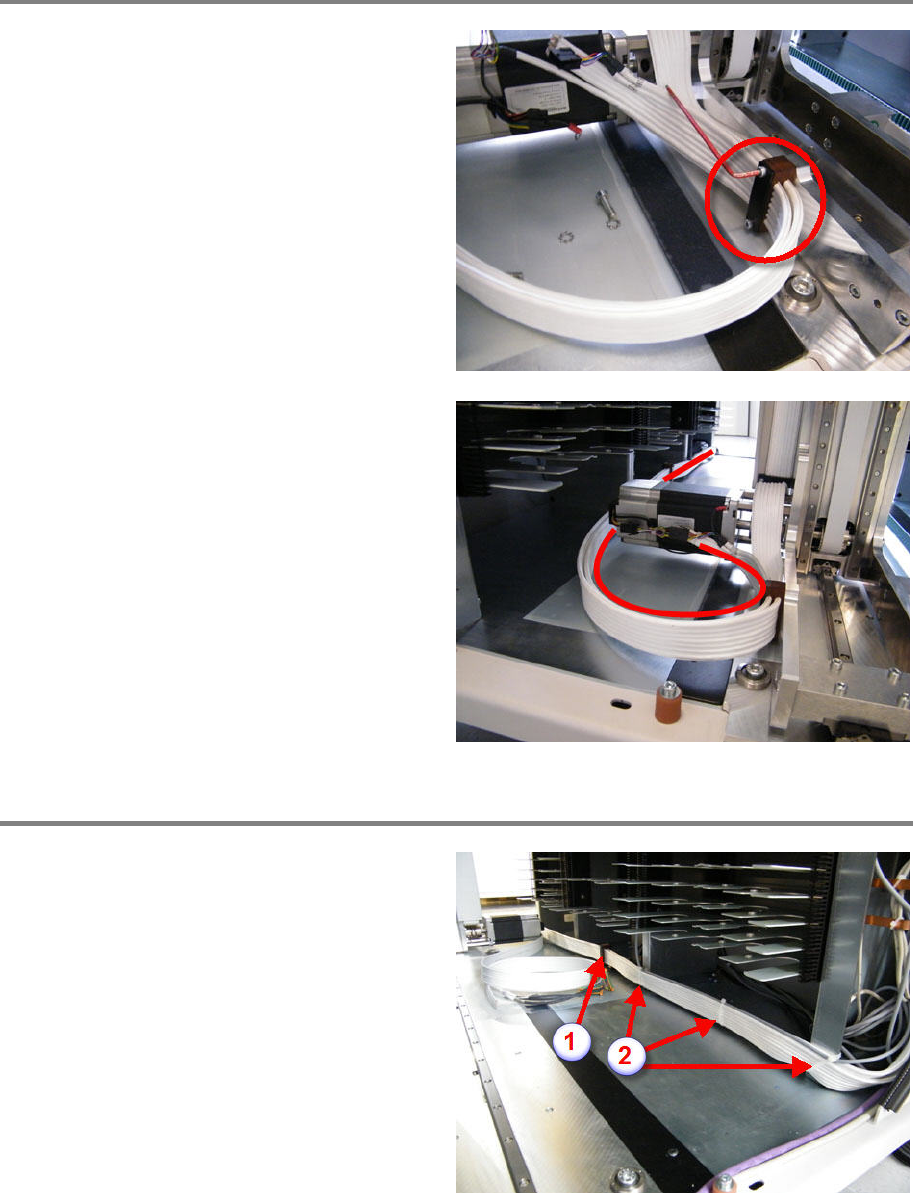
Mount hybrid cable at Z motor
Bring the new hybrid cable into correct position.
Mount the cable clamp, make sure the notches
of the form clamping parts correspond to the
hybrid cable diameter. Do not tighten the
clamping screws.
Check for proper cable routing illustrated on the
picture.
Tighten the screws of the cable clamping, do not
overtighten.
Tie
together the two hybrid cables by using
cable ties.
Make sure the hybrid cables do not touch the
chassis.
Mount hybrid cable along X axis
Bring the new hybrid cable into correct position
(behind the X hybrid cable).
Mount the cable clamp (1), make sure the
notches of the form clamping parts correspond
to the hybrid cable diameter. Check again for
proper cable routing and tighten the clampin
g
screws, do not overtighten.
Fix the cable by using cable ties (2).