00197973-10_SM_MaterialTower.pdf - 第235页
0019797 3 - 10 / 02 , 2016 Option Air Dryer SIPLACE Mat. Towe r St ora ge Serv ice Manual © ASM 11 - 21 Remove the c ompressed air input includ ing the connector by lo osening the adaptor. It may help when removing t he …
Option Air Dryer 00197973-10 / 02 , 2016
11-20 © ASM SIPLACE Mat. Tower Storage Service Manual
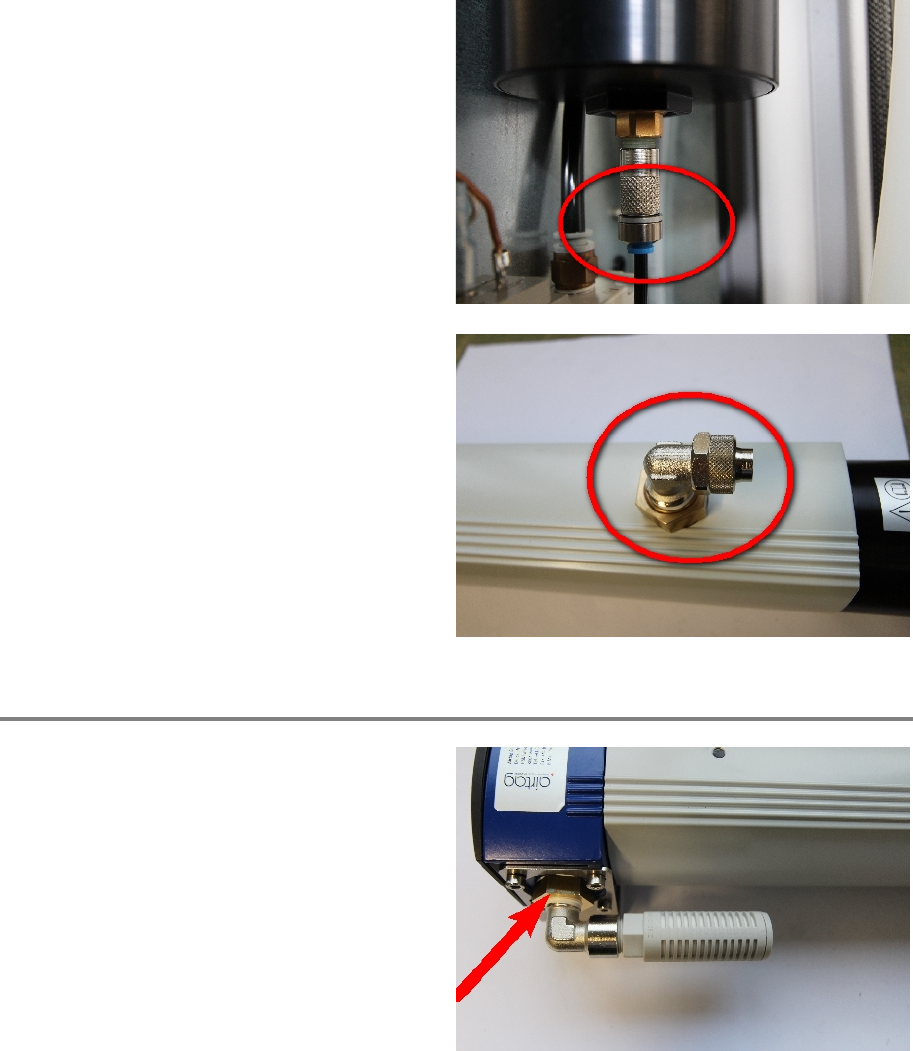
Swap the 4 mm hose connector.
Swap the 15 mm hose connector.
Step 4
Remove the dry air output including the silencer
by loosening the adaptor. It may help when
removing the four screws of the holding first.
00197973-10 / 02 , 2016 Option Air Dryer
SIPLACE Mat. Tower Storage Service Manual © ASM 11-21
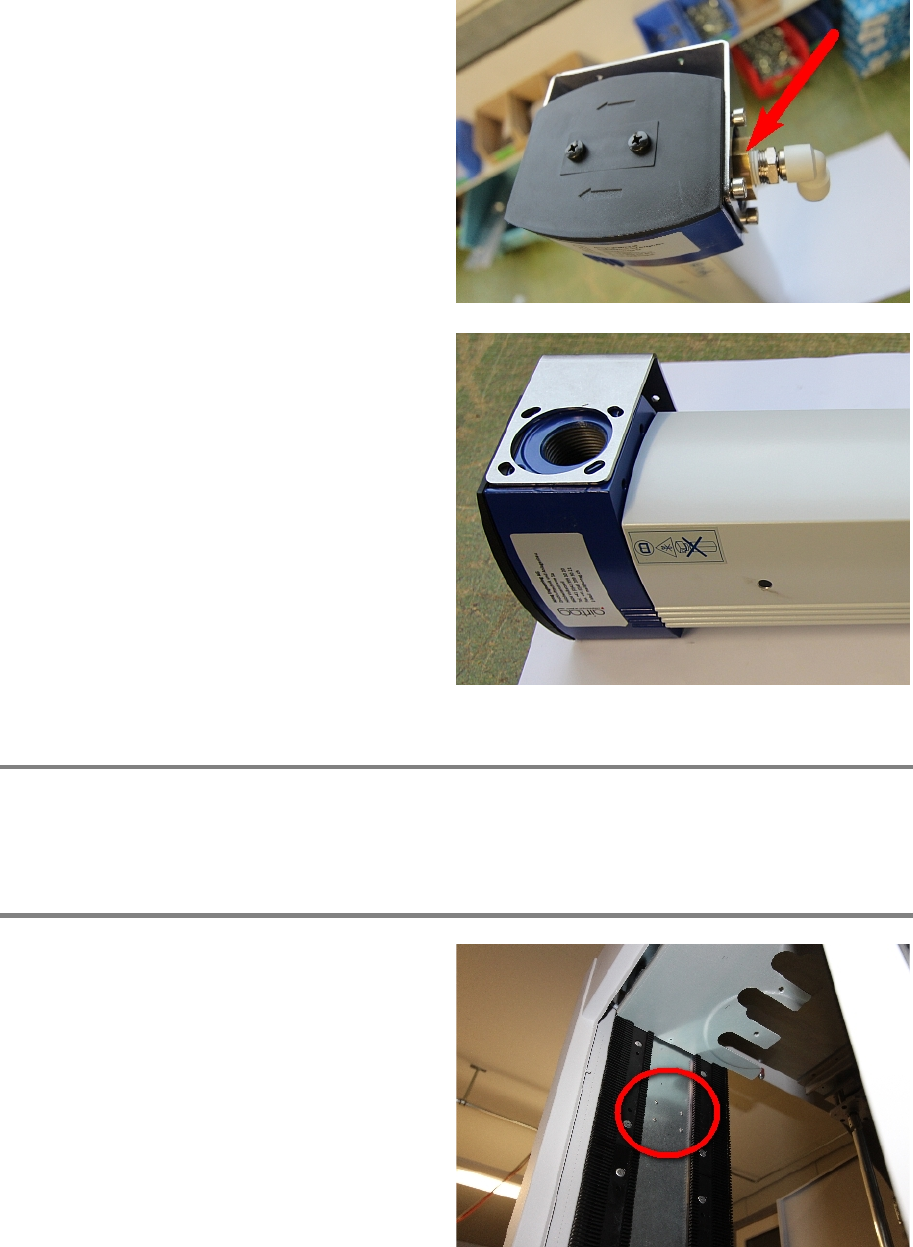
Remove the compressed air input including the
connector by loosening the adaptor. It may help
when removing the four screws of the holding
first.
If not already done, remove all eight screws and
the holding.
Step 5
Assemble the parts which have been removed in step 4 on the new membrane dryer. Follow the
reversed disassembling order of step 4.
Step 6
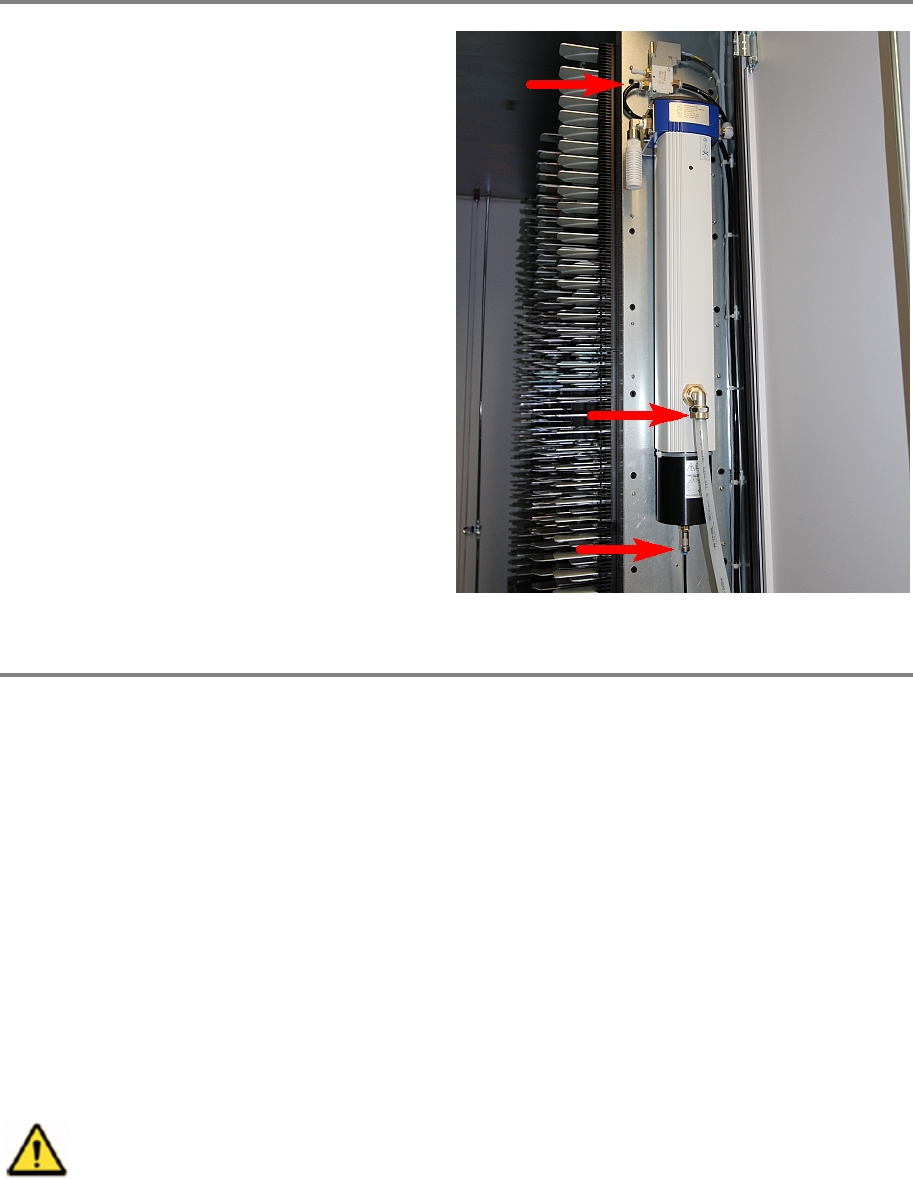
Assemble the new membrane dryer. The four
screws holding the air dryer are l
ocated at the
back side of the panel.
Option Air Dryer 00197973-10 / 02 , 2016
11-22 © ASM SIPLACE Mat. Tower Storage Service Manual
Step 7
Plug all three air connection hoses.
Step 8
Remove all tools and close the doors of the machine.
Plug in the power connector, connect the compressed air supply and switch on the machine.
Initialize the machine by means of the software.
11.4 Humidity Sensor
11.4.1 Introduction
This modification instruction describes how to change the humidity sensor of the Air Dryer Option
on SIPLACE Material Tower.
Spare part number: 03124534-01
Before starting the maintenance, read the Safety instructions carefully.
11.4.2 Tools, Material and Scheduling
For an effective and efficient maintenance, the following resources have to be provided: