00196504-02_UM_X-Serie_SR70X_EN.pdf - 第302页
Tasks on the machine User manual SIPLACE X-series Switch on the SIPLACE line From software version SR.70x.xx 01/2011 EN edition 302 5.3.5 What does the machine St art button do? The response to the S tart button can be s…
User manual SIPLACE X-series Tasks on the machine
From software version SR.70x.xx 01/2011 EN edition Switch on the SIPLACE line
301
5
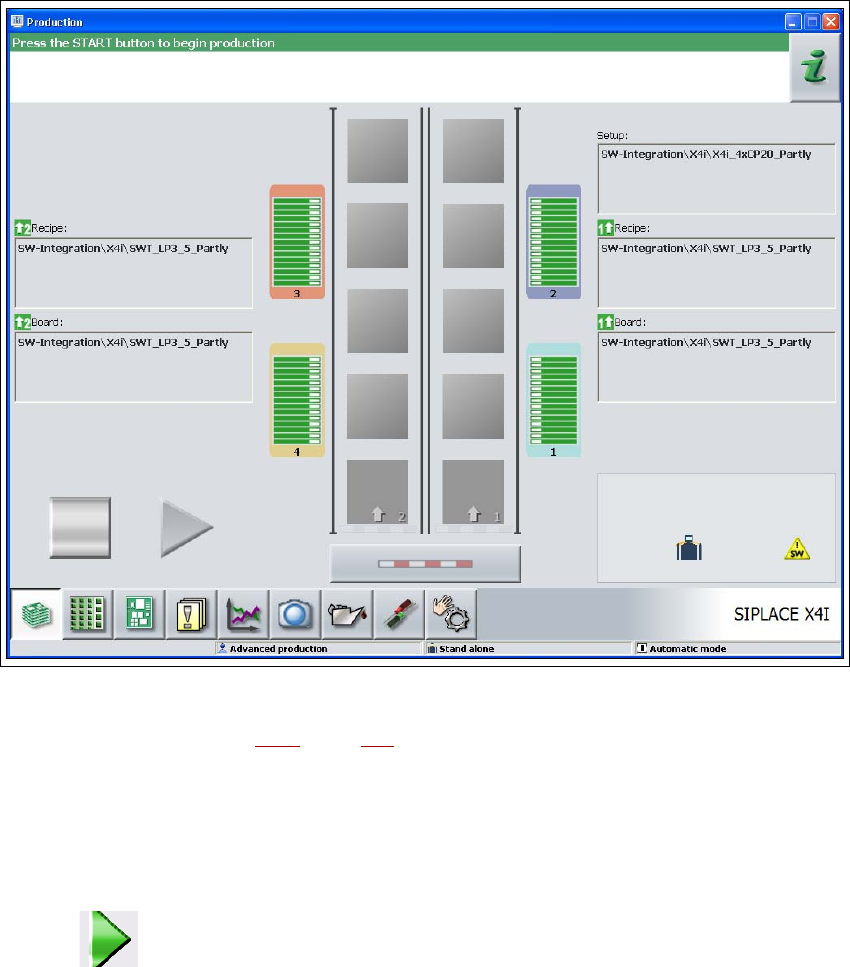
Fig. 5.3 - 1 "Production" view after loading the station software (on the example of the SIPLACE X4i)
The Status box (see Section 5.5.1, page 305) displays the current status of the station and the
action that you wish to carry out.
When you are prompted to "Press the START button", press a Start button.
You will find Start buttons on the input side, output side and on the operator panels on the left
and right-hand sides of the stations.
The reference run is carried out. When the reference run ends, the station is ready to start.
The symbol is displayed (activated) in the work area of the user interface.
Tasks on the machine User manual SIPLACE X-series
Switch on the SIPLACE line From software version SR.70x.xx 01/2011 EN edition
302
5.3.5 What does the machine Start button do?
The response to the Start button can be set.
Open the "Check sensors and functions" view (see section 5.5.3, page 307).
This allows the following settings:
Start basic production automatically 5
Default setting.
Pressing the Start button starts basic production automatically.
Do not change production status 5
For calibrating and testing the machine, for example.
Pressing the Start button only closes the circuit, and does not directly start basic production.
CAUTION
Machine functions can be started directly from the GUI, regardless of the settings for the Start but-
ton. If the circuit is already closed, it is not necessary to confirm again by pressing the Start button
on the machine. 5
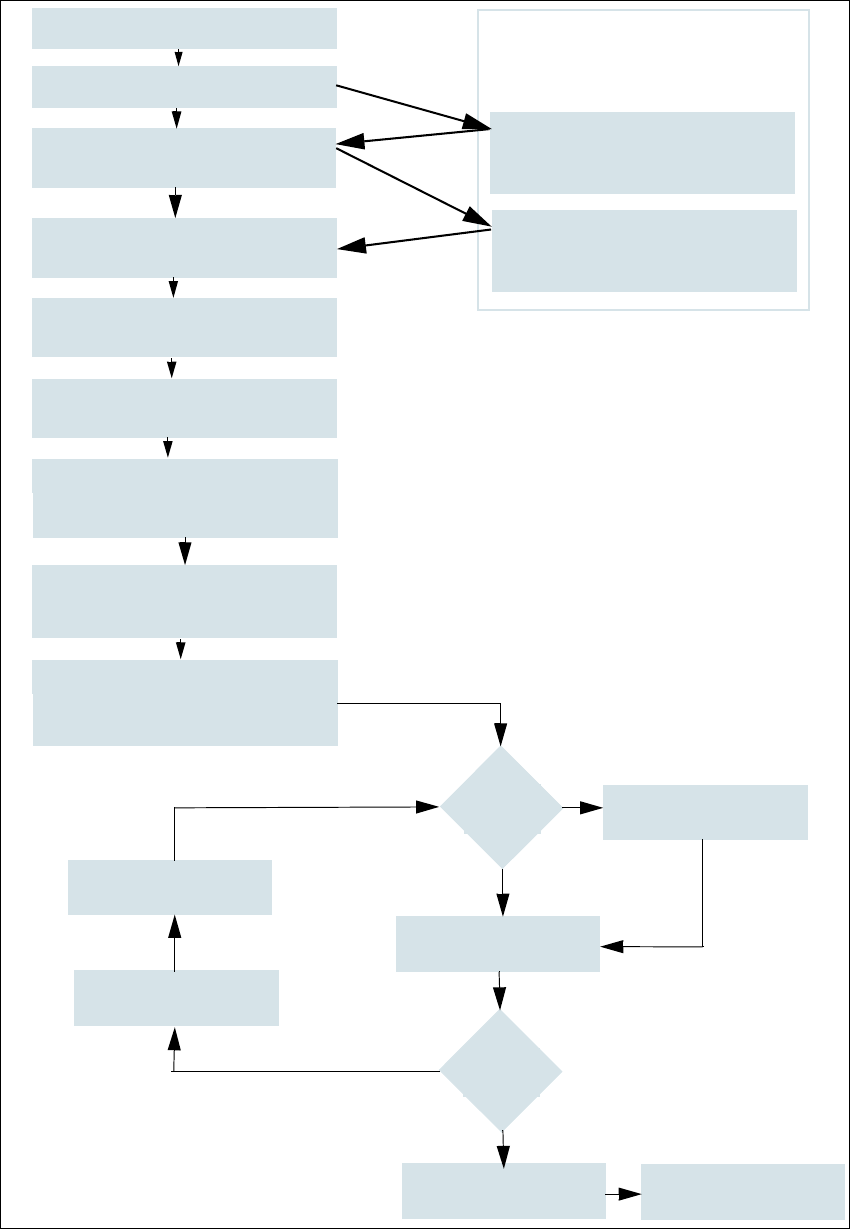
5.3.6 Flow chart: "Switching on the SIPLACE line"
The following flow chart shows the actions that are carried out after switching on the SIPLACE
line.
User manual SIPLACE X-series Tasks on the machine
From software version SR.70x.xx 01/2011 EN edition Switch on the SIPLACE line
303
5
Fig. 5.3 - 2 Flow chart: "Switching on the SIPLACE line"
Station computer
Switch on
Check the set-up
(set feeder modules)
Teach fiducials
Loading PCB data
Press Start button
Waiting for reference run
Move PCB in
Waiting for PCB
Check setup
(if table is highlighted in red)
Change nozzle configuration
if necessary
Nozzle check
Fiducials
OK?
Track -er-
rors
Placement
Check setup
Reset tracks
Placement
PCB to output conveyor
Italics:
This is carried out or
reported by the station
Yes
Yes
No
No
Specifications for the machine
Download wizard
Programming system
tasks
Confirm the conversion on the
Download wizard