00196504-02_UM_X-Serie_SR70X_EN.pdf - 第309页
User manual SIPLACE X-series Tasks on the machine From software version SR.70x.xx 01/ 2011 EN edition The user interface 309 5 Fig. 5.5 - 3 User interface in the "Feeders, components and nozzles" view (with ref…
Tasks on the machine User manual SIPLACE X-series
The user interface From software version SR.70x.xx 01/2011 EN edition
308
5.5.4 Using the station software within the views
Most of the views that are called from the toolbar (see section 5.5.3, page 307) have an additional
vertical toolbar for sub-views and functions on the right-hand side of the user interface.
NOTE
You will find a detailed description of the individual functions in the online help. 5
Example: "Feeders, components and nozzles" view
5
5
Click "Feeders, components and nozzles" on the toolbar.
The following view opens:
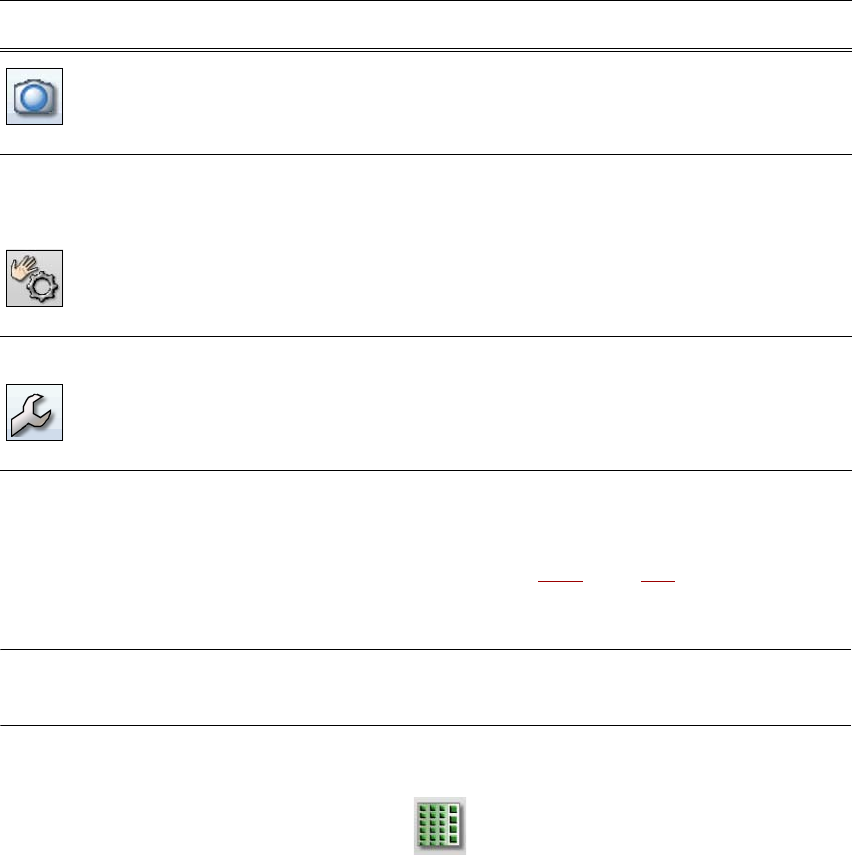
Live image during
placement
Displays the individual camera live images.
Only available at "Advanced production" operator level or higher:
displays and saves the vision dumps.
Check sensors
and functions
Contains information and functions for testing and diagnostics.
For setting the response to the machine Start button.
Only available at "Advanced production" operator level or higher:
for testing the complete reference run and functions of the C&P20A
head.
Single Functions and continuous runs. Each gantry is activated
separately.
Service Service tools.
Only available at "Machine service" operator level or higher.
For setting up and calibrating SIPLACE placement machine, down-
loading embedded software versions, calibrating and configuring
the complete machine.
Symbol View Description
User manual SIPLACE X-series Tasks on the machine
From software version SR.70x.xx 01/2011 EN edition The user interface
309
5
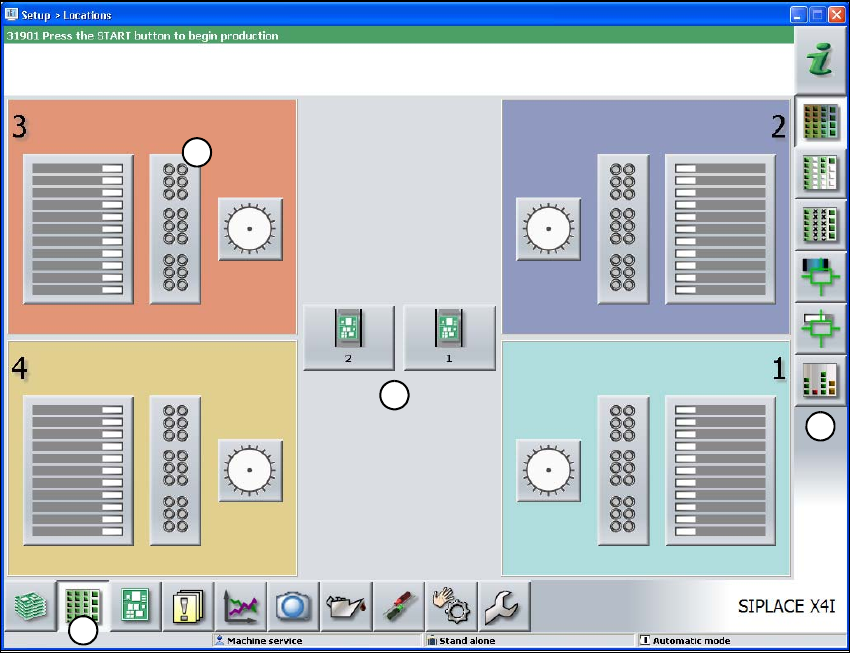
Fig. 5.5 - 3 User interface in the "Feeders, components and nozzles" view (with reference to the SIPLACE X4I)
(1) Toolbar ("Feeders, components and nozzles" button)
(2) Vertical toolbar in the "Feeders, components and nozzles" view.
(3) Processing area with 4 gantries
(4) Button for nozzle change to gantry 3
Click nozzle change from gantry 3 (button 4), for example, to check the nozzle configuration.
1
2
3
4
Tasks on the machine User manual SIPLACE X-series
The user interface From software version SR.70x.xx 01/2011 EN edition
310
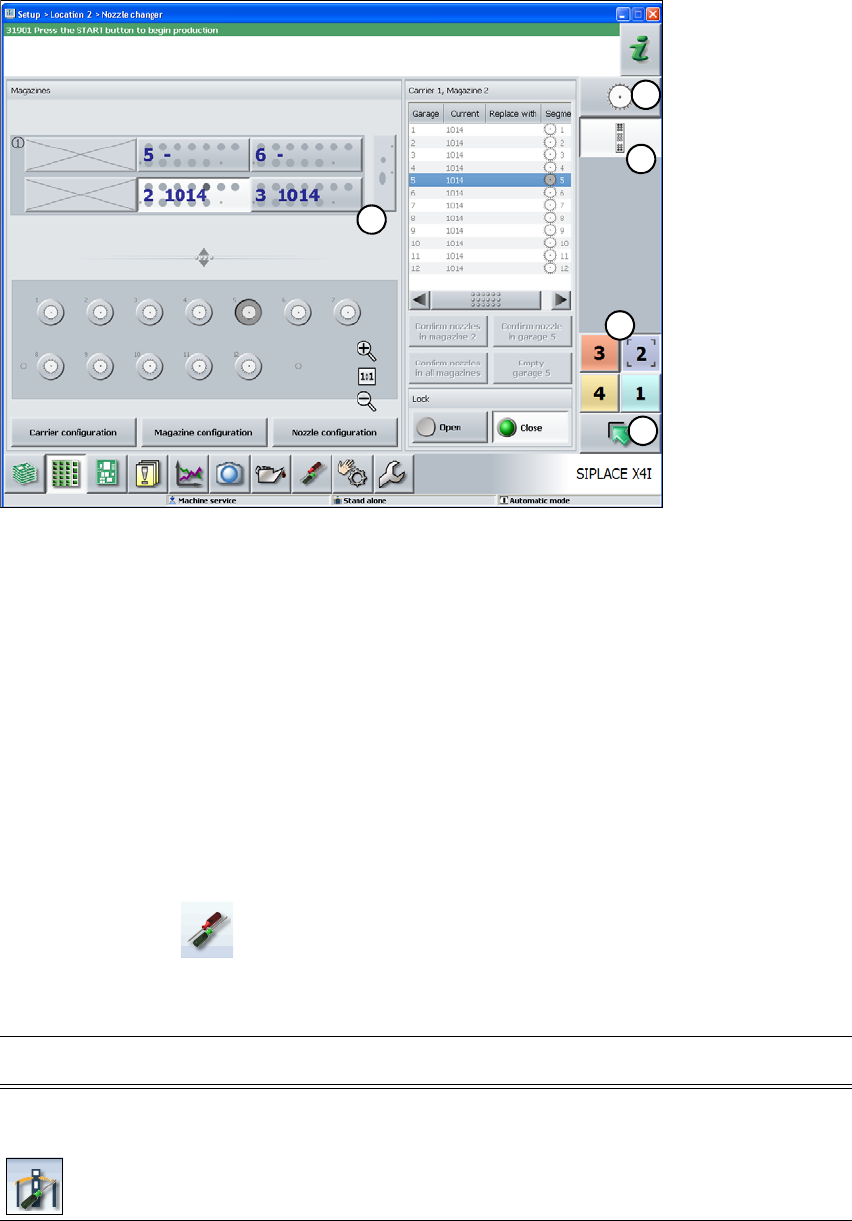
The following view opens:
5
Fig. 5.5 - 4 User interface in the "Nozzle changer" view (with reference to the SIPLACE X4I)
(1) Vertical "Nozzle changer" toolbar
(2) "Nozzle changer" processing area
(3) "Up one level" button for returning to the previous view (in this case the "Feeders, components
and nozzles" view, see previous picture)
(4) Button for switching directly to another gantry
(5) Button for changing directly to the "head configuration"
5.5.5 Settings
The "Settings" view allows you to change various user settings, software options and machine op-
tions.
Click "Settings" on the toolbar.
An additional toolbar appears on the right-hand side. The following table briefly describes the sym-
bols and settings.
1
5
2
3
4
Symbol Settings Description
Machine
settings
For Advanced production, Machine service or SIPLACE service
only.
For setting the control mode and options (e.g. run options).
Shut down machine.
Switch to operating system.