00197446-02_UM_JTF_S_JTF-M_ X-Serie_S_de_en.pdf - 第140页
Setting up and Commissioning Installation 4.4.3 Inserting the JEDEC Tray Feeder 140 JEDEC Tray Feeder ► Fix the hose with c able ties (1) . CAUTION Hand guard If you remove the JEDEC tray fee der, replace it by a dummy f…
Setting up and Commissioning
4.4.3 Inserting the JEDEC Tray Feeder Installation
JEDEC Tray Feeder 139
4.4.3
4.4.3 Inserting the JEDEC Tray Feeder
Inserting the JEDEC Tray Feeder
CAUTION!
Heavy machine part:
You might need to enlist the help of a second person to
prevent this.
CAUTION!
Damage to light barriers:
When setting up the JEDEC tray feeder on the adapter,
ensure that the light barriers of the JTF supply unit are not
damaged by the feeder fixation rail!
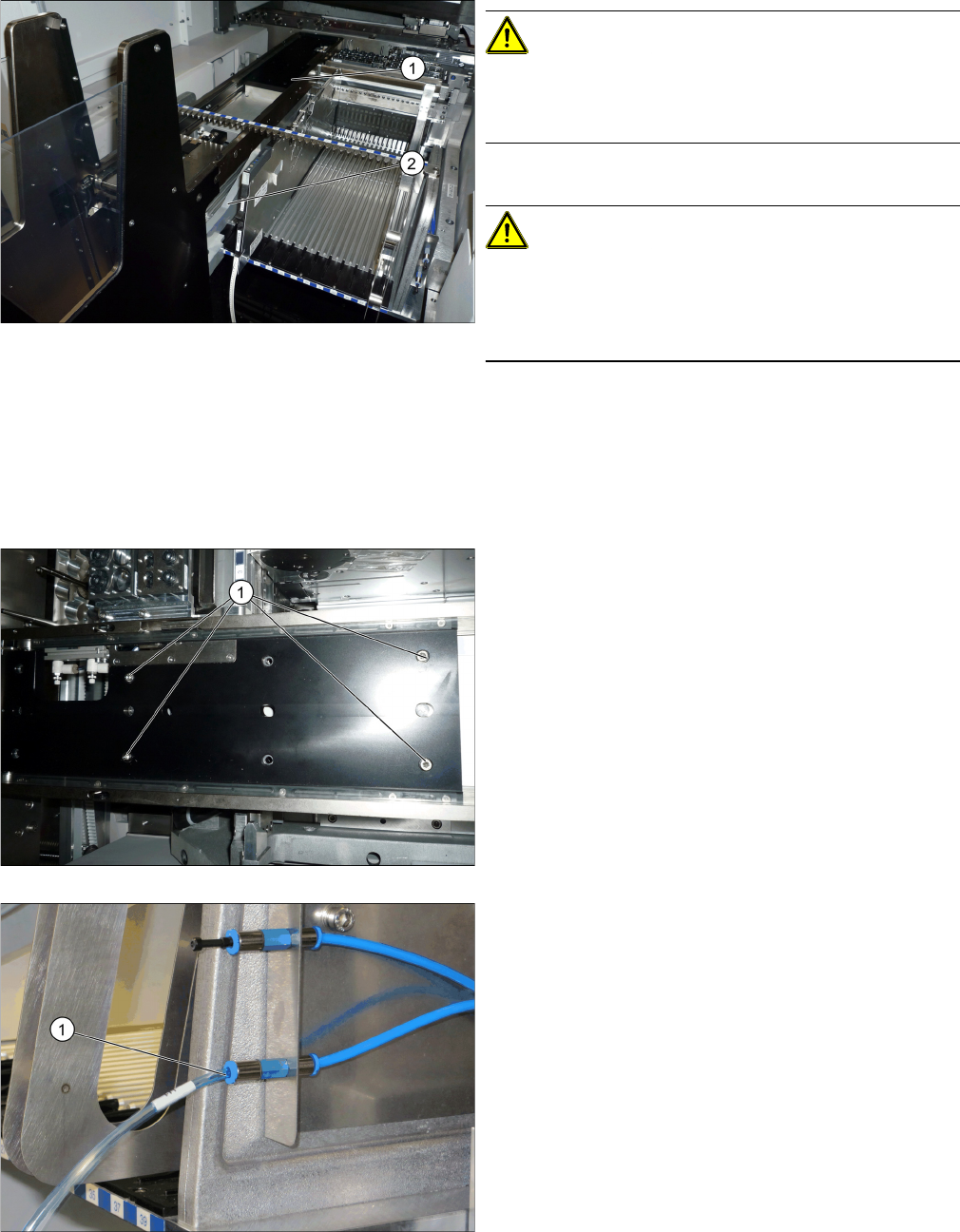
► Lift the JEDEC tray feeder onto the adapter (2).
► Slide it forward on the adapter below the feeder fixa-
tion rail.
► Slide it forwards into the recess of the manual table
until you hear it engage (1).
► Fix the JEDEC tray feeder using the four hexagon
socket-head screws (1).
► Connect the pneumatic hose (1).
Setting up and Commissioning
Installation 4.4.3 Inserting the JEDEC Tray Feeder
140 JEDEC Tray Feeder
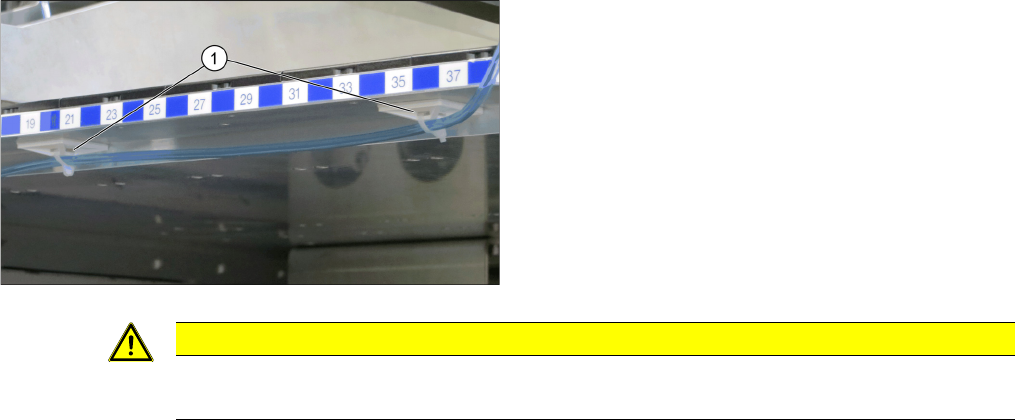
► Fix the hose with cable ties (1).
CAUTION
Hand guard
If you remove the JEDEC tray feeder, replace it by a dummy feeder.

Setting up and Commissioning
4.4.4 Final Work: Installation
JEDEC Tray Feeder 141
4.4.4
4.4.4 Final Work:
Final Work:
► Switch on the machine and make the necessary settings in the software.
NOTICE
Dummyfeeder
In case you remove the JEDEC Tray Feeder, you have to replace it with a dummyfeeder X8
[03012733-xx].