00197446-02_UM_JTF_S_JTF-M_ X-Serie_S_de_en.pdf - 第151页
Tasks for SIPLACE JTF-S, SIPLACE JTF-M 5.2.2 Operating the JEDEC Tray Feeder in the Station Software (SW707) Controls and Displays JEDEC Tray Feeder 151 5.2.2.3 5 . 2 . 2 . 3 A d d r e s s in g t h e S I P L A C E J T F …
Tasks for SIPLACE JTF-S, SIPLACE JTF-M
Controls and Displays 5.2.2 Operating the JEDEC Tray Feeder in the Station Software (SW707)
150 JEDEC Tray Feeder
5.2.2.2
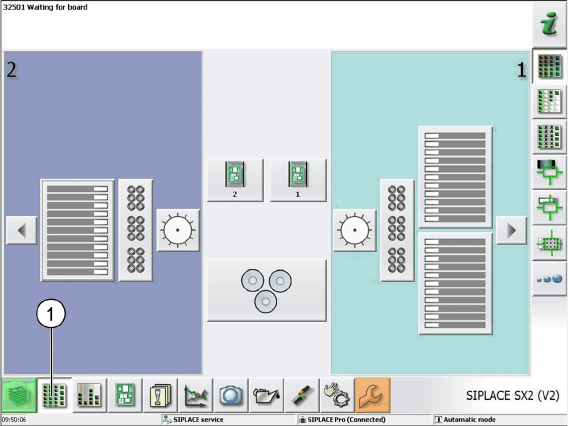
5.2.2.2 "Display, Check and Set up Feeders, Components and Nozzles" Menu
"Display, Check and Set up Feeders, Components and Nozzles" Menu
SIPLACE SX2 (V2) as example
► Select the Display, check and set up feeders, components and nozzles menu (1) to display the sub
views of the relevant locations.
Tasks for SIPLACE JTF-S, SIPLACE JTF-M
5.2.2 Operating the JEDEC Tray Feeder in the Station Software (SW707) Controls and Displays
JEDEC Tray Feeder 151
5.2.2.3
5.2.2.3 Addressing the SIPLACE JTF-S, SIPLACE JTF-M Feeder at the Location
Addressing the SIPLACE JTF-S, SIPLACE JTF-M Feeder at the Location
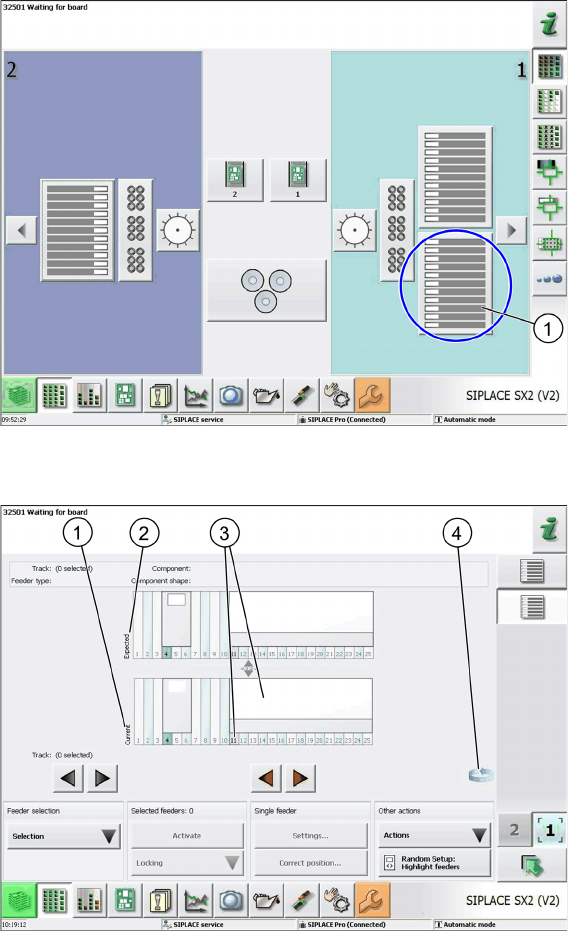
Loc 1 at location 1 at the SIPLACE SX2 (V2) as example
► Select the relevant location (1) to display the view of the current setup.
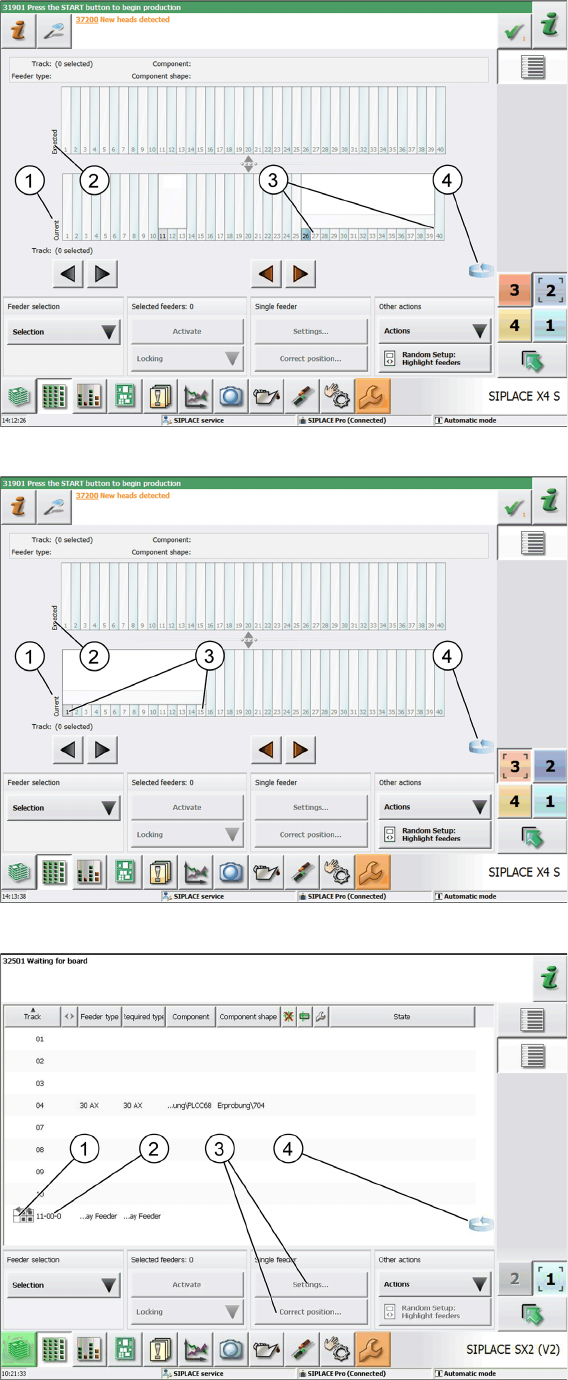
Loc 1 at location 1 selected at the SX1/2 as example
1. Current setup (currently set-up feeders)
2. Expected setup (setup expected by SIPLACE Pro)
3. SIPLACE JTF-S, SIPLACE JTF-M feeders on SIPLACE SX1/2
4. Change button for switching to the Track information sub menu.
► Press the change button to display the Track information submenu.
Tasks for SIPLACE JTF-S, SIPLACE JTF-M
Controls and Displays 5.2.2 Operating the JEDEC Tray Feeder in the Station Software (SW707)
152 JEDEC Tray Feeder
SIPLACE X-Series S:
SIPLACE X4 S - location 2 = track 27 to 40 as example
SIPLACE X4 S - location 3 = track 1 to 15 as example
Track 11 selected on SIPLACE SX2 (V2) as example