03217917-01-01E By DEK Technical Reference Manual Vol 1_enPDFA.pdf - 第14页
2 INTRODUCTION 2.1 DOCUMENTATION 14 TECHNICAL REFERENCE MANUAL Vol 1 E By DEK 04/2019 2.1.2.2 Hard Disk The following technical information is provided on the machine PC hard disk via the Instinctiv Help system: ● Instru…
2 INTRODUCTION
2.1 DOCUMENTATION
TECHNICAL REFERENCE MANUAL Vol 1 E By DEK 04/2019 13
2
INTRODUCTION
2.1 DOCUMENTATION
DEK screen printing machines are fully supported by a comprehensive range of technical docu-
mentation, both electronically and in hard copy. The electronics documentation is supplied on
DVDs and the machine PC hard disk.
The information contained within the documentation enables a ASM service engineer or ASM
trained technician to install, calibrate, service and fault find DEK printing machines safely and effi-
ciently. A user-friendly operating guide allows ASM trained operatives to utilize the machine func-
tions.
2.1.1 Machine Model
The E by DEK machine model if fully supported by this manual and the documentation dissemin-
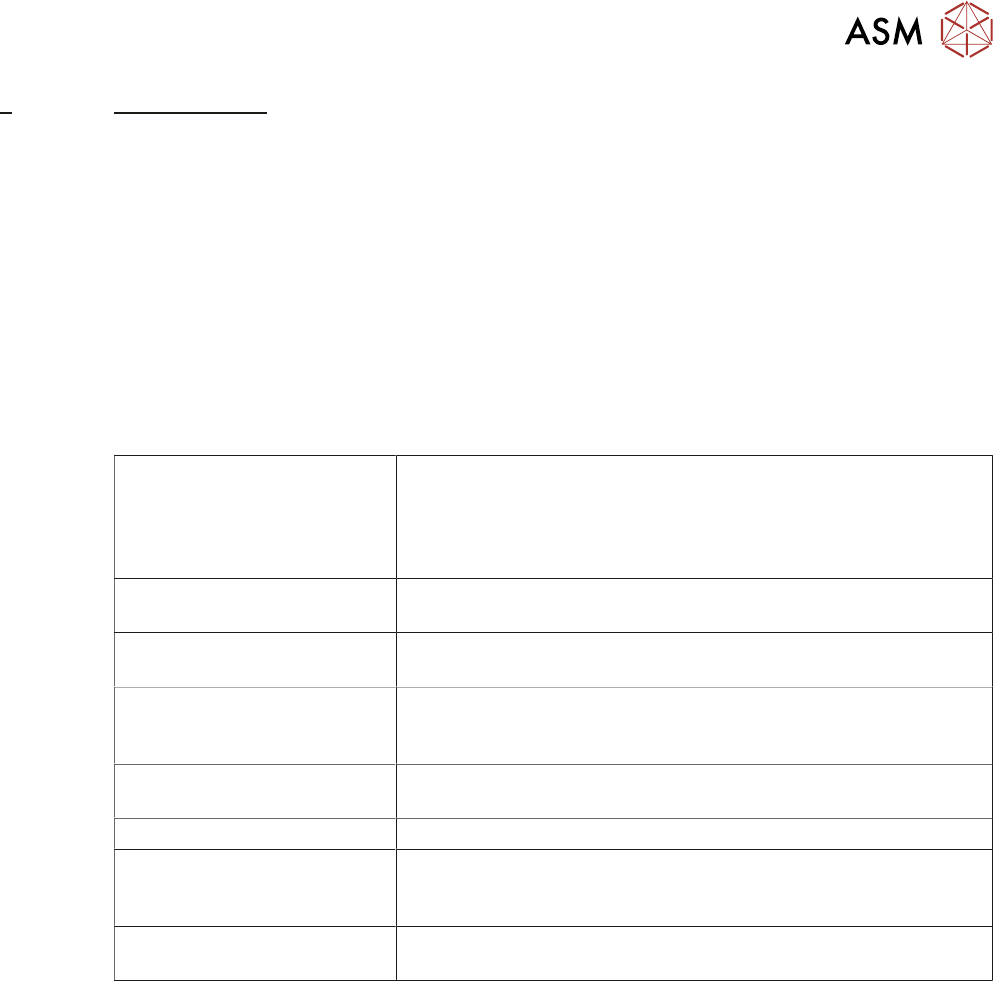
ated into the following structures listed in the table below:
Instruction Guide This is the master document of the machine documentation set.
This guide meets all the applicable machine instruction require-
ments contained in the Machinery Directive 2006/42/EC. In its
role of master document it guides the user to other machine docu-
mentation where more detailed information is made available.
Technical Reference Manual Provides detailed information on the machines modules, sub as-
semblies and calibrations.
Maintenance Manual Provides detailed information on the machine monthly mainten-
ance schedule.
Installation Manual Enabling ASM authorized personnel to install the machine to a
customer site. Detailing machine preparation, installation instruc-
tions, alignment procedures and machine performance check.
Operator Manual Machine user guide allowing a ASM trained operative to employ
the machine functions.
Electrical Drawings Contains electrical circuit diagrams for fault diagnosis.
Machine Tutorials Animations available from the help menu to assist the operator in
machine functions such as: safety, navigation, machine prepara-
tion, product changeover and setup product.
Consumable Replenishments Animations available from the help menu to assist the operator in
replenishing the consumables for: under screen cleaners.
2.1.2 Electronic
2.1.2.1 DVD
The following technical information is provided on DVD:
●
Instruction Guide (in all available languages)
●
Operator Manual (in all available languages)
●
Maintenance Manual (in all available languages)
●
Installation Manual
●
Technical Reference Manual
●
Electrical Drawings
●
Machine Tutorials
●
Consumable Replenishment Tutorials

2 INTRODUCTION
2.1 DOCUMENTATION
14 TECHNICAL REFERENCE MANUAL Vol 1 E By DEK 04/2019
2.1.2.2 Hard Disk
The following technical information is provided on the machine PC hard disk via the Instinctiv Help
system:
●
Instruction Guide (in all available languages)
●
Operator Manual (in all available languages)
●
Maintenance Manual (in all available languages)
●
Installation Manual
●
Technical Reference Manual
●
Electrical Drawings
●
Machine Tutorials
●
Consumable Replenishment Tutorials
2.1.3 Hard Copy
The following documentation is included in hard copy format with the machine:
●
Instruction Guide (in language specified by customer)
●
Operator Manual (in language specified by customer)
●
Maintenance Manual (in language specified by customer)
●
Installation Manual
●
Electrical Drawings (A3 format)
2.1.3.1 Additional Manuals
The following hard copy manuals are available to purchase by the customer:
●
Instruction Guide (in language specified by customer)
●
Operator Manual (in language specified by customer)
●
Maintenance Manual (in language specified by customer)
●
Installation Manual
●
Electrical Drawings (A3 format)
●
Technical Reference Manual
2 INTRODUCTION
2.2 MANUAL STRUCTURE
TECHNICAL REFERENCE MANUAL Vol 1 E By DEK 04/2019 15
2.2 MANUAL STRUCTURE
The Technical Reference Manual is composed around four defined areas:
●
Manual Introduction and Overview
●
Printer Electrical and Electronics Areas
●
Printer Modules
●
Miscellaneous Information
Based upon the areas above, the manual is divided into chapters. A listing of all chapters is de-
tailed in the contents pages of this manual.
2.2.1 Chapter Structure
Chapter Structure The structure of each chapter within the manual may vary dependent upon lay-
out of information, (with the exception of module chapters).
All printer module chapters are given a common generic structure, enabling the user to become fa-
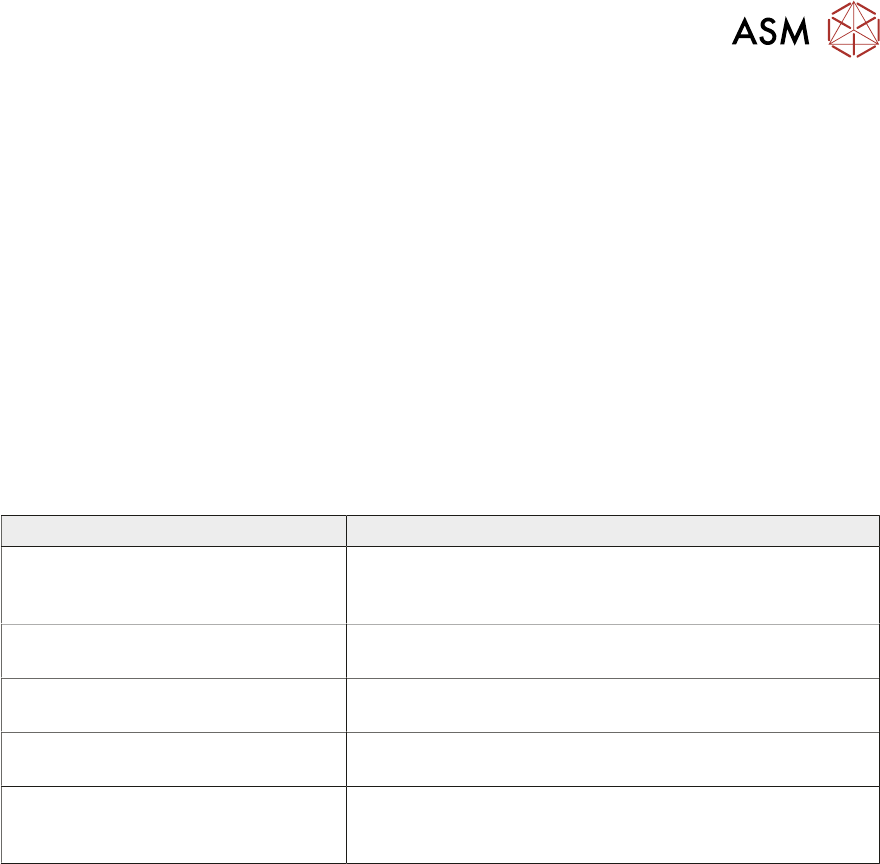
miliarized with a standard module information layout. The breakdown of a typical module chapter is
detailed in the table below:
Section Heading Description
Overview Includes a diagrammatic overview with a description of the
module operation, detailing relevant sequences and/or po-
sitional information
Pneumatic and/or Electrical Schem-
atic
Block diagram detailing the electrical system, including sig-
nals, components etc, (and pneumatics if necessary)
Adjustments and Settings Provides information on any adjustment and/or setting in
order to enable correct module functionality
Replacement Procedures Where applicable, details technical instruction for the re-
placement of individual components within the module
Calibrations Where applicable, describes how to calibrate the module
following installation, adjustment or replacement proced-
ures