03217917-01-01E By DEK Technical Reference Manual Vol 1_enPDFA.pdf - 第201页
15 BOARD STOP 15.6 ADJUSTMENTS AND SETTINGS TECHNICAL REFERENCE MANUAL Vol 1 E By DEK 04/2019 201 15.6.2.2 RHS Configuration The remote board stop is configured for the RHS when: ● The board stop rotates clockwise to the…
15 BOARD STOP
15.6 ADJUSTMENTS AND SETTINGS
200 TECHNICAL REFERENCE MANUAL Vol 1 E By DEK 04/2019
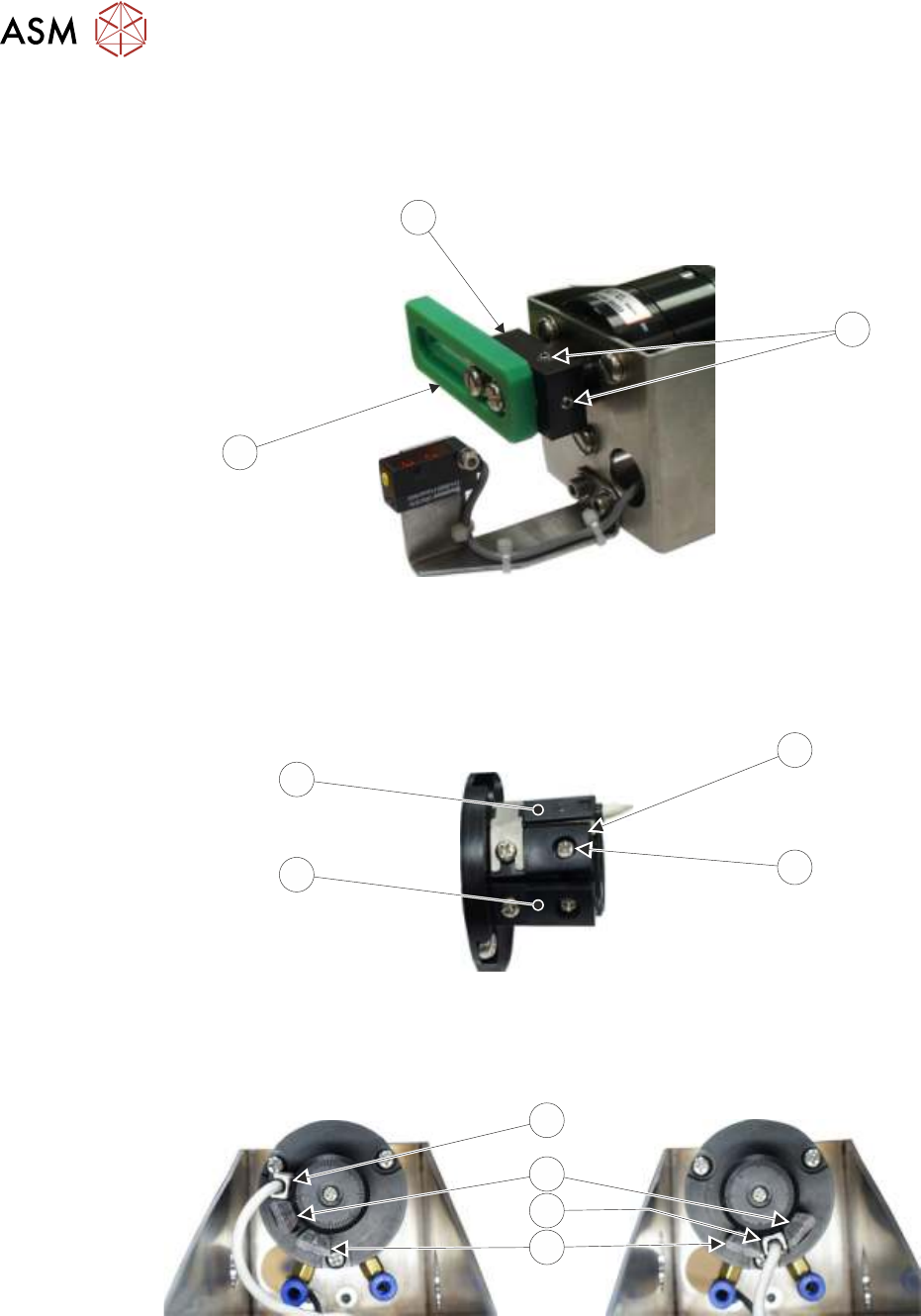
To achieve this carry out the following:
► With the board stop (2) in the position shown below, slacken the two grub screws (1) using a
2mm Allen key.
3
2
1
► Without moving the drive shaft, rotate the rotary arm (3) and board stop (2) 90 degrees clock-
wise, so that the board stop (2) is vertical. Tighten the two grub screws (1).
► Using the access hole in the side of the remote board stop assembly, slacken the adjustable
stop (4) securing screw (5).
4
5
6
7
► Rotate the reed switch (7) and adjustable stop (4) clockwise until the reed switch (7) abuts the
fixed stop (6).
► Tighten the adjustable stop securing screw (5) through the access hole.
RH
LH
Grub Screw
7
4
7
6
► Continue with the appropriate one of the following procedures:
●
15.6.4 "Camera to Remote Board Stop - LHS Configuration" [}206]
●
15.6.7 "Remote Board Stop - RHS to LHS Configuration" [}219]
15 BOARD STOP
15.6 ADJUSTMENTS AND SETTINGS
TECHNICAL REFERENCE MANUAL Vol 1 E By DEK 04/2019 201
15.6.2.2 RHS Configuration
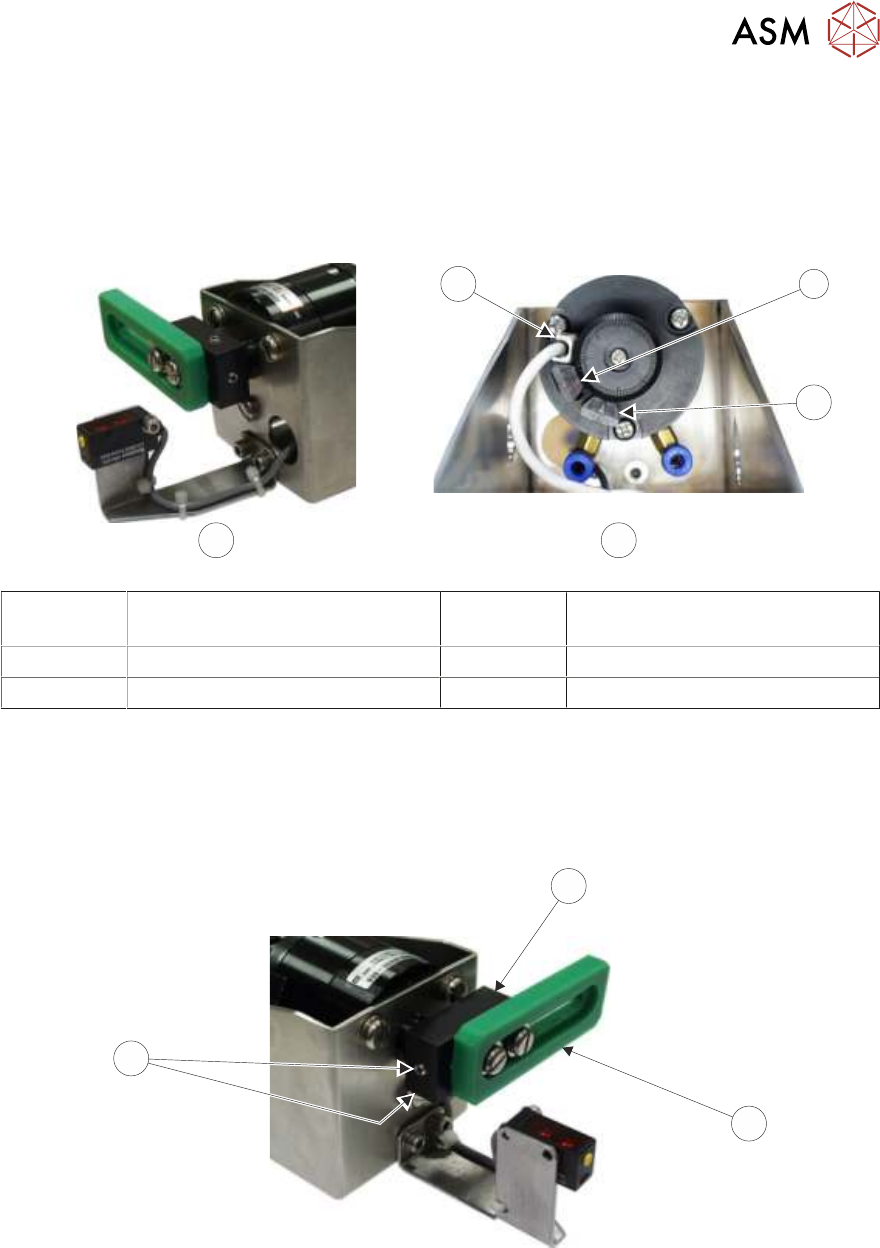
The remote board stop is configured for the RHS when:
●
The board stop rotates clockwise to the raised position and faces the rear of the machine
when lowered, as shown below.
●
The adjustable stop is positioned between the fixed stop and the reed switch.
1
3
A B
2
A Remote Board Stop
RHS Configured
2 Fixed Stop
B View on Rear of Rotary Actuator 3 Reed Switch
1 Adjustable Stop
To achieve this carry out the following:
► With the board stop in the position shown below, slacken the two grub screws (3) using a
2mm Allen key.
► Without moving the drive shaft, rotate the rotary arm (1) and board stop (2) 90 degrees anti-
clockwise, so that the board stop is vertical. Tighten the two grub screws (3).
2
1
2
3
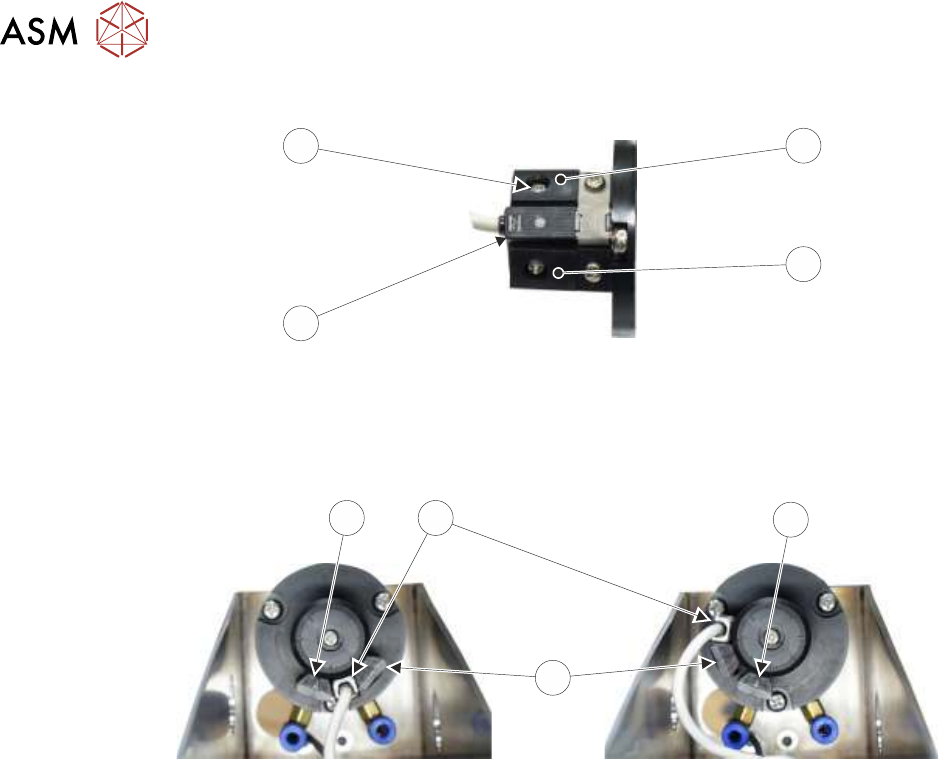
► Using the access hole in the side of the remote board stop assembly, slacken the adjustable
stop (4) securing screw (7).
15 BOARD STOP
15.6 ADJUSTMENTS AND SETTINGS
202 TECHNICAL REFERENCE MANUAL Vol 1 E By DEK 04/2019
7
6
4
5
► Rotate the reed switch (6) and adjustable stop (4) anti-clockwise until the adjustable stop (4)
abuts the fixed stop (5).
► Tighten the adjustable stop securing screw (7) through the access hole.
LH
RH
5
6
5
4
► Continue with the appropriate one of the following procedures:
●
15.6.5 "Camera to Remote Board Stop - RHS Configuration" [}210]
●
15.6.6 "Remote Board Stop - LHS to RHS Configuration" [}214]