03217917-01-01E By DEK Technical Reference Manual Vol 1_enPDFA.pdf - 第269页
17 CAMERA SYSTEM MODULE 17.3 ADJUSTMENTS AND SETTINGS TECHNICAL REFERENCE MANUAL Vol 1 E By DEK 04/2019 269 A View on A 0.25 mm 9 14 13 12 1 1 12 13 10 9 Camera X Axis Support Platform 12 Camera Alignment Pins (2 positio…
17 CAMERA SYSTEM MODULE
17.3 ADJUSTMENTS AND SETTINGS
268 TECHNICAL REFERENCE MANUAL Vol 1 E By DEK 04/2019
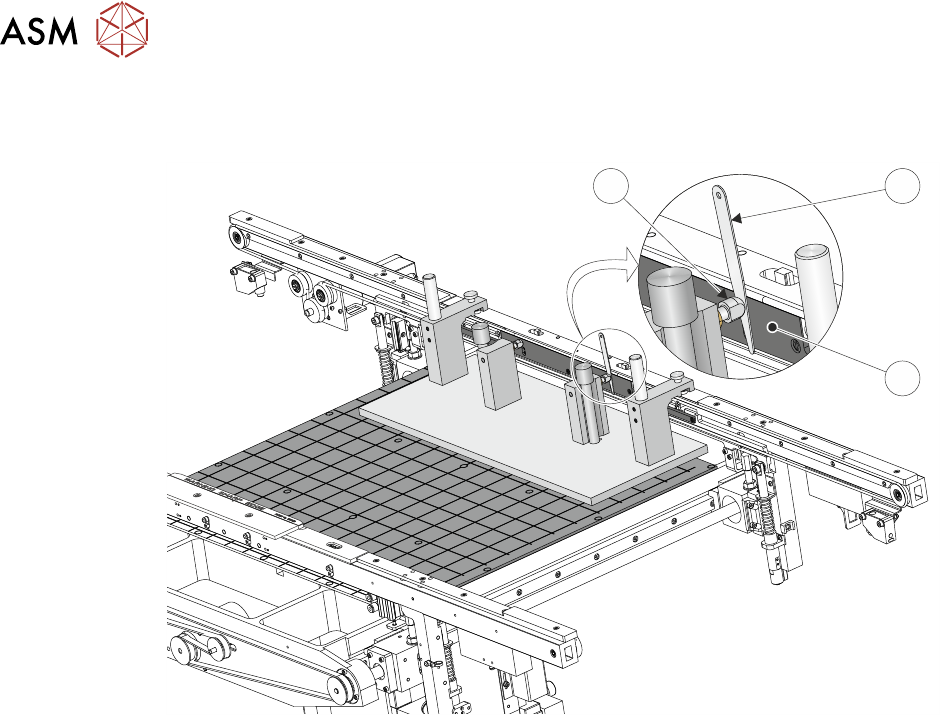
► Using feeler gauges (6) check that the gap between both alignment pads (8) and the belt sup-
port plate (7) of the front rail is 0.25mm ±0.05mm.
8 6
7
► If adjustment is necessary, refer to 16.4.5 "Front Rail Parallelism" [}243].
► Bring the camera carriage X axis support platform into contact with the camera alignment
pins.
17 CAMERA SYSTEM MODULE
17.3 ADJUSTMENTS AND SETTINGS
TECHNICAL REFERENCE MANUAL Vol 1 E By DEK 04/2019 269
A
View on A
0.25 mm
9
14
13
12
11
12
13
10
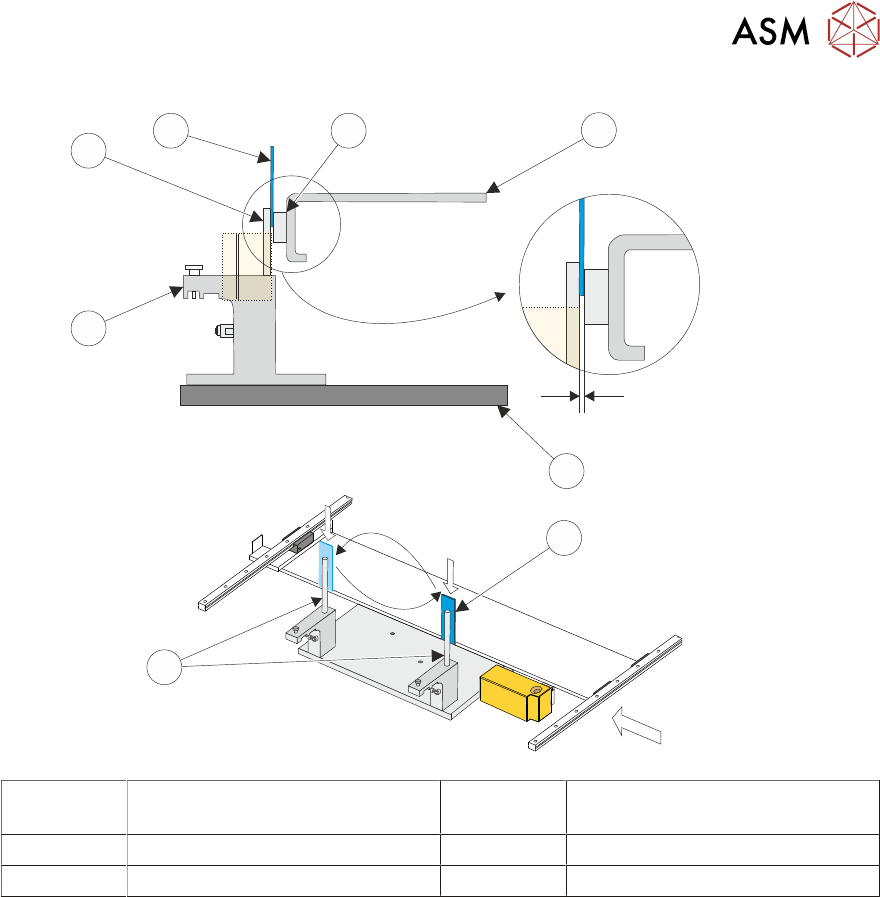
9 Camera X Axis Support Platform 12 Camera Alignment Pins
(2 positions)
10 Rising Table 13 Shim 0.25mm
11 Alignment Jig 14 Linear Bearing
► Look for a gap between the camera alignment pins and the linear bearing on the front edge of
the camera X axis support platform, if no gap exists adjustment is unnecessary. Continue
from Parallelism Complete.
► If a gap exists, carefully attempt to insert a 0.25mm shim between the alignment pin and the
linear bearing on the front edge of the camera X axis support platform. If the shim cannot be
fitted the gap is less than 0.25mm and adjustment is unnecessary. Continue from Parallelism
Complete.
► If a gap exists which is greater than 0.25mm adjustment is necessary.
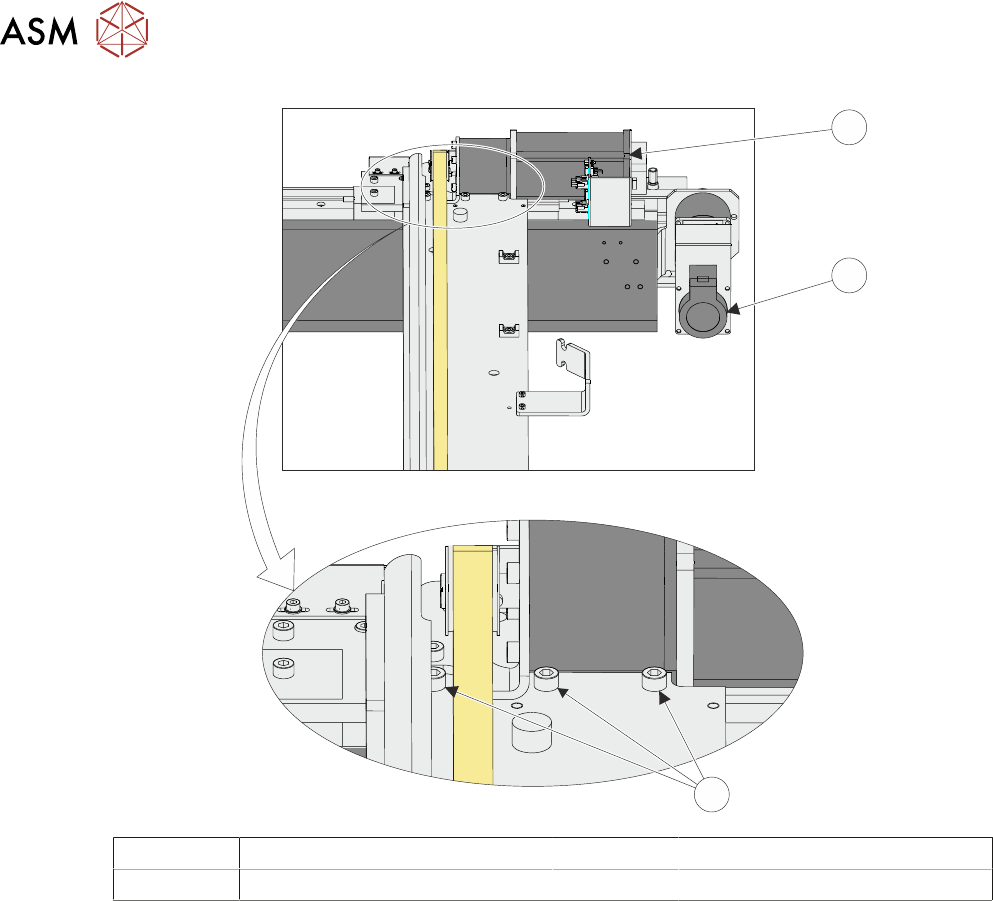
► Loosen the three securing screws.
17 CAMERA SYSTEM MODULE
17.3 ADJUSTMENTS AND SETTINGS
270 TECHNICAL REFERENCE MANUAL Vol 1 E By DEK 04/2019
15
16
17
15 Camera X Motor 17 Securing Screws
16 Camera Y Motor
► Using a soft headed mallet gently tap the edge of the camera X axis support platform to close
the gap on the camera alignment pins.
NOTE
The camera can be severely damaged if excessive force is used to position the camera axis.
► Tighten the three securing screws taking care not to allow the position to slip.
► Check for parallelism again.
► Parallelism Complete - Remove the location jig from the rising table.
► Fit the board clamp to the front rail.
► Refit the stencil.
► Close the printhead cover.
► Press the System button.
► Select Exit.
► Select Exit.
► Select Back.
17.3.4 Y Axis Parallelism
The Y axis parallelism is factory set and is not adjustable.