03217917-01-01E By DEK Technical Reference Manual Vol 1_enPDFA.pdf - 第287页
17 CAMERA SYSTEM MODULE 17.5 CALIBRATIONS AND CHECKS TECHNICAL REFERENCE MANUAL Vol 1 E By DEK 04/2019 287 17.5.2.3 Stage 2 - Calibrate Offset ► Select Offset . ► Select Setup OK . ► Place the calibration board, with the…
17 CAMERA SYSTEM MODULE
17.5 CALIBRATIONS AND CHECKS
286 TECHNICAL REFERENCE MANUAL Vol 1 E By DEK 04/2019
► Select Step. The control screen displays the following message, ‘Printer configurationdata
file saved’.
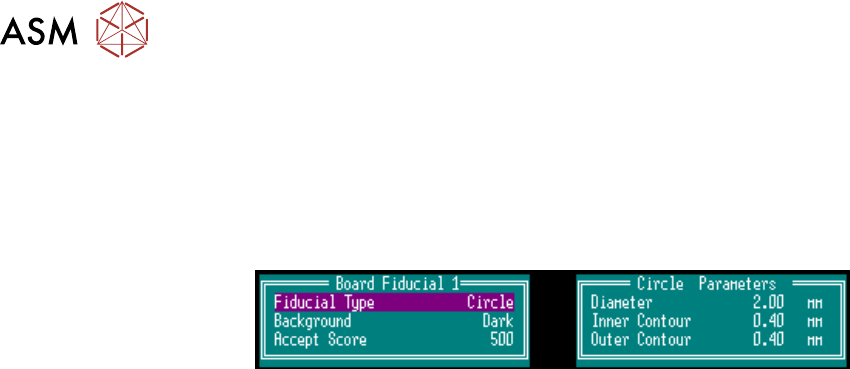
► Select Brd. Fid. Setup and set up the board fiducial on the left side of the vision monitor. To
change the fiducial select Type, Background and Accept Score.
NOTE
Ensure the Background is set to Dark and the Diameter is at 2.00mm.
► Select Learn Fiducial. Using a combination of the Incr. or Decr. and the Next or Previous
buttons set up Fiducial 1 position in X or Y, and for a Circle:
Diameter, Inner Contour and Outer Contour.
► Select Learn Fiducial.
► Select Exit.
► Select Locate Fiducial.
NOTE
The Acceptance Score should be over 500. If not repeat.
► Select Exit.
► Select Scn. Fid. Setup. Using a combination of the Incr. or Decr. and the Next or Previous
buttons set up the stencil fiducial on the right side of the vision monitor set the background to
Light and the Diameter to 1.00mm.
► Select Learn Fiducial.
► Using a combination of the Incr. or Decr. and the Next or Previous buttons set up the stencil
fiducial on the right side of the vision monitor.
► Select Learn Fiducial.
► Select Exit.
► Select Locate Fiducial.
NOTE
1. If the board fiducial is not visible and cannot be brought into view by small adjustments, in the
camera axis calibration, check the reference position on the front rail. If the front rail reference
position is incorrect, adjust its position. If the reference position is correct contact Customer
Support Group for assistance.
2. If for any reason the camera cannot locate the board or stencil fiducial, select Fiducial Setup
and relearn the fiducial, (refer to 17.6 "APPENDIX A - VISION SYSTEM SETUP" [}289]for
details on setting up the fiducial recognition strategy).
3. Select Exit the sequence continues and should not have any detrimental effect on the cali-
bration.
► Select Exit.
► Select Exit.
► Select Single, the camera locates all 25 fiducials.
► Select Continue.
► Select Single, the camera locates 50 fiducials.
► Select Exit.
► Remove the board from the transport rails by hand.
NOTE
Do not select Auto Board.

17 CAMERA SYSTEM MODULE
17.5 CALIBRATIONS AND CHECKS
TECHNICAL REFERENCE MANUAL Vol 1 E By DEK 04/2019 287
17.5.2.3 Stage 2 - Calibrate Offset
► Select Offset.
► Select Setup OK.
► Place the calibration board, with the fiducials downward facing, onto the upline conveyor.
► Select Auto Board, the board moves to the board stop position.
► Select Step, the board is clamped and the board stop retracts.
► Select Step, the camera moves to the first stencil fiducial and the squeegee moves to dwell
height.
► Using the Incr. and Decr. buttons, position the stencil fiducial (right hand image) so that it is
placed centrally with the box displayed.
► Select Step, the camera moves to the second stencil fiducial. Position the fiducial centrally
within the box as previously described.
► Select Step, the camera moves to the third stencil fiducial. Position the fiducial centrally within
the box as previously described.
► Select Step, the camera returns to the home position and the rising table moves to the print
height position.
► Select Step, the print carriage moves to the rear position.
► Open the printhead cover.
► Apply paste to all 25 positions on the stencil.
► Close the printhead cover.
► Press the System button.
► Select Step.
► Select Step.
► Select Accept, the table drops and the camera moves to the first fiducial.
► Select Brd Fid Setup using a combination of the Incr. or Decr. and Next. and Previous. but-
tons centre the fiducial set the background to light and the diameter to 1.00mm.
► Select Learn Fiducial.
► Using a combination of the Incr. or Decr. and Next. and Previous. buttons centre the fiducial.
► Select Learn Fiducial.
► Select Exit.
► Select Locate Fiducial.
► Select Exit.
► Select Exit.
► Select Scrn Fid Setup.
► Select Locate Fiducial.
► Select Exit.
► Select Exit.
► Select Step, the offset results are displayed.
► Select Single, the camera moves to each of the 24 remaining fiducial positions in turn.
► Select Auto Board, the board data file is saved.
► Remove the board from the transport rails.
► Select Exit.
► Select Back.
► Select Back.
17 CAMERA SYSTEM MODULE
17.5 CALIBRATIONS AND CHECKS
288 TECHNICAL REFERENCE MANUAL Vol 1 E By DEK 04/2019
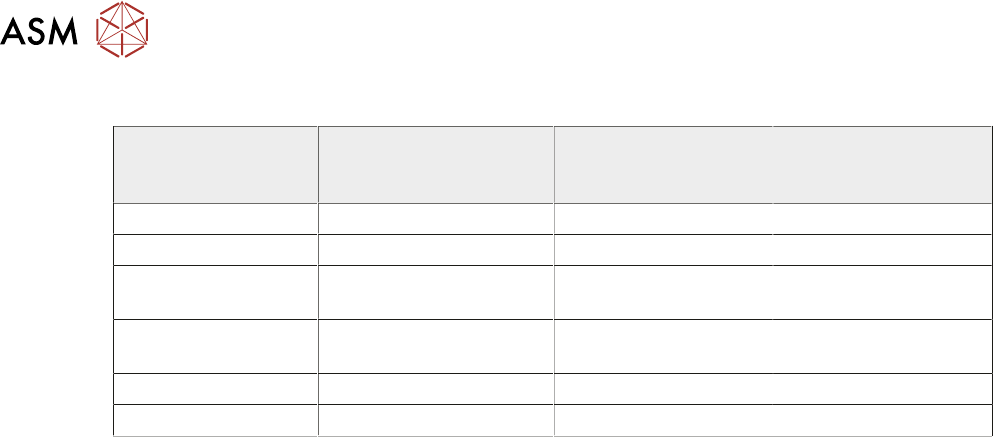
17.5.2.4 Associated Calibrations
Camera Replacement -
Calibrations Required
(Y/N)
Motor Replacement -
Calibrations Re-
quired (Y/N)
Belt Replacement -
Calibrations Re-
quired (Y/N)
Vision Height Y N N
Belt Tension N N Y
X Axis to Front Rail
Parallelism
N N Y
Camera Reference
Position
Y Y Y
Vision Calibration Y Y Y
Offset Calibration Y Y Y