03217917-01-01E By DEK Technical Reference Manual Vol 1_enPDFA.pdf - 第253页
16 TRANSPORT RAILS MODULE 16.5 REPLACEMENT PROCEDURES TECHNICAL REFERENCE MANUAL Vol 1 E By DEK 04/2019 253 16.5 REPLACEMENT PROCEDURES 16.5.1 Board Clamp Replacement W ARNING BOARD CLAMPS. EXTREME CARE MUST BE EXERCISED…
16 TRANSPORT RAILS MODULE
16.4 ADJUSTMENTS AND SETTINGS
252 TECHNICAL REFERENCE MANUAL Vol 1 E By DEK 04/2019
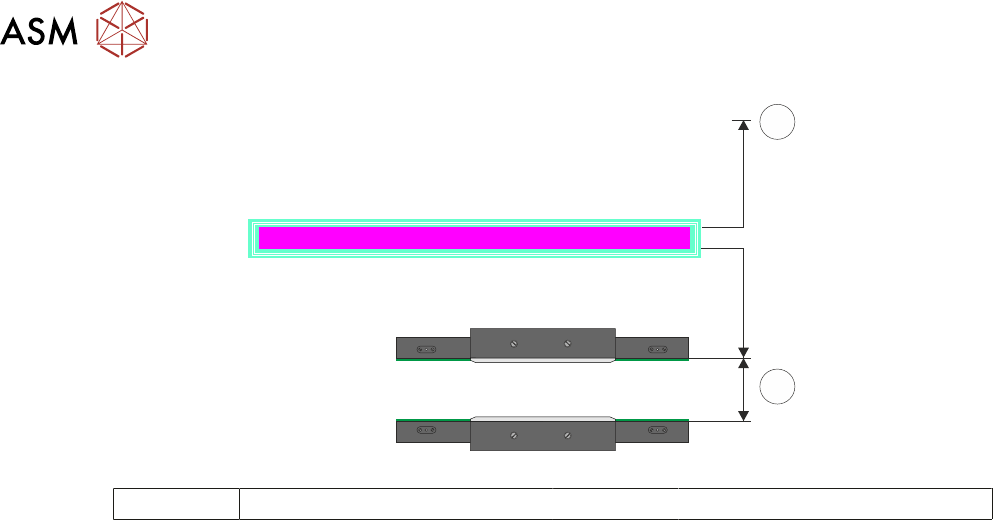
RAIL WIDTH OFFSET 0.00 mm
±3.00mm
3
4
3 Rear of Machine 4 Rail Width
► Select Move.
► Open the front printhead.
► Recheck the measurement.
► If the rail width is incorrect, close the front printhead cover, press the System button and re-
peat Adjustment. If the rail width is correct go to Close Up.
Close Up
► If the rail width is correct, close the front printhead cover, press the System button and select
Set.
► Select Yes to save the information.
► Use Next or Previous to highlight Cycle Board on Belts.
► Select Run Diagnost.
► Place a test board, that matches the rail width, on the transport rails.
► Select Auto Board and ensure the board runs through the entire length of the rail system for
10 complete cycles, without jamming or excessive clicking of the board edges.
NOTE
If any jamming occurs investigate the position of the board/snugger clamps before repeating the
check.
► With the board in the tooling area, use a 0.2mm feeler gauge between the edge of the board
and the snugger plate. If the feeler gauge is either tight or loose adjust the dimension in Set
Rail Board Width Calibration accordingly.
► Select Stop.
► Remove the board from the transport rails.
► Select Exit.
► Select Exit.
► Select Back.
16.4.9 Rail to Table Height
The rail to table height ensures that the board is supported correctly and evenly during the print
process.
NOTE
Rail to Table Height setting is factory set and no attempt should be made to make adjustment. If
the transport rails have been removed from the printer, a coplanarity procedure must be carried out
before commencing printing. Please contact your local customer support office for more detail.
16 TRANSPORT RAILS MODULE
16.5 REPLACEMENT PROCEDURES
TECHNICAL REFERENCE MANUAL Vol 1 E By DEK 04/2019 253
16.5 REPLACEMENT PROCEDURES
16.5.1 Board Clamp Replacement
WARNING
BOARD CLAMPS. EXTREME CARE MUST BE EXERCISED WHEN WORKING IN
THE TOOLING AREA OF THE MACHINE TO AVOID INJURY. THE FOILS ON THE
FRONT AND REAR BOARD CLAMPS ARE VERY SHARP.
► Select Open Cover Commands.
► Select Carriage To Rear.
► Select Unload Screen.
► Open the front printhead cover.
► Remove the stencil from the machine.
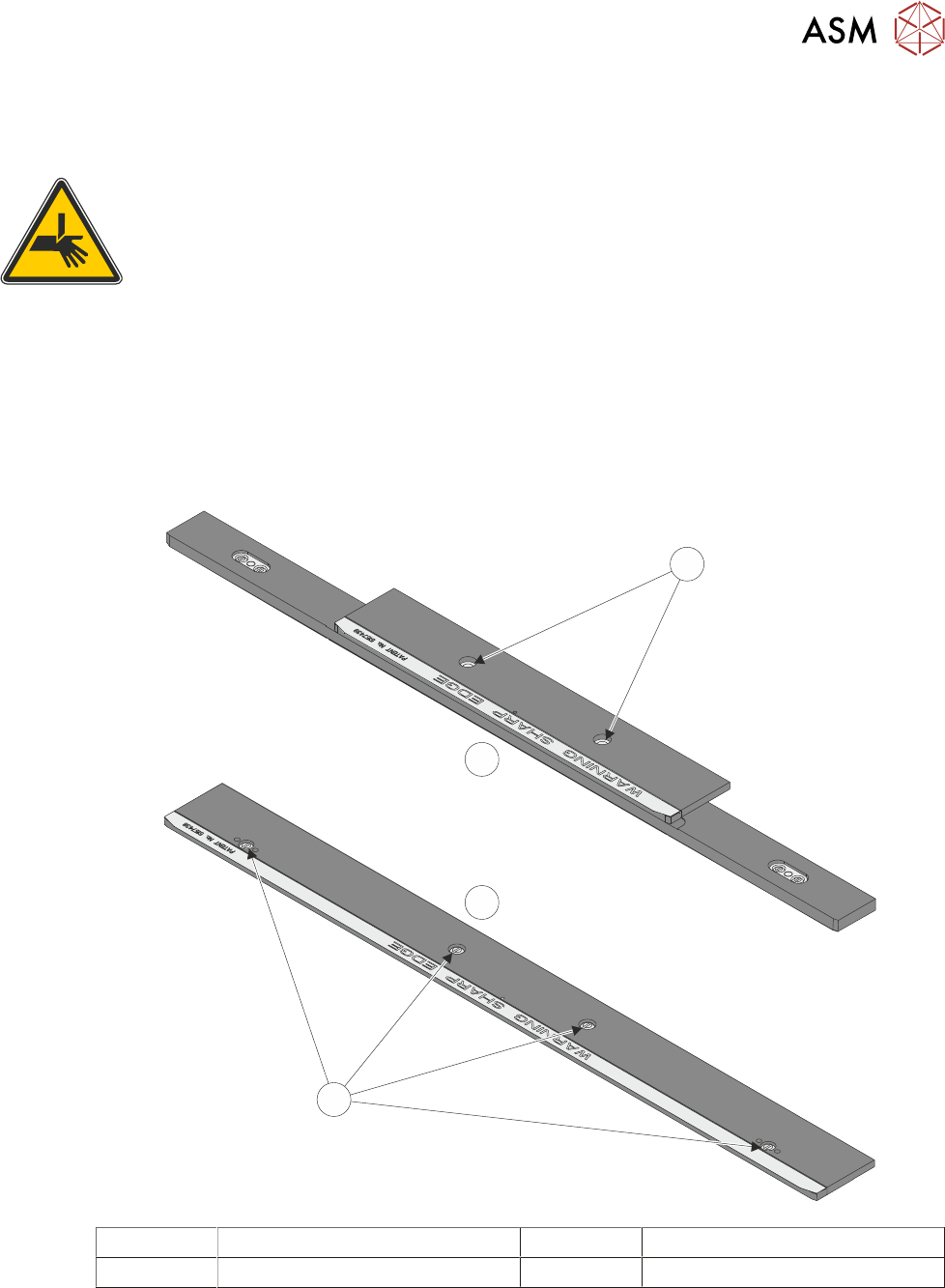
► Remove the board clamp securing screws (1) and remove the board clamp.
1
2
1
3
1 Board Clamp Securing Screws 3 500mm Board Clamp Mechanism
2 250mm Board Clamp Mechanism
► Place the new board clamp in position on the location plates.
► Secure the board clamp in position with the previously removed screws (1).
NOTE
The Board Clamp Setting procedure is not required after board clamp replacement.
► Refit the stencil.
16 TRANSPORT RAILS MODULE
16.5 REPLACEMENT PROCEDURES
254 TECHNICAL REFERENCE MANUAL Vol 1 E By DEK 04/2019
► Close the front printhead cover.
► Press the System button.
► Select Load Screen.
► Select Back.
16.5.2 Board Clamp Foil Replacement
WARNING
BOARD CLAMPS. EXTREME CARE MUST BE EXERCISED WHEN WORKING IN
THE TOOLING AREA OF THE MACHINE TO AVOID INJURY. THE FOILS ON THE
FRONT AND REAR BOARD CLAMPS ARE VERY SHARP.
If the board clamp is fitted to the machine, use the Board Clamp Replacement procedure to remove
and refit the board clamps.
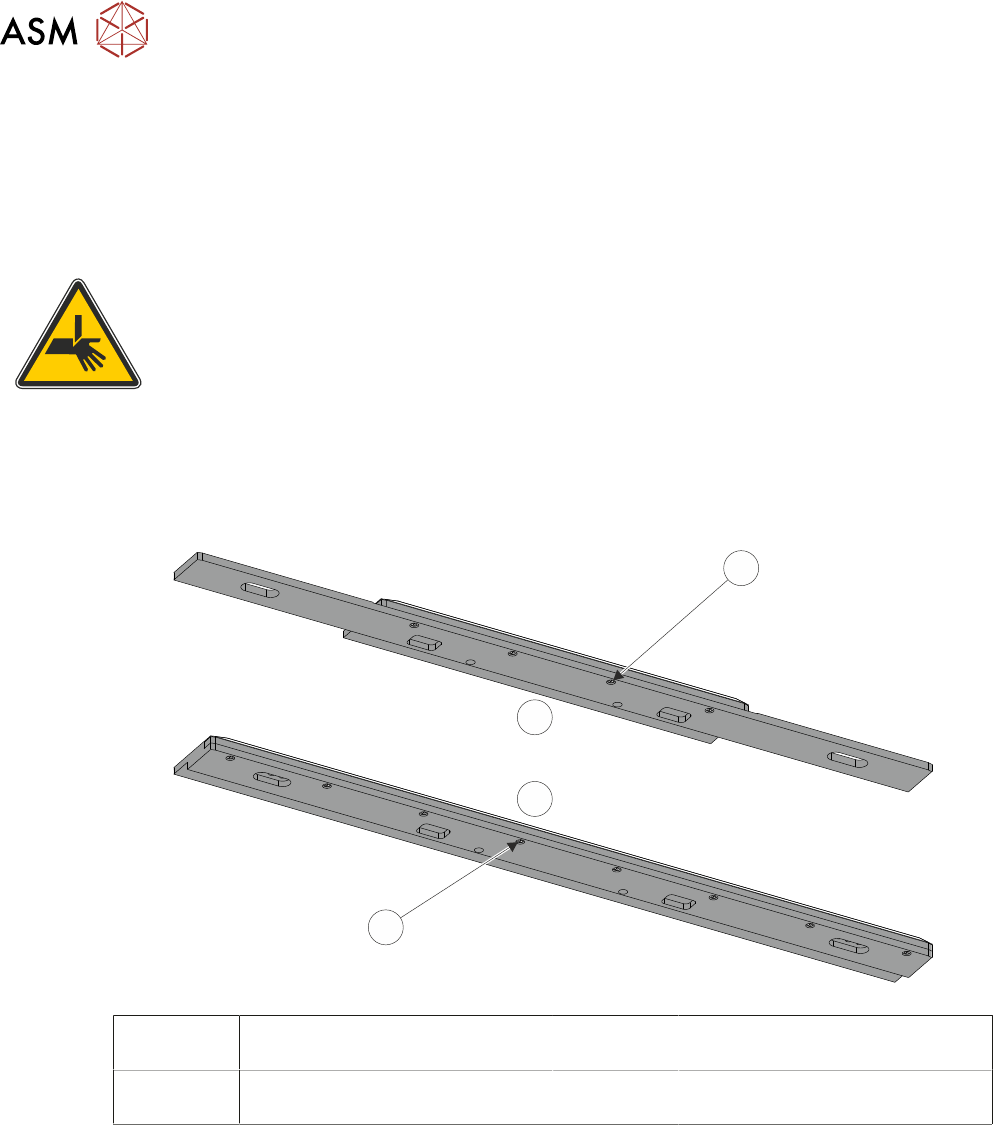
► Remove the M2.5 x 6mm pan headed slotted screws (1)/(4) securing the foil to the board
clamp. Discard the foil and retain the screws (1)/(4).
1
2
3
4
1 Board Clamp Foil Securing
Screws (4 positions)
3 View on Underside of 500mm
Board Clamp Mechanism
2 View on Underside of 250mm
Board Clamp Mechanism
4 Board Clamp Foil Securing
Screws (8 positions)
► Fit the new foil with the previously removed screws (1)/(4) and tighten to a torque of 0.2Nm.