CP40 service manual.pdf - 第125页
3. X-Y PART (CP-40) Version Date WA QA CA Note 00 Nov04 O O O
3. X-Y PART
(CP-40)
3-3-4.
X&Y Axis +,- Limit Measurement
In
Setup,
Select Input Password and Input
SCP
in Enter Password Window
(Display )
.
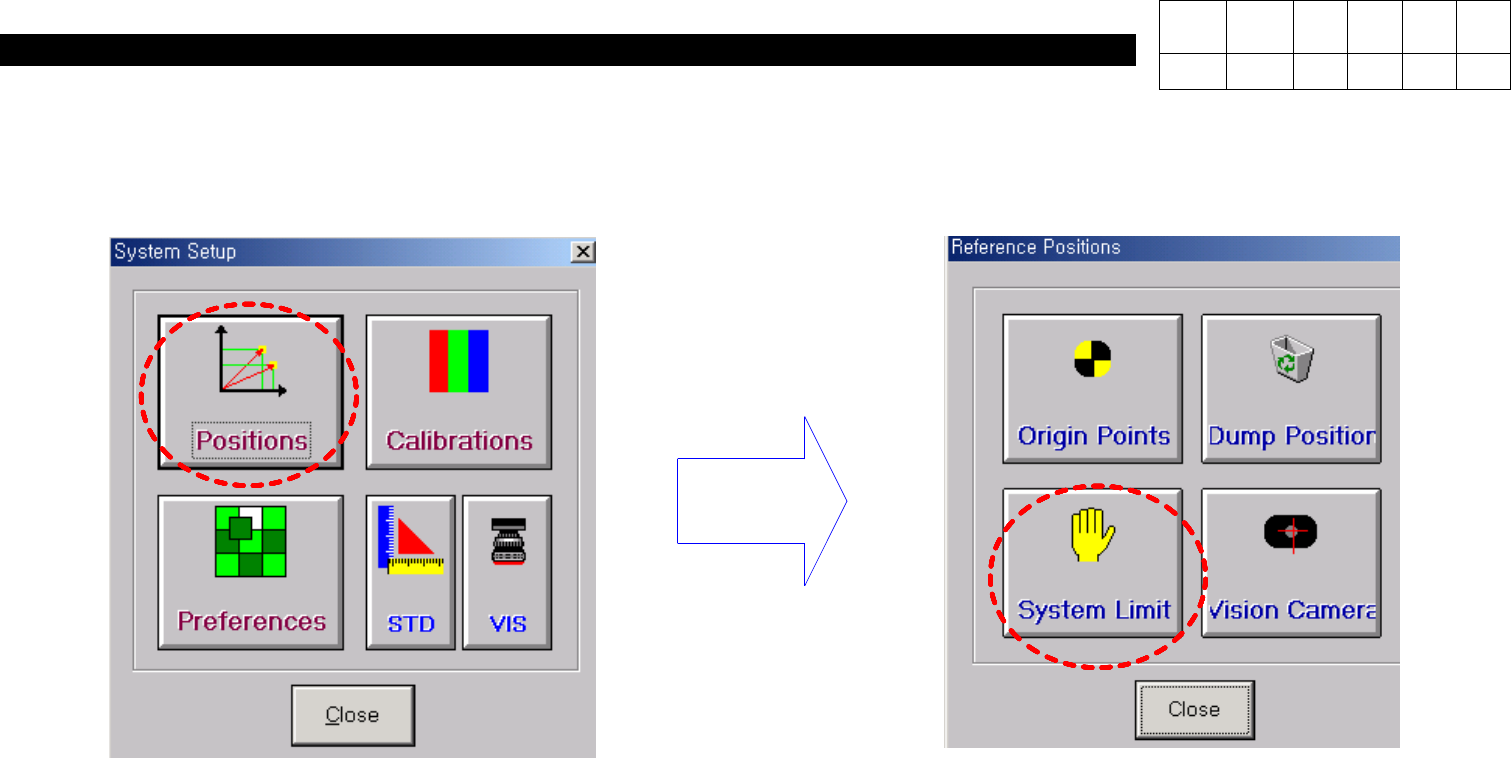
System Setup Window is Displayed as Follows
(Display )
.
In System Setup Window, Select
Position
and then
System Limit
.
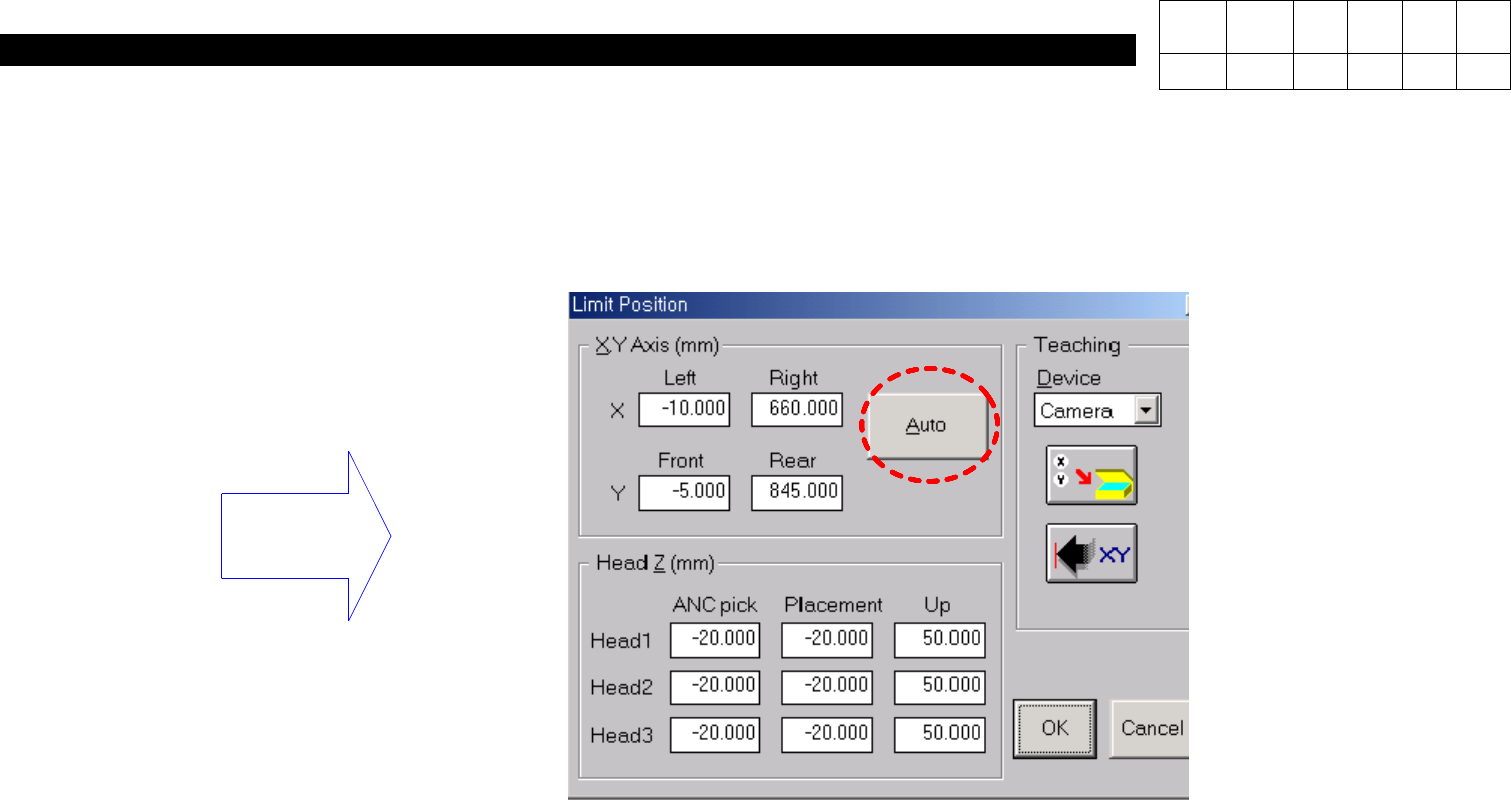
In Limit Position Window, Select
Auto(Display )
.
=> After S/W Limit is Measured Automatically, the Measured Value will be Displayed.
Click OK to Finish.
Version Date WA QA CA Note
00 Nov04 O O O
3. X-Y PART
(CP-40)
Version Date WA QA CA Note
00 Nov04 O O O
3. X-Y PART
(CP-40)
Version Date WA QA CA Note
00 Nov04 O O O