CP40 service manual.pdf - 第167页
6. Computer (CP-40) 6-1. Trouble Diagnosis Guide Table Malfunc tion Disk Driver Board Peripheral Device FDD Signal Cable Direction Check 2 FDD Replacement 4 Foreign Material Removal from PC I/F Board Contact Surface 2 PC…
5. Electric Device
(CP-40)
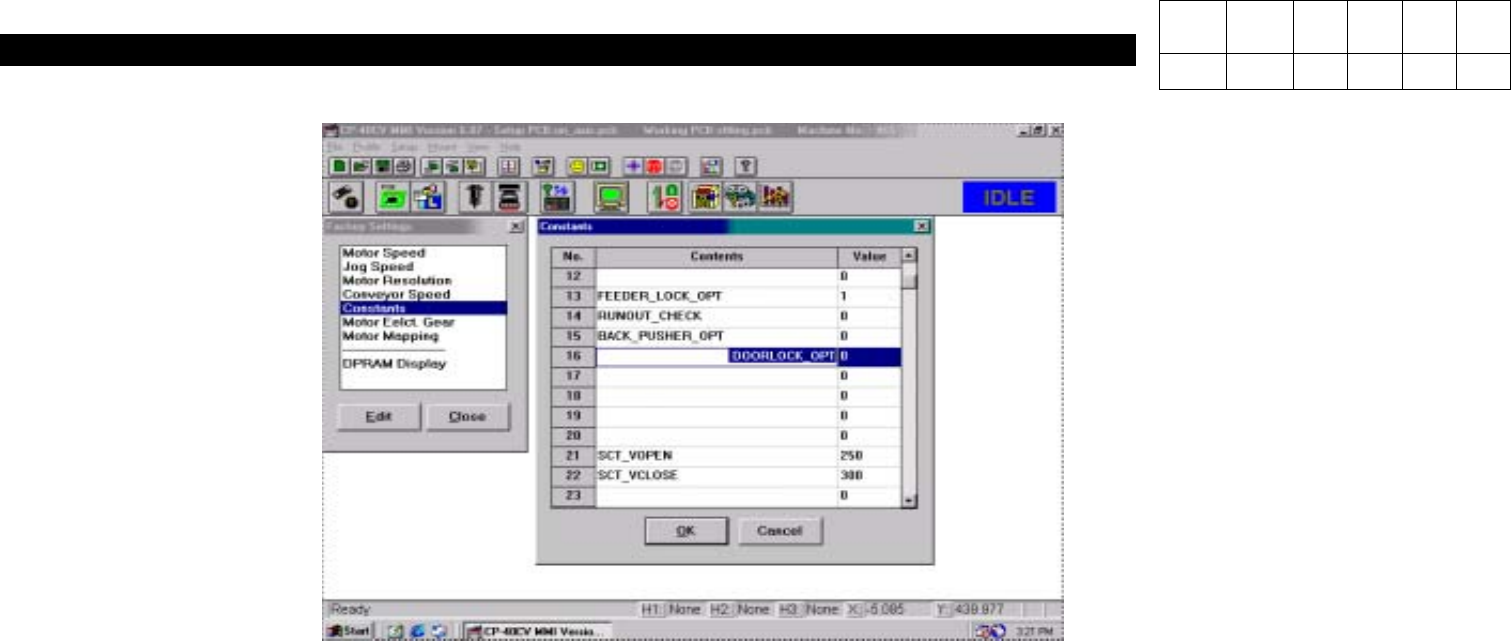
7. After Clicking OK to Save, Power OFF.
8. After Rebooting, Check Constants 16(DOORLOCK_OPT) is Set to "1" and Changed Information is Reflected through Testing.
Version Date WA QA CA Note
00 Nov04 O O O
6. Computer
(CP-40)
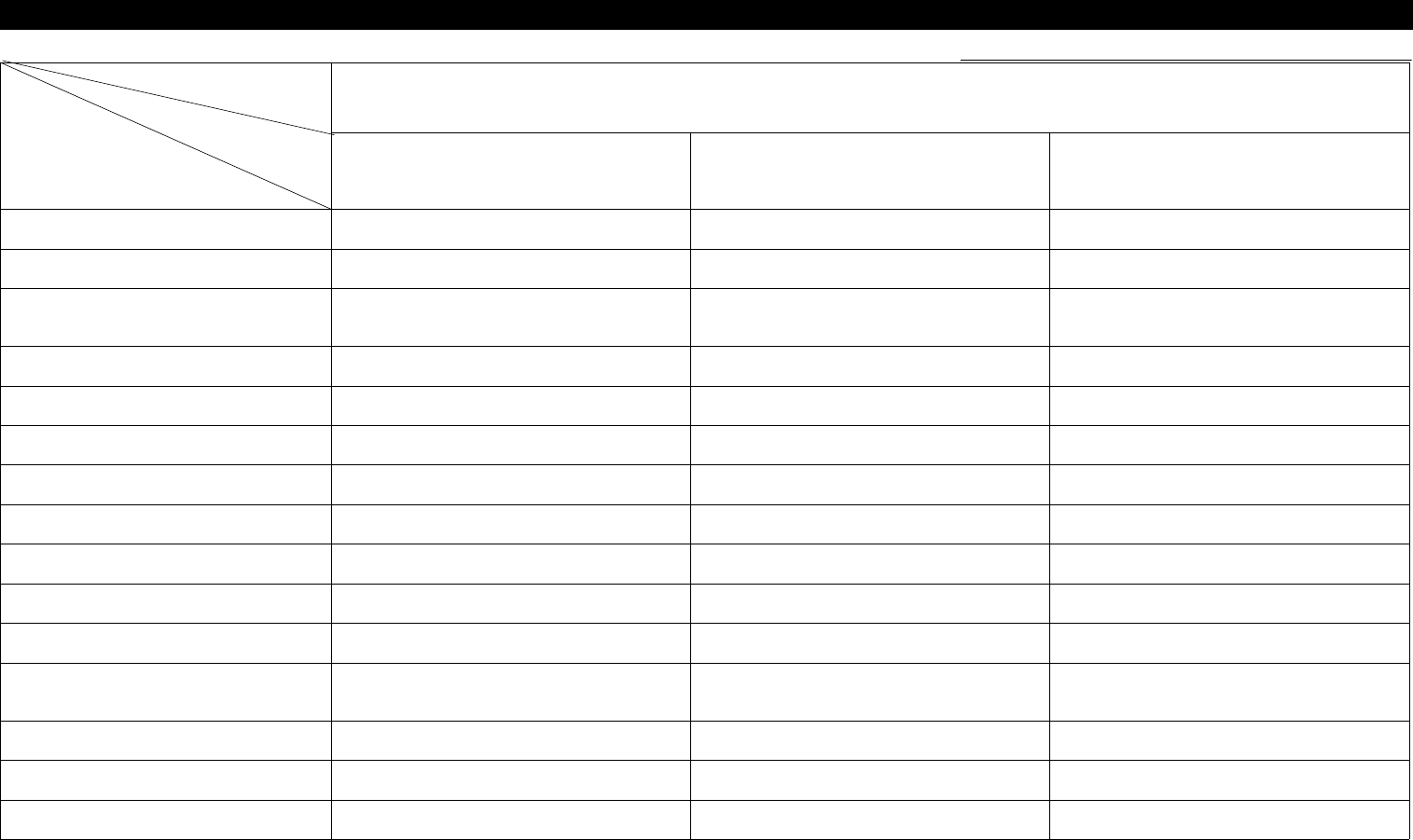
6-1. Trouble Diagnosis Guide Table
Malfunction
Disk Driver Board Peripheral Device
FDD Signal Cable Direction Check 2
FDD Replacement 4
Foreign Material Removal from PC
I/F Board Contact Surface
2
PC I/F Board Replacement 5 4
Hard Disk Replacement 6
Mother Board Replacement 7
WINDOWS Rebooting 1 1 1
WINDOWS Resetup 2
VGA Card Contact Check 3 3
VGA Card Driver Reinstallation 5
VGA Card Replacement 6
Monitor Cable check and
Replacement
3
Monitor Replacement 6
Mouse Replacement 4
Keyboard Replacement 5
Parts
Symptom
Check and Action
# Number Indicates Priority of Check Items.
6. Computer
(CP-40)
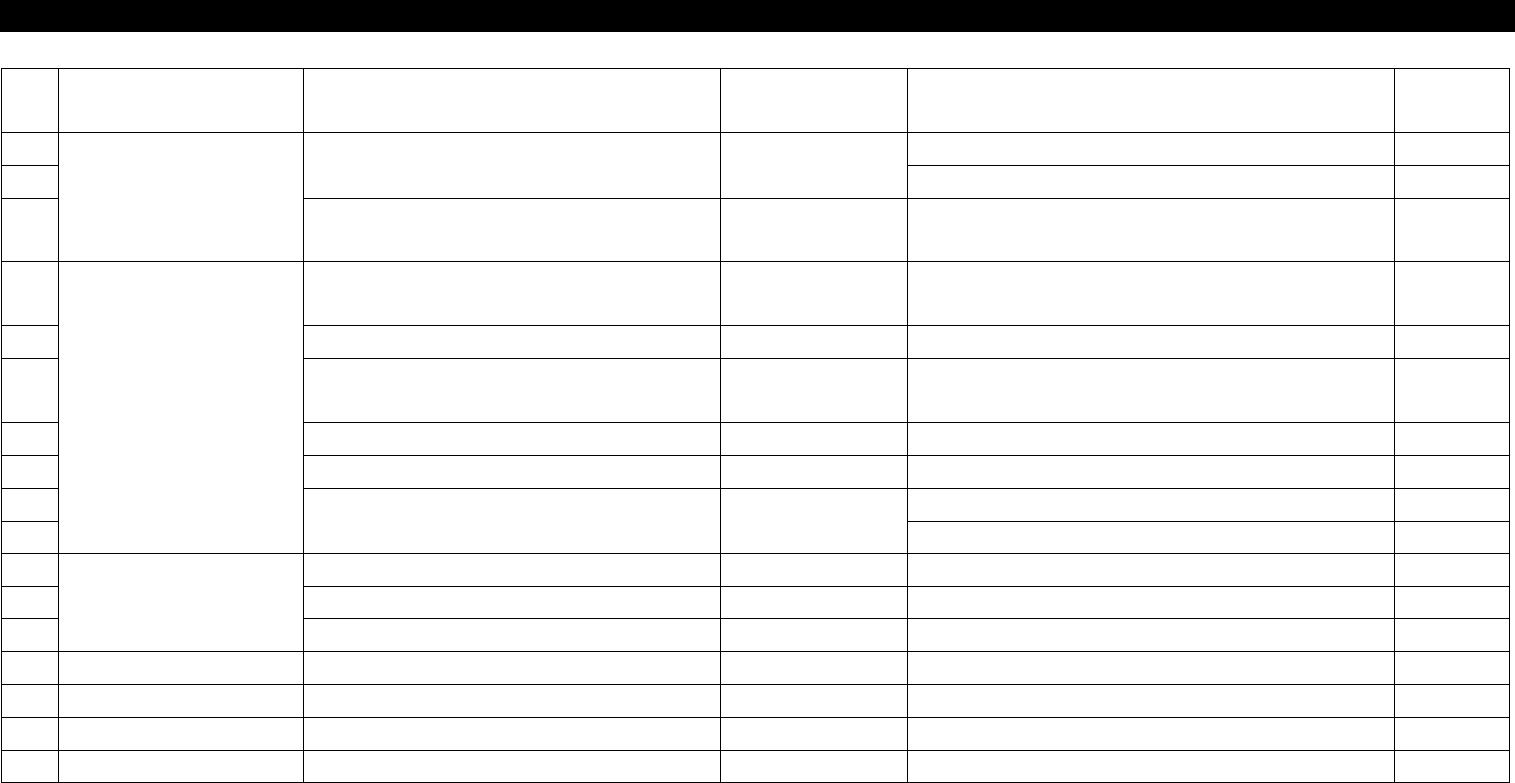
NO Symptom Possible Cause Error Code Action
Instructio
n
1
Disk Driver Malfunction
File cannot be Read from FDD.
Check FDD Signal Cable Direction.
6-3-1
2
Replace FDD.
6-3-1
3
OS does not Operate after CMOS
Booting.
Replace HDD.
4
Board Malfunction
Equipment does not Operate after OS
Booting.
Clean and Replace PC I/F Contact. 6-3-3
5 CMOS Battery Error Replace Mother Board. 6-3-3
6
Booting is not Achieved after Power
ON.
Reset VGA Card and Replace Mother Board. 6-3-3
7 Back Up Battery Error Replace Battery and Mother Boar 6-3-2
8 PC Down Reboot Windows and Replace Mother Board.
9
Screen is display on Monitor.
Reinstall VGA Card Driver. 6-3-4
10 Replace VGA CARD 6-3-4
11
Peripheral Device
Monitor Screen is Changed. Replace Monitor.
12 Mouse Point is Changed Quickly. Reinstall and Replace Driver.
13 Bad Key Board Replace Key Board.
14
15
16
17
6-2. Trouble Diagnosis