CP40 service manual.pdf - 第185页
7. Rack Ass'y (CP-40) => Before Replacing Battery, be Sure to Verify Specification and Voltage. Specification : CR2032 Voltage : 3V =>Before Replacing ROM, be Sure to Location and Pin No. P i nN o# 1 EP-ROM Ba…
7. Rack Ass'y
(CP-40)
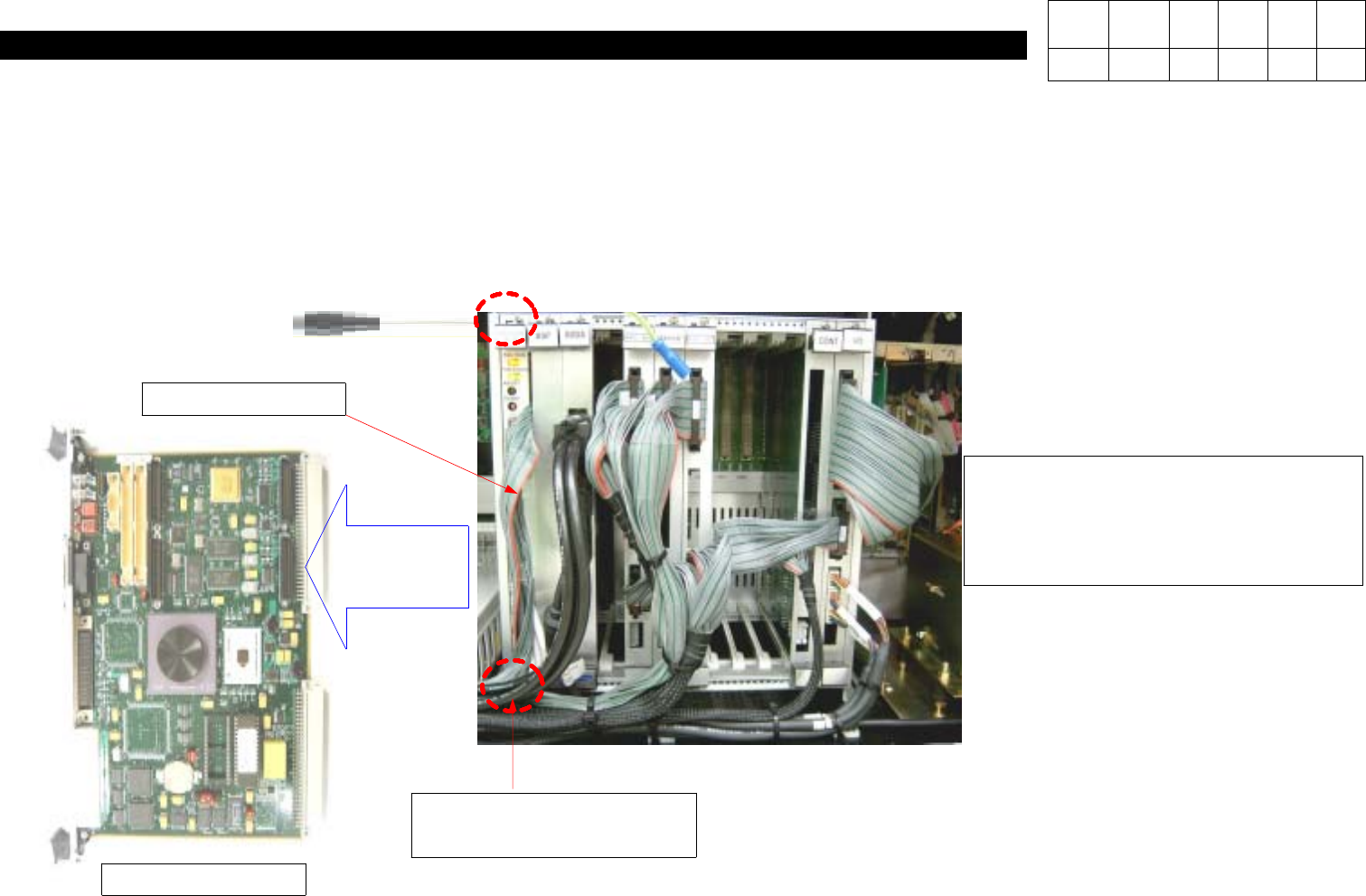
3. Using Cross-head Screwdriver, Loosen Two Bolts(for Securing VME) to Disconnect VME Board from Rack Ass'y.
Note) If Disconnecting VME Board Immediately, Replacement may be Difficult due to Interference of Cable. So, it is
Recommended that Vision Cable should be Disconnected First.
4. Disconnect Ribbon Cable from VME Board.
VME Board
Ribbon Cable
Bolt(for Securing VME)
2ea
Description: System Down During
Operating Equipment
Action: Replace XY Axis Board.
Version Date WA QA CA Note
00 Nov04 O O O
7. Rack Ass'y
(CP-40)
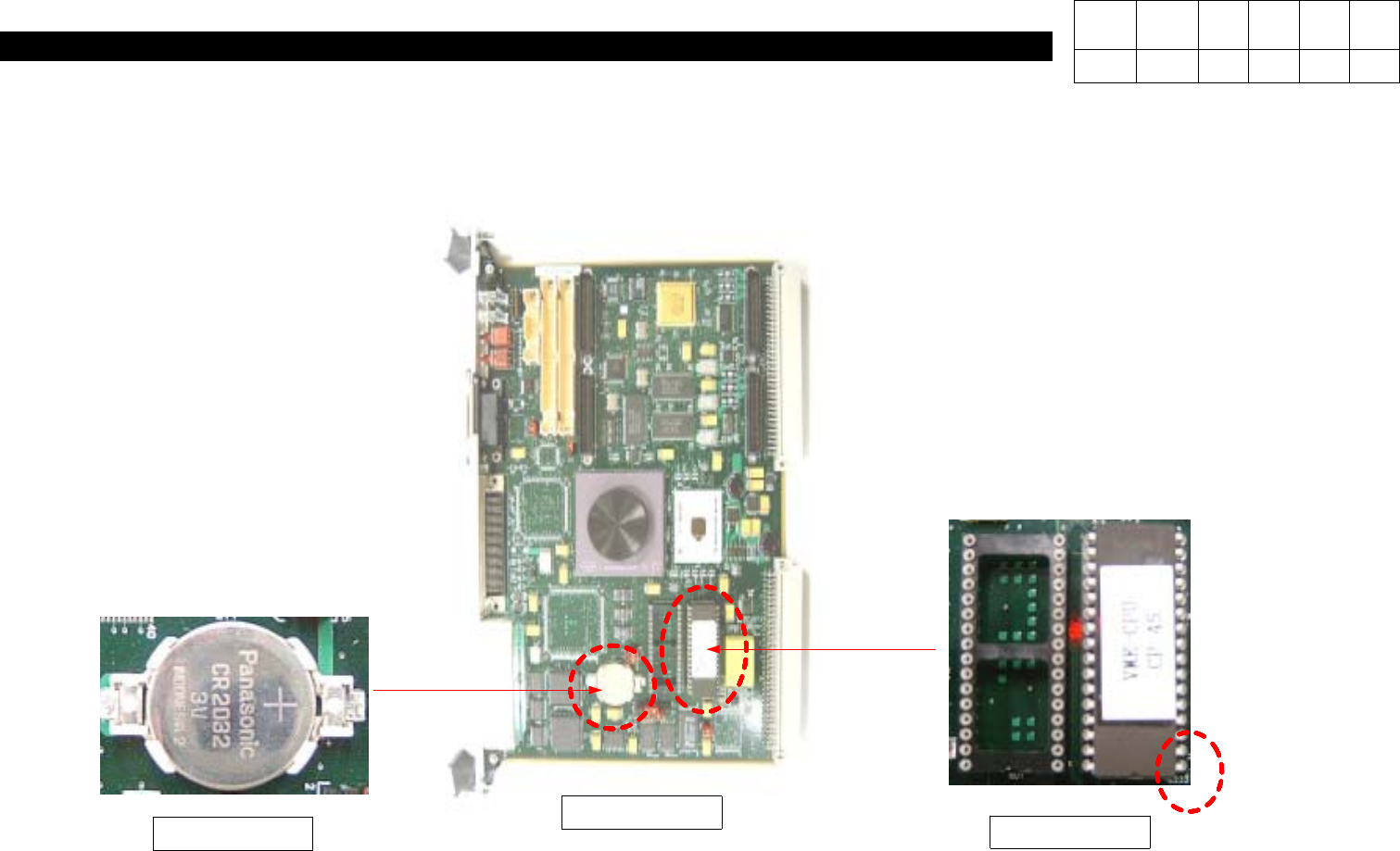
=> Before Replacing Battery, be
Sure to Verify Specification and
Voltage.
Specification : CR2032
Voltage : 3V
=>Before Replacing ROM, be Sure
to Location and Pin No.
PinNo#1
EP-ROM
Battery
VME Board
5. Check Battery, ROM and Dip SW from VME Board.
Version Date WA QA CA Note
00 Nov04 O O O
7. Rack Ass'y
(CP-40)
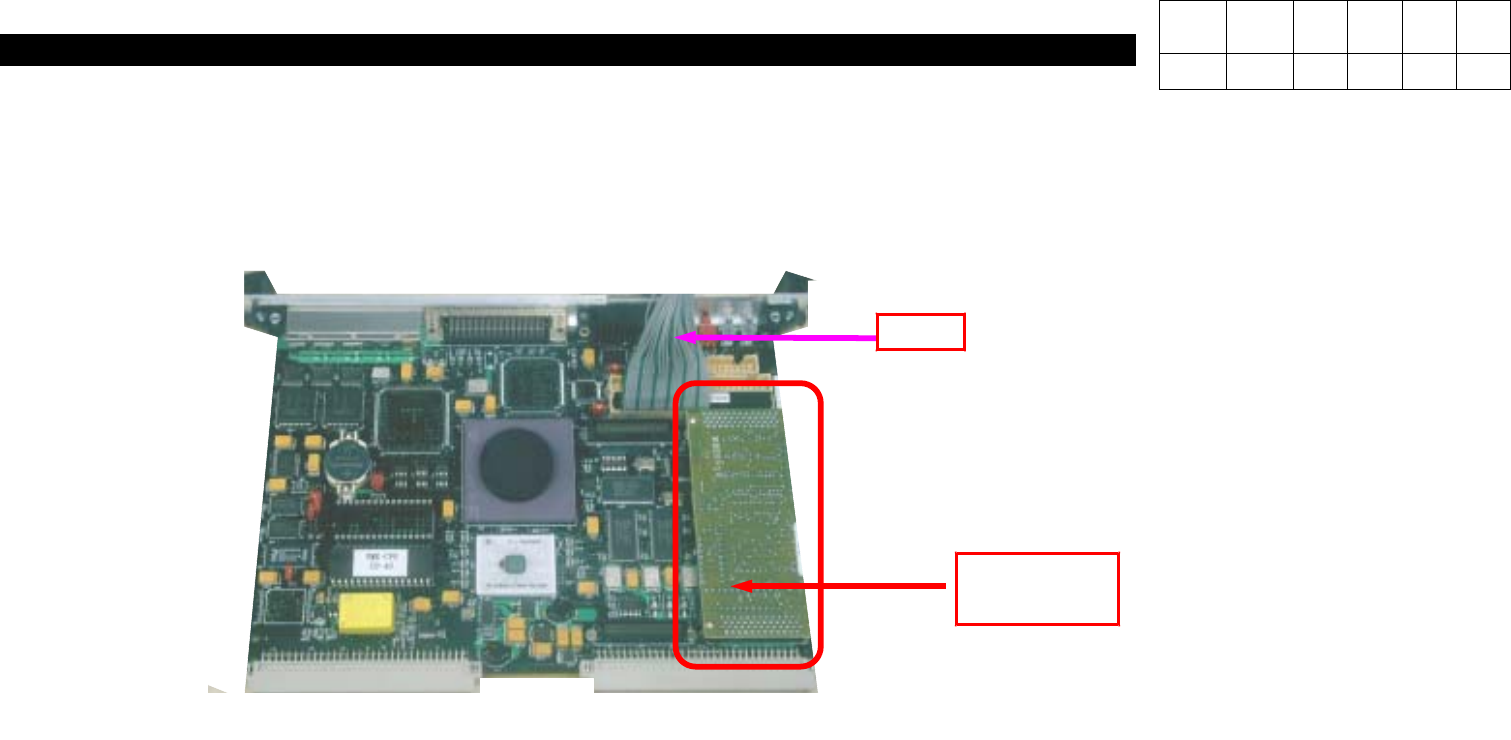
Cable
Octal Card
(J4809011A)
Note) To Prevent Locations of Connector
from being Mixed, be Sure to Verify
Each Location before Connecting
Connector.
Note) Since Octal Card for 40CV and
one for 40LV are different, be
Sure to Verify Aligner before
Replacement.
Version Date WA QA CA Note
00 Nov04 O O O