CP40 service manual.pdf - 第177页
6. Computer (CP-40) 6-3-4. Graphic Card Replacemen t Check) If Loose Contact of PC I/F Board or VGA Card is Suspected, Disconnect Board and Remove Foreign Material from Contact S u r f a c ew i t hE r a s e rt oR e i n s…
6. Computer
(CP-40)
6-3-3.
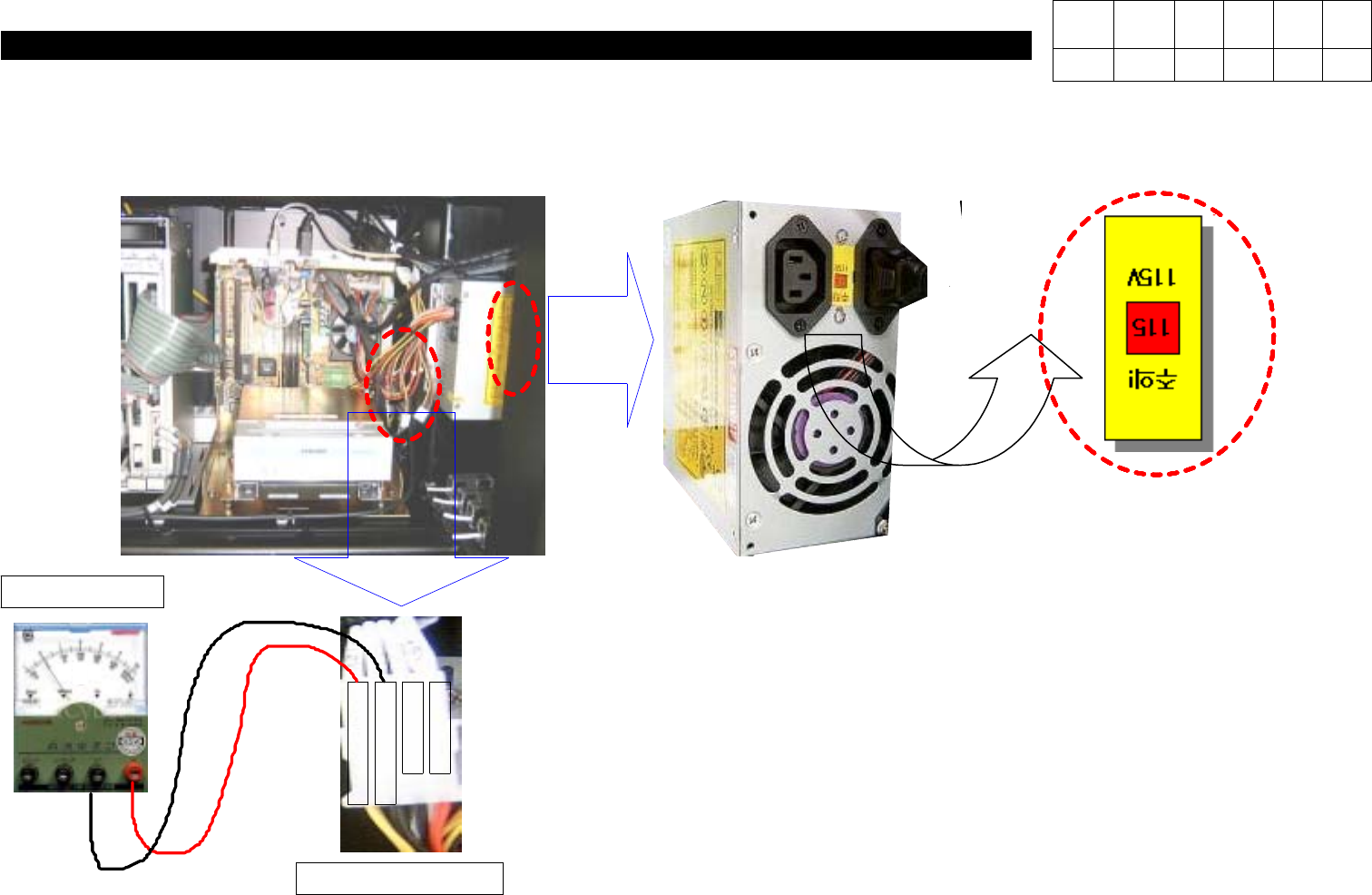
Loose Contact of Board
Check)
Check Voltage Selector is Set to
115V
.
+
5
V
5
V
G
1
2
V
G
+
1
2
V
Check)
Using Multi Tester, Check the Voltage
Supplied to Connector is Output Normally
as Shown in the Left Figure.
V
Multi Tester
Power Connector
Version Date WA QA CA Note
00 Nov04 O O O
6. Computer
(CP-40)
6-3-4.
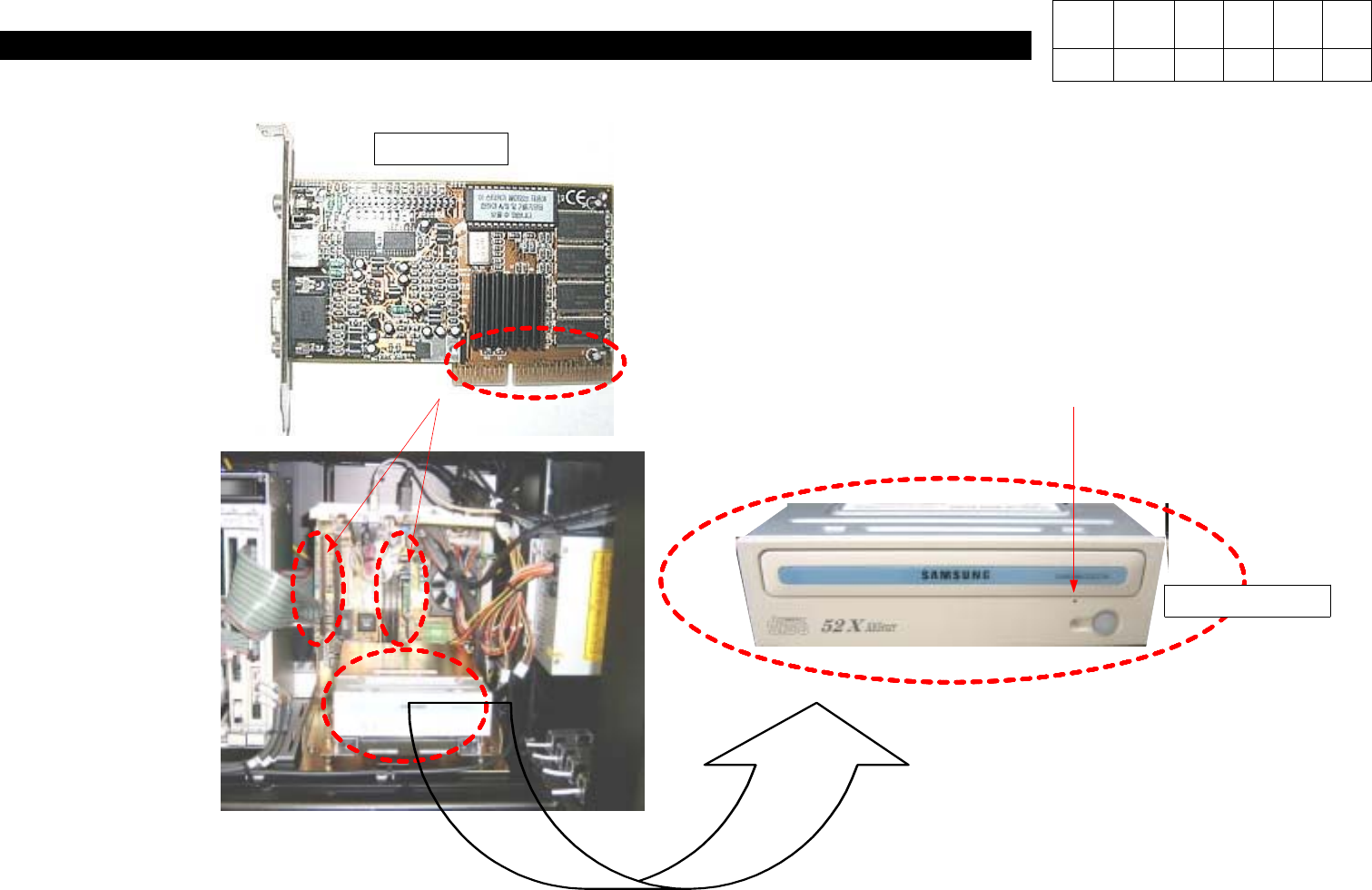
Graphic Card Replacement
Check)
If Loose Contact of PC I/F Board or VGA
Card is Suspected, Disconnect Board and
Remove Foreign Material from Contact
SurfacewithErasertoReinsert.
Check)
With CD Inserted within CD-ROM,
Pressing Hole with Pin Makes CD
Come out of CD-ROM Manually.
Manual Hole
VGA CARD
Version Date WA QA CA Note
00 Nov04 O O O
6. Computer
(CP-40)
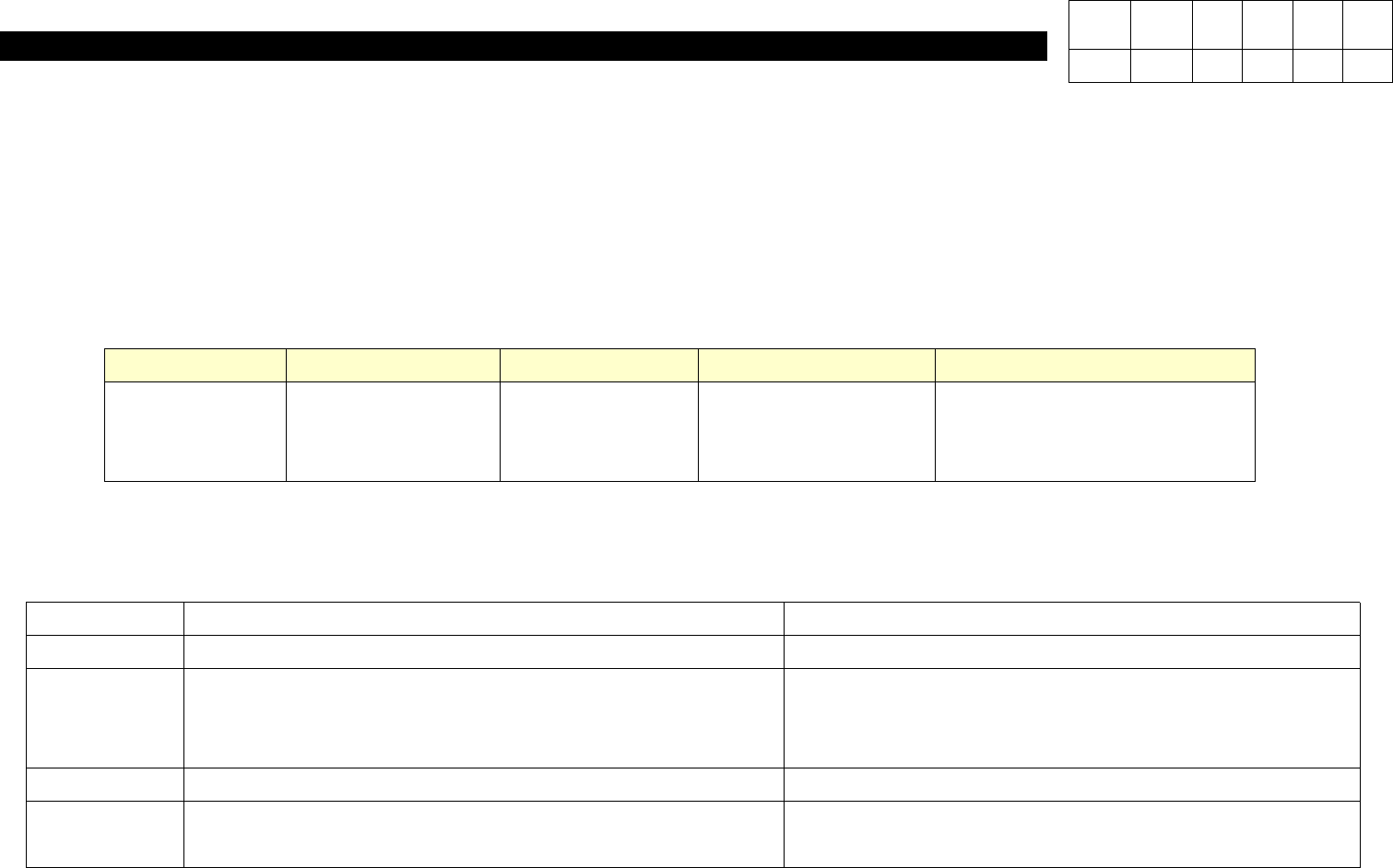
Classification Application Date Model Name Serial No. Remarks
Field Equipment
May 1, 2003
Jun. 10, 2003
CP40
CP45
1216,1217,1218
1203
Mass-Producted after July,
2003.
1. Purpose
To Use NVIDIA GEFORCE2 MX200 32MB(AGP) Because of Discontinuous Production of NVIDIA TNT2 TM64 32M(AGP) Graphic
Card
2. Application Scope
3. Materials
Classification Before After
Equipment
Control
- Nomenclature : GRAPHIC CARD
- Standard : NVIDIA TNT2 TM64 32M(AGP)
- Nomenclature : GRAPHIC CARD
- Standard : NVIDIA GEFORCE2 MX200 32MB(AGP)
S/W
Material
Specification
Material No. : J4802009A Material No. : J4802011A
Version Date WA QA CA Note
00 04/11 O O O