CP40 service manual.pdf - 第246页
12. Performance/Efficiency (CP-40) 12-3-8. Auto MOUNTING INFORMATION
12. Performance/Efficiency
(CP-40)
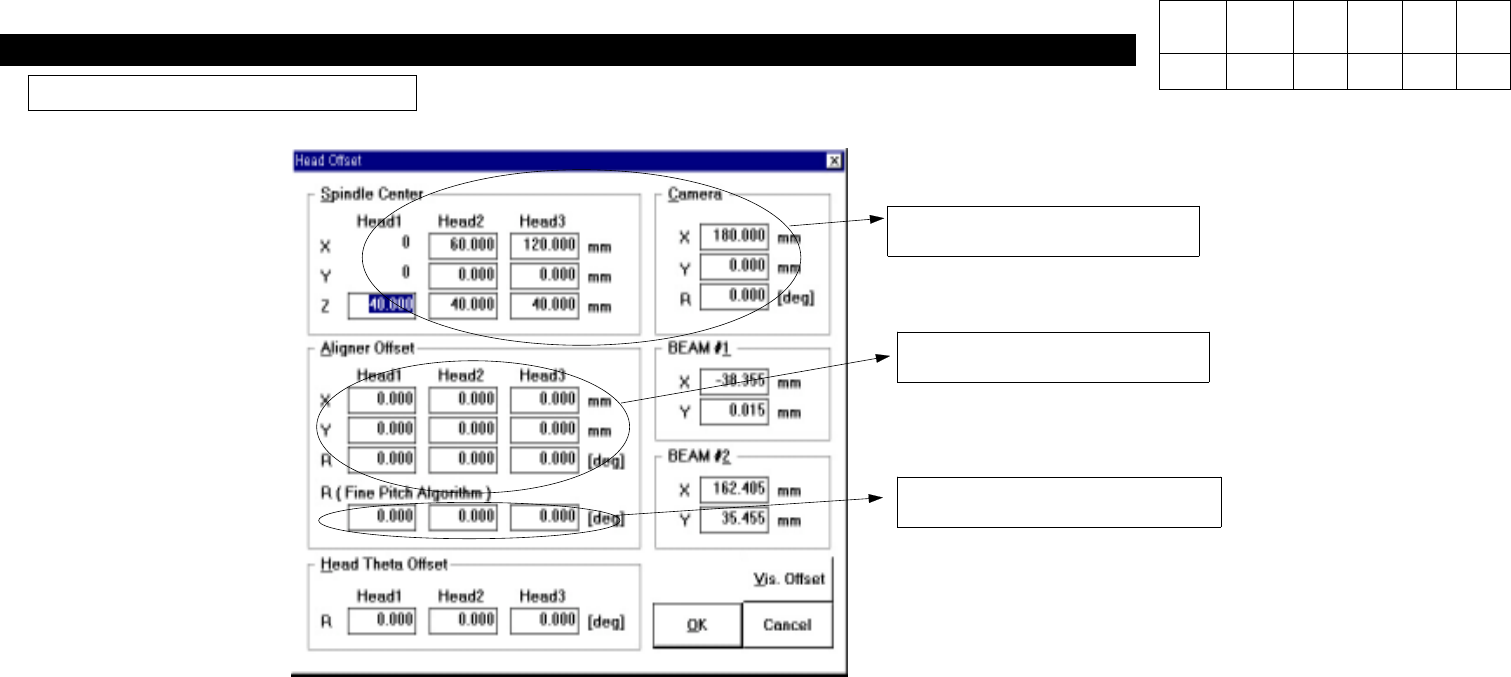
Aligner Offset Setting Method
Use Aligner Offset to Set
Installation State.
Fine Pitch Algorithm is not Used.
These Columns are not Used to
Set Installation State.
1. According to the Existing Method, Setup Spindle Center and Cameral Offset.
-. Spindle Center : Use Head Offset Calibration of Vision Calibration.
-. Camera Offset : Centering Head 1, Measure the Distance of Camera to Setup.
2. Aligner Offset Setting Method
-. Install 100 PIN QFP to Set up Aligner Offset.
-. Install 1608CHIP to Check Installation State.
-. If Installation State is out of Specifications, Modify Aligner Offset Gradually to Set Installation State.
Version Date WA QA CA Note
00 Nov04 O O O
12. Performance/Efficiency
(CP-40)
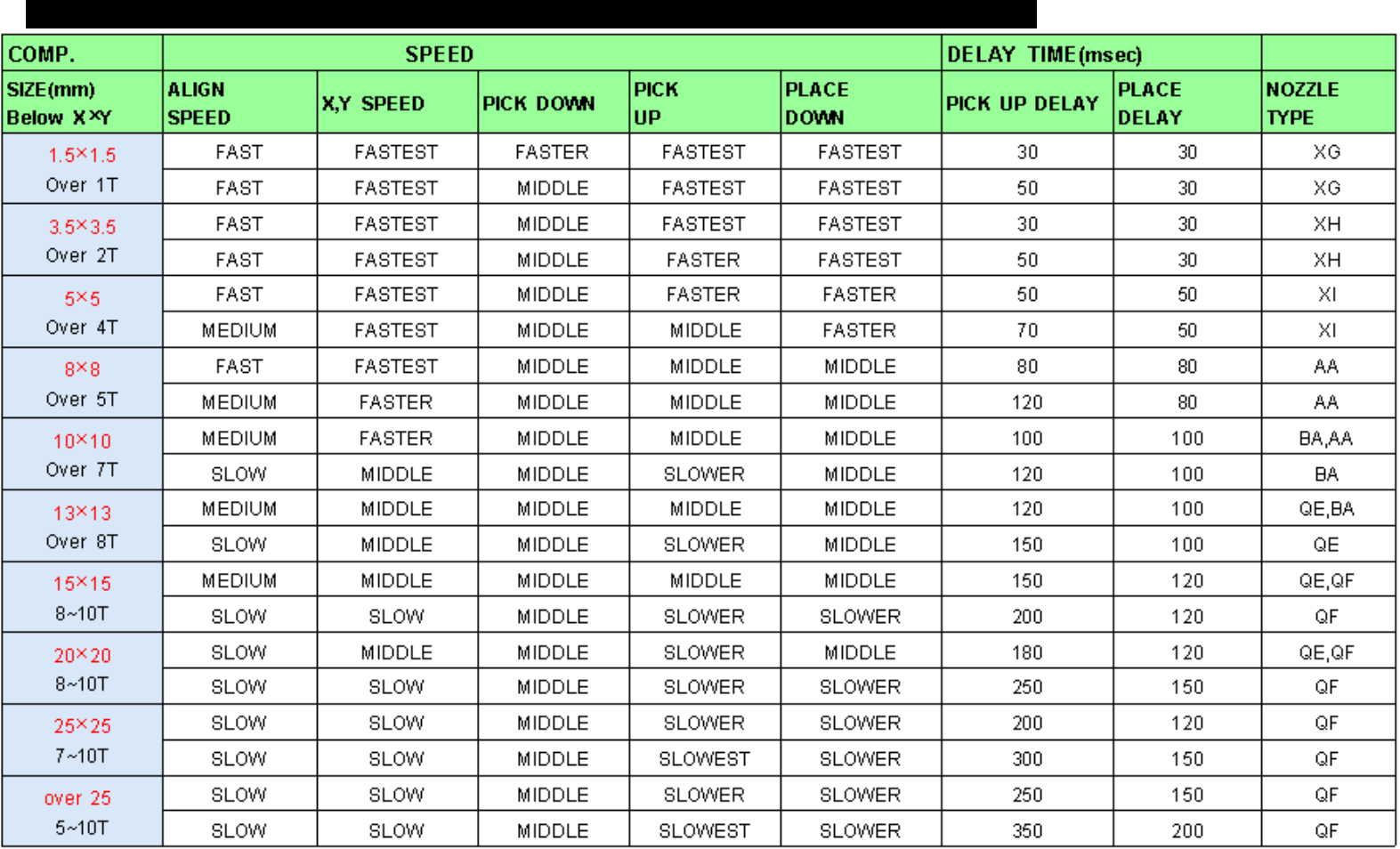
12-3-8.
Auto
MOUNTING INFORMATION
12. Performance/Efficiency
(CP-40)
Version Date WA QA CA Note
00 Nov04 O O O
12-3-9.
CP40 Series Integrated Software Setup Procedures
1) Introduction :
This Setup File integrates 20, 40, 50 and 50II Setup Files, which was Managed Separately.
As All 40 Series Equipment can Use a MMI and a VME File, Setup Files are also Integrated into One File.
2) Setup Environment : Windows95, 98, 2000(IT Feeder Option cannot be Setup under Windows2000)
3) Setup Procedures :
The Procedures are Described according to Screens Appeared in Process of Setup.
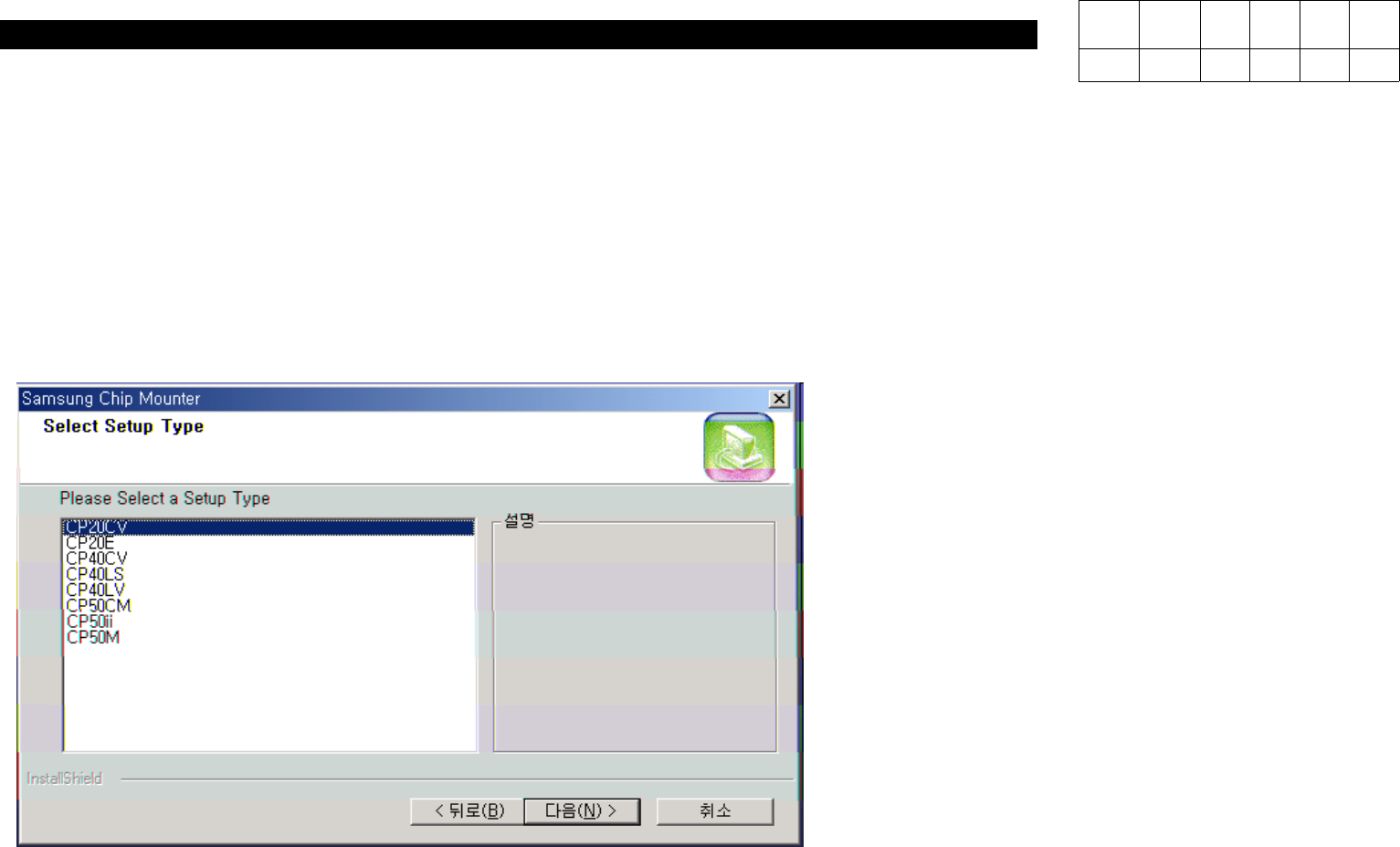
a) Screen for Equipment Selection
When Starting Setup, the Window for
Equipment Type Selection will be
Appeared.
In this Window, Select Equipment
Type to be Installed.