CP40 service manual.pdf - 第90页
1. Head Part (CP-40) 5. Adjust VR1 on I/F Board Until the Value is Over 560 [ mmHg]. # Clockwise : Decrease Vacuum Level Counterclockwise : Increase Vacuum Level Decrease Increase Head I/F Board Ass'y Version Date W…
1. Head Part
(CP-40)
Version Date WA QA CA Note
00 Nov04 O O O
<Adjustment Method>
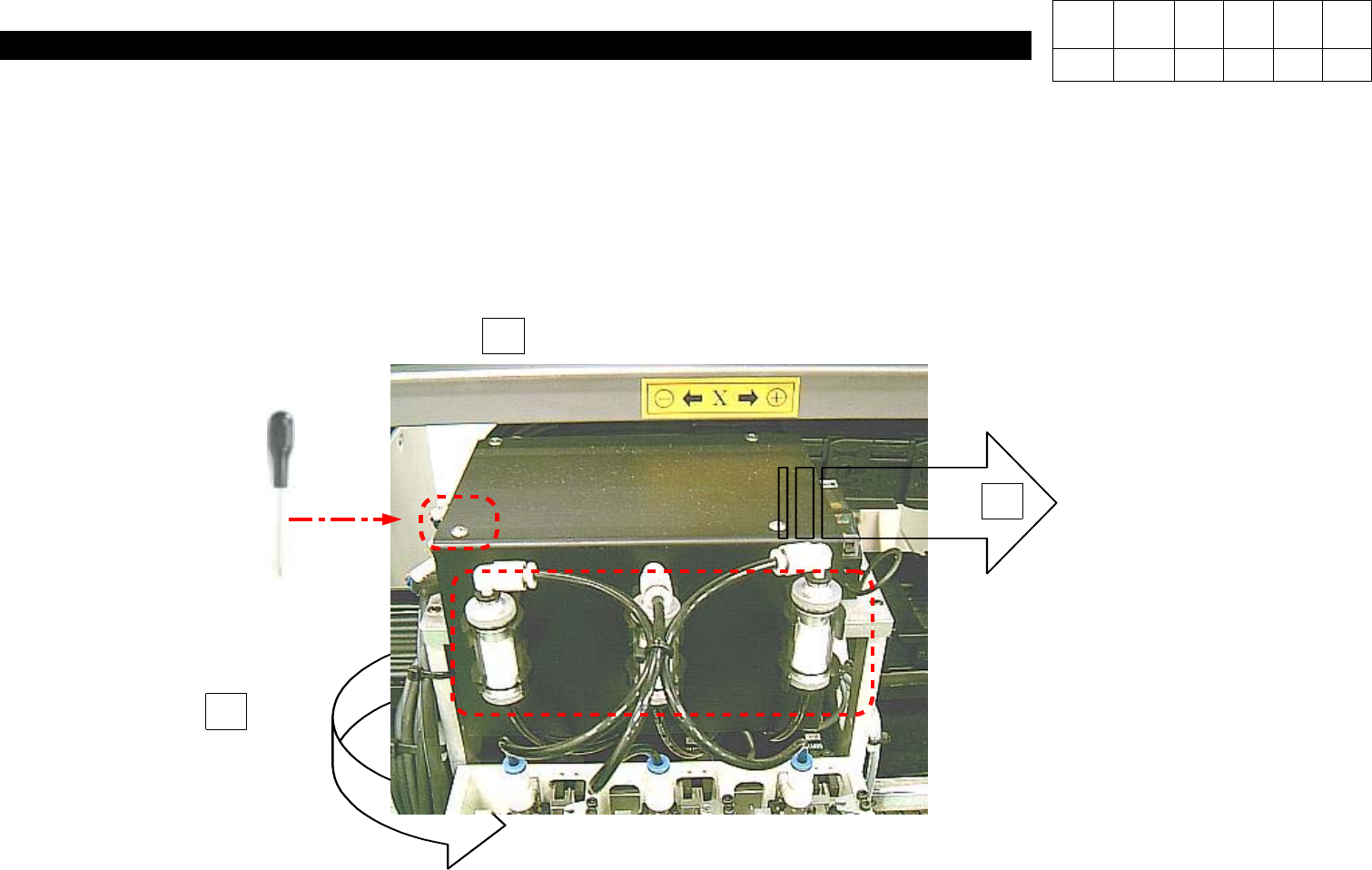
1. Using Teaching Box, Move Head to Rear Acrylic Cover.
2. Loosen Four M3*6 Toras Screws on the Top of Head.
3. Pull Three Filters on the Front.
4. Remove Head Cover.
2
3
Remove Four M3 * 6 4ea Toras.
Pull Three Vacuum Filter.
J6708006A
Remove Head Cover.
4
1. Head Part
(CP-40)
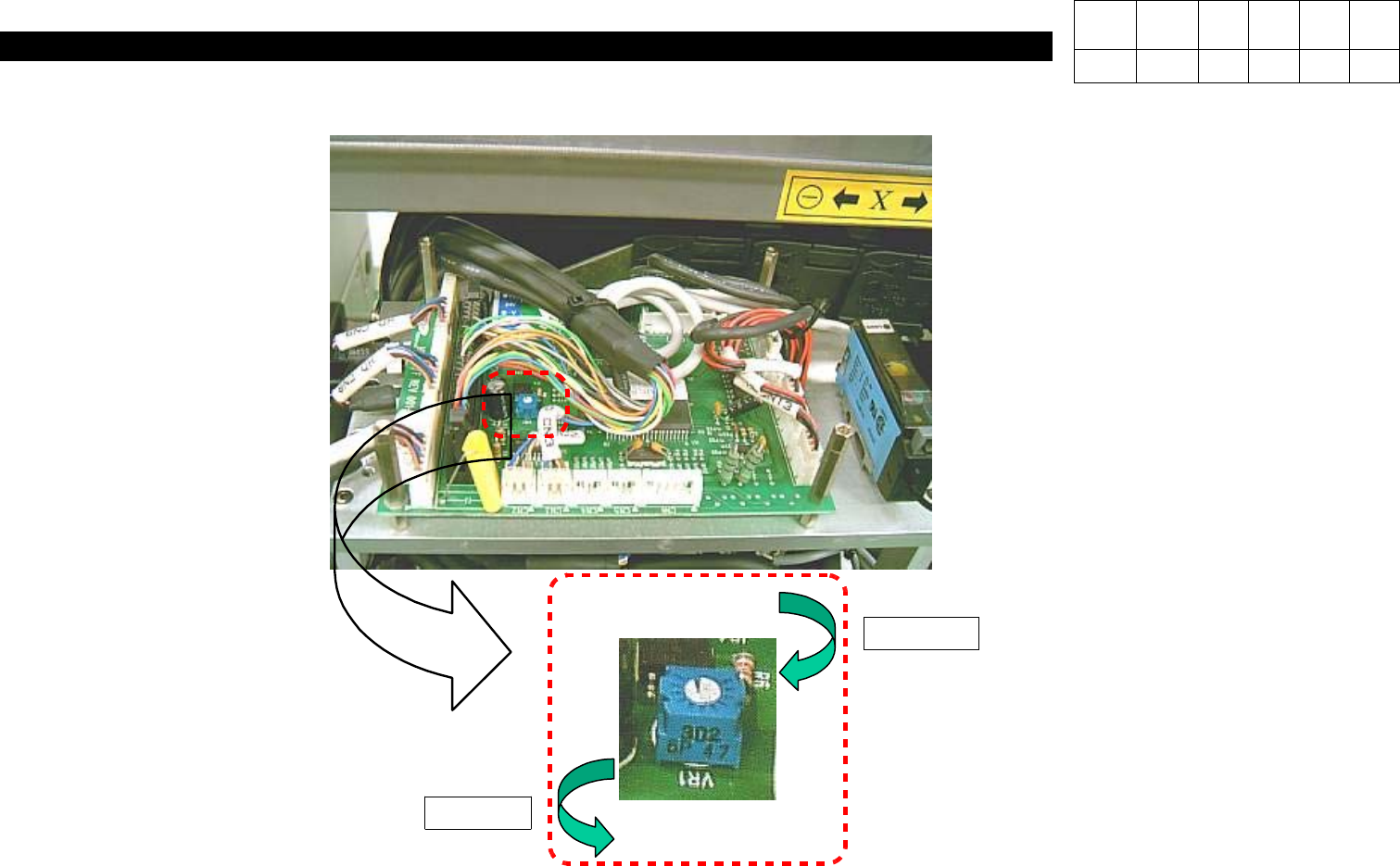
5. Adjust VR1 on I/F Board Until the Value is Over 560 [mmHg].
# Clockwise : Decrease Vacuum Level
Counterclockwise : Increase Vacuum Level
Decrease
Increase
Head I/F Board Ass'y
Version Date WA QA CA Note
00 Nov04 O O O

1. Head Part
(CP-40)
<Assembly>
1. Move Head to Front Feeder Base and Secure Two Bolts and a Filter on the Front of Cover.
2. Move Head to Rear Feeder Base and Secure the Rest Two Bolts.
Version Date WA QA CA Note
00 Nov04 O O O