CP40 service manual.pdf - 第14页
MODULE ERROR CODE Symptom and Cause ACTION Service Manual EMG(Emergency) $0001 Emergency switch is pressed. Release EMG(Emergency) Switch pressed. $0021 Front door is opened Error occurred when trying to operate system w…
Contents
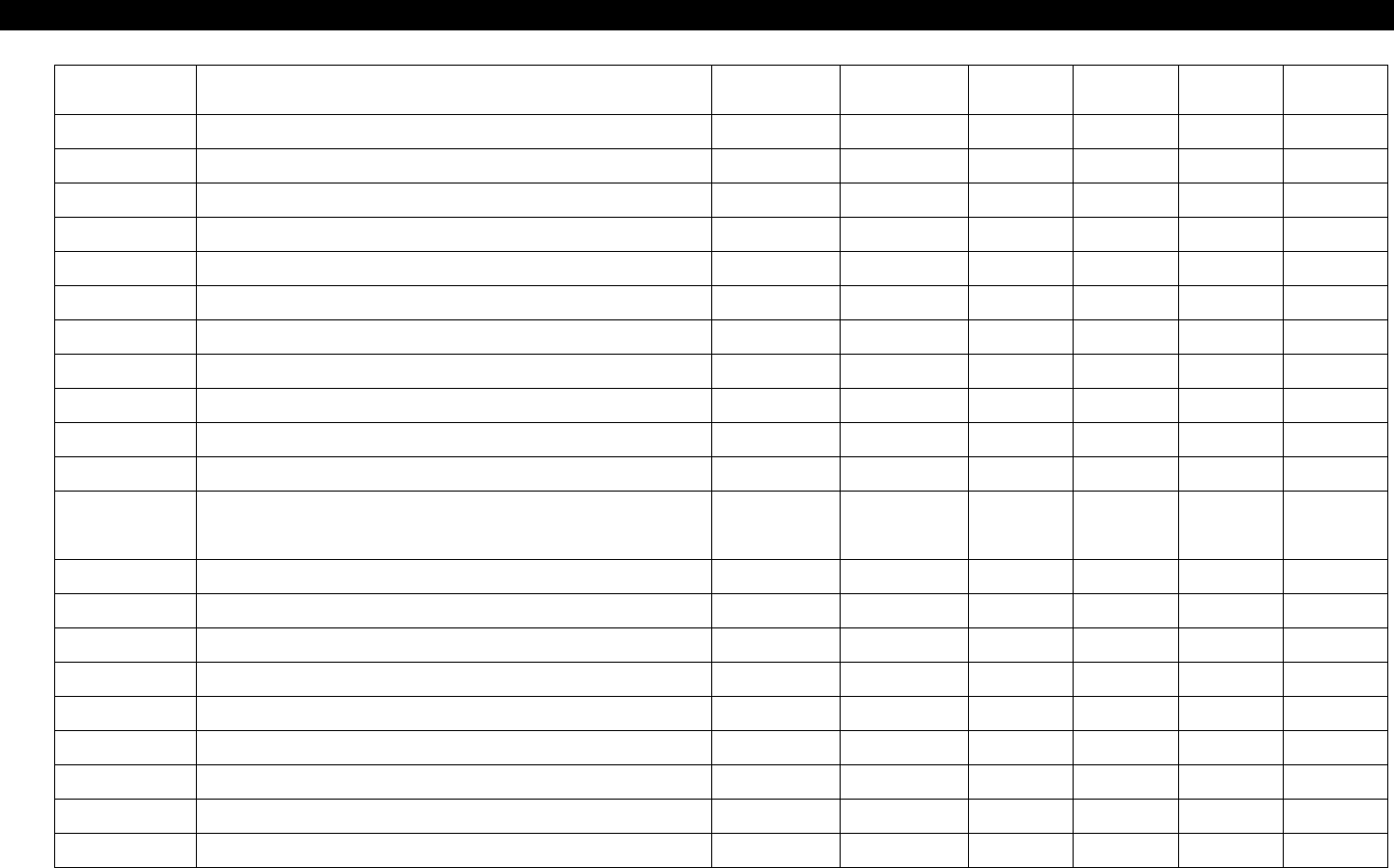
Chapter Title Version Date WA QA CA Remarks
12 Performance/Efficiency 00 Nov.04 O O O
12-1 Fault Diagnosis Guide Table O O O
12-2 Fault Diagnosis O O O
12-3-1 Part Pick Up Error O O O
12-3-2 Compliance Ass'y Check O O O
12-3-3 Part Bounce or Place Error O O O
12-3-4 Tray Feeder Pick Up Error O O O
12-3-5 IC Vision Check Error O O O
12-3-6 50M Head3 Setting O O O
50M
12-3-7 Aligner Offset Setting Method O O O
12-3-8 Auto MOUNTING INFORMATION O O O
12-3-9
CP40 Series Integrated Software Setup
Procedures
O O O
MODULE
ERROR
CODE
Symptom and Cause ACTION
Service
Manual
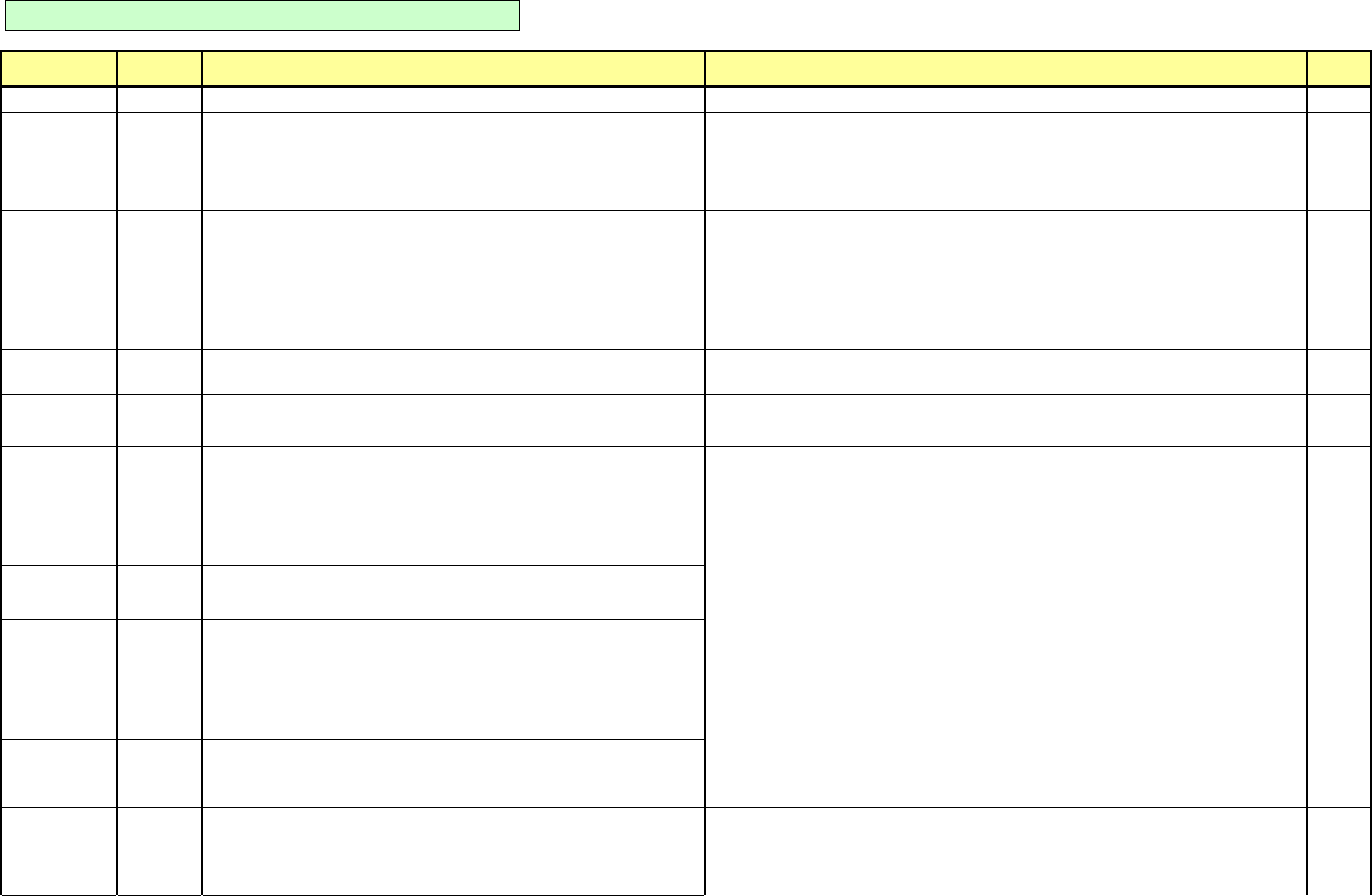
EMG(Emergency) $0001 Emergency switch is pressed. Release EMG(Emergency) Switch pressed.
$0021
Front door is opened
Error occurred when trying to operate system when front door is open.
$0022
Rear door is opened
Error occurred when trying to operate system when rear door is open.
$0040
Ready switch is off
Error occurred when trying to operate motor or execute program with <Ready>
switch not pressed.
Operate the system after applying power to a motor by pressing a <Ready> switch.
$0070
Can't make homing while FREEZE state
Error occurred when trying to find out Home Position by pressing <Home> key of
teaching box or at MMI.
Be sure to find out Home Position of motor only after releasing the error condition(FREEZE State) by
pressing <Reset> switch.
$0080
Can't accept MMI command while PAUSE or RUN. This does not effect on operation or performance of system. Additional corrective actions are not
required..
X-Y Axis Part $0100
Invalid nozzle length
Invalid nozzle length value among Nozzle data.(0 value is inputted.)
Check Nozzle Data with command of <System Setup/Standard Data/Standard Nozzle> in MMI and
then input the correct data.
4-3-4
$1100
Positive(+) H/W Limit is detected at the Warmup
Driving part of associated motor is detected by sensor located at positive(+)
direction during warming up.
$1110
Positive(+) H/W Limit is detected (X axis)
Driving part of associated motor is detected by sensor located at positive(+)
direction.
$1120
Positive(+) H/W Limit is detected (Y axis)
Driving part of associated motor is detected by sensor located at positive(+)
direction.
1-3-1
$1200
Negative(-) H/W Limit is detected at the Warmup
Driving part of associated motor is detected by sensor located at negative(-)
direction during Warming up.
$1210
Negative(-) H/W Limit is detected (X axis)
Driving part of associated motor is detected by sensor located at negative(-)
direction.
$1220
Negative(-) H/W Limit is detected (Y axis)
Driving part of associated motor is detected by sensor located at negative(-)
direction.
$1310
X Axis (+) S/W Limit is detected
Driving part of X-axis motor is reached to software limit of positive(+) direction
selected in system setup.
Close a front door of system and then operate it.
Find out Home Position of motor associated with Jog Key.
CP-40 Trouble Shooting Guide - Defined Fault
- 1 -
MODULE
ERROR
CODE
Symptom and Cause ACTION
Service
Manual
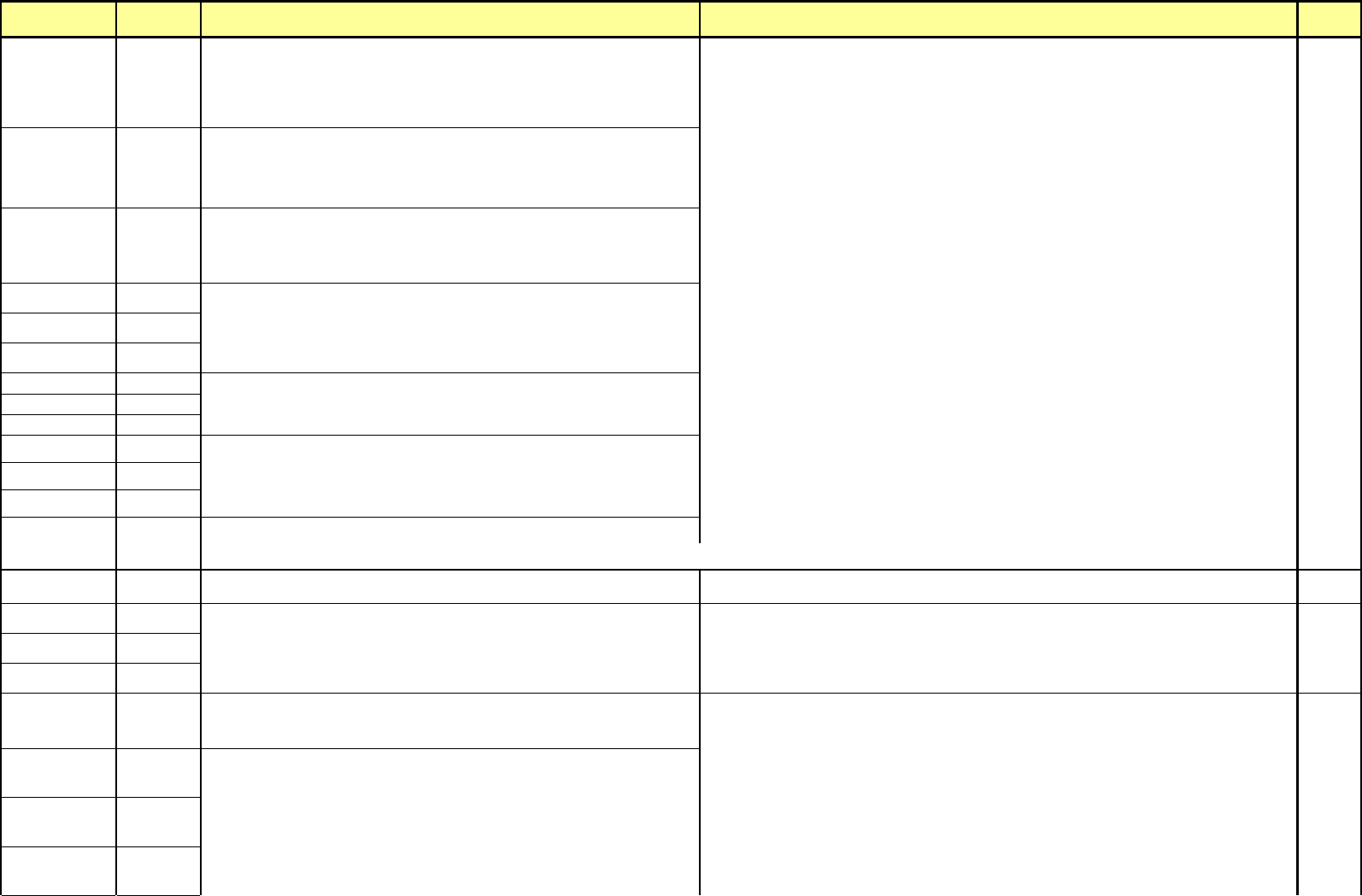
$1311
X Axis (-) S/W Limit is detected
Driving part of X-axis motor is reached to software limit of negative(-) direction
selected in system setup.
$1320
Y Axis (+) S/W Limit is detected
Driving part of Y-axis motor is reached to software limit of positive(+) direction
selected in system setup.
1-3-1
$1321
Y Axis (-) S/W Limit is detected
Driving part of Y-axis motor is reached to software limit of negative(-) direction
selected in system setup.
Drive the motor associated to opposite direction with Jog Key so as to go out of limit position. 3-3-3
$13A1
$13A2
$13A3
$13B1
$13B2
$13B3
$13C1
$13C2
$13C3
$13D1 Z-axis Normal Down S/W limit is detected in the AUTO mode.
$13D2 Driving part of Z-axis motor is reached to software limit of negative(-) direction selected in system setup during AUTO operation.
X-Y Axis Part $13D3 Driving part of Z-axis motor is reached to software limit of negative(-) direction selec
t
Drive the motor associated to opposite direction with Jog Key so as to go out of limit position.
1-3-1
3-3-3
$13E1 4-3-2
$13E2 4-3-4
$13E3
$1500
Motor trouble is detected at the Warmup
Motor alarm occurs during Warming up operation.
$1510
Motor alarm is detected (- X axis error)
Motor alarm occurs.
$1520
Motor alarm is detected (- Y axis error)
Motor alarm occurs.
3-3-3
$1531
Motor alarm is detected (Head1-Z axis error)
Motor alarm occurs.
Z-axis ANC, normal down S/W limit is detected in the IDLE mode
Driving part of Z-axis motor is reached to software limit of negative(-) direction
selected in system setup during IDLE.
Z-axis up S/W limit is detected in the IDLE mode
Driving part of Z-axis motor is reached to software limit of positive(+) direction
selected in system setup during IDLE.
Z-axis Up S/W limit is detected in the AUTO mode
Driving part of Z-axis motor is reached to software limit of positive(+) direction
selected in system setup during AUTO operation.
Z-axis ANC Down S/W limit is detected in the AUTO mode
Z-axis motor in Auto Nozzle Change is reached to software limit of negative(-)
direction selected in system setup during AUTO operation.
When using System ANC, be sure to teach again Z down position(ANC Pickup) of system ANC by
executing command of <Setup/System Setup/Reference Position/Limit Position> of MMI.
Turn the power of motor Off by pressing <EMG(Emergency)> switch and then supply again power of
motor by pressing <Ready> switch.
- 2 -