CP40 service manual.pdf - 第211页
9. Motor & Dr iver (CP-40) 1. Con nection of PY-Motor Driver(=Amplifier) and Computer * Tools a) Notebook Computer b) Cable for interface 1) Open Lower Cover in the Rear of Equipment. 2) Apply Power to the Whole Equi…
9. Motor & Driver
(CP-40)
CE NON-CE
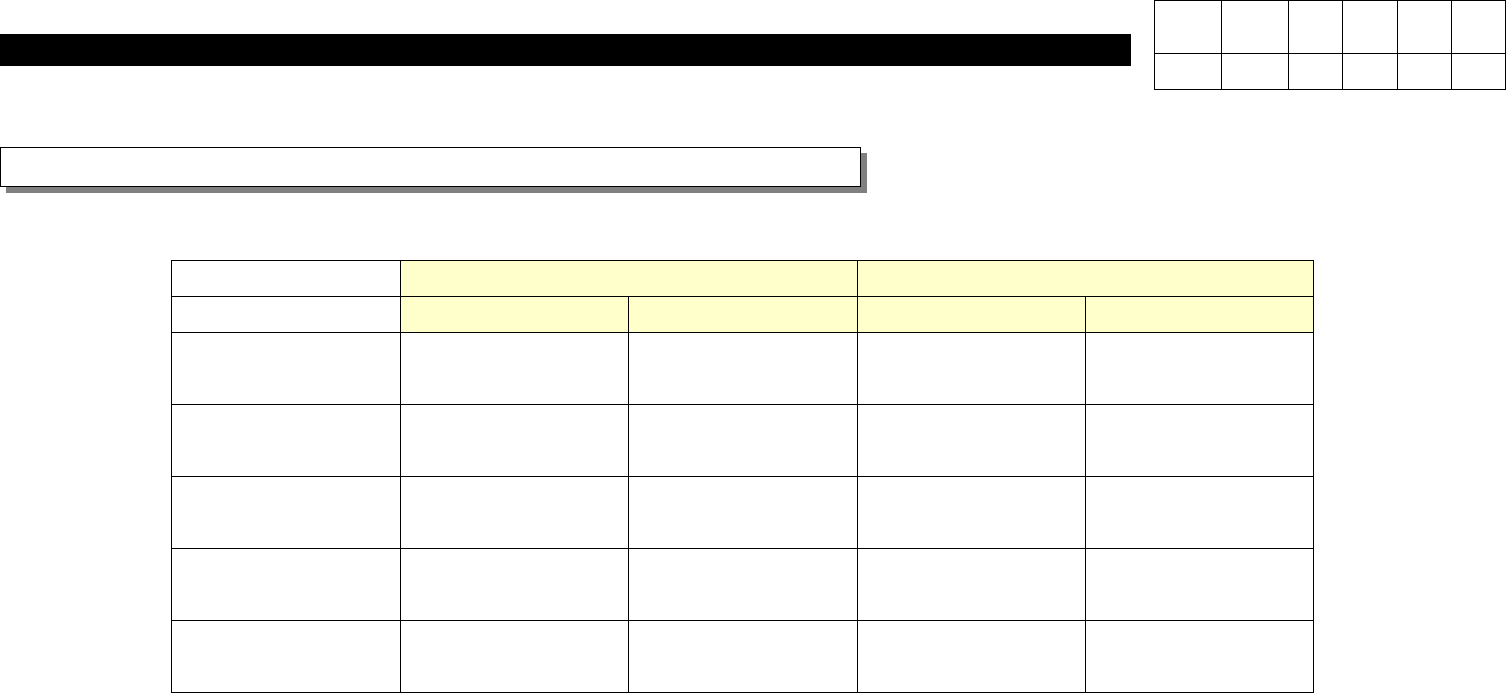
Axis Motor Driver Motor Driver
X
J9061225B J3153012A J9061931B J3153026A
Y
J3108012A J1301684 J3108022A J3153025A
Z1
J9061962A J3153014A J9061968A J3153024A
Z2
J9061962A J3153014A J9061968A J3153024A
Z3
J9061962A J3153014A J9061968A J3153024A
Material No. according to Motor and Motor Driver
Type (PY Type)
Version Date WA QA CA Note
00 Nov04 O O O

9. Motor & Driver
(CP-40)
1. Connection of PY-Motor Driver(=Amplifier) and Computer
* Tools
a) Notebook Computer
b) Cable for interface
1) Open Lower Cover in the Rear of Equipment.
2) Apply Power to the Whole Equipment or the Motor Amplifier.
3) Prepare Notebook Computer Installed with PYIF (PY Motor Interface) Program.
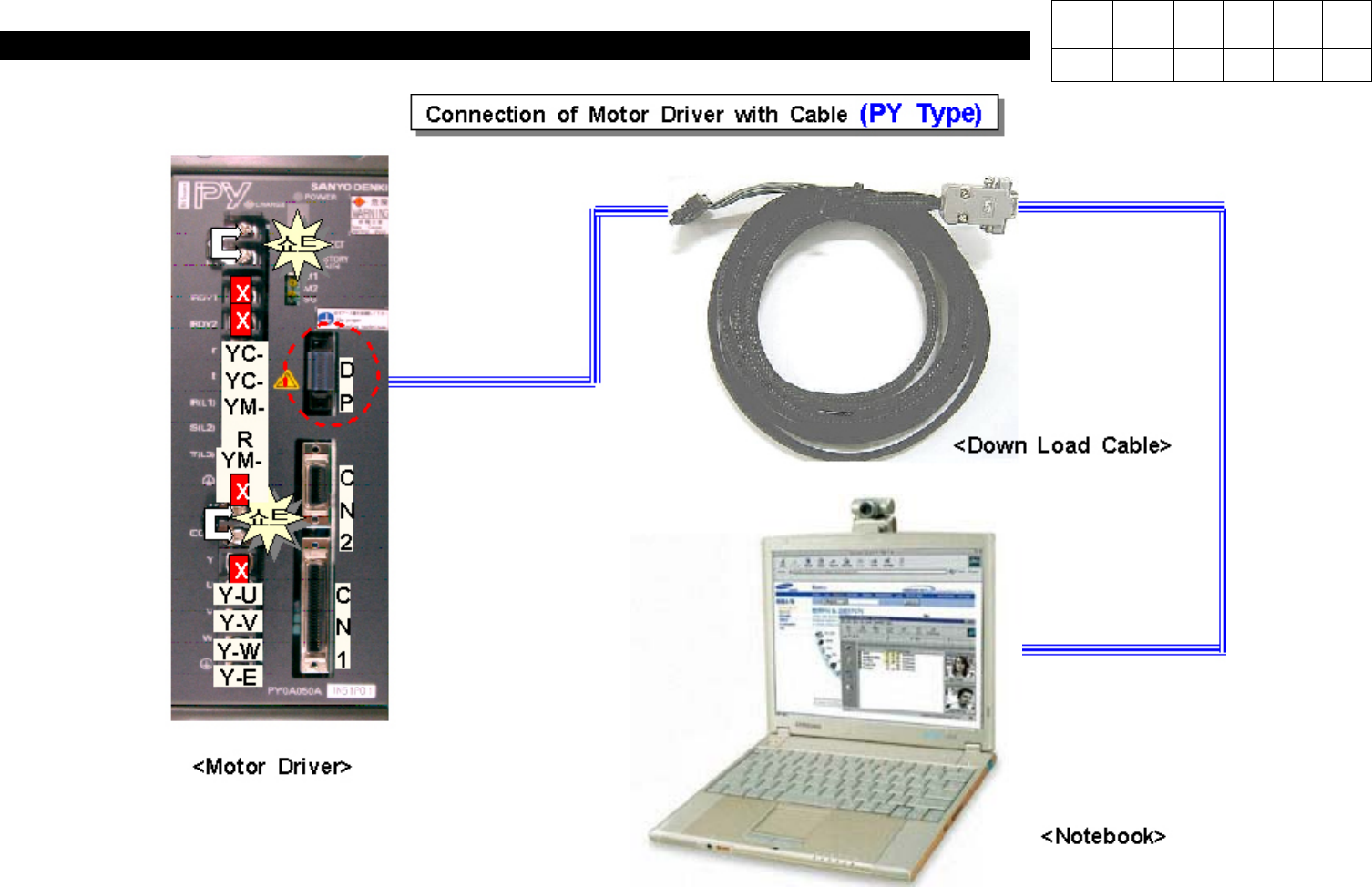
4) With Exclusive Interface Cable, Connect Notebook Computer and Driver (Refer to Fig 9-4-1-1).
2. Execution of Interface Software and Connection with Amplifier
1) Execute PYIF.
2) Select Serial Channel Connected with Driver(COM1 or COM2).
3) Select Next to Move to the Next Screen.
4) If Selecting On-line, 'Do you wish to connect with PY Amplifier?' Message will be Appeared. Select Yes to Connect.
Version Date WA QA CA Note
00 Nov04 O O O
9. Motor & Driver
(CP-40)
Version Date WA QA CA Note
00 Nov04 O O O