CP40 service manual.pdf - 第247页
12. Performance/Efficiency (CP-40) Version Date WA QA CA Note 00 Nov04 O O O 12-3-9. CP40 Series Integrated Software Setup Proced ures 1) Introduction : This Setup File integrates 20, 40, 50 and 50II Setup Files, which w…
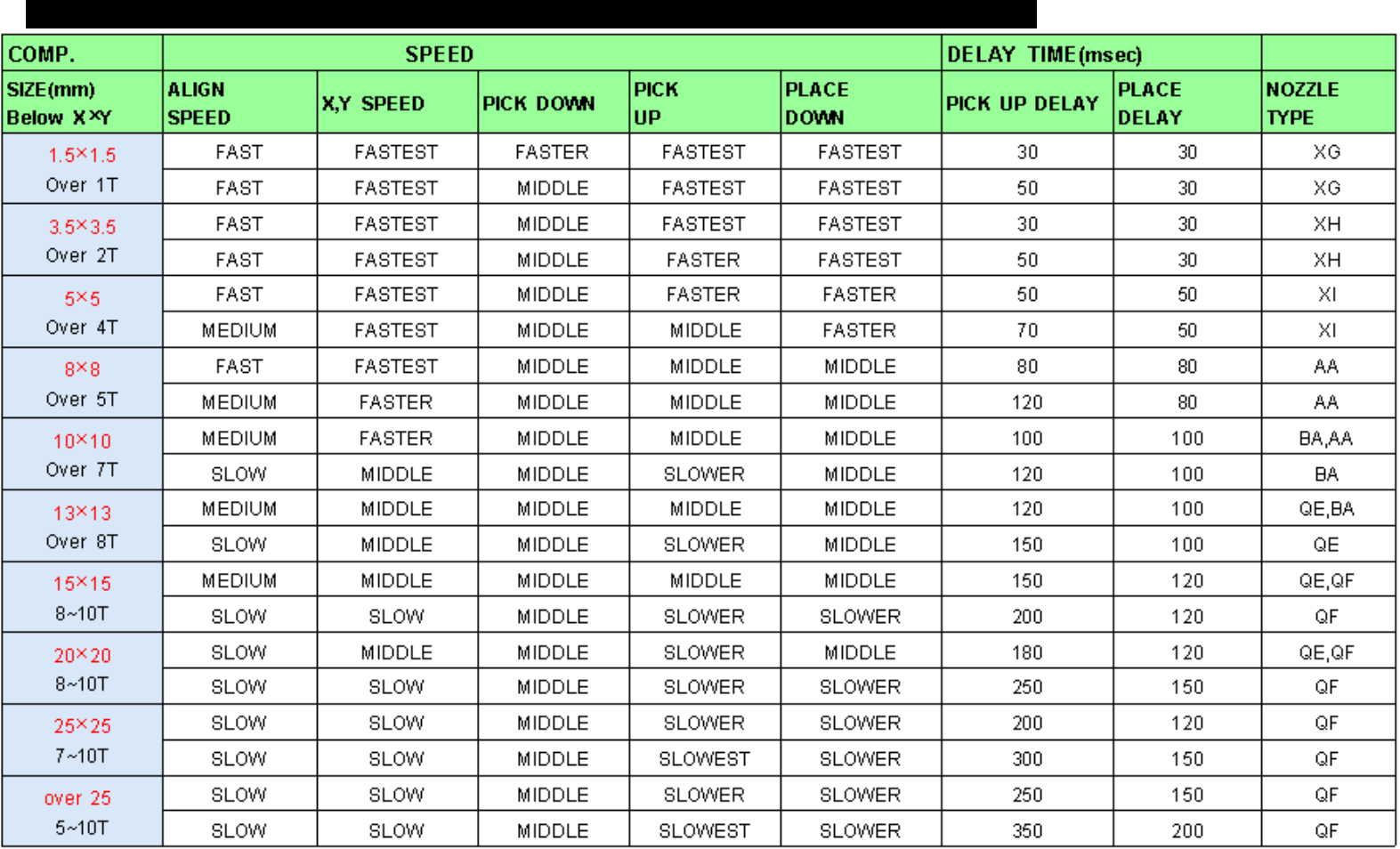
12. Performance/Efficiency
(CP-40)
12-3-8.
Auto
MOUNTING INFORMATION
12. Performance/Efficiency
(CP-40)
Version Date WA QA CA Note
00 Nov04 O O O
12-3-9.
CP40 Series Integrated Software Setup Procedures
1) Introduction :
This Setup File integrates 20, 40, 50 and 50II Setup Files, which was Managed Separately.
As All 40 Series Equipment can Use a MMI and a VME File, Setup Files are also Integrated into One File.
2) Setup Environment : Windows95, 98, 2000(IT Feeder Option cannot be Setup under Windows2000)
3) Setup Procedures :
The Procedures are Described according to Screens Appeared in Process of Setup.
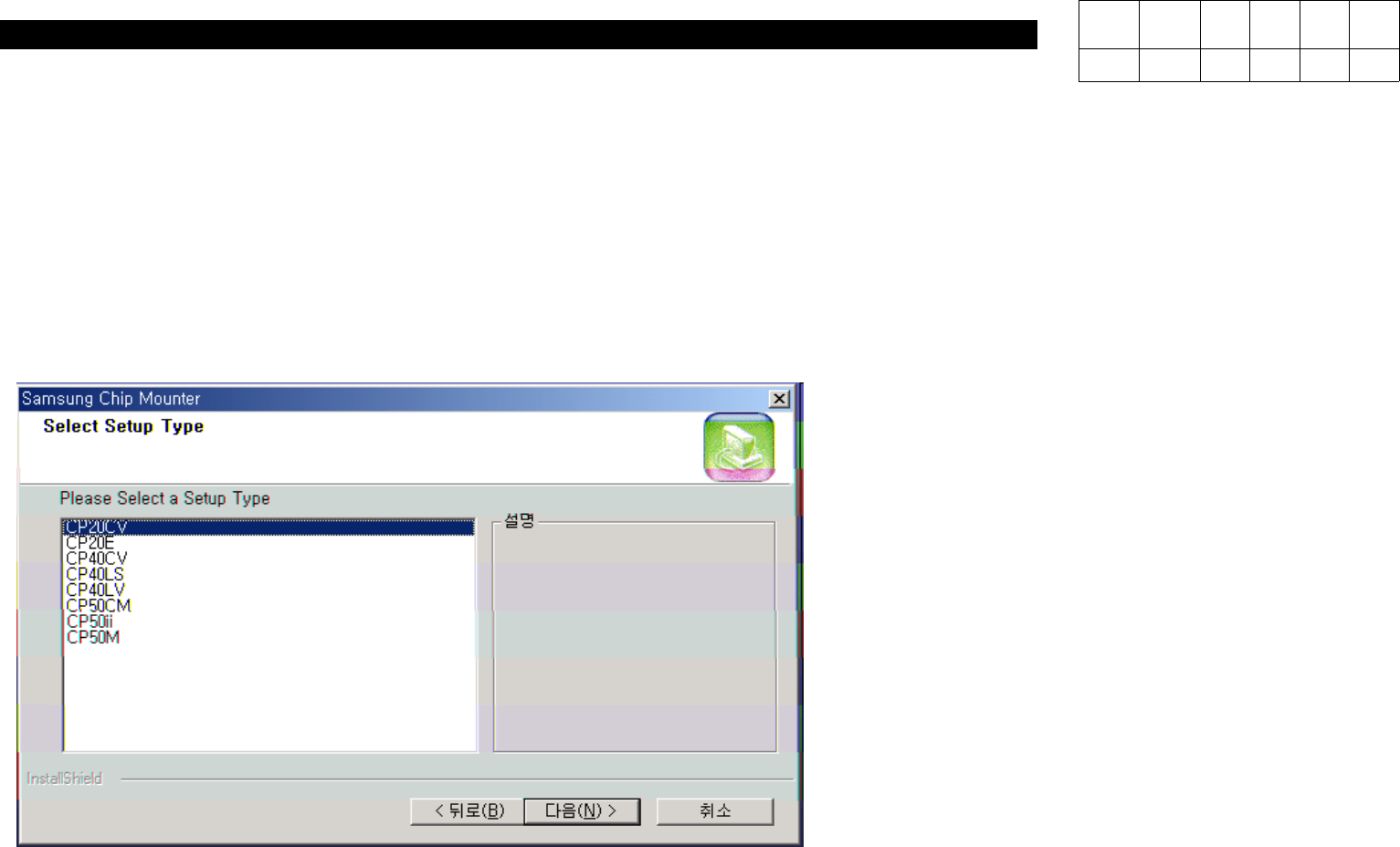
a) Screen for Equipment Selection
When Starting Setup, the Window for
Equipment Type Selection will be
Appeared.
In this Window, Select Equipment
Type to be Installed.
12. Performance/Efficiency
(CP-40)
Version Date WA QA CA Note
00 Nov04 O O O
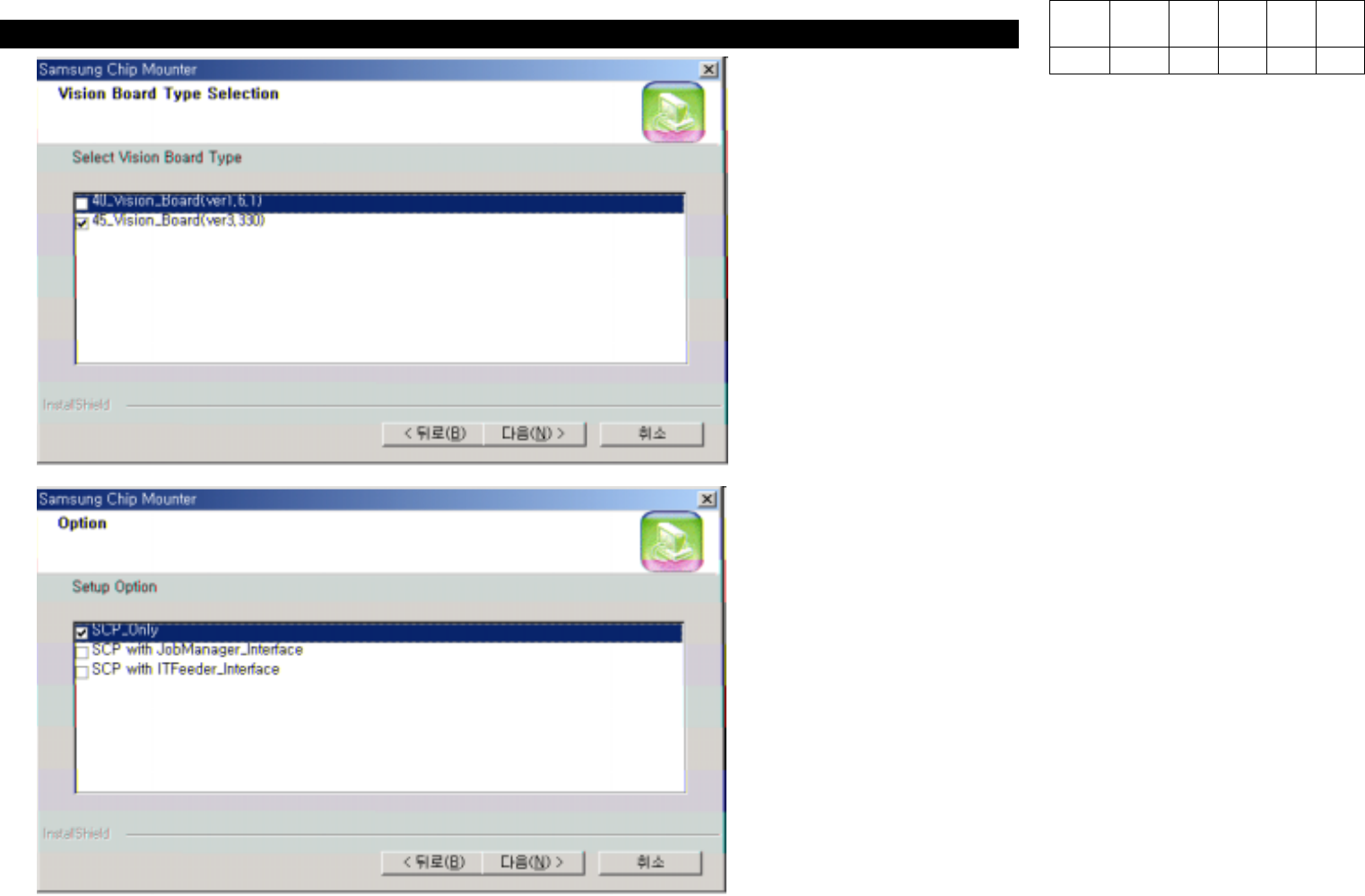
b) Screen for Vision Board Selection
Integrated Software Supports both Existing 40
Vision Board and New 45 Vision Board.
SelectType(40or45)ofVisionBoardtobe
Used.
C) Option Selection
So far, Setup Files for General Equipment
and for IT Feeder has been Released and
Managed Separately. In Integrated Setup
File, Three Options can be Installed through
One Setup File.