SAKI中文版说明书.pdf - 第112页
编 程 手册 编 程 手册 | 108 ( 33 ) L i f t e d L ea d ( A ) 概要 L i f t e d L e ad 是 使用 光 亮 度 灰 度 的 信 息 进 行 检测 . 再 我 们 的 机器 上 , 焊 锡 膏在 T o p li g ht 的 灯 光 下 形 成 的图 像 会 在 下 面 说 明 图 中 说明 . ( B ) 设置 L i f t e dL e ad 的 参数 设 置 是在 “ L…
编程手册
编程手册 |
107
(D)如何编辑
用鼠标右键双击样板图区就会出现 pattern edit 窗口.你可以让样板在这个窗口内自动产生.
1) 放大放小样板图功能
你只用点击 Zoom 按钮就可做到放大放小.
2) 编辑样板图
你可以增加和删除样板图.
《增加》
在“Select Edit” 点 “Add,” 然后电机样板图把你想加入的样板直接家在当前的图像上.
《删除》
在“Select Edit” 点“Delete” , 然后直接在样板图像上点击进行删除.
3) 翻转样板图
双击样板图一次,他就会逆时针转 90度.
(E) 检测参数设置示例
用在检测两极管的极性,等.
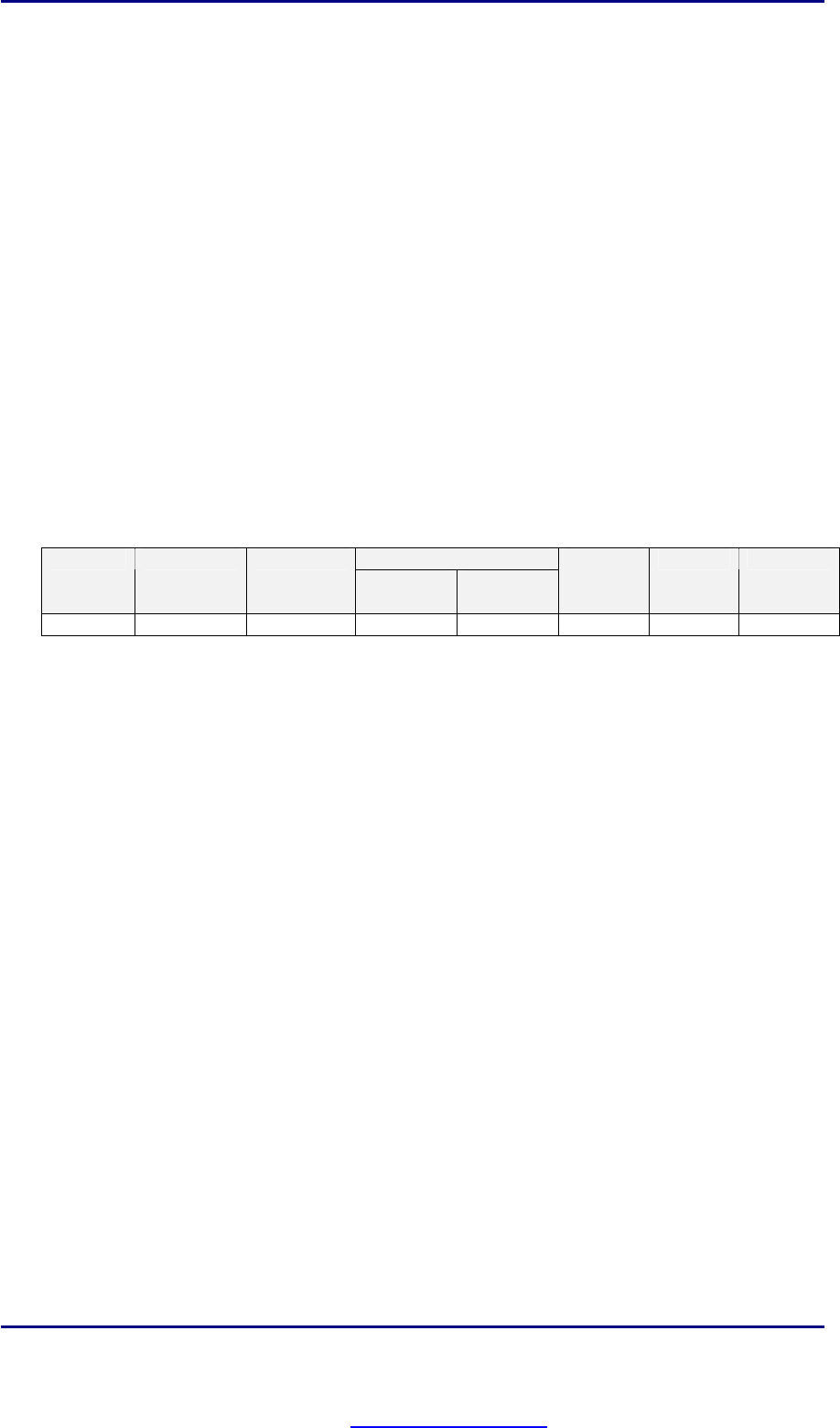
在这里, 窗口尺寸要比元器件稍小一些,然后用元器件上的极性标示作为样板图,参数可以参考下面.
Pattern 1 ( B / W ) NG Type Lighting Algorithm
Upper
Level
Lower
Level
Search
Range
OK-Upper
OK-Lower
Reverse Side Light
Template 255 80 8 15 0
PDF created with pdfFactory Pro trial version www.pdffactory.com
编程手册
编程手册 |
108
(33) Lifted Lead
(A) 概要
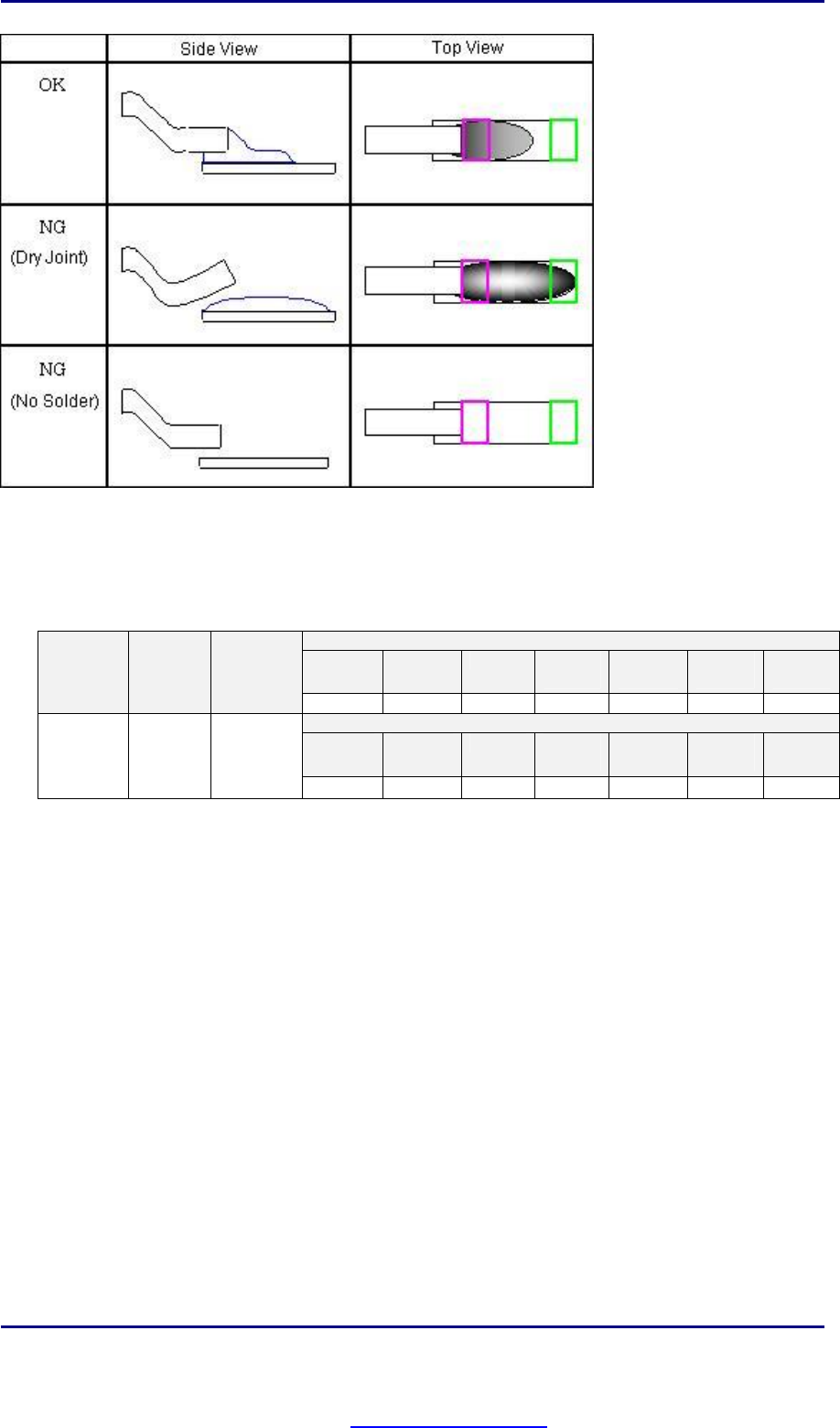
Lifted Lead 是使用光亮度灰度的信息进行检测. 再我们的机器上,焊锡膏在 Toplight 的灯光下形成的图像会在下面
说明图中说明.
(B) 设置
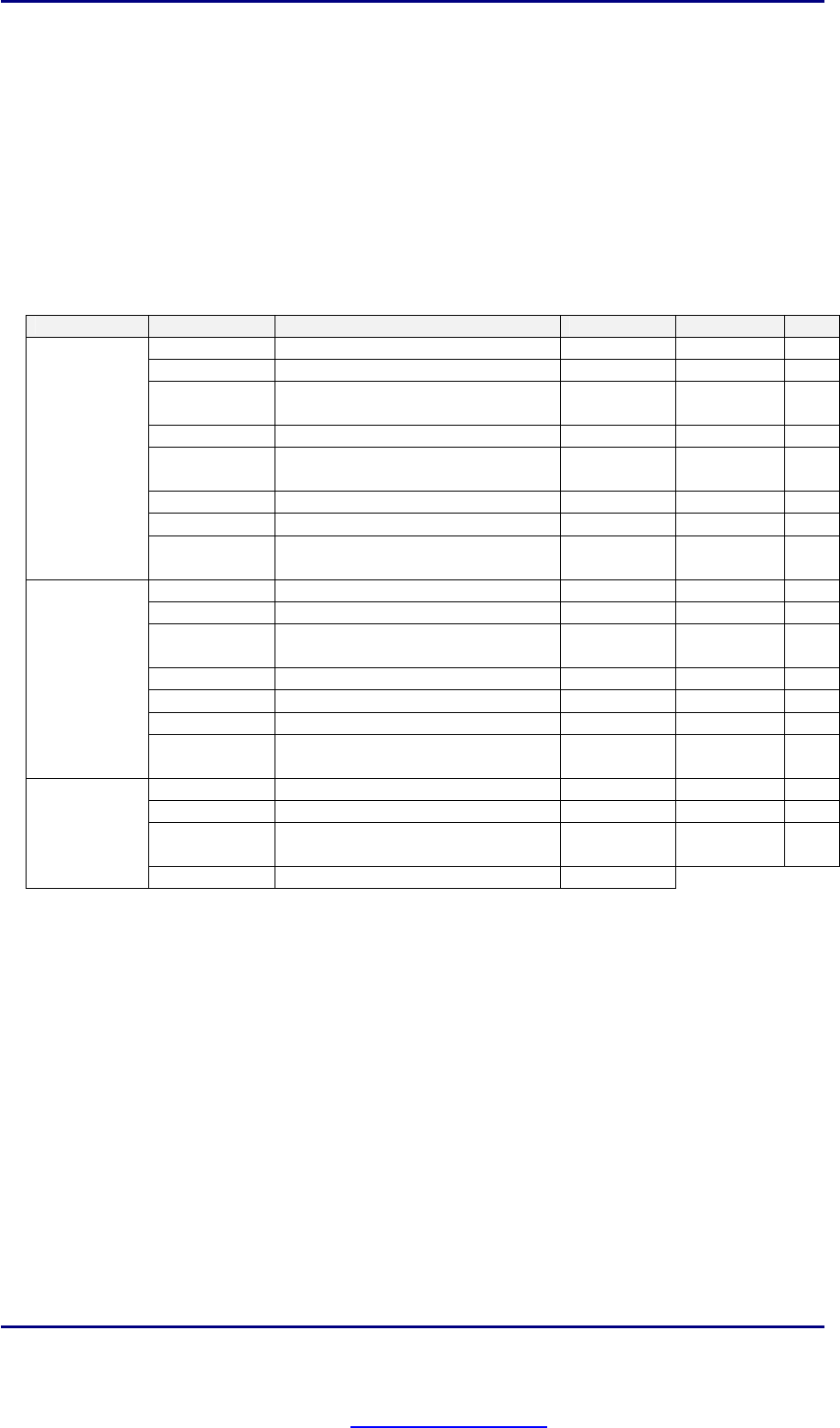
LiftedLead 的参数设置是在 “Lead Detail” 对话框中完成.
选择你要设置的窗口. 用右键点击右边图像上的右上角. “Lead Detail” 就会显示出来.
参数
内容
数值范围
单位
注解
Level1 255 0 - 255 [光亮度]
Level2 光亮度的下限 0 - 255 [光亮度]
Length 粉红色窗口的长度 0 - [像素个数] *1
Search Range 窗口自动搜索的范围 0 - [像素个数]
Solder NG 报错的界限 0 - 100 [百分比]
Upper 警告的界限 0 - 100 [百分比]
Lower 0 0 - 100 [百分比]
Solder
window
Sample 在指定光亮度范围内的像素占整个窗
口的百分比
0 - 100 [百分比]
Level1 光亮度的上限 0 - 255 [光亮度]
Level2 0 0 - 255 [光亮度]
Length 绿色窗口的长度 0 - [像素个数] *1
Search Range 窗口自动搜索的范围 0 - [像素个数]
Upper 报错的界限 0 - 100 [百分比]
Lower 0 0 - 100 [百分比]
Pad window
Sample 在指定光亮度范围内的像素占整个窗
口的百分比
0 - 100 [百分比]
Length 窗口长度 0 - [像素个数]
Width 窗口宽度 0 - [像素个数]
Shift 可以填入寄存器的名称得到相应的校
正值
V1 – V8 [寄存器] *2
Window
Memorise to
(*1) 推荐值: 5
(*2) 请参照 II-4.Algorithm Option, ref. 中具体使用寄存器的方法.
(C) 内部处理的说明
首先,这个算法先用粉红色窗口检测有没有焊锡. 如果焊锡的状况很好很充分,那这个检测就会通过. 但是, 当焊锡量
很小,它就会判断这个引脚上的焊锡不够报错.可是如果焊锡不是很好但还在可以接受的范围时,那这个算法就会用绿
色的窗口去检测焊盘的末端, 在这个窗口中如果灰暗面积比较大的话,就认为有虚焊存在。这个算法主要是针对引
脚末端进行检测. 在我们的机器上,焊锡通常是灰暗色的,就是通过检测灰暗的区域来判断焊锡的状况
PDF created with pdfFactory Pro trial version www.pdffactory.com
编程手册
编程手册 |
109
(D) 检测参数设置示例
检测 IC 引脚的焊点状况
《 缺省值 》
Solder window
Level1 Level2 Length
Search
Range
Solder
NG
OK-
Upper
OK-
Lower
NG Type
Lighting
Algorithm
255 90 3 3 35 60 0
PAD window
Level1 Level2 Length
Search
Range
―
OK-
Upper
OK-
Lower
NoSolder
Top
Light
Lifted
Lead
80 0 3 3
―
0 0
PDF created with pdfFactory Pro trial version www.pdffactory.com