SAKI中文版说明书.pdf - 第73页
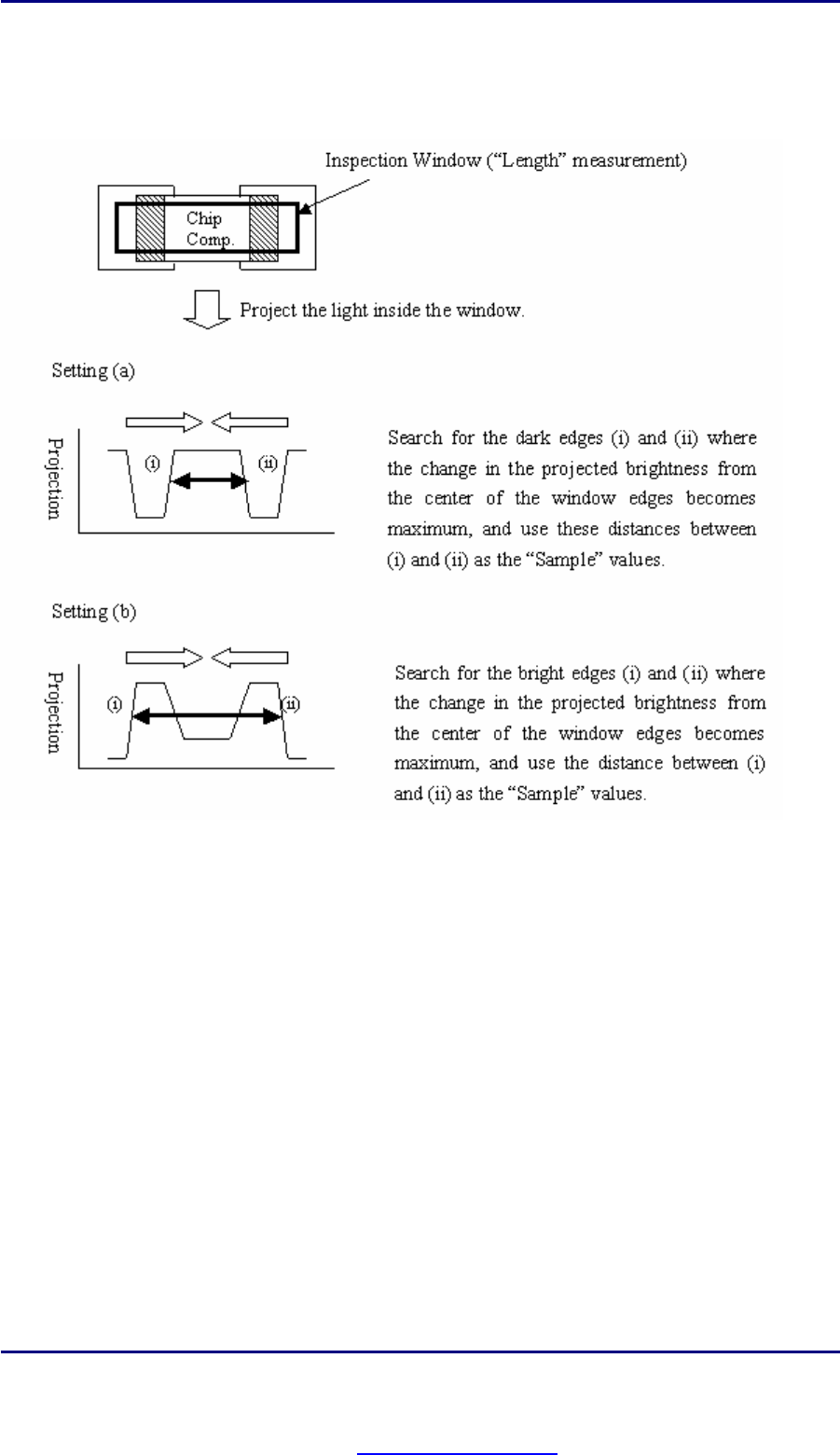
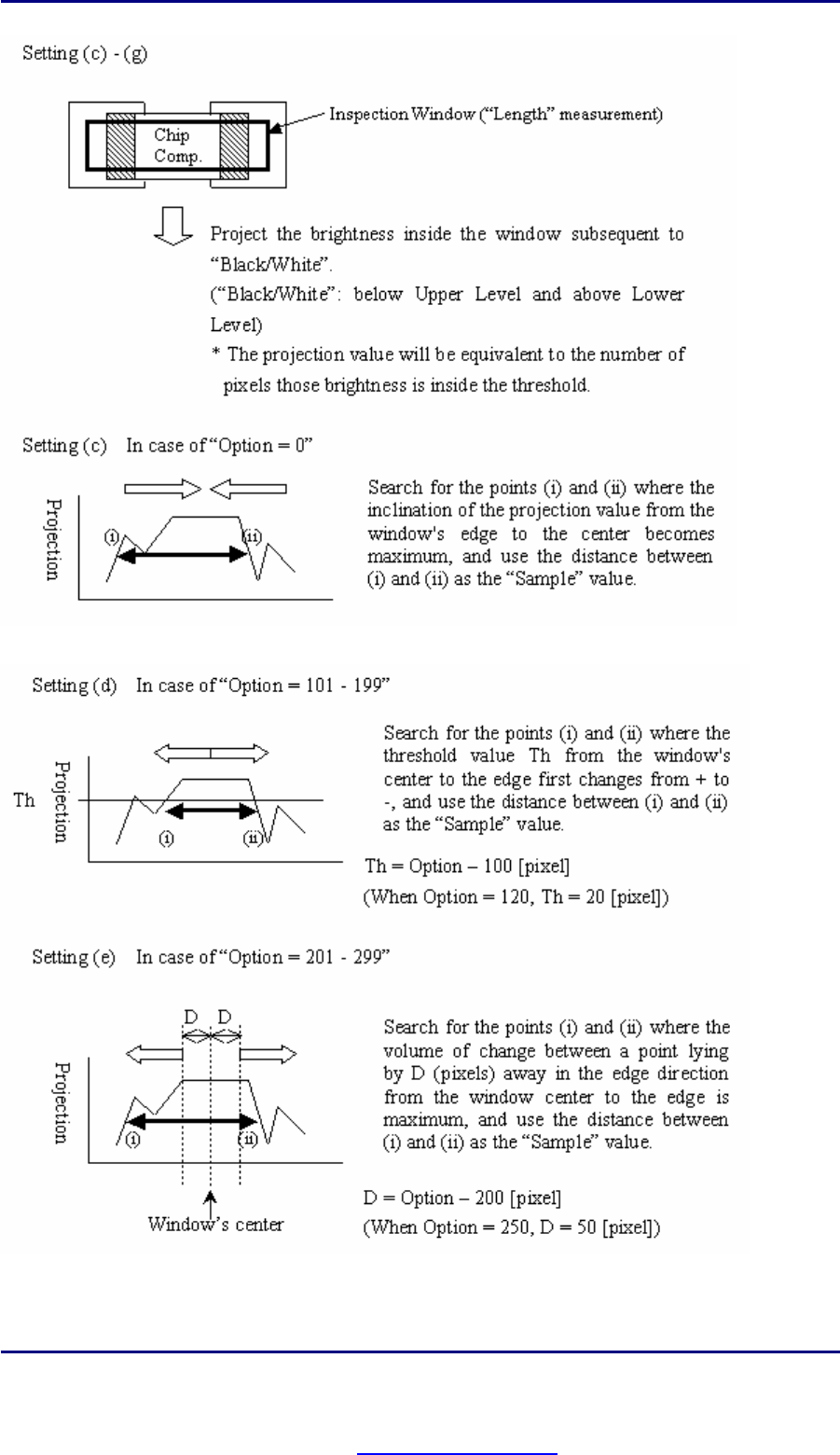
编 程 手册 编 程 手册 | 69 ( C ) 内 部 处 理过 程 设定 ( a ) 设 定 暗 边 之 间 的 距离 . 设定 ( b ) 设 定 亮 边 之 间 的 距 离 . P D F c r ea t ed w i t h pd f F a c t o r y P r o t r i a l v e r s i on www.pdffactory.com
编程手册
编程手册 |
68
(4) Length / (5) Width
(A) 概要
获取元件上亮度变化最明显的两条边缘之间的距离.这两条边缘是由"Upper Level", "Lower Level" 和 "Option" 的
值决定的. 检测到的元件的长和宽是非常有用的.宽是指元件较短边的长度,长是指元件较长边的长度.
(B) 设置
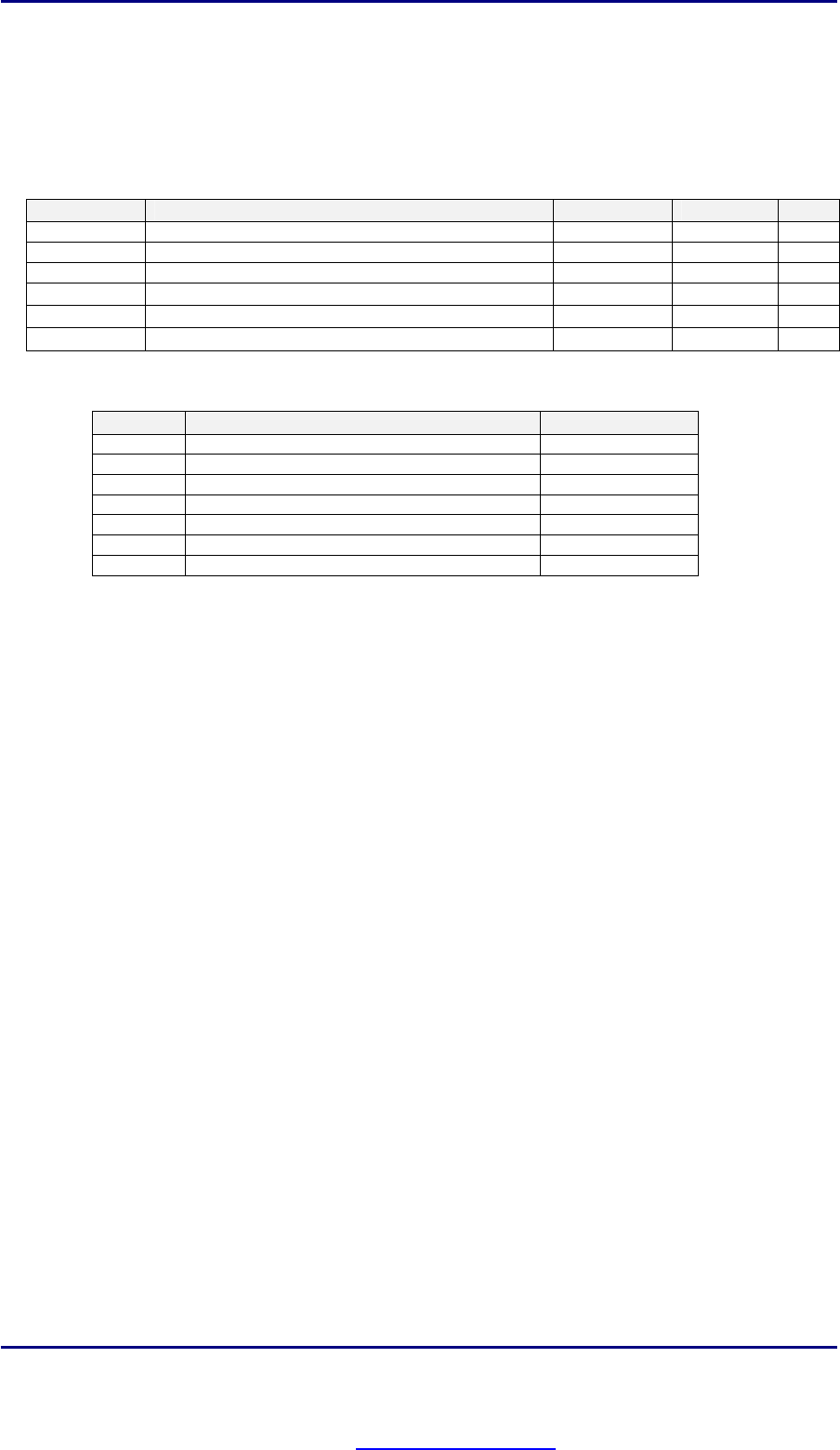
参数
内容
值域
单位
备注
Level1 0 - 255 [Gradation]
*1
Level2 0 - 255 [Gradation]
*1
Option 0 - 499 *1
Shift
检测窗口的偏移
V1 - V8 [Memory] *2
Sample
元件的长或宽
[1/100mm]
OK Range
检测合格的上下限
[1/100mm]
(*1) 如何设定值
设定
Upper Level / Lower Level Option
(a) Upper Level = Lower Level = 0 (Not used)
(b) Upper Level = Lower Level = 100 (Not used)
(c) Other than (a) and (b) 0
(d) (Same as above) 101 - 200
(e) (Same as above) 201 - 299
(f) (Same as above) 301 - 399
(g) (Same as above) 401 - 499
(*2) 请参照 II-4.Algorithm Option, ref. 中具体使用寄存器的方法.
PDF created with pdfFactory Pro trial version www.pdffactory.com