cp45ref.pdf - 第131页
Har dwar e T r oubleshooting 3-5 à Check the HDD status by using ' SCANDISK C:' command at the DOS command line. à If the HDD has been damaged, contact to service center . Figur e 3-5. FDD, MOUSE, KEYBOARD 3.2.…

Samsung Component Placer CP-45F(V)/FS Reference Manual
3-4
In case of the PC cannot detect the HDD
Check to see if the HDD is set as 'MASTER'.
JP4 □ □
JP3 □ □
JP2 □ □
JP1 □━□
Figure 3-4. HDD Jumper Setting
HDD detection
à First turn the power on, and then change to CMOS Setup mode by pressing
the <F2> or <Delete> key.
à Select the Standard CMOS Setup Menu from the main menu, and then
change the HDD type to 'AUTO' by using <Å>, <Æ>, <È>, <Ç> keys at
the Primary Master.
à Change to the main menu by pressing <Esc> key, and then enter into the
'IDE HDD auto detection'.
à Select the 'LBA' from the list.
à Change to the main menu by pressing <Esc> key, and then select the 'SAVE
& EXIT Setup' to store current setting.
à The PC may detect the HDD after automatic re-booting.
Booting using the FDD
Follow the below procedures in case of the 'IDE HDD auto detection' is not
available.
à Select the 'BIOS Features Setup' from the CMOS Setup main menu, and
then set the boot sequence as 'Boot Sequence: A, C' by using the <Pg Up>,
<Pg Dn> keys.
à Change to the main menu by pressing <Esc> key, and then select the 'SAVE
& EXIT Setup' to store current setting.
à Insert the Windows 98 startup disk into the FDD and then reboot.
Hardware Troubleshooting
3-5
à Check the HDD status by using ' SCANDISK C:' command at the DOS
command line.
à If the HDD has been damaged, contact to service center.
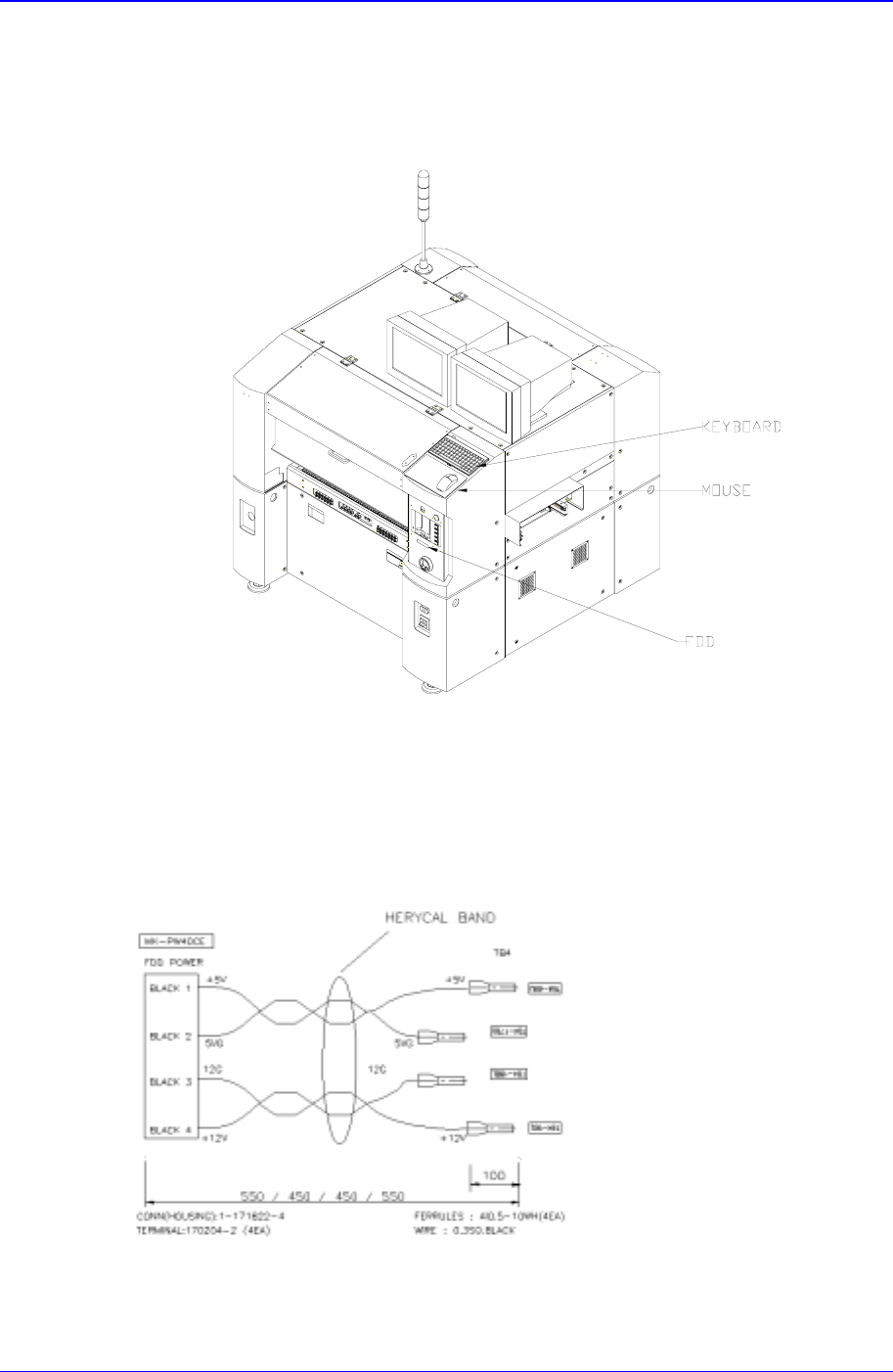
Figure 3-5. FDD, MOUSE, KEYBOARD
3.2.2.2.3. Floppy Disk Drive (FDD)
Inspection for the power supply
Check the power supply referring to the below diagram.
Figure 3-6. Inspection for the power supply of FDD
Check to see if the HDD cable is connected properly.
Samsung Component Placer CP-45F(V)/FS Reference Manual
3-6
3.2.2.2.4. CD-ROM Drive
Inspection for the power supply
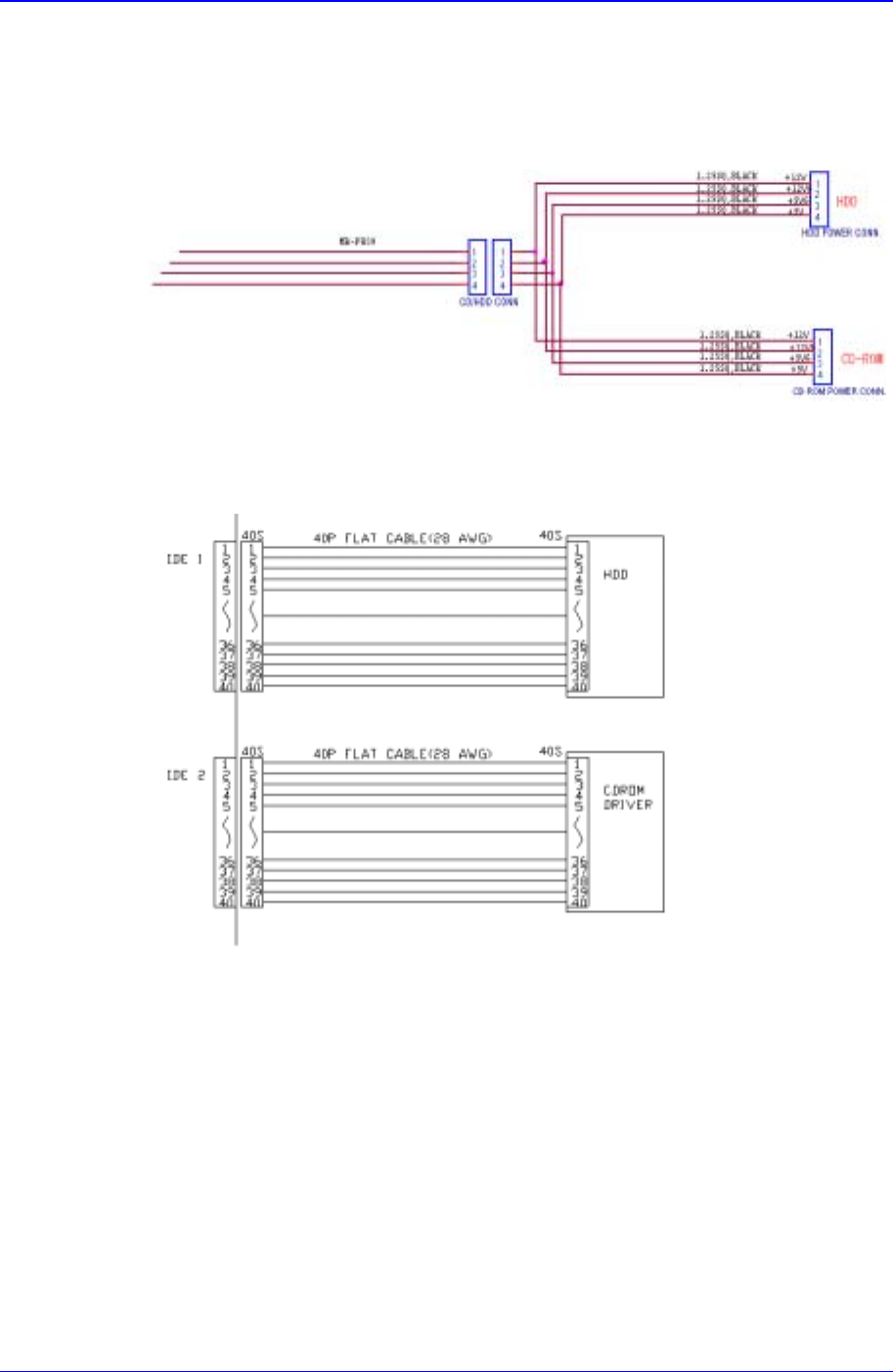
Check the power supply referring to the below diagram.
Figure 3-7. Inspection for the power supply of CD-ROM
Check to see if the CD-ROM cable is connected properly.
3.2.2.2.5. Keyboard
Check to see if the keyboard is connected properly.
Check the keyboard extension line.
3.2.2.2.6. Mouse
Check to see if the mouse is connected properly.
Check the mouse extension line.