cp45ref.pdf - 第132页
Samsung Component Placer CP-45F(V)/FS Refer ence Manual 3-6 3.2.2.2.4. CD-ROM Drive Inspection for the power supply Check the power supply referring to the below diagram. Figur e 3-7. Inspection for the power supply of…
Hardware Troubleshooting
3-5
à Check the HDD status by using ' SCANDISK C:' command at the DOS
command line.
à If the HDD has been damaged, contact to service center.
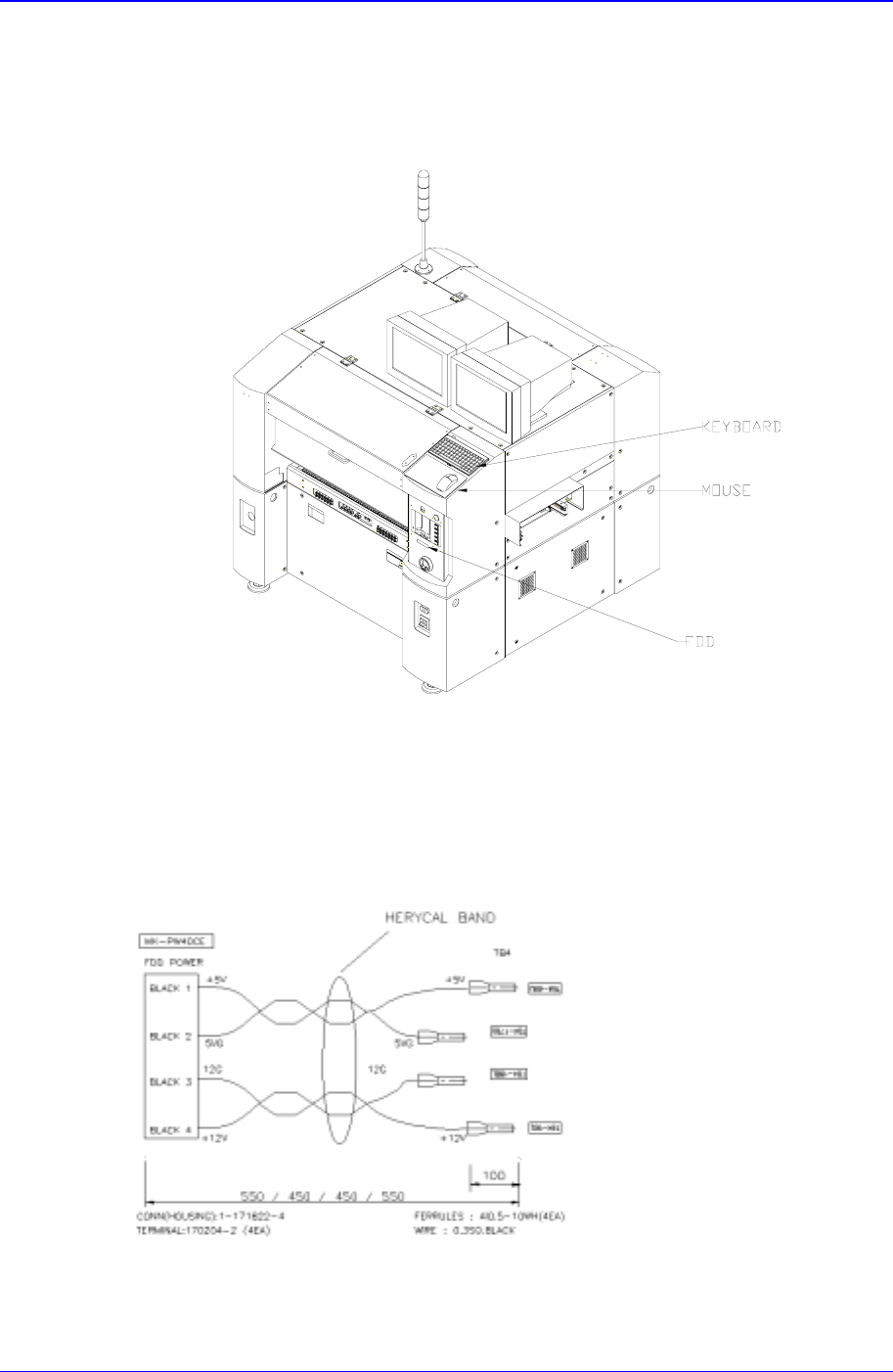
Figure 3-5. FDD, MOUSE, KEYBOARD
3.2.2.2.3. Floppy Disk Drive (FDD)
Inspection for the power supply
Check the power supply referring to the below diagram.
Figure 3-6. Inspection for the power supply of FDD
Check to see if the HDD cable is connected properly.
Samsung Component Placer CP-45F(V)/FS Reference Manual
3-6
3.2.2.2.4. CD-ROM Drive
Inspection for the power supply
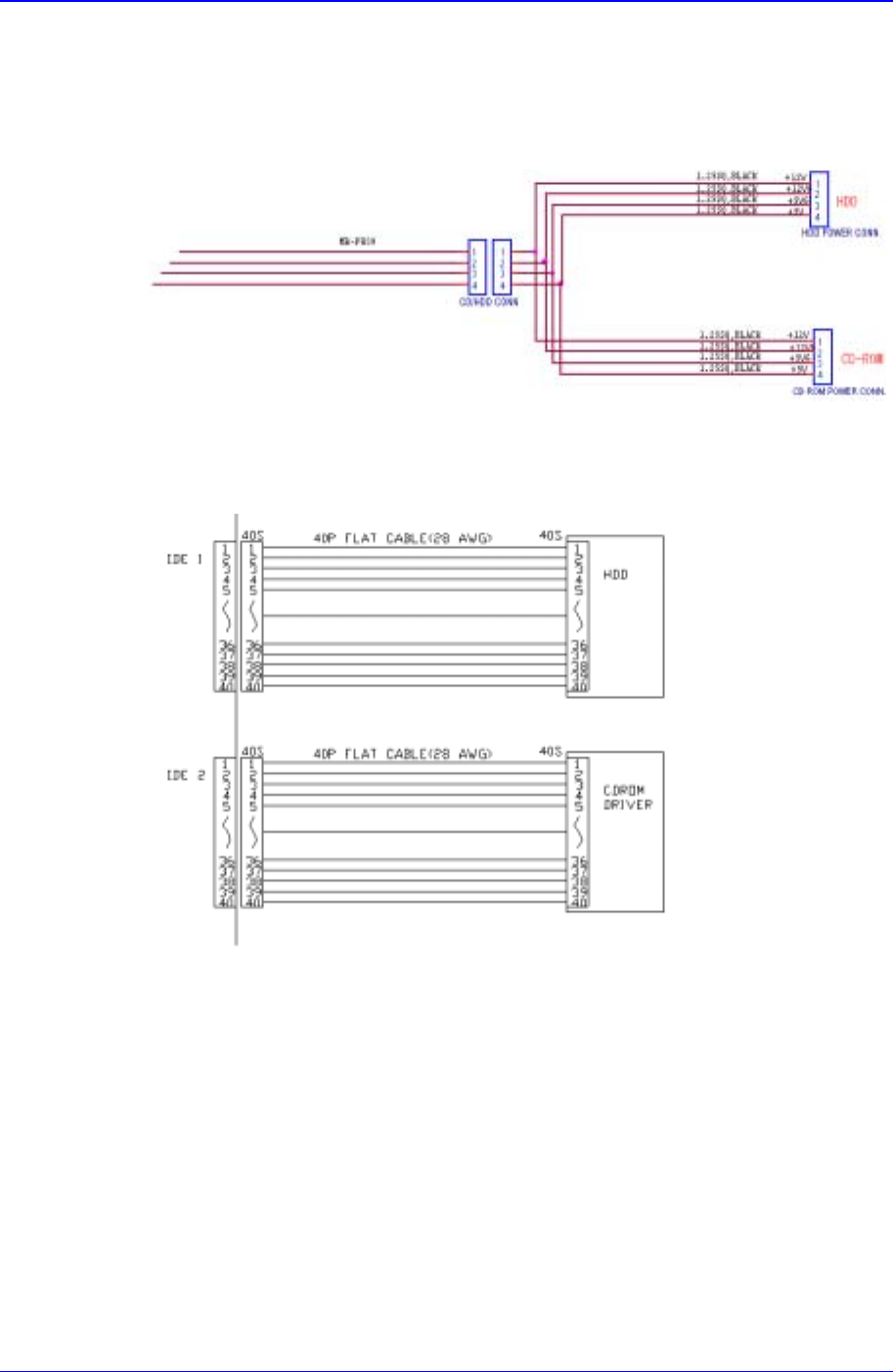
Check the power supply referring to the below diagram.
Figure 3-7. Inspection for the power supply of CD-ROM
Check to see if the CD-ROM cable is connected properly.
3.2.2.2.5. Keyboard
Check to see if the keyboard is connected properly.
Check the keyboard extension line.
3.2.2.2.6. Mouse
Check to see if the mouse is connected properly.
Check the mouse extension line.
Hardware Troubleshooting
3-7
3.2.2.3. Inspection of the Machine Controller
Check the assembling status of RACK.
Check to see if the board was properly and normally assembled.
If the power is in normal, check the jumper setting.
3.3. Inspection of the Motor Part
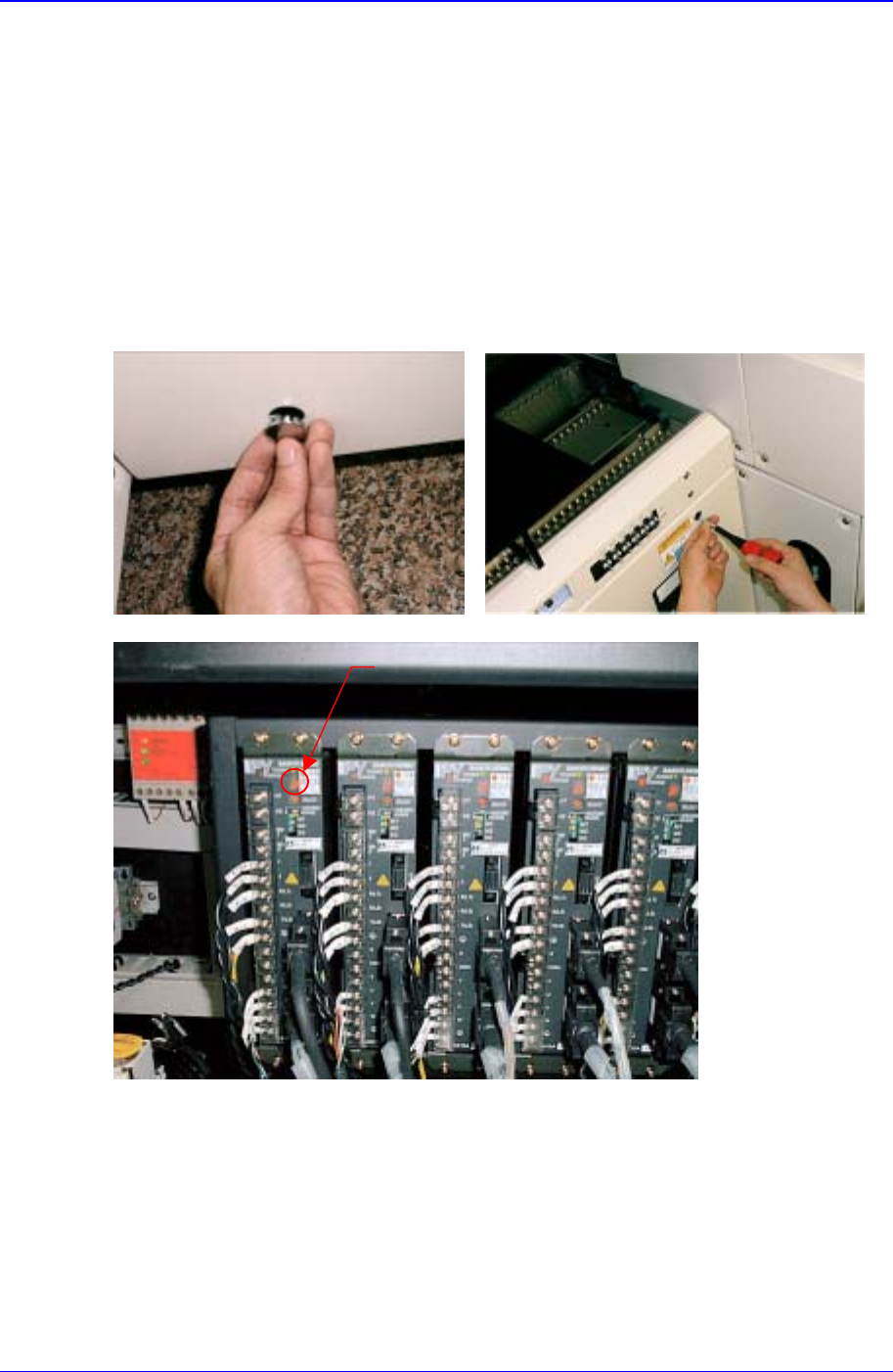
LED
3.3.1. X-axis
Check the power of the motor drive. The LED rotates in the form of figure '8'.
Check to see if the command connector from the axis board is connected properly.
Check the status of encoder line and power supply line.
Check the connector terminal status and connection status of each drive.