cp45ref.pdf - 第47页
Pr eventive Maintenance 1-21 1.2.4. Electric Device Inspection Check abrasive wear in each area of the device. Check if the machine generates errors when the switch is operated. Check if the corresponding Input IO …
Samsung Component Placer CP-45F(V)/FS Reference Manual
1-20
Check to see if there is a production problem caused by the speed of the conveyor
system.
Figure 1-13. Conveyor Speed Control Volume
Solution
The speed of the conveyor system can be adjusted by adjusting the conveyor speed
control volume located in the rear of the machine where the controller is
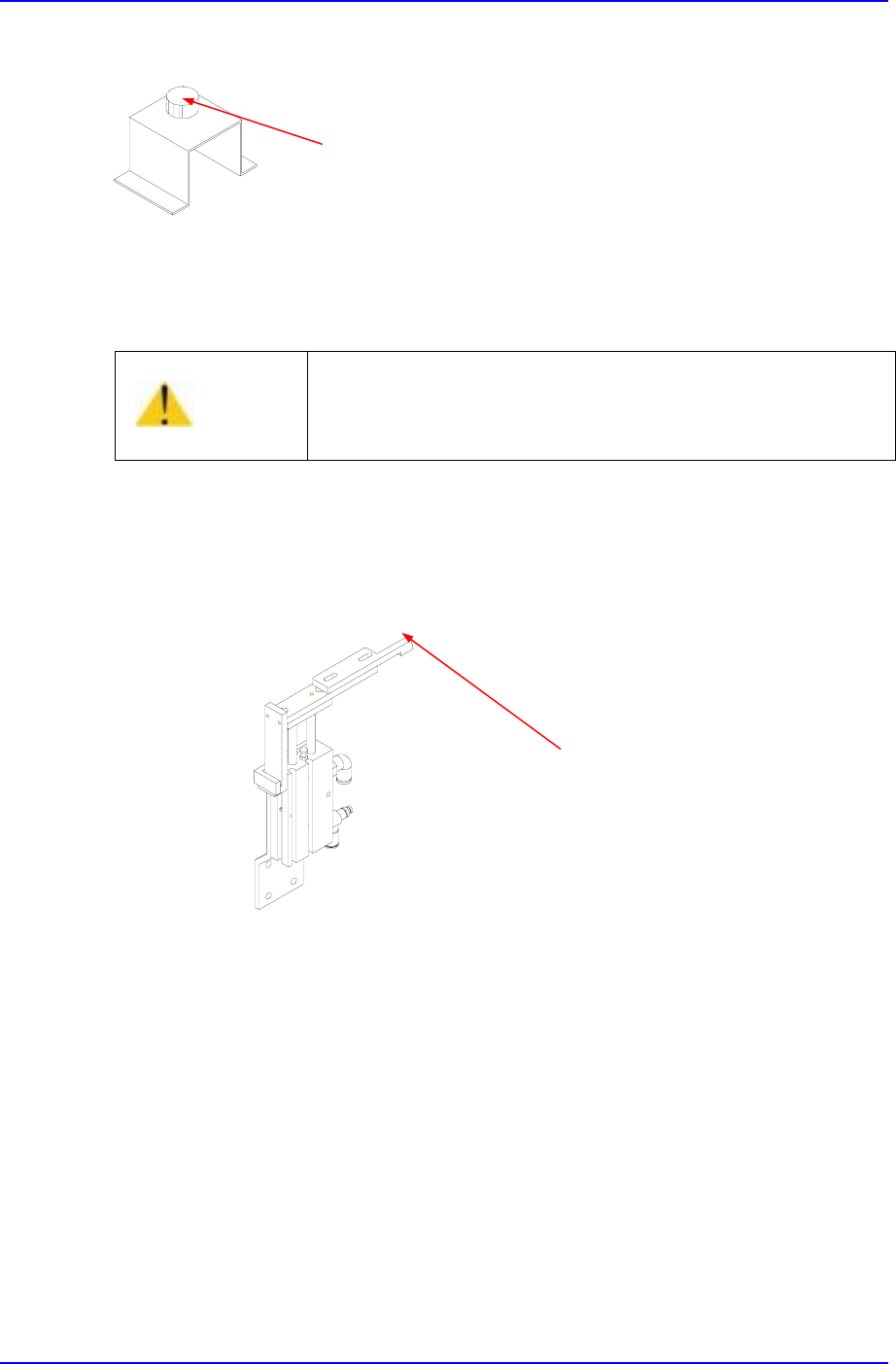
1.2.3.8. Stopper(Hard Stop) Inspection
Inspection
Check the upper section of the stopper (or hard stop) to see if excessive wear has
occurred (inspect the area where it contacts the PCB).
Figure 1-14. Stopper Inspection Points
Solution
If excessive wear is detected, replace the upper section of the stopper.
1.2.3.9. Conveyor Cylinder Operation
Inspection
Check the operation of each cylinder.
Check the detect sensor of each sensor.
Solution
The operation of each cylinder can be checked using <Setup/Manual Control>
command or <Setup/Diagnostics/Self Diagnosis> command on the MMI application.
If the cylinder is found defective, contact the service center for a replacement.
Caution
Inaccurate speed control may deteriorate the accuracy of
component placement. Speed control must be performed by
a skilled person who received C/S training or contact our
designated C/S company(STS).
Conveyor Speed Control Volume
Inspection Point

Preventive Maintenance
1-21
1.2.4. Electric Device
Inspection
Check abrasive wear in each area of the device.
Check if the machine generates errors when the switch is operated.
Check if the corresponding Input IO on the MMI IO window operates.(Emergency
Switch , Door Switch)
Check if power is disconnected when the Current Breaker is operated.
Solution
Contact our C/S center for service when severe abrasive wear is present or the
machine does not work properly.
1.2.5. Feeder Station Section
1.2.5.1. Feeder Base
Inspection
Make sure the feeder base is clear of any stray components or residue before
installing the feeders onto the feeder base.
Solution
Eliminate or remove any components or contamination on the feeder base and clean
with a soft cloth.
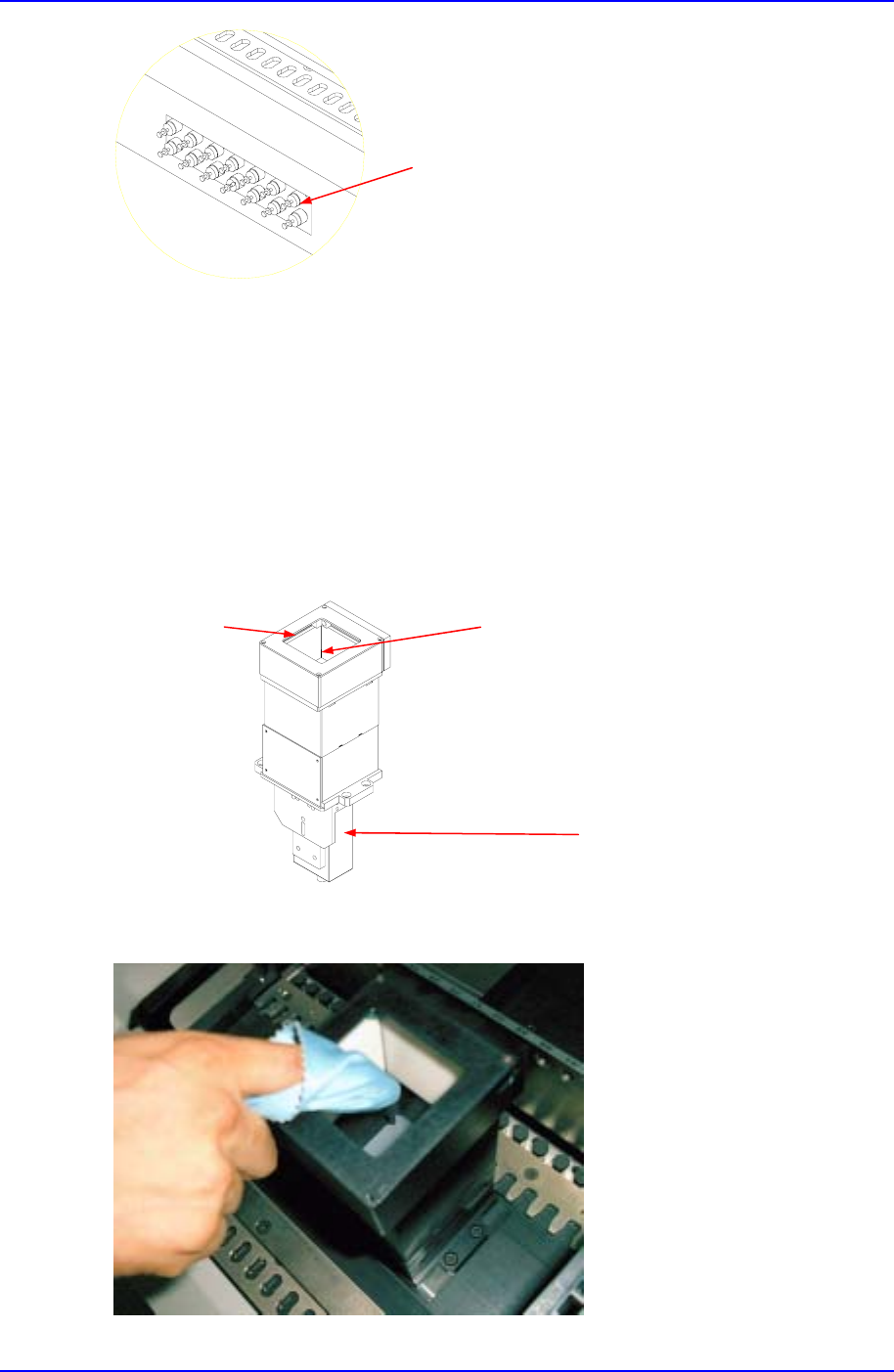
1.2.5.2. Adjustment of Multi Cylinder Speed
Inspection
Check to see if inadequate setting of the speed control is causing problems to feeders
operation when presenting components.
Warning
Adjusting the sensor or correcting an error while the
machine is ready could result in personal injury.
Be sure to adjust the sensor or correct an error in the stop
status (idle mode) after canceling the ready status.
Caution
Before checking abrasive wear, be sure to turn off power,
lock, and check.
Samsung Component Placer CP-45F(V)/FS Reference Manual
1-22
Figure 1-15. Speed Control Valves
Solution
Adjust using the speed control valve for the multi-cylinders.
1.2.6. Upward Vision Unit
1.2.6.1. Cover Glass
Inspection
Check to see if there are any dust, components or contamination on or near the cover
glass.
Figure 1-16. Upward Vision Unit
Solution
Speed Control Valve
LED
Cover Glass
Camera