cp45ref.pdf - 第51页
Pr eventive Maintenance 1-25 Lower the locking mechanism or handle for th e air filter tray and turn it sideways to remove the tray . Remove the contaminated filter element. Install the new filter element reversing…
Samsung Component Placer CP-45F(V)/FS Reference Manual
1-24
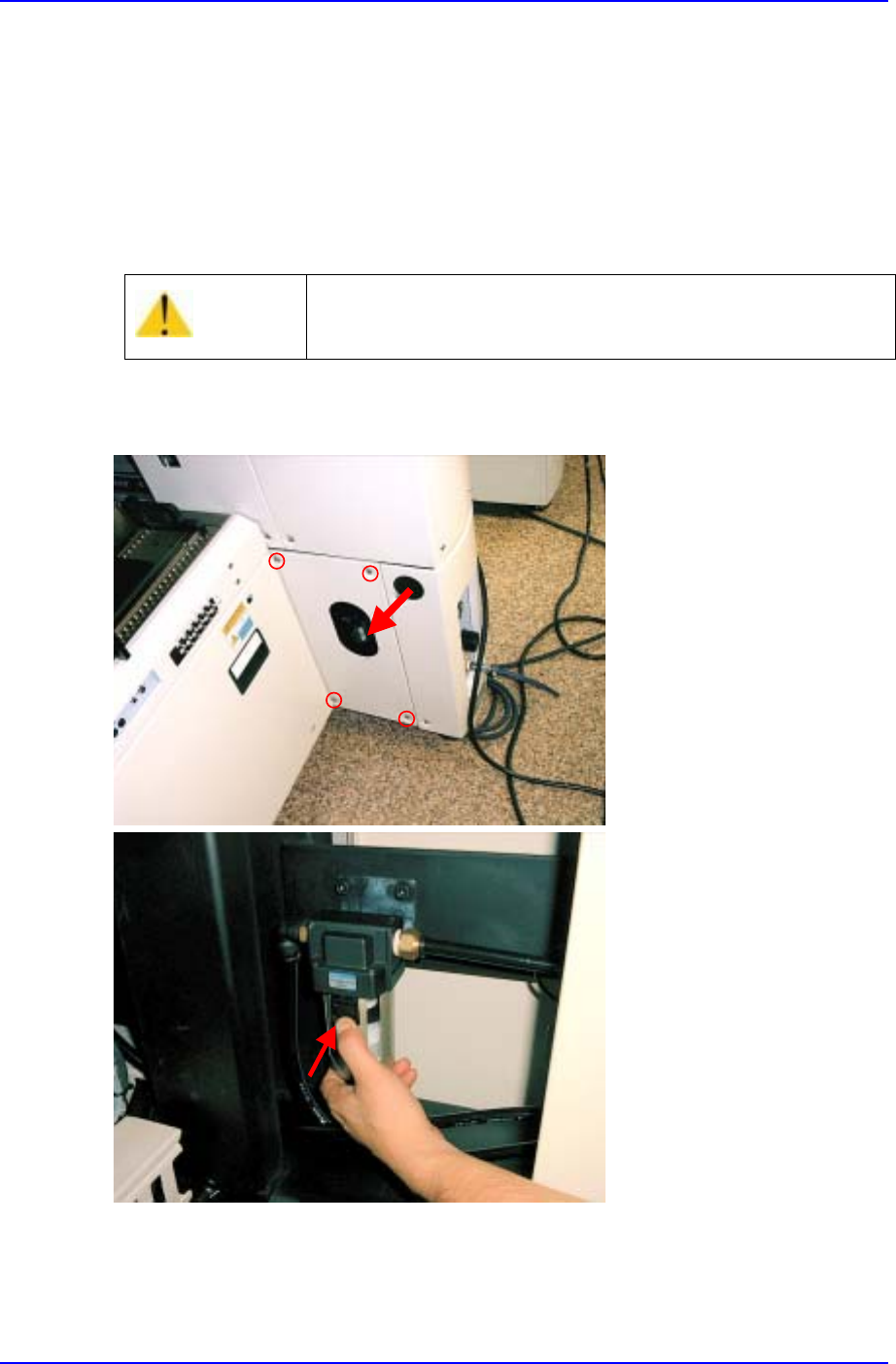
1.2.7.2. Air Filter & Auto Drainer
Inspection
Check to see if there are any moisture or water inside the air filter.
Check to see if the filter element is clogged.
Check for discoloration of the filter element.
Check to see if moisture is being properly drained out through the drainer.
Check to see if the tube is properly connected to the drainer.
Solution
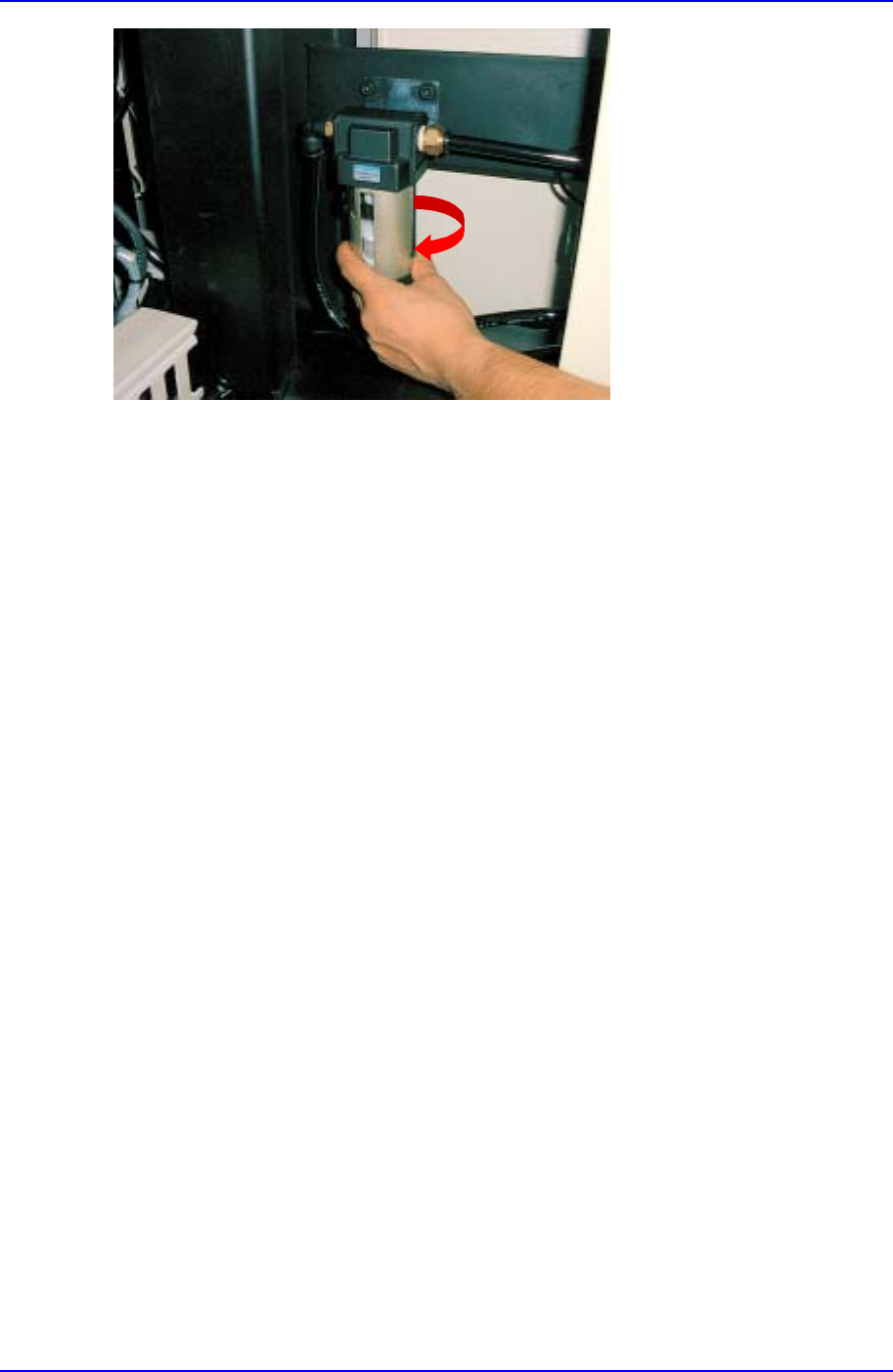
How to change the air filter
Warning
Changing the air filter without cutting off the air pressure
could result in personal injury.
Be sure to cut off air pressure before chaing the air filter.
Preventive Maintenance
1-25
Lower the locking mechanism or handle for the air filter tray and turn it sideways to
remove the tray.
Remove the contaminated filter element.
Install the new filter element reversing the above procedures.
Reassemble the tray.
1.2.7.3. Gauge and Pressure Switch
Inspection
Check to see if the pressure switch has been automatically activated by low pressure.
Solution
If it does not function properly, contact the service center for service.
1.2.7.4. Connections and Fittings
Inspection
Check for unusual wear in the tubes.
Check to see if any tubes and fittings are loose, and make sure there are no leaks.
Solution
Replace the tube if unusual wear is discovered.
Tighten any loose fitting.
1.2.8. Component Feeding Sub-Systems (Feeders)
Please refer to the manuals for information on each component feeding sub-systems.
Samsung Component Placer CP-45F(V)/FS Reference Manual
1-26
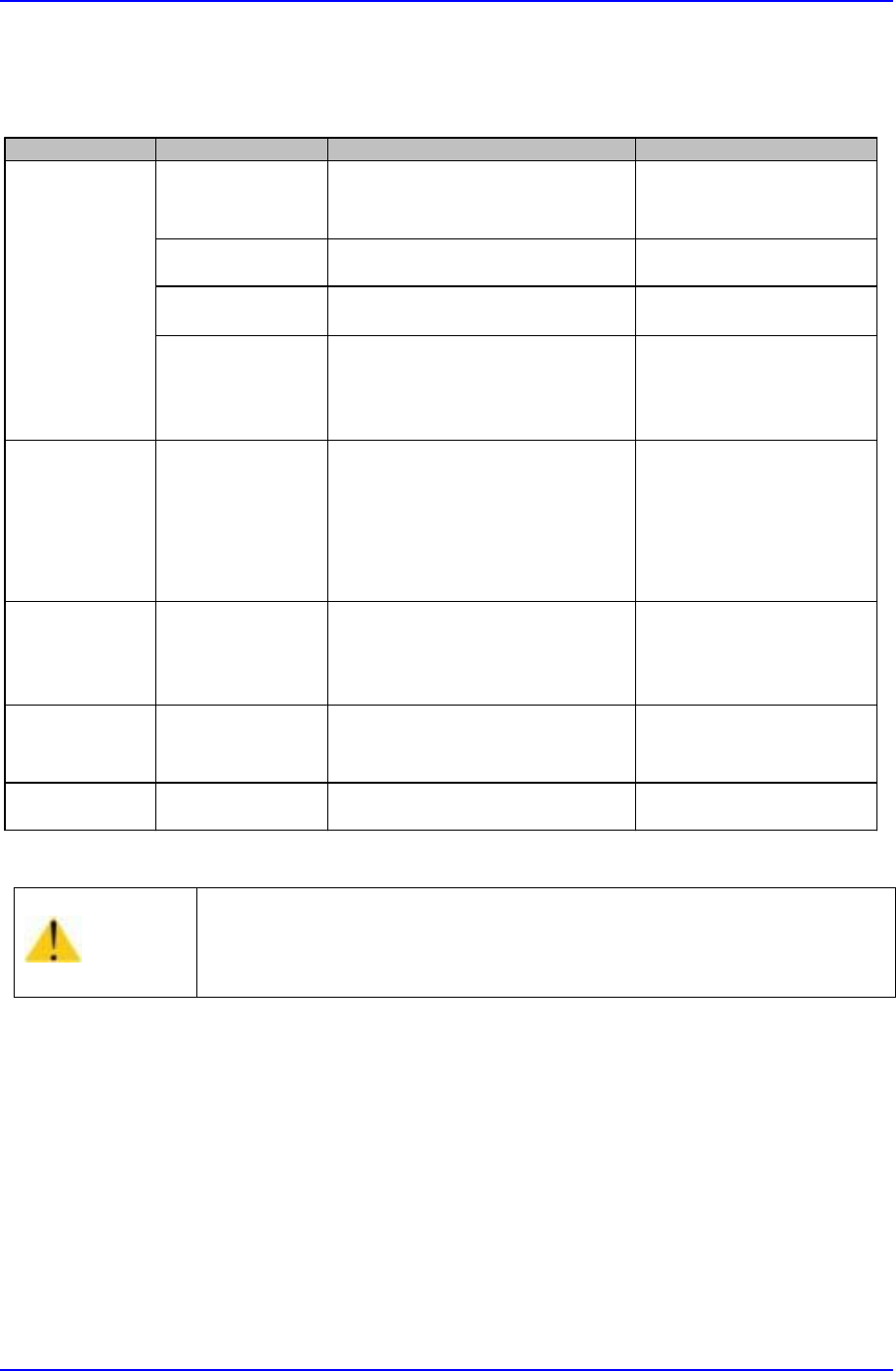
1.3. Noise Solution
Caution
When a noise problem applying to one of above classification occurs
and if the machine is operated without correcting the problem, it will
affect the life span of the machine. Be sure to operate the machine
after taking proper corrective actions.
Classification Noise Type Possible Cause Sloution
X,Y Axis
noise
.Resonance on
driving motor
.Motor drive failure or abnormal
motor gains.
.Contact Samsung srevice
Center
.Coupling vibration .Coupling bolt is not tightened. .Tighten up the bolt as the
prescribed torque.
.Loud metalic suond
on ball screw
.Metal contact due to insufficient
lubrication.
.Grease the ball screw.
.Irregular meatalic
sound on LM guide
.Small chips or dusts are stuck on
the LM Guide surface.
.Metal contact due to insufficient
lubrication.
.Clean the LM guide suface
.Replenish grease.
Conveyor noise
.PCB driving belt
.Loud metalic noise
on adjusting
conveyor width
.Belt tension is too tight or too
loose.
.Small Chips or dusts are stuck
on the belt or pulley surface.
.Metal contact due to insufficient
lubrication.
.Adjust the belt tension.
.Clean the pulley surface.
.Grease the screws for
adjusting width.
Z Axis
noise
.Loud sound on
driving motor
.Belt tension is too tight.
.Small chips or parts exist
between belt and pulley.
.Adjust the belt tension.
.Remove the interfering
substances in belt or
pulley.
Air pipes
.Air leakage .Air pipes' failure. .Check where the air
leakage occurs and replace
it.
Fan
.Air resistance
noise
.Small Chips or dusts are stuck
on the Fan cover.
.Clean the fan cover hole.