UV-9+Cure+Module+7269348_B+Manual.pdf - 第103页
8. Once the conve yor is running, use a brush to apply the lubric ant on the chai n as shown in Figure 6- 11 . The lubricant should cover the entire length of the chain. Figure 6- 11 Apply the Lubricant NOTE The Stab…
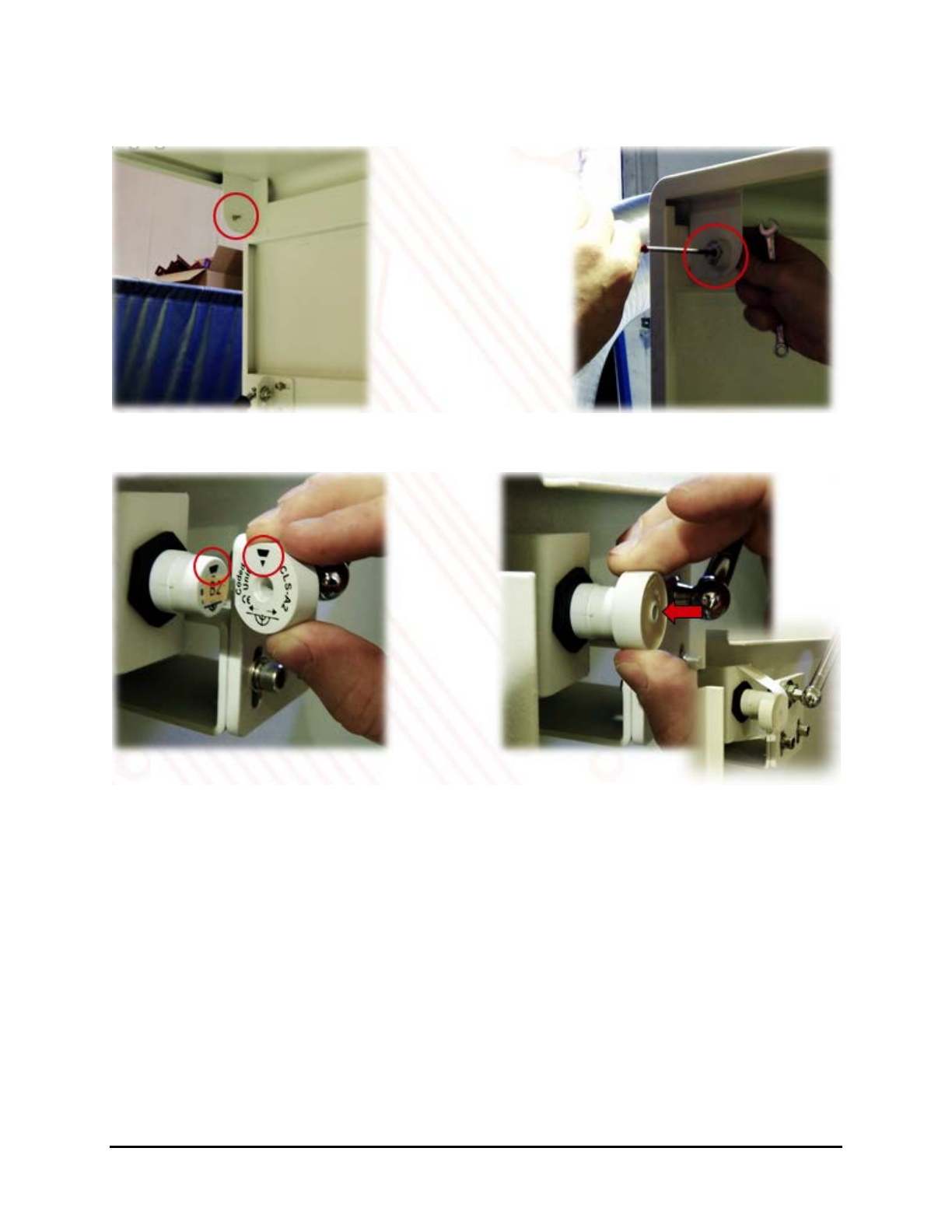
6. Remove the magnetic target (Figure 6-9) from the top cover and place it in front of the
magnetic sensor (Figure 6-10).
Figure 6-9 Remove the Magnetic Target
Figure 6-10 Place the Magnetic Target in Front of Magnetic Sensor
7. Set the conveyor speed to 100 cm/min and press Start on the Control Menu to start the
UV-9 Cure Module.
6-8 Maintenance
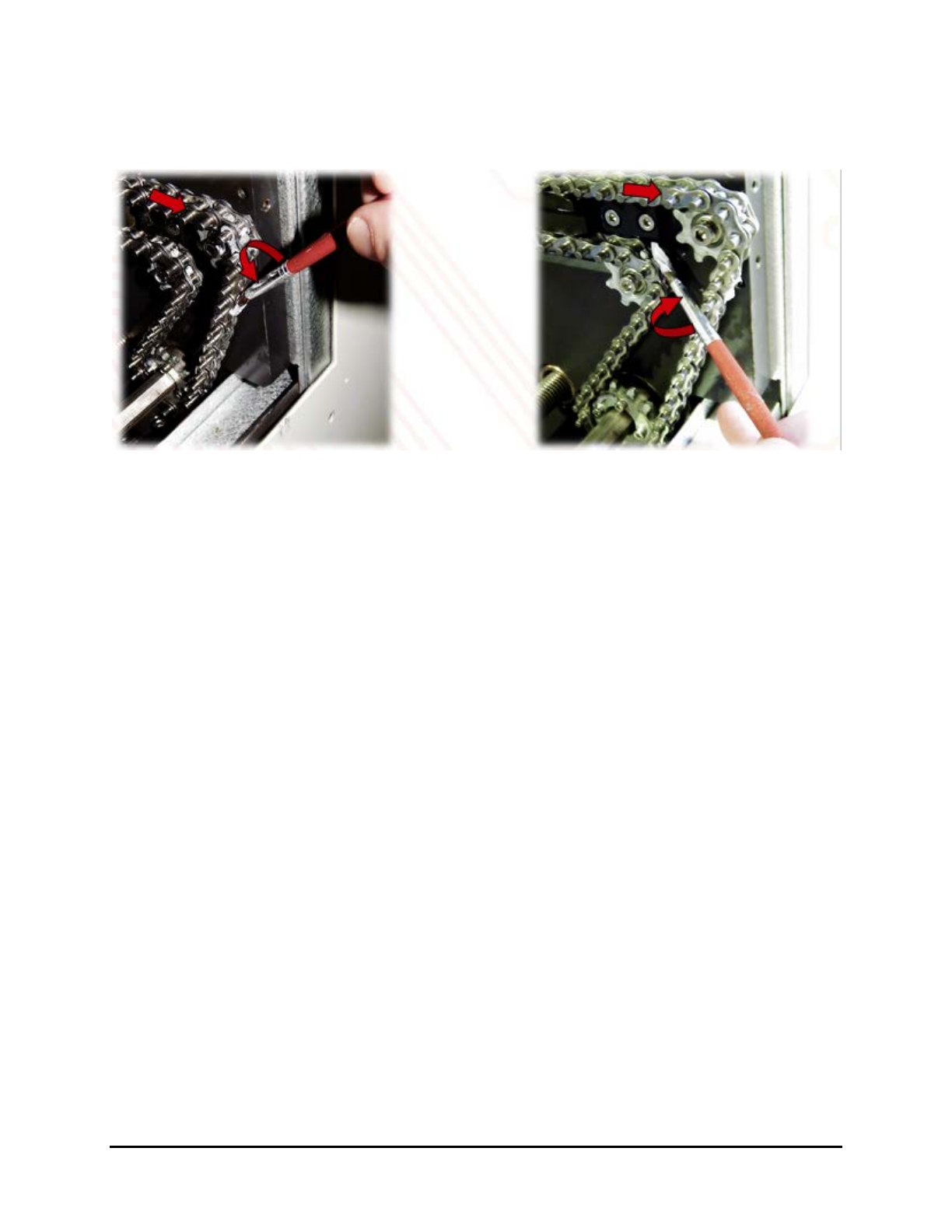
8. Once the conveyor is running, use a brush to apply the lubricant on the chain as shown in
Figure 6-11.
The lubricant should cover the entire length of the chain.
Figure 6-11 Apply the Lubricant
NOTE The Stabigrease lubricant does not migrate. DO NOT apply lubricant to the pins. If
lubricant gets on the pins, remove it immediately with a cloth.
9. After the lubricant is applied, turn the UV-9 Cure Module off to stop the conveyor.
10. Mount the magnetic target on the front top cover.
11. Replace the tunnel cover.
Maintenance 6-9
6.5.4 Chain Tensioning
To determine if the conveyor chains need tensioning:
NOTE The tensioning adjustment device is located on the left side for a left to right flow
conveyor and on the right side for a right to left flow conveyor.
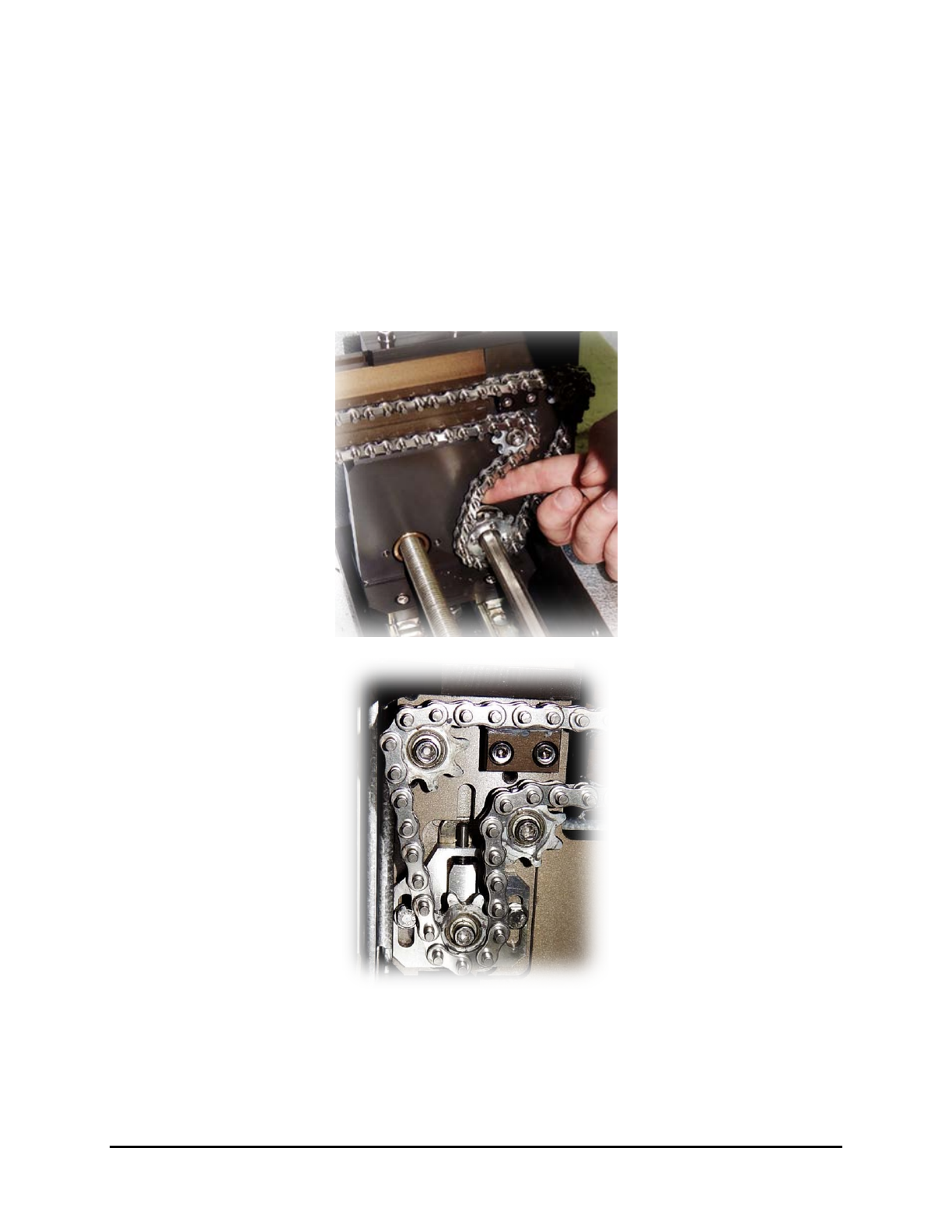
1. Make sure the chain is not loose at the exit side.
When you push the chain, it should come back as shown Figure 6-12.
2. If not, tension the chains as described in 6.5.4.1 Front Rail Chain Tension Adjustment and
6.5.4.2 Rear Rail Chain Tension Adjustment.
Figure 6-12 Conveyor Chain Tensioning
6-10 Maintenance