UV-9+Cure+Module+7269348_B+Manual.pdf - 第72页
5.7.2 Top/Bott om Lamp Menu s The function s are the same for both the Top Lamp a nd Bottom La mp Menus. The Bottom Lam p Menu is only available w hen the Bottom Lamp opti on i s installed. Name Description Parameter Sel…
Process Access
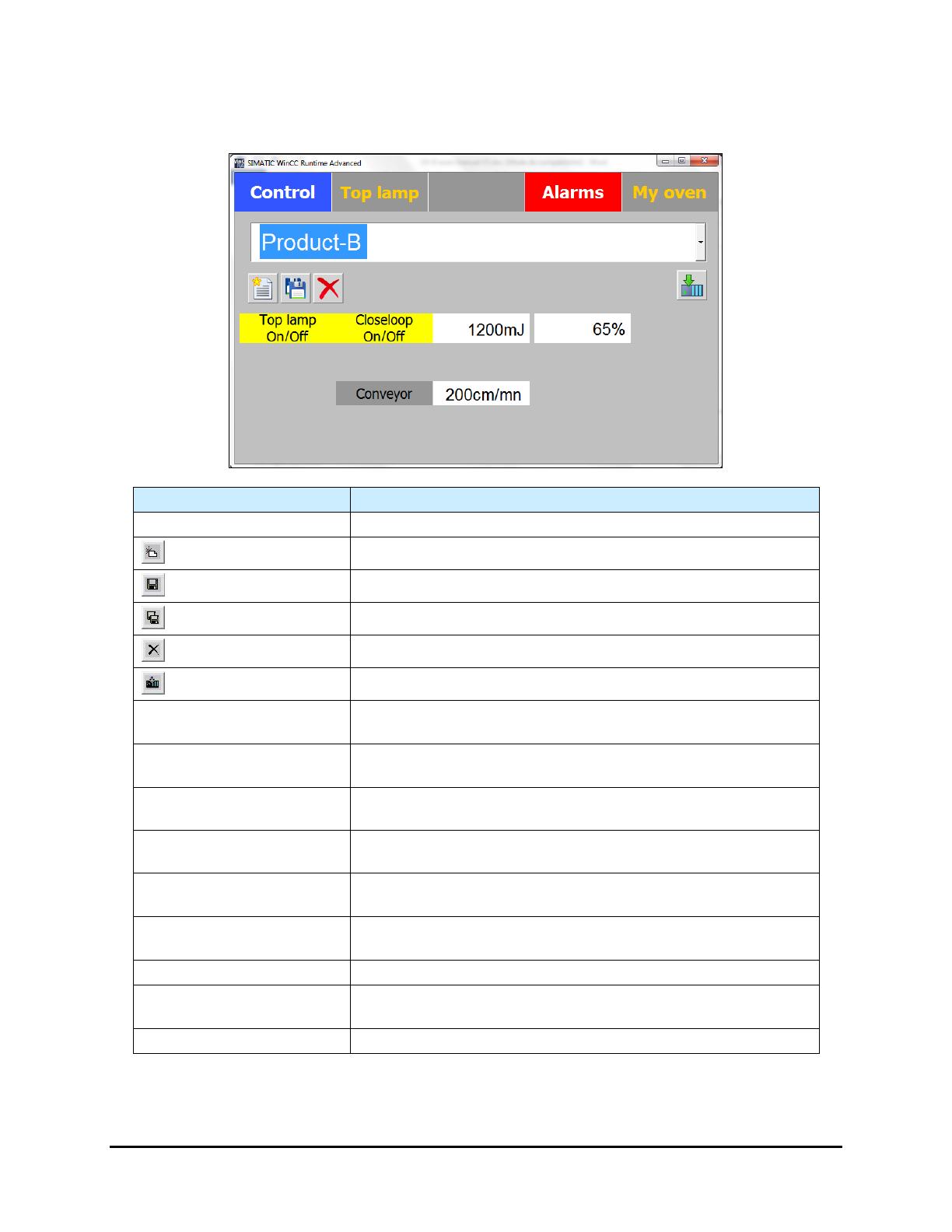
The Process Access level allows you to create, edit, or delete a recipe (Figure 5-10).
Name
Description
Recipe List
Lists the available recipes for selection.
(New Recipe Button)
Gives access to the parameters to set for a new recipe.
(Save Button)
Saves an edited recipe.
(Save As Button)
Saves a new recipe.
(Delete Button)
Deletes a recipe.
(Load Button)
Loads a recipe.
Top Lamp Setpoint (mJ)
(Option)
Sets the top lamp power setpoint. Used only when the close loop
option is installed.
Bot Lamp Setpoint (mJ)
(Option)
Sets the bottom lamp power setpoint. Used only when the bottom
lamp and close loop options are installed.
Top Lamp Op Setpoint (%)
Sets the top lamp op power setpoint. Used only when the close
loop option is not installed.
Bot Lamp Op Setpoint (%)
(Option)
Sets the bottom lamp op power setpoint. Used only when the
close loop option is not installed.
Close Loop Top Lamp
(Option)
Click on Closeloop On/Off to activate . Used only when the
close loop option is installed.
Close Loop Bottom Lamp
(Option)
Click on Closeloop On/Off to activate. Used only when the close
loop option is installed.
Enable/Disable Top Lamp
Click on Top lamp On/Off to activate
Enable/ Disable Bottom
Lamp (Option)
Click on Bottom lamp On/Off to activate
Set Conveyor Speed
Click on the textbox to set the value.
Figure 5-10 Process Access Screen
Operation 5-9
5.7.2 Top/Bottom Lamp Menus
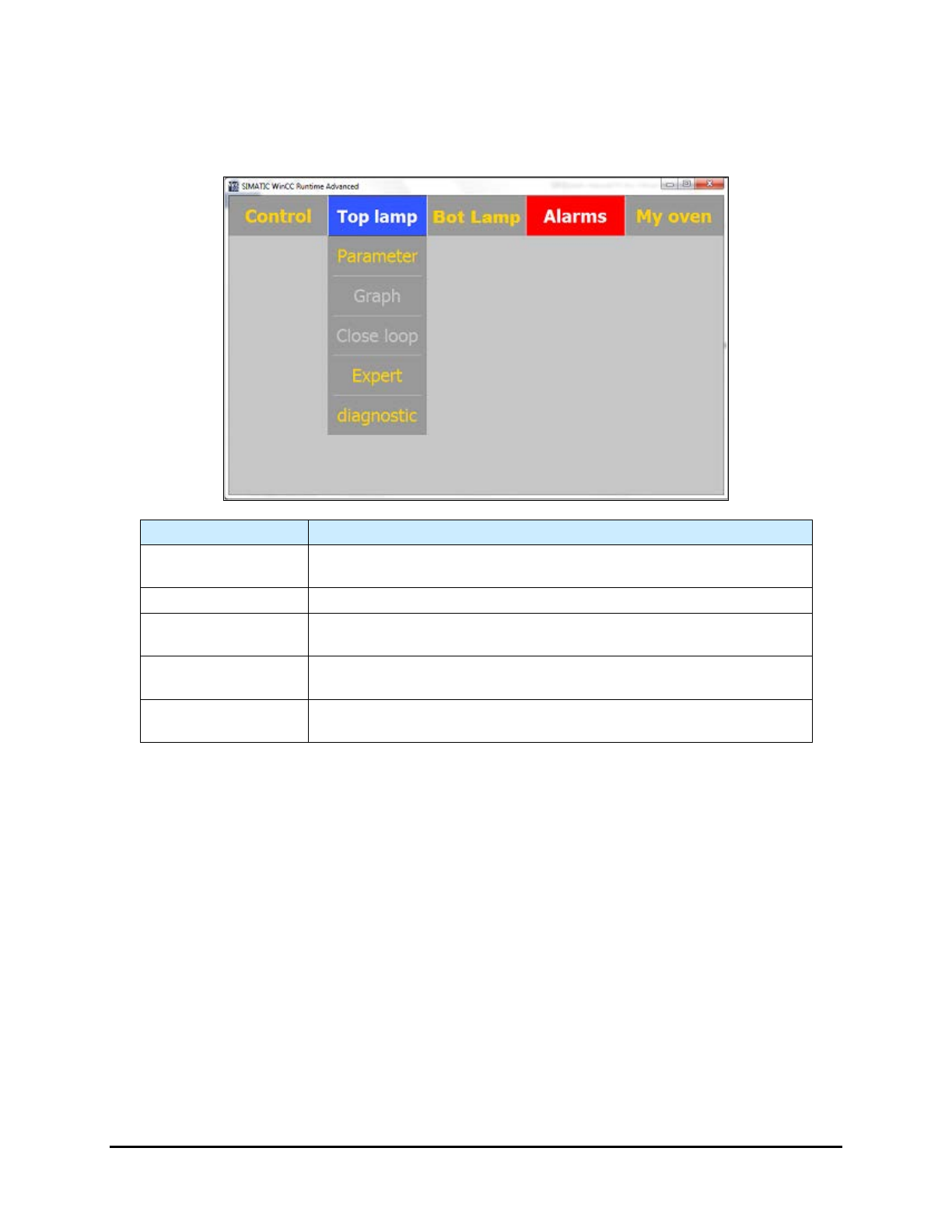
The functions are the same for both the Top Lamp and Bottom Lamp Menus. The Bottom Lamp Menu is
only available when the Bottom Lamp option is installed.
Name
Description
Parameter
Select Parameter to open the Lamp Parameters screen. See 5.7.2.1
Lamp Parameters.
Graph
Select
Graph
to open the Graph screen See 5.7.2.2 Graph.
Close Loop
Select Close Loop to open the Close Loop Parameters screen. See
5.7.2.3 Close Loop Menu (Option).
Expert
Select Expert to open the Expert Parameters Screen. This menu is for
factory/Nordson access only.
Diagnostic
Select Diagnostic to open the Diagnostic screen. See 5.7.2.4
Diagnostic .
Figure 5-11 Top Lamp/Bottom Lamp Menus (Top Lamp shown)
5-10 Operation
5.7.2.1 Lamp Parameters
Name Description
Enable Button
Activates the UV lamp. The background is yellow when the lamp is
active.
Disable Button
Disables the UV lamp.
Manu Button
Disables the close loop option and runs in open loop.
Manual Power
Output power setpoint in % (open loop).
Select the field to change the setpoint.
Standby
Standby setpoint. Select the field to change the setpoint.
Output Power
Current output power setpoint (view only).
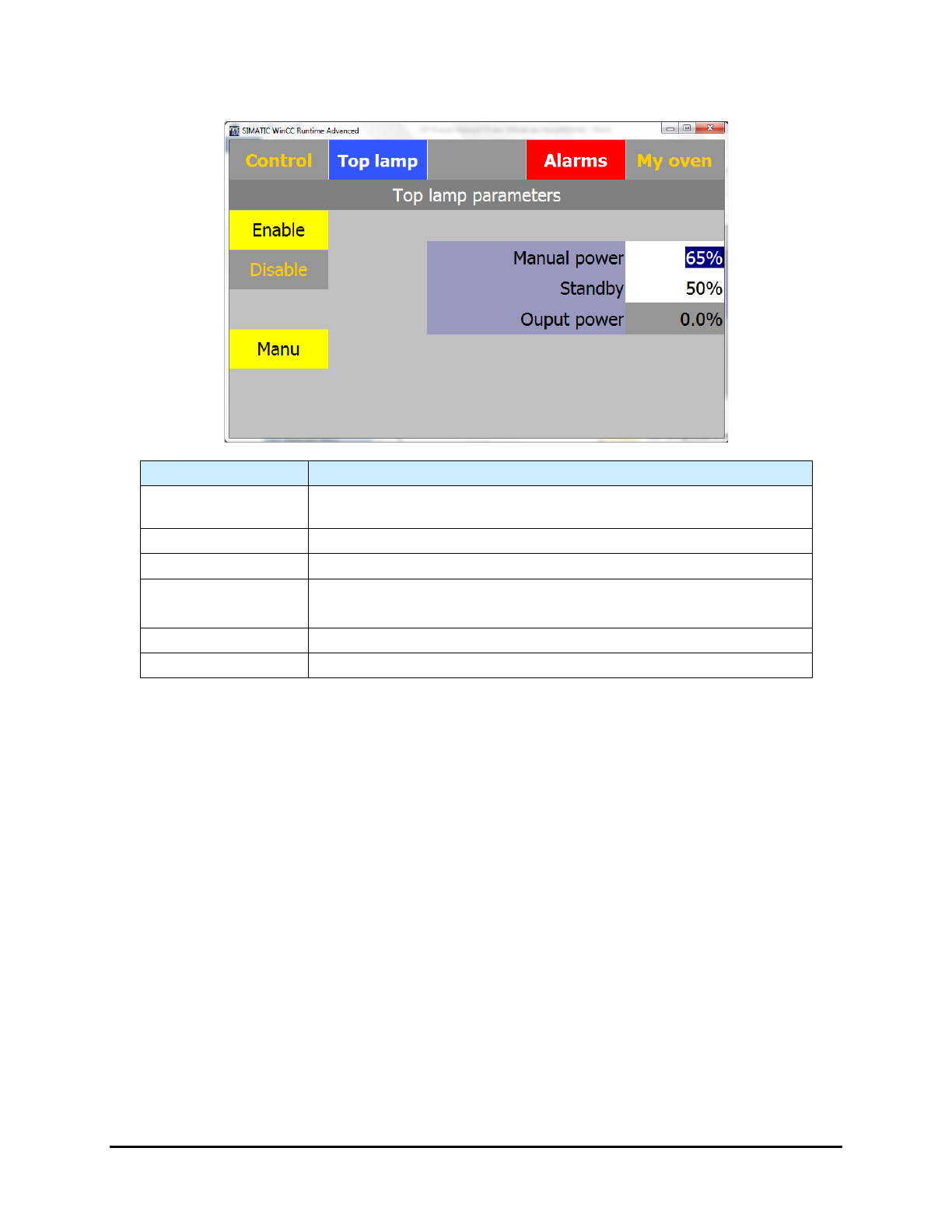
Figure 5-12 Lamp Parameters Screen (Top Lamp shown)
Operation 5-11