UV-9+Cure+Module+7269348_B+Manual.pdf - 第99页
Figure 6-4 Holding the Module WARNING! CAUTION! DO NOT touch the lamp o r reflector. The sur face may be hot. To prevent burn injuries, hold t he module a s shown in Figure 6-4. 7. Place the UV lamp module on a work benc…
6.5.2 UV Lamp Replacement
To remove and replace the UV lamp:
1. Shut down the UV-9 Cure Module. See 2.11 Service Shutdown.
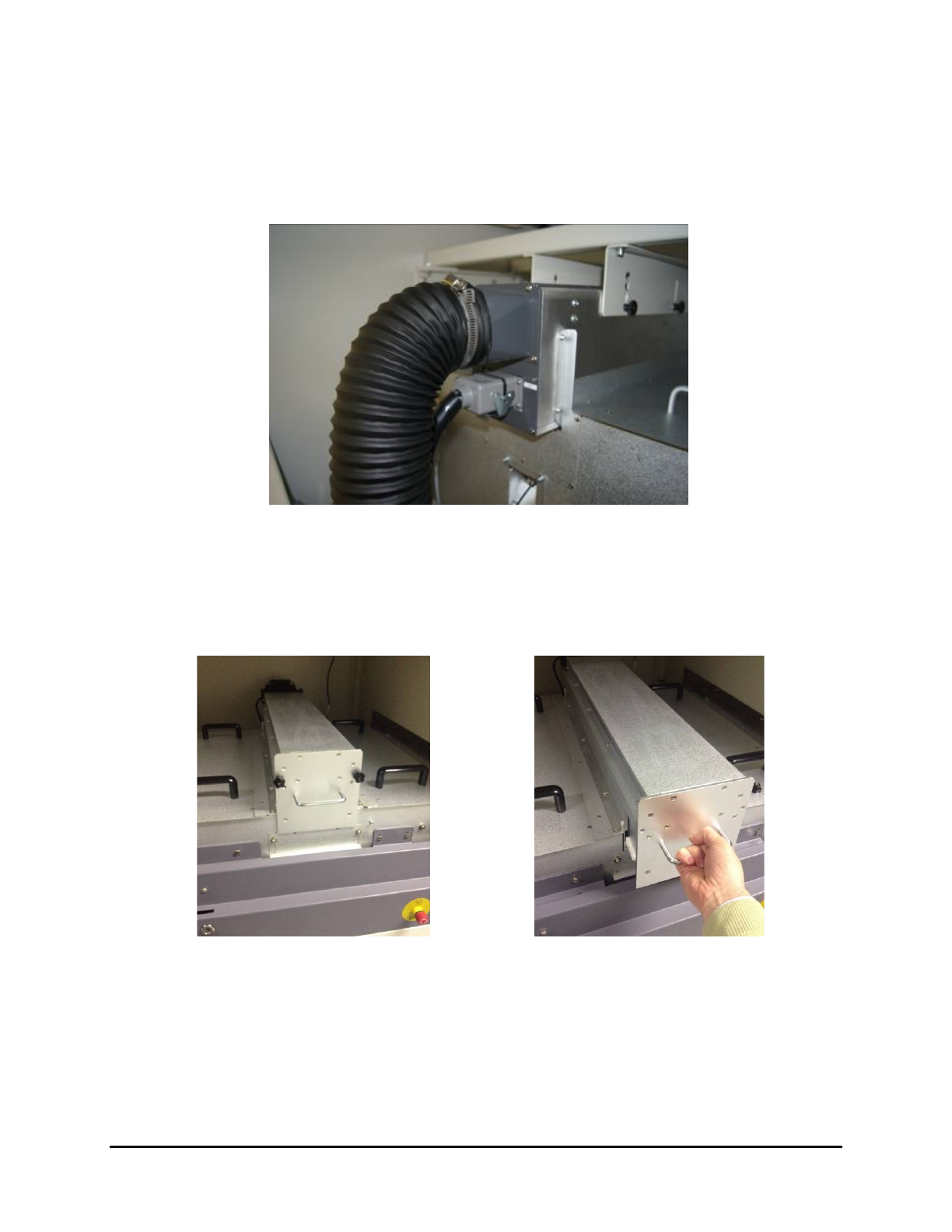
2. Disconnect the power plug located at the rear of the upper UV lamp module (Figure 6-1).
Figure 6-1 Upper UV Lamp Module – Rear
3. Open the front cover.
4. Remove the two nuts on the UV lamp module (Figure 6-2).
5. Use the handle to slide out the module (Figure 6-3).
Figure 6-2 Remove the Nuts from the Module
Figure 6-3 Slide out the Module
6. Hold the module by placing one hand on the handle and the other hand at the back of the
module (Figure 6-4).
6-4 Maintenance
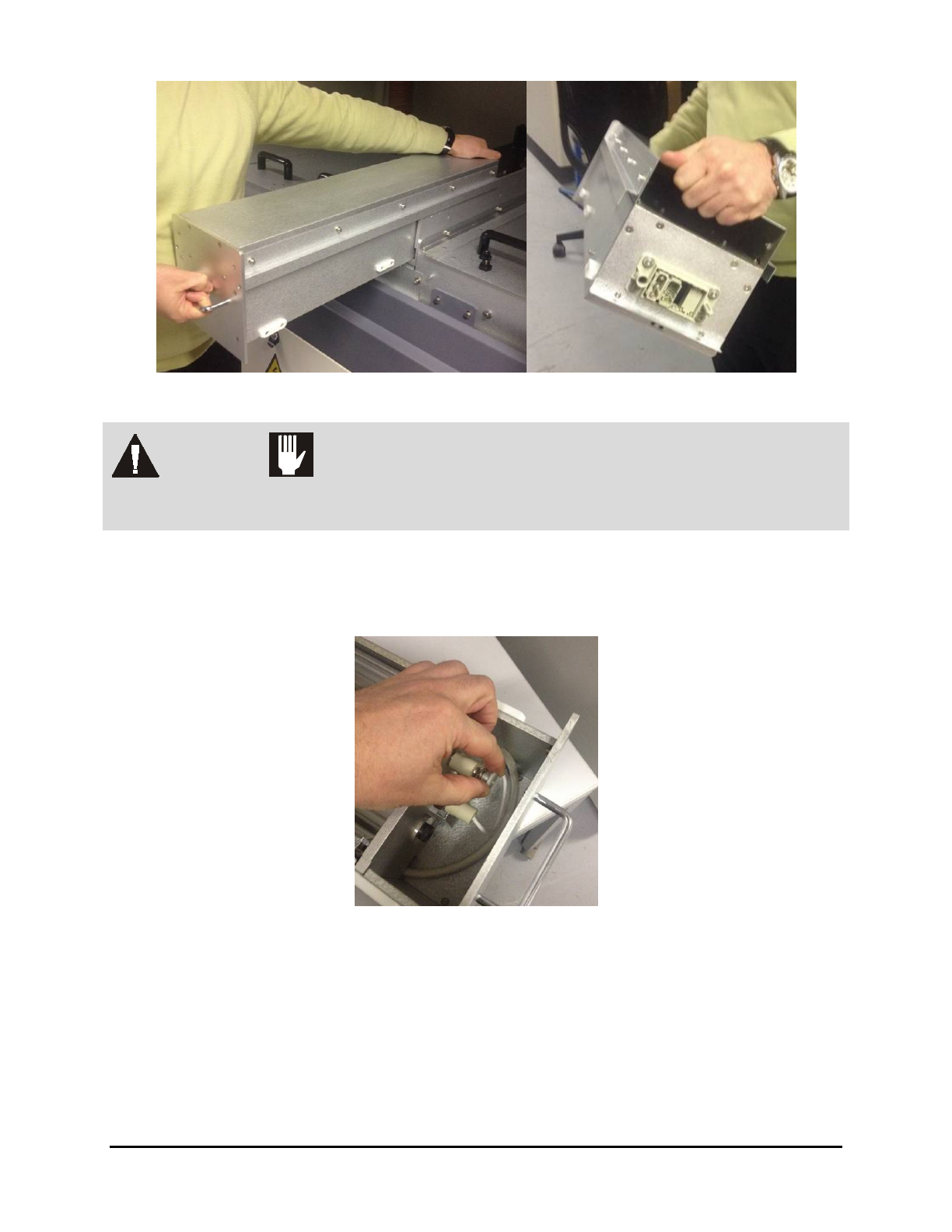
Figure 6-4 Holding the Module
WARNING! CAUTION!
DO NOT touch the lamp or reflector. The surface may be hot. To prevent burn
injuries, hold the module as shown in Figure 6-4.
7. Place the UV lamp module on a work bench.
8. Release the two screws (located on each side of the lamp) that connect the UV lamp to the
electrical network (Figure 6-5).
Figure 6-5 Release the Screws
Maintenance 6-5
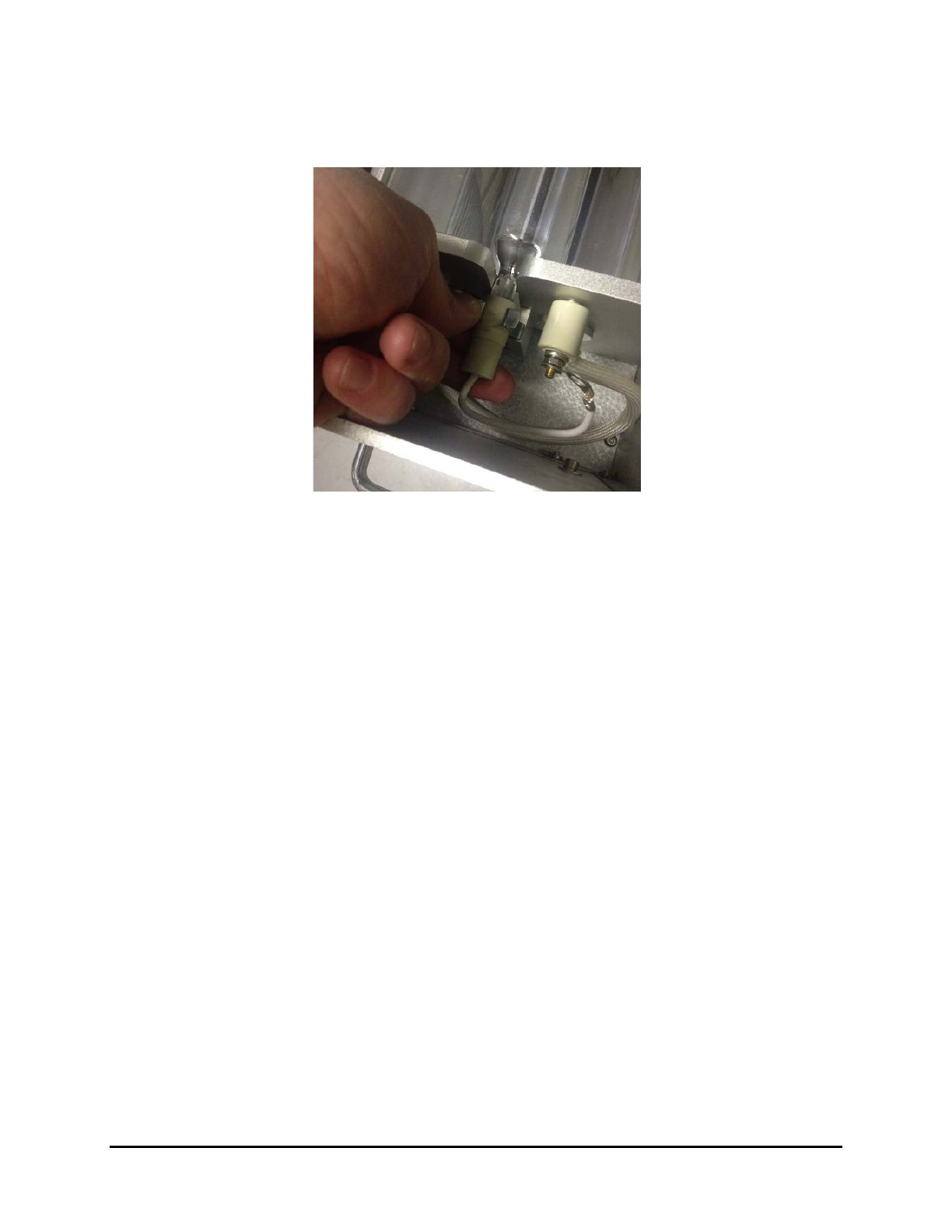
9. Remove the UV lamp from the two clips by pulling out simultaneously on both sides.
To preserve the lamp characteristics, do not touch the lamp with the skin. In case of
accidental contact, wipe off the lamp with the alcohol wipe supplied.
Figure 6-6 Removing the Lamp
10. To replace the UV lamp, perform Steps 1-8 above, in reverse order.
11. Repeat Steps 1-9 for the second lamp.
6-6 Maintenance