UV-9+Cure+Module+7269348_B+Manual.pdf - 第89页
5.7.4.10 Shutters ( Option ) With the shutte r option, the lengt h of the PCB is e ntered on the C ontrol Menu ( Figure 5- 27 ) . This data , a long with the conve yor speed, is us ed to determ ine the opening t ime of t…
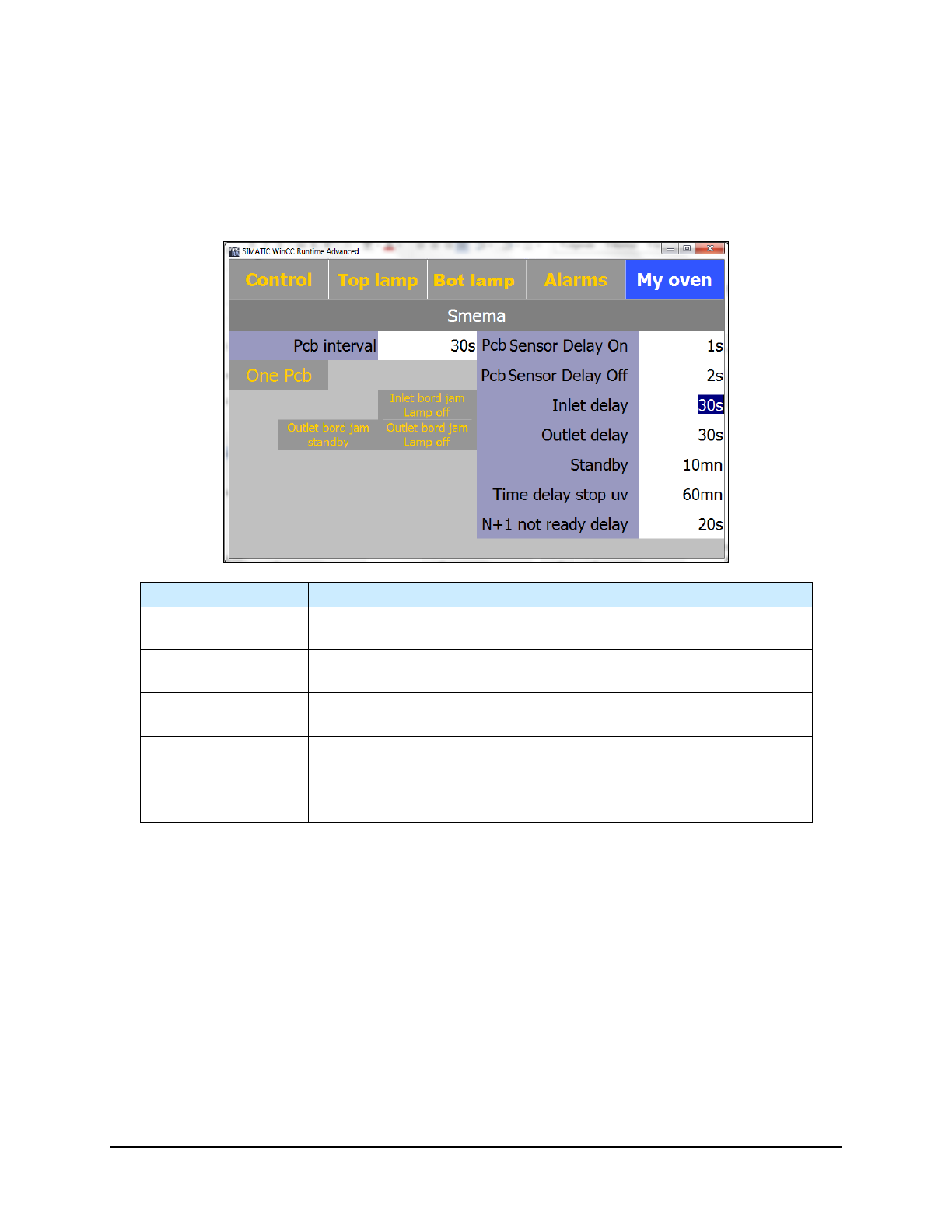
5.7.4.9 Board Jam Detection Screen (Option)
This option detects a board jam at the entrance or exit of the UV-9 Cure Module. The alarms
sounds if the entrance and/or exit sensor detects a board after the PCB Sensor Delay On
(entrance) or PCB Sensor Delay Off (exit) time has expired.
NOTE The background is yellow when a function is active.
Name
Description
Inlet Delay
The maximum time (in seconds) that the board is at the entrance
sensor before the “Jam” alarm sounds.
Outlet Delay
The maximum time (in seconds) that the board is at the exit sensor
before the “Jam” alarm sounds.
Inlet Board Jam
Lamp Off
If you activate this feature, the UV-9 lamp turns off if there is a board
jam at the entrance.
Outlet Board Jam
Standby
If you activate this feature, the UV-9 Cure Module will go into standby
mode if there is a board jam at the exit.
Outlet Board Jam
Lamp Off
If you activate this feature, the UV-9 lamp turns off if there is a board
jam at the exit.
Figure 5-26 SMEMA - Board Jam Detection
NOTE If the oven turns off, there is a 180 second cooling time before the oven can be turned
on again.
5-26 Operation
5.7.4.10 Shutters (Option)
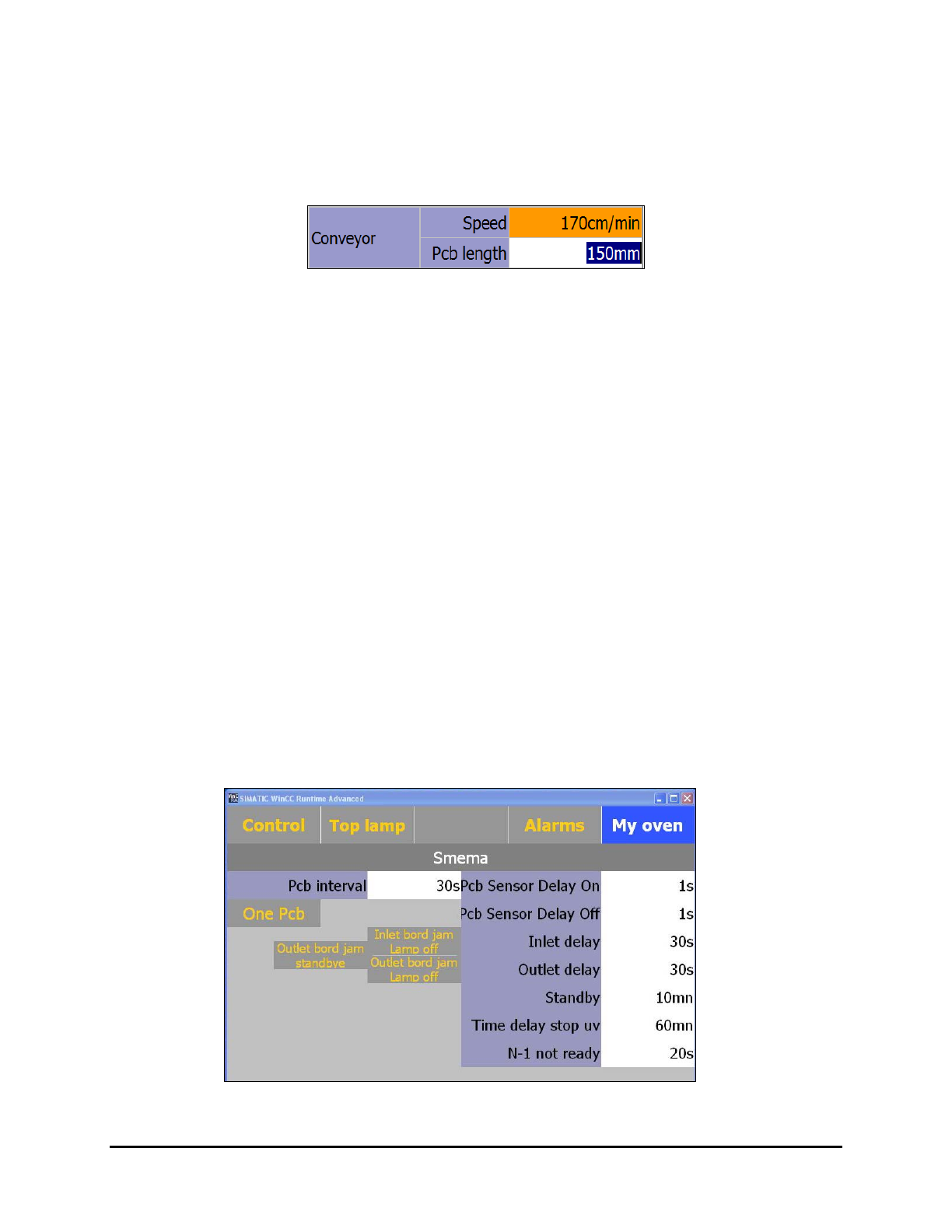
With the shutter option, the length of the PCB is entered on the Control Menu (Figure 5-27). This data,
along with the conveyor speed, is used to determine the opening time of the outlet (exit) shutter. The
"Shutters" button on the "My Oven" screen opens a screen that allows you to enable and disable the
shutters.
Figure 5-27 PCB Length
To setup the shutter system:
1. Enter the PCB length in the Control Menu (Figure 5-27).
NOTE If the PCB length is not entered correctly, an error will occur.
If the entered length is too small, the PCB will be detected at the exit before its
estimated time of arrival. For safety reasons, the shutter will open but an error
message will appear.
If the entered length is too great, the shutter will open before the PCB arrives.
This will create an error because no board will be detected at the exit.
2. Adjust the SMEMA settings:
My Oven > SMEMA (Figure 5-28).
a. PCB sensor delay on = 1 sec
Adjust this setting to match the unloading time of the upstream equipment.
b. PCB sensor delay off = 1 sec
This setting influences the time the inlet shutter closes after it has passed the inlet
sensor.
c. Inlet and outlet delays = 30 sec
This relates to board jam errors or load and unload problems with adjacent
equipment and prevents error messages.
Figure 5-28 SMEMA Menu – Shutters Option
Operation 5-27
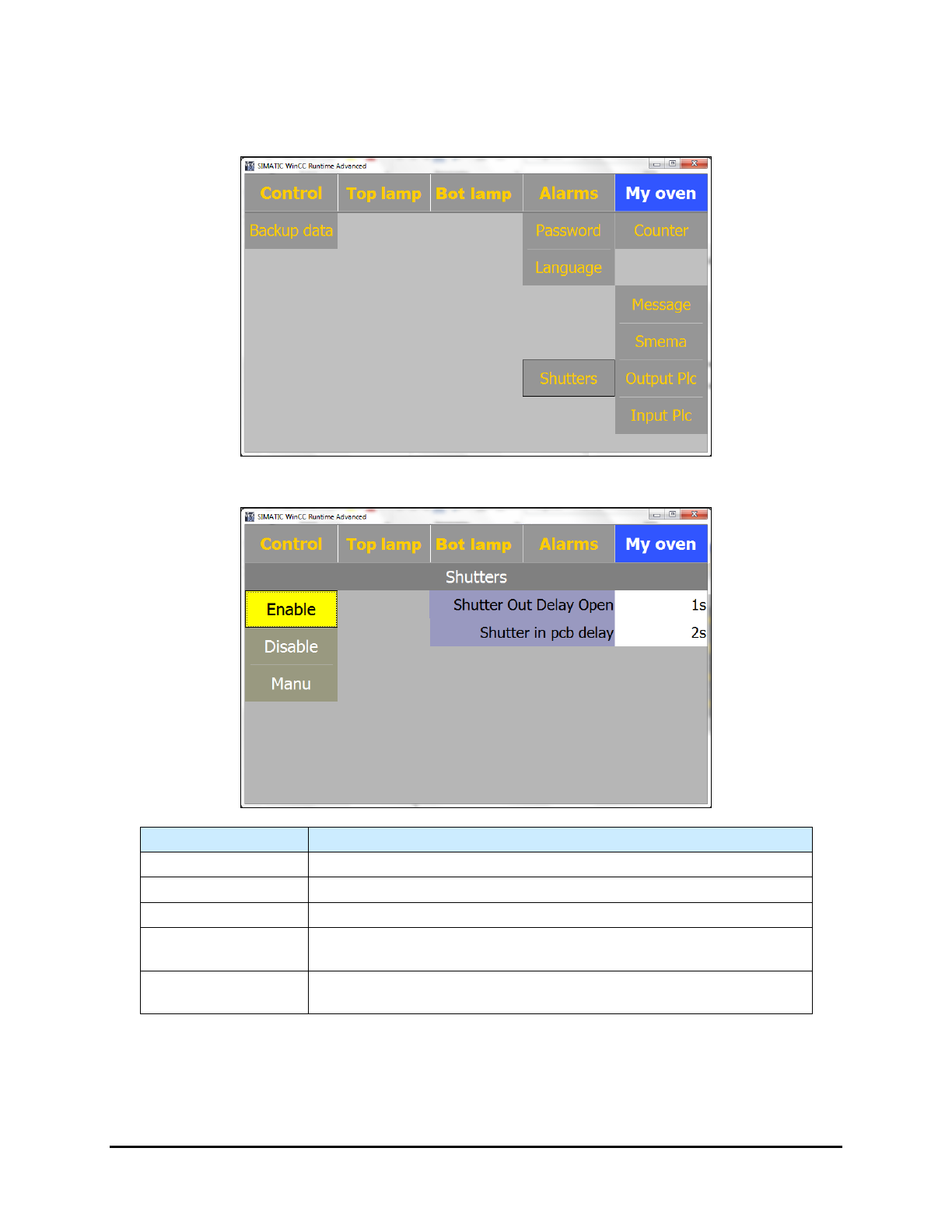
Additionally, there is a delay function implemented to cope with product carriers and other product
related processes. Select
My Oven > Shutters and enter the delay time in the "Shutter Out Delay Open"
textbox. This allows the user set an earlier opening time than the time calculated by the software.
Figure 5-29 My Oven Menu – Shutters Option
Name
Description
Enable
Enables the shutters feature.
Disable
Disables the shutters feature.
Manu
Opens a manual screen.
Shutter Out Delay
Open
The time (in seconds) the shutter opens before the estimated PCB
arrival at the exit.
Shutter in PCB
Delay
The time (in seconds) before the sensor attempts to detect a board at
the entrance.
Figure 5-30 Shutters Enabled
NOTE The shutters function on SMEMA signals and inlet and outlet sensors open and close
when SMEMA detects a board. In case of a standalone UV-9, the user needs to
implement a switch or foot pedal to simulate a SMEMA signal.
5-28 Operation