UV-9+Cure+Module+7269348_B+Manual.pdf - 第53页
4.4.1 Automa tic Conveyor Width Adjustment ( Option ) If the oven is c onfigured with t he automa tic width adjus tment opti on, you have the option of ena bling or disabling th is feature: To set the automatic width adj…
4.4 Conveyor Width Adjustment
The double-track conveyor width cannot be adjusted. The single-track conveyor is electronically
controlled.
To adjust the width of the single track conveyor:
1. Start the system as described in 5.4 System Startup.
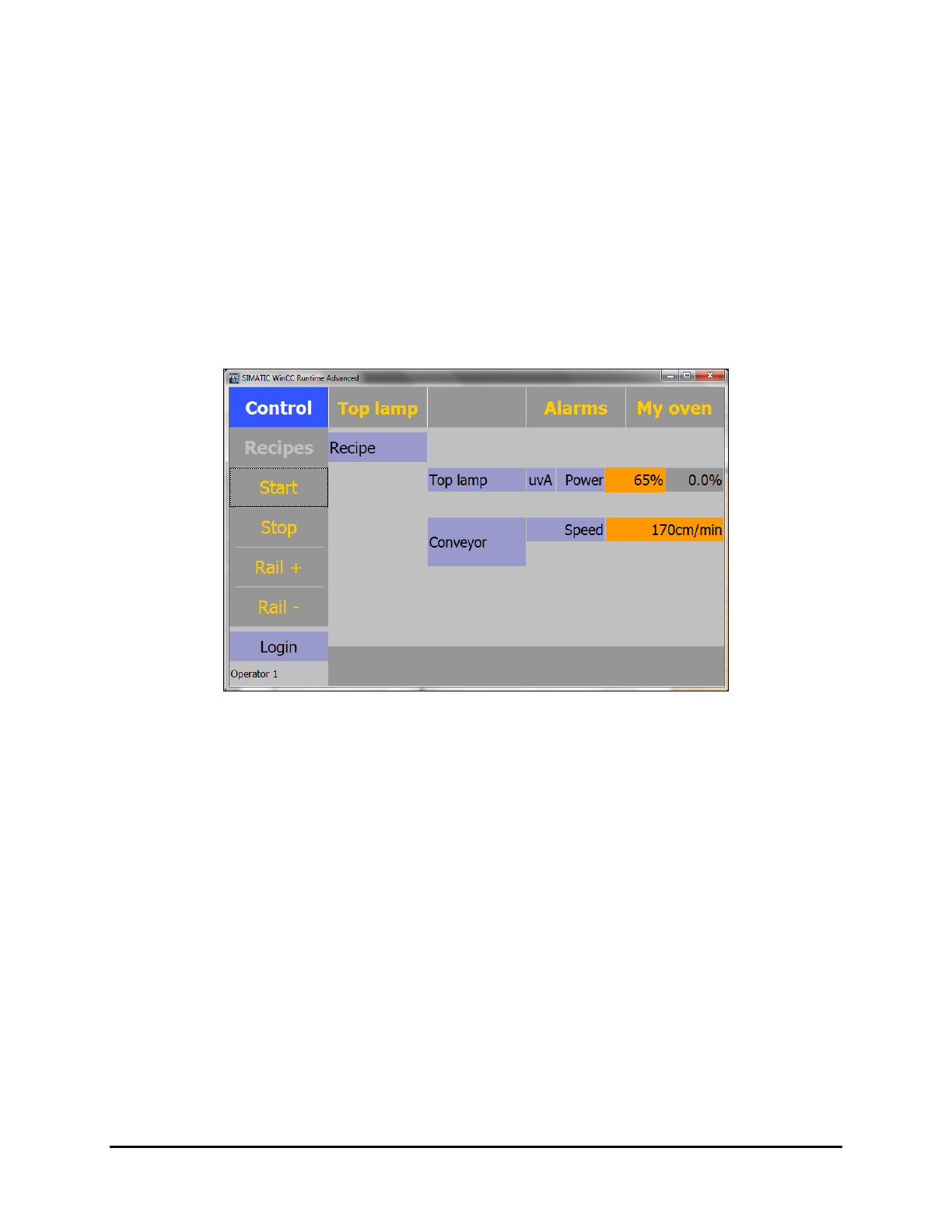
The Control menu opens (Figure 4-1).
2. Click on the “
Rail +” or “Rail -” button until the desired width is achieved.
NOTE On a dual track conveyor, no electrical width adjustment is available. It must be manually
adjusted.
Figure 4-1 Control Menu
4-2 Adjustments
4.4.1 Automatic Conveyor Width Adjustment (Option)
If the oven is configured with the automatic width adjustment option, you have the option of enabling or
disabling this feature:
To set the automatic width adjustment:
1. Click on the
Control button on the Main Menu.
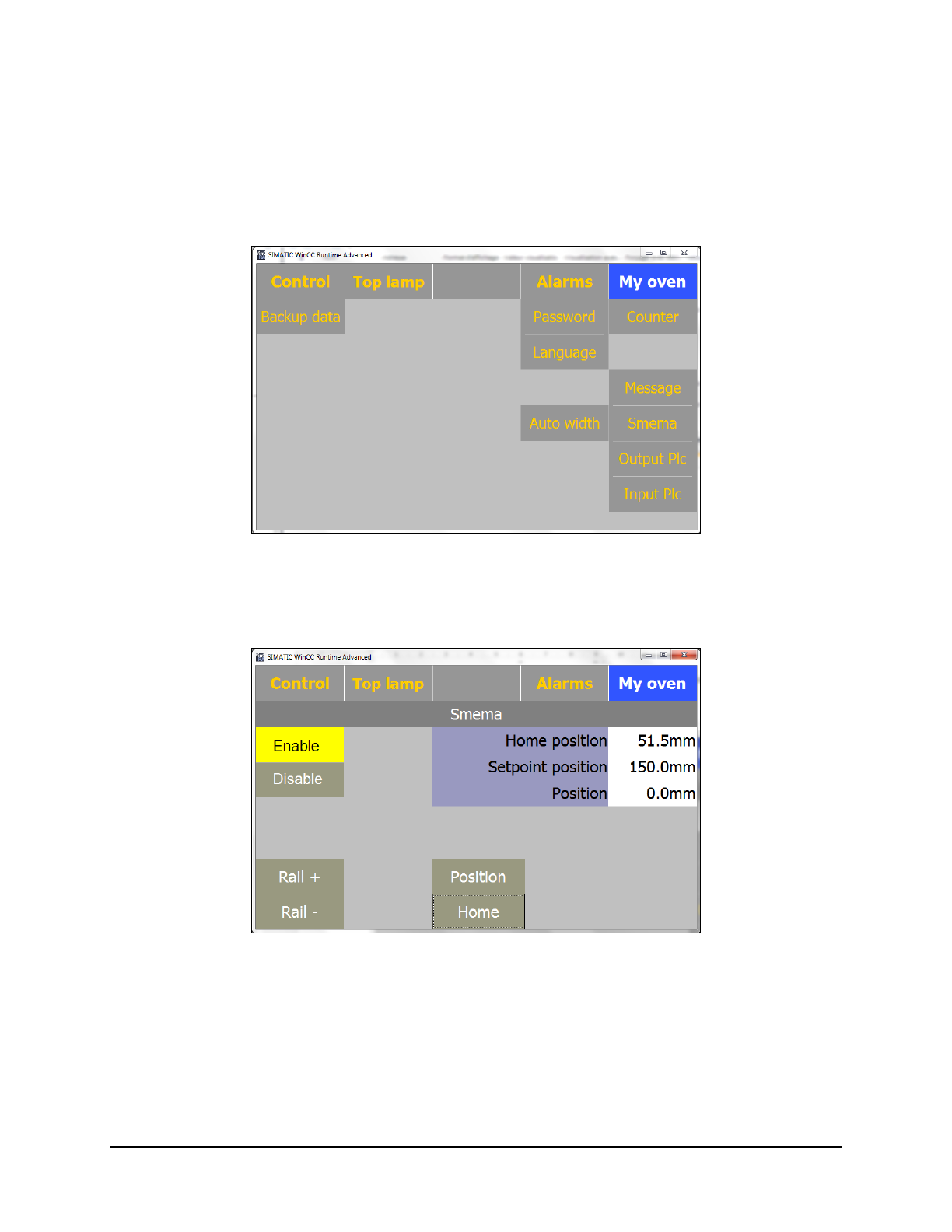
Figure 4-2 Control Menu
2. Select Auto Width.
The Auto Width menu opens (Figure 4-3).
Figure 4-3 Auto Width Enabled
3. Select Enable to enable the Automatic Width feature.
4. Click on
Home.
The conveyor will move to its home position (approximately 50mm).
5. After the conveyor has moved to the home position, measure the conveyor width and enter
the value into the
Home Position textbox.
Adjustments 4-3
To disable the automatic width adjustment:
1. Click on the
Control button on the Main Menu.
2. Select
Auto Width.
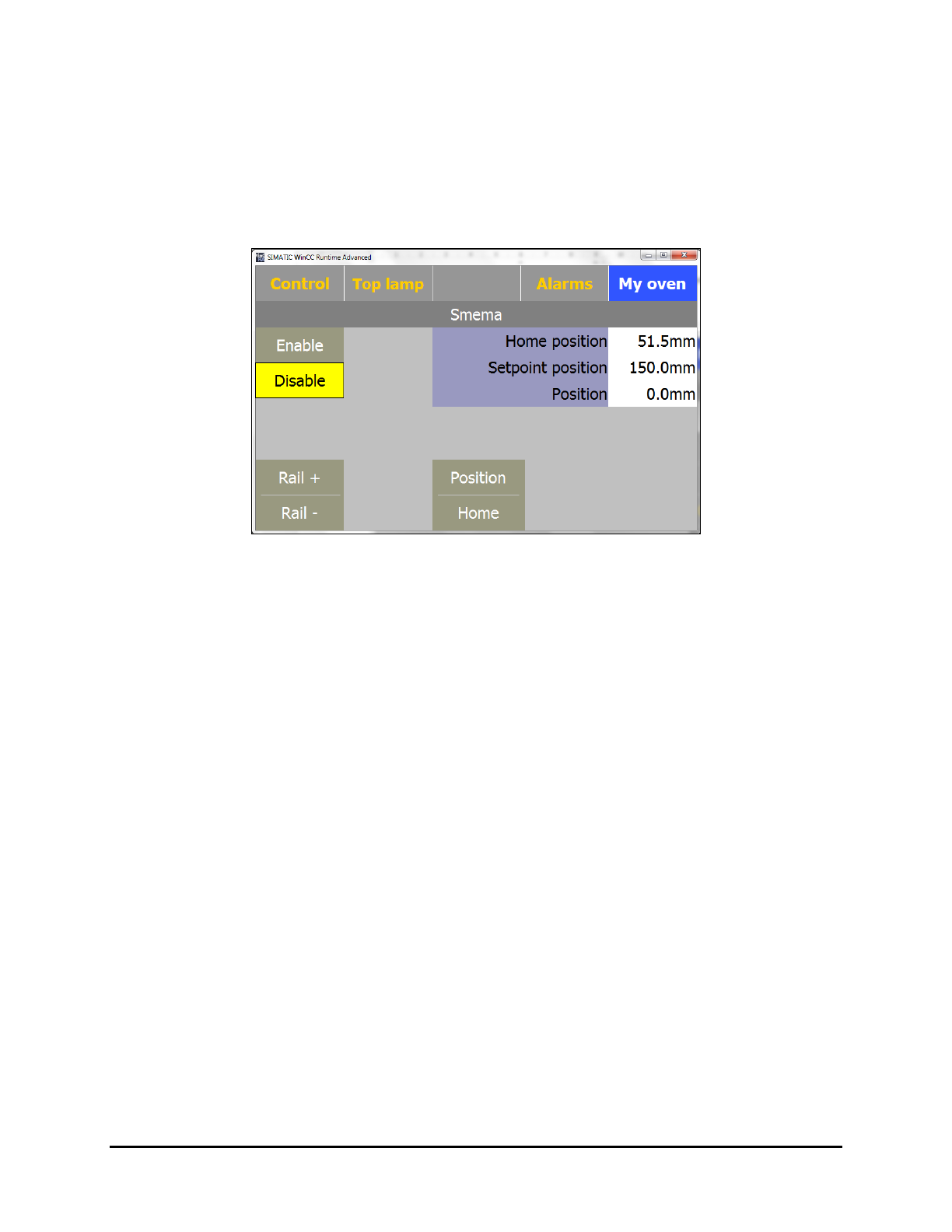
The Auto Width menu opens (Figure 4-4).
3. Click on
Disable.
Figure 4-4 Auto Width Disabled
4.5 UV Module Height Adjustment
There are three possible heights for the top module on the UV-9 Cure Module.
• 75 mm (from conveyor to UV module)
• 110 mm (from conveyor to UV module)
• 140 mm (from conveyor to UV module)
The different settings allow for variations in the irradiance range.
4-4 Adjustments