UV-9+Cure+Module+7269348_B+Manual.pdf - 第86页
5.7.4.7 PLC Input Screens The PLC Inpu t screens display the active/inacti ve status of the in puts. Select the Input PLC button on the "My Oven" menu t o open this scre en. NOTE The background of th e inputs…
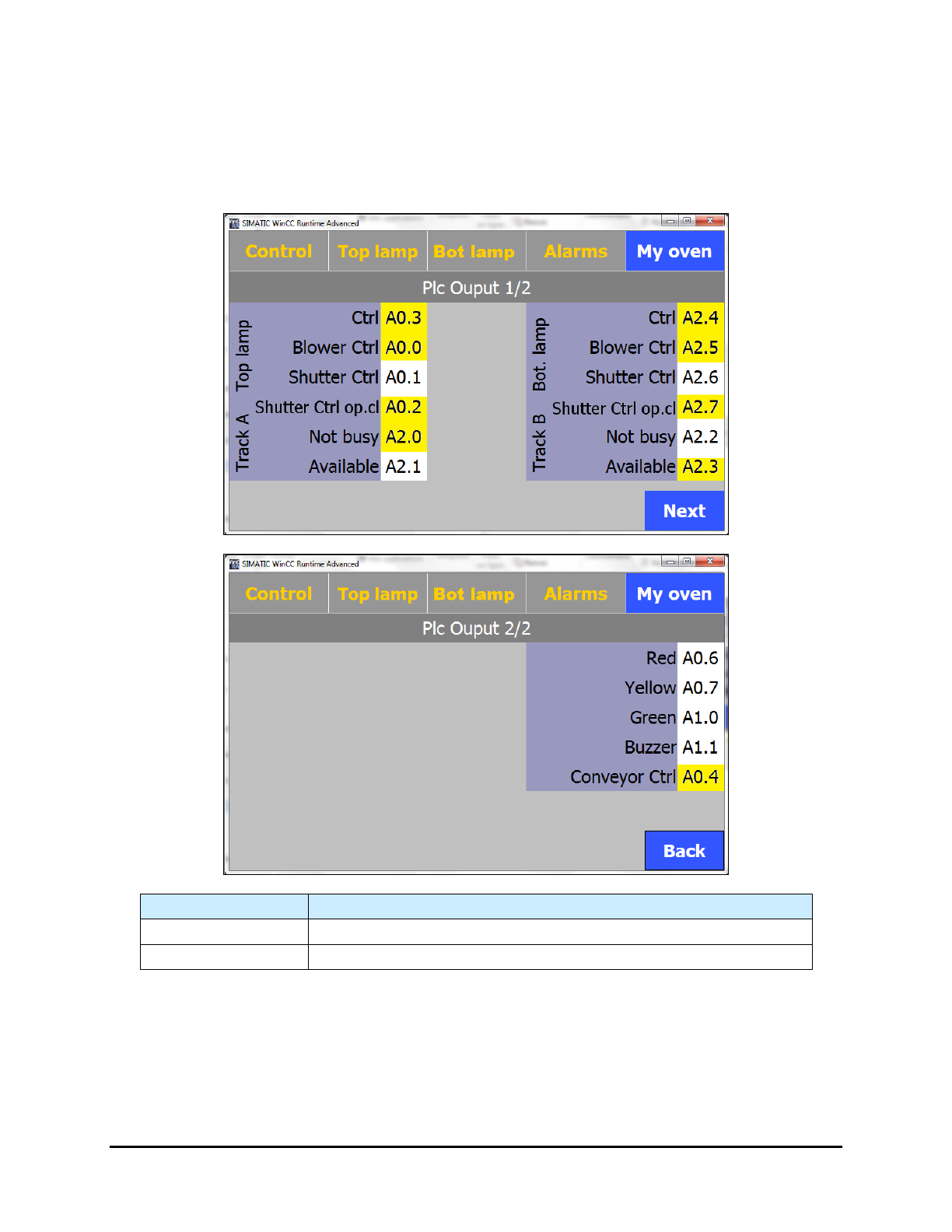
5.7.4.6 PLC Output Screens
The PLC Output screens display the active/inactive status of the outputs. Select the Output PLC button
on the "My Oven" menu to open this screen.
NOTE The background of the outputs is yellow when they are active.
Name
Description
Next
Proceeds to Page 2 of the PLC Output screen.
Back
Returns to Page 1 of the PLC Output screen.
Figure 5-23 PLC Output Screens
Operation 5-23
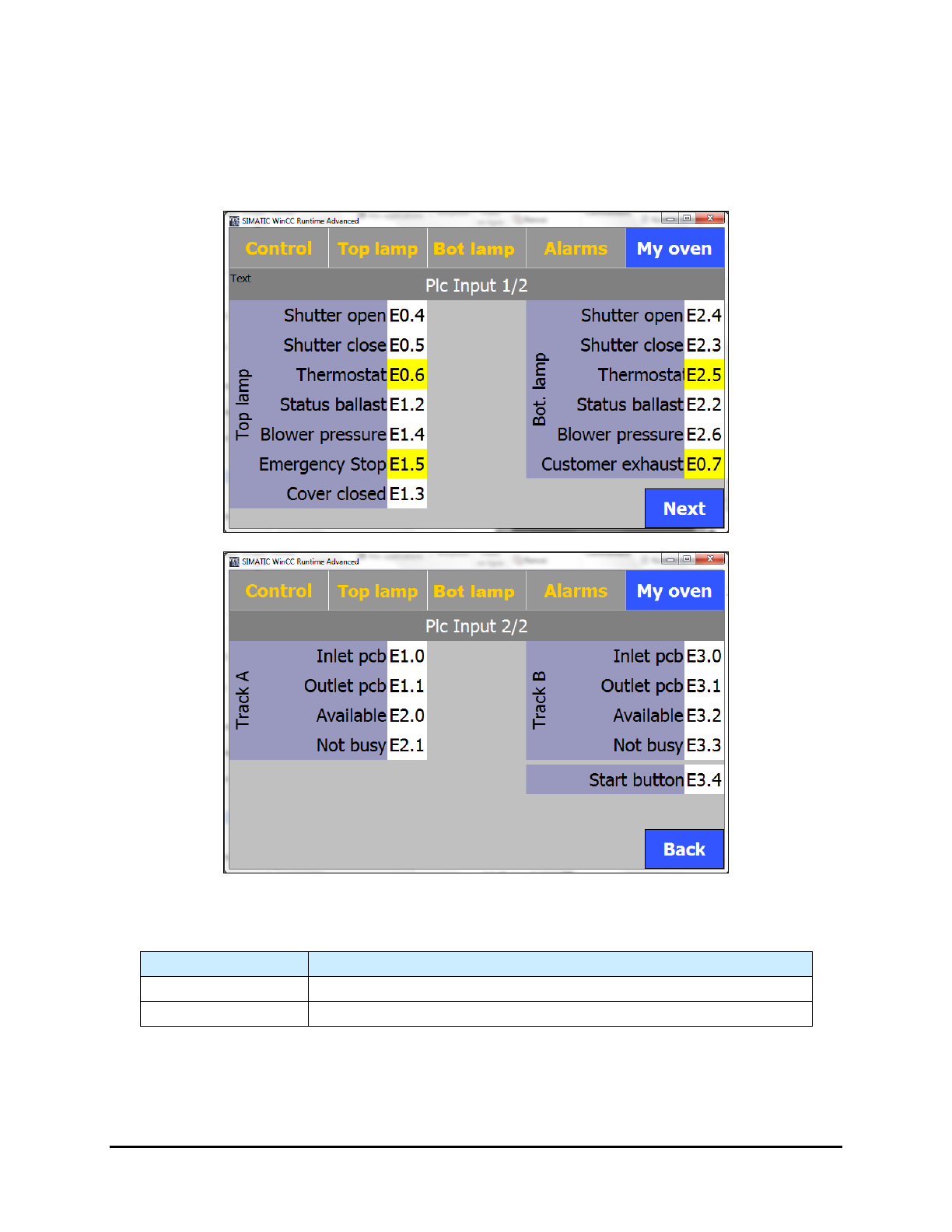
5.7.4.7 PLC Input Screens
The PLC Input screens display the active/inactive status of the inputs. Select the Input PLC button on the
"My Oven" menu to open this screen.
NOTE The background of the inputs is yellow when they are active.
Figure 5-24 PLC Input Screens
Table 5-1 PLC Input Screen Controls and Indicators
Name
Description
Next
Proceeds to Page 2 of the PLC Input screen.
Back
Returns to Page 1 of the PLC Input screen.
5-24 Operation
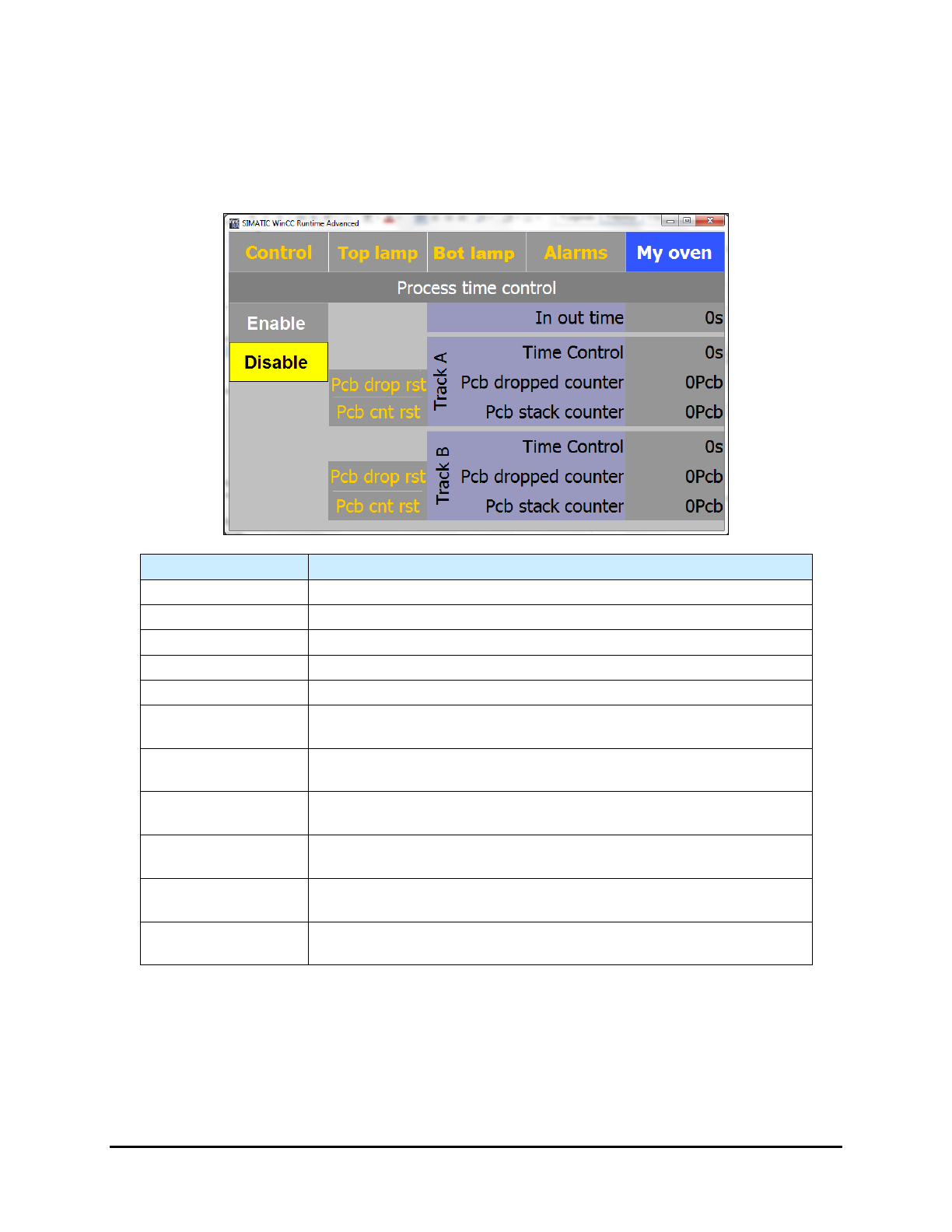
5.7.4.8 Process Time Control Screen (Option)
If the Process Time Control option is installed, select the Process Time Control button on the "My
Oven" menu to open this screen.
NOTE A yellow background indicates the function is active.
Name Description
Enable
Enables the time control.
Disable
Disables the time control.
Pcb drop rst
Resets the dropped board counter for the applicable track to zero (0).
PCB cnt rest
Resets the stack counter for the applicable track to zero (0).
In Out Time (s)
Displays the calculated travel time (in accordance with the speed).
Track A – Time
Control
Displays the travel time of the next board going out on Track A.
Track A – PCB
Dropped Counter
Displays the number of dropped boards on Track A.
Track A – PCB
Stack Counter
Displays the number of boards on Track A in the oven.
Track B – Time
Control
Displays the travel time of the next board going out on Track B.
Track B – PCB
Dropped Counter
Displays the number of dropped boards on Track B.
Track B – PCB
Stack Counter
Displays the number of boards on Track B in the oven.
Figure 5-25 Process Time Control Screen
NOTE When performing tests, Process Time Control should be disabled.
Operation 5-25