UV-9+Cure+Module+7269348_B+Manual.pdf - 第111页
6.6.2 Lower UV Modul e (Double - Sided Option Only) To install the quartz glass in the lower module: 1. Remove t he cover next to t he upper UV Lam p module and slide the c ooling module toward s the upper UV m odule ( F…
6-16 Maintenance
6.6 UV Module Quartz Glass Replacement
6.6.1 Upper UV Module (UV-9 Version 1 Only)
To replace the UV module quartz glass:
1. Check that the Main Power Switch is in the ON position and locked.
2. Disconnect the power plug located at the rear of the UV assembly.
3. Turn the front key.
4. Pull out and remove the UV assembly.
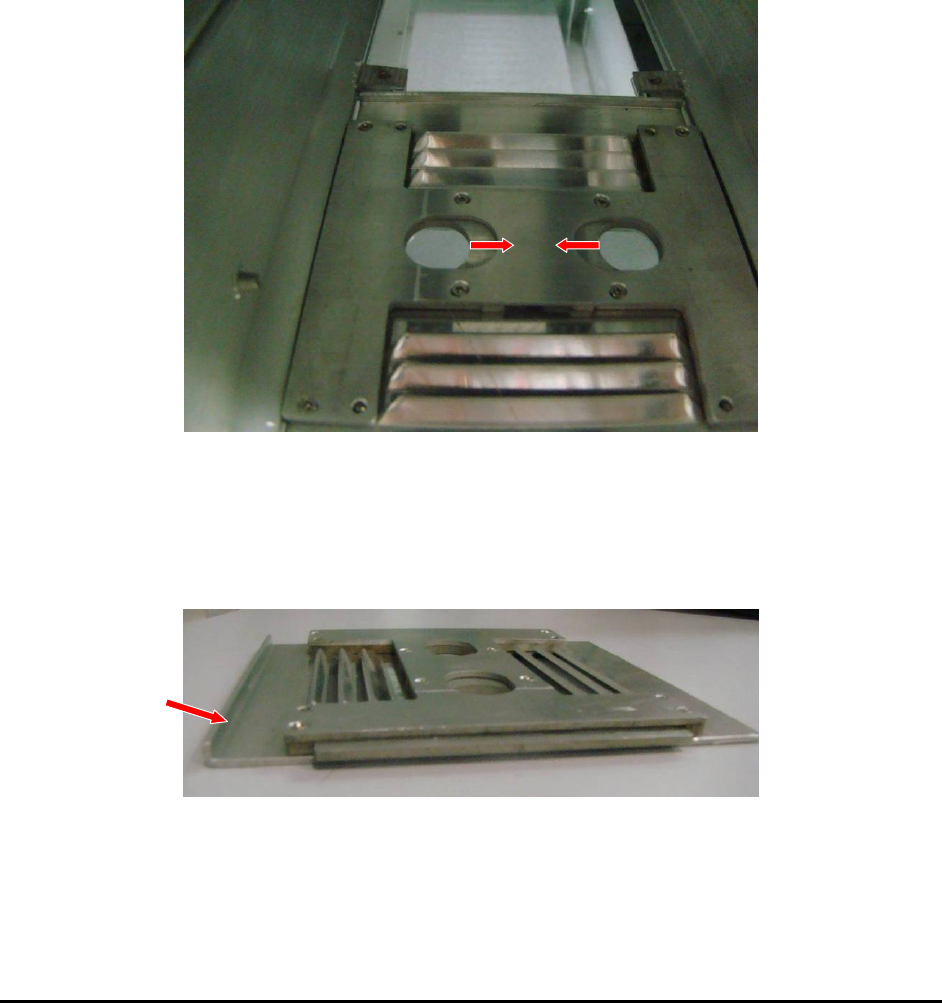
5. Remove the terminal cover by pressing on the 2 tabs towards the center (Figure 6-19).
Figure 6-19 Terminal Cover Tabs
6. Slide the quartz glasses through the supports.
7. Reinstall the terminal cover. Take care that the vertical fold is on the quartz glass side
(Figure 6-20).
Figure 6-20 Terminal Cover Vertical Fold
6.6.2 Lower UV Module (Double-Sided Option Only)
To install the quartz glass in the lower module:
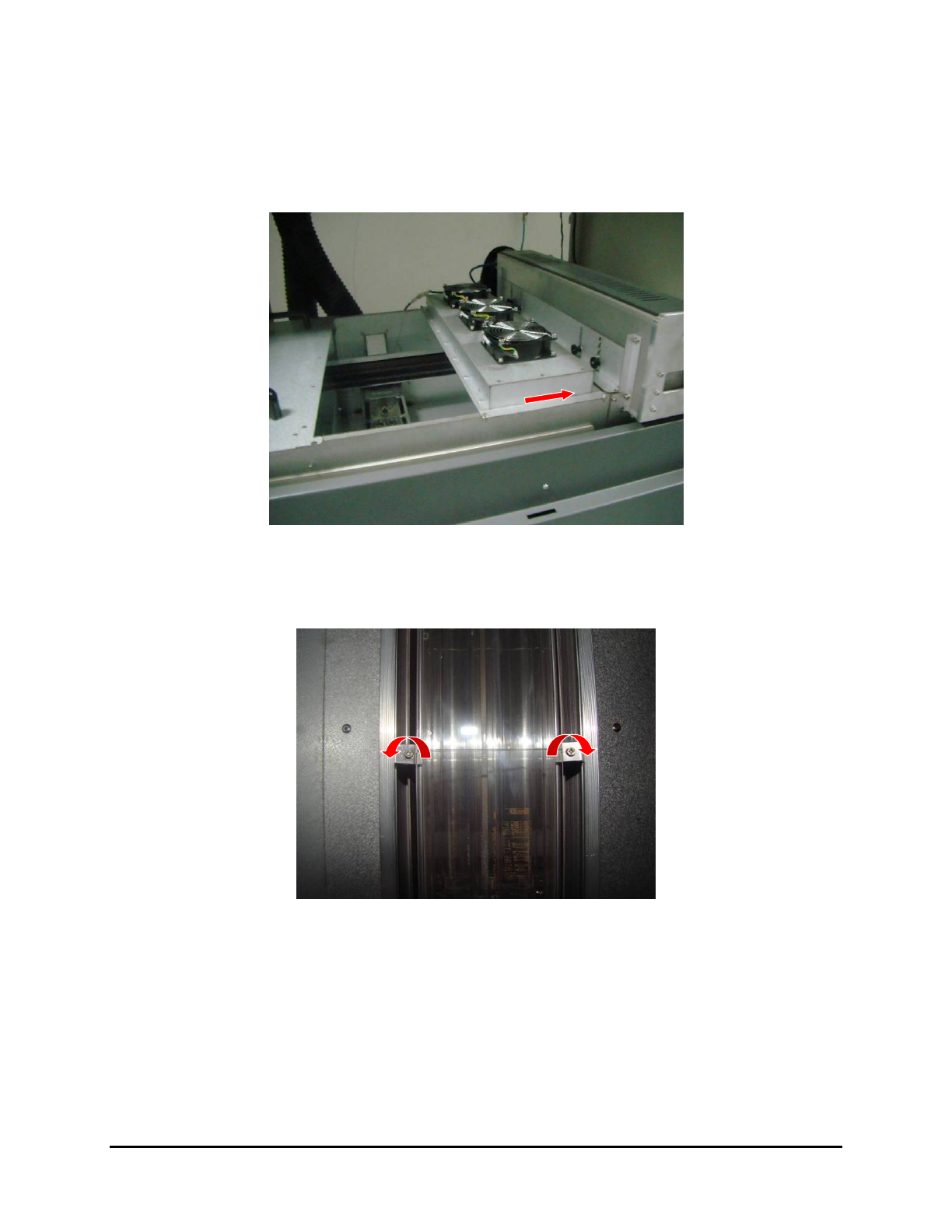
1. Remove the cover next to the upper UV Lamp module and slide the cooling module
towards the upper UV module (Figure 6-21).
Figure 6-21 Accessing the Lower UV Module
2. Loosen the screws in the quartz glass support brackets (one on each side of the UV module)
without removing them and turn the upper brackets 180° (Figure 6-22).
Figure 6-22 Quartz Glass Support Brackets
3. Slide the quartz glass into the supports.
4. Turn the upper brackets 180° and tighten them down over the quarts glass.
5. Slide the cooling module over the UV module and replace the adjacent cover.
Maintenance 6-17