UV-9+Cure+Module+7269348_B+Manual.pdf - 第66页
5.5.2 Start ing the Oven 1. After the recipe has b een loaded, pr ess the Start button on the Control Menu ( Figure 5-2). Th e Start Oven confirmation screen is displayed ( Fig ure 5-4). Figure 5-4 Start Oven Confirmat…
5. If this is the first time starting the system, select the appropriate language (French, English
or German) by clicking on the flag corresponding to the language.
At the next start up, the most recently selected language will automatically display.
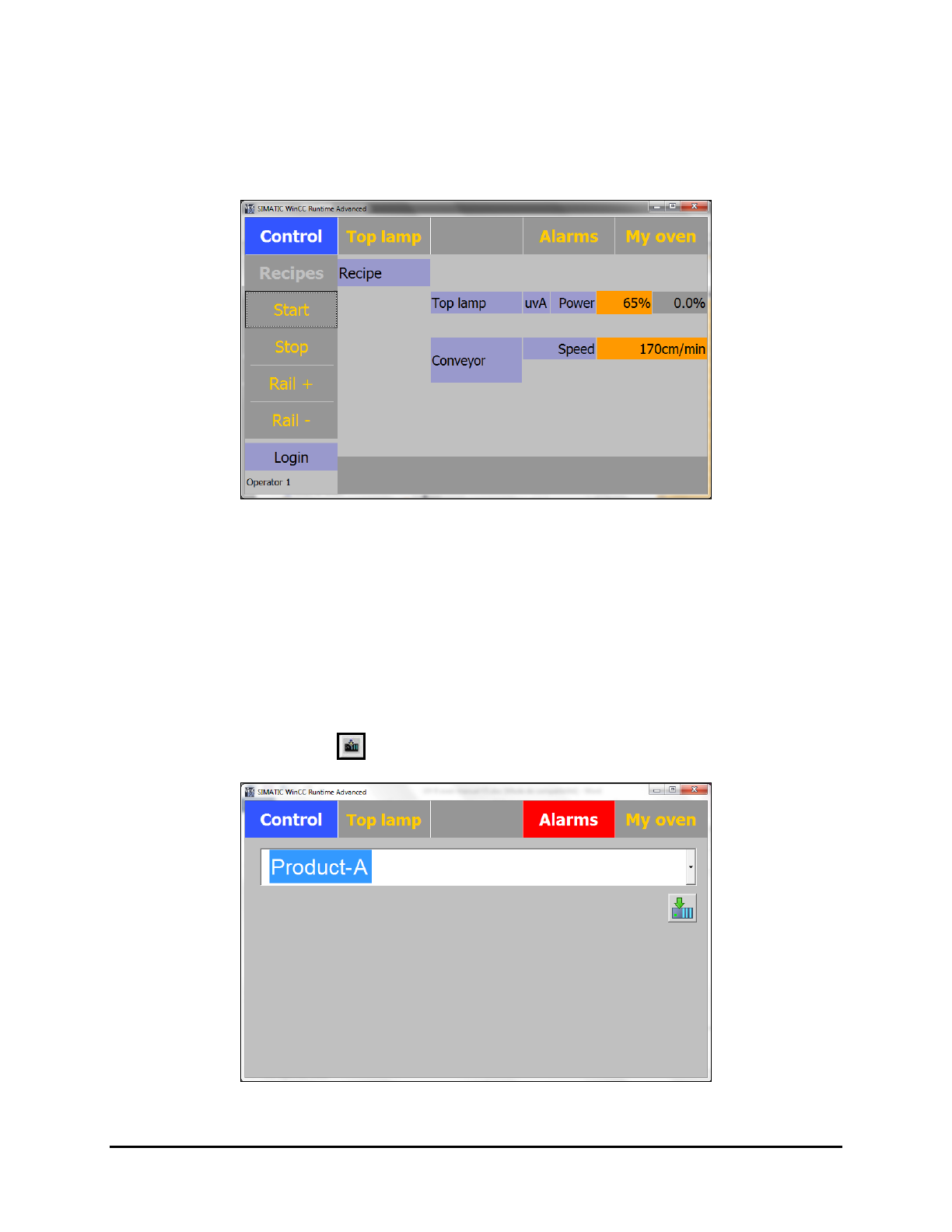
The Control Menu is displayed (Figure 5-2).
Figure 5-2 Control Menu
5.5 Running Production
5.5.1 Loading the Recipe
1. Select the Recipes button on the Control Menu (Figure 5-2). See 5.7.1.1 Recipes Menu for
details on loading a recipe.
2. Select the access level (Operator or Process).
3. Select the desired recipe (Figure 5-3).
4. Click on the
Load button to load the recipe.
Figure 5-3 Loading a Recipe
Operation 5-3
5.5.2 Starting the Oven
1. After the recipe has been loaded, press the Start button on the Control Menu (Figure 5-2).
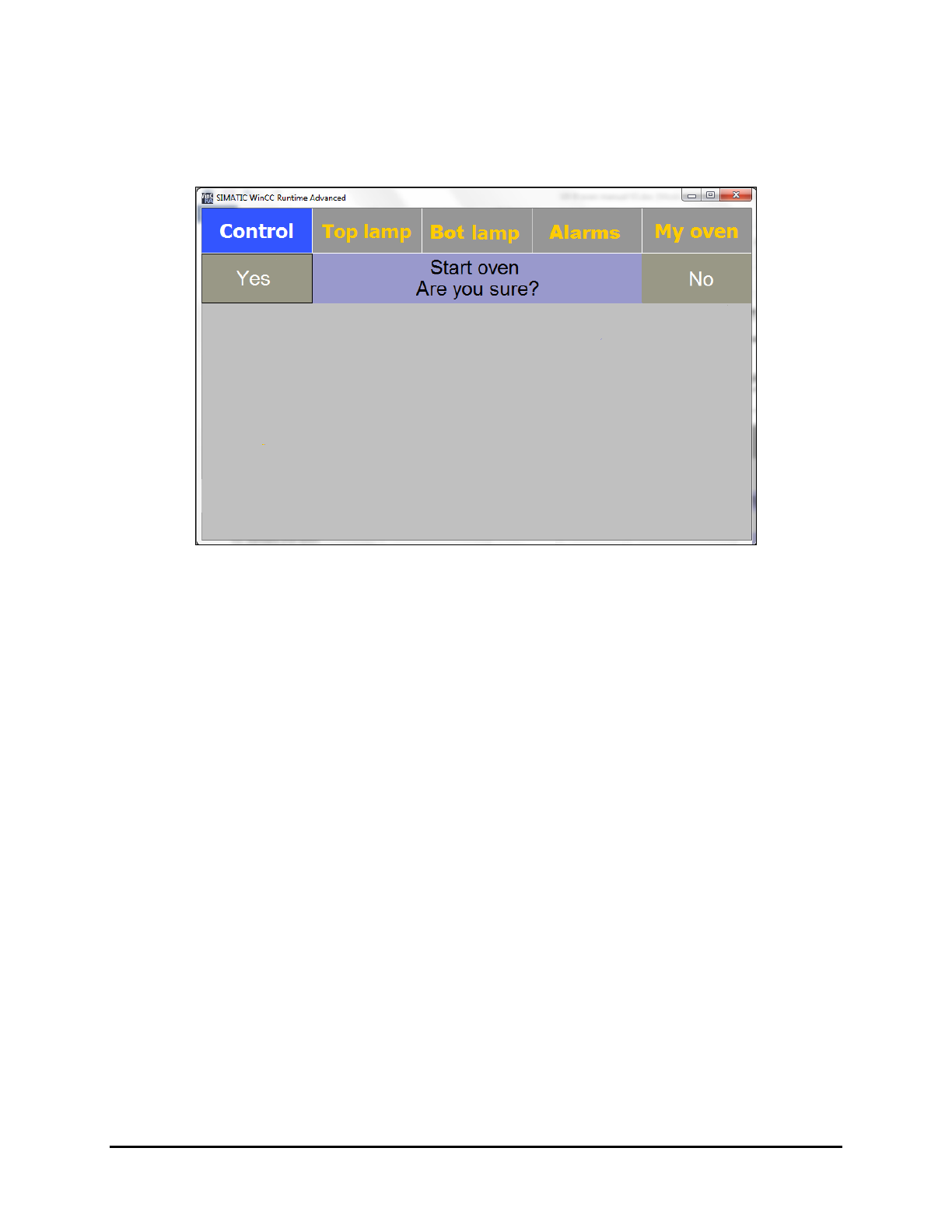
The Start Oven confirmation screen is displayed (Figure 5-4).
Figure 5-4 Start Oven Confirmation Screen
2. Click on Yes to start the oven.
NOTE The life of the UV lamp decreases by 2 hours each time the lamp is turned off
and back on.
The UV lamp and the conveyor are simultaneously started.
The
Start button becomes yellow.
The conveyor increases speed up to the set value and the UV lamps are preheated for 80
seconds minimum at 80% of the maximum power.
Once the lamp has sufficient power (350 V), the exhaust system starts.
The oven is ready for production; the UV lamp is on stand-by at 30% of maximum
power. The orange light of the beacon is blinking.
- When the oven is ready, it is waiting for the AVAILABLE signal from the
upstream equipment and the READY signal from the downstream machine.
- When the two signals are received, the UV lamp is powered to the set value and the
shutters are opened. The oven sends a READY signal to the upstream equipment
when the setpoint value is reached.
- After an adjustable delay, if there are no boards in the oven, the shutters of the UV
lamp are shut and the power of the UV lamp decreases to the stand-by setpoint
value (default: 30%).
NOTE If the down-stream conveyor is not ready, the oven does not send the ready signal in
order to avoid leaving a product under UV radiation.
5-4 Operation
5.5.3 Stopping Production
To stop the equipment:
1. Press the
Stop button on the Control menu (Figure 5-2).
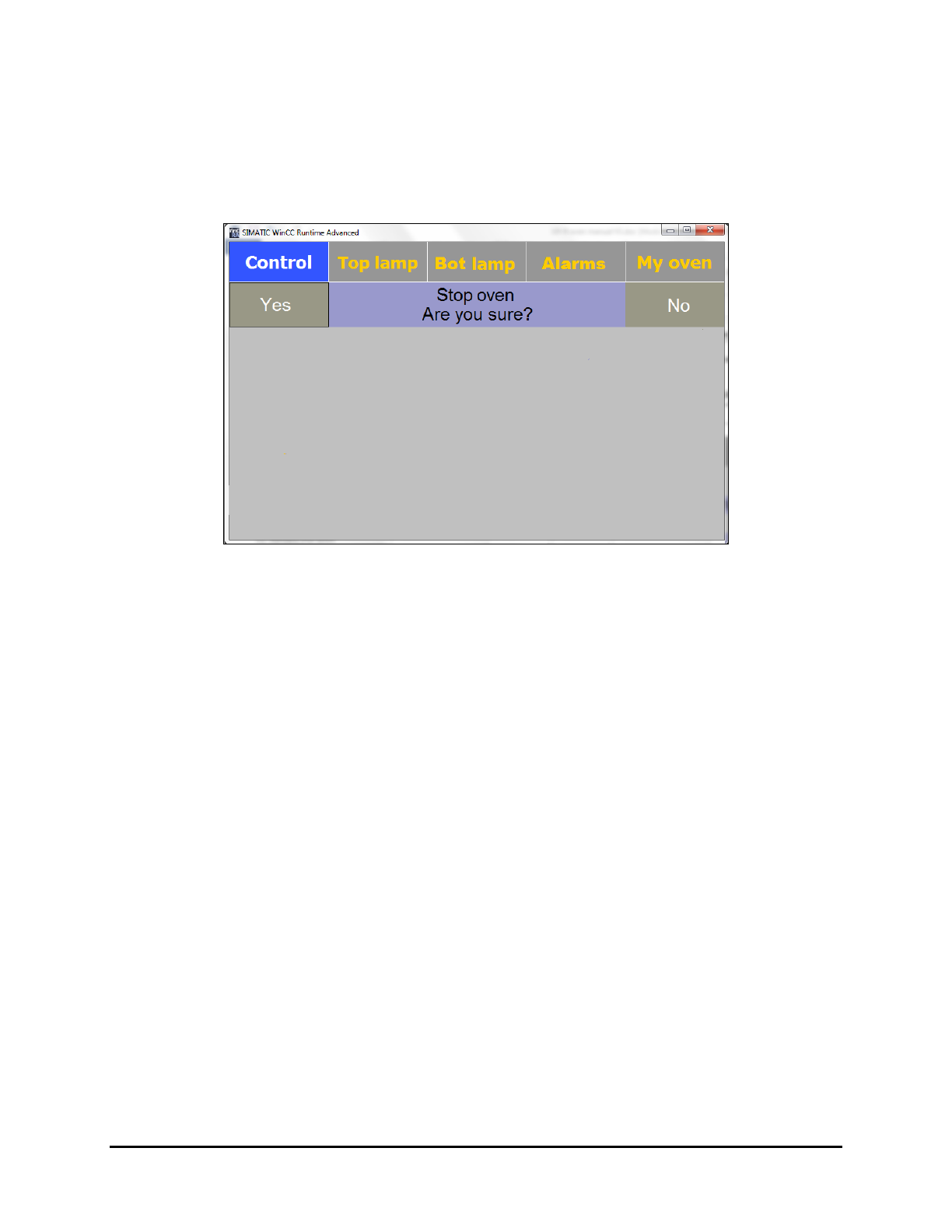
A confirmation screen is displayed (Figure 5-5).
Figure 5-5 Oven Stop Confirmation Screen
2. Click on Yes.
The UV lamp and the conveyor are both stopped.
The exhaust pump will run for 3 minutes to cool down the UV lamp.
NOTES The equipment cannot be restarted during the UV lamp cool down period.
The life of the UV lamp decreases by 2 hours each time the lamp is turned
off and on.
5.6 System Shutdown
1. Turn off the oven by pressing the Stop button on the Control Menu.
Alternatively, you can press and hold the black
Start/Stop button on the Control Panel
for 5 seconds to turn off the oven.
2. Turn the Main Power Switch on the back of the UV-9 Cure Module to the OFF position.
3. If shutting down for service, perform a service shutdown. See 2.11 Service Shutdown.
Operation 5-5