UV-9+Cure+Module+7269348_B+Manual.pdf - 第51页
4 Adjustments 4.1 Overview During installation, the UV -9 Cure Module is c onfigured to fulfi ll your curing require ments by tra ined service technician s. However, if any components hav e been replaced or mov ed (or if…
4 Adjustments
4.1 Overview
During installation, the UV-9 Cure Module is configured to fulfill your curing requirements by trained
service technicians. However, if any components have been replaced or moved (or if the application
changes), it may be necessary to readjust them. This section contains the following adjustment
procedures:
• Conveyor Width Adjustment
• UV Module Height Adjustment
• Internal UV Radiation Trap Flap Height Adjustment
• Internal UV Radiation Shutters Height Adjustment
• Internal UV Radiation Traps Adjustment
• External UV Shutters Adjustment
• UV Lamp Power Adjustment
• UV Lamp Power Adjustment
4.2 Safety First
Before performing any calibration or adjustment procedure on the UV-9 Cure Module components, please
review the information provided in Section 2 – Safety.
CAUTION! The procedures in this section should only be performed by a trained service
technician.
4.3 Record Keeping
At a minimum, the following information should be recorded in the UV-9 Cure Module maintenance
records:
• Procedure Type
• Date
• Technician Name(s)
• Post-procedure Functional Test Results
Adjustments 4-1
4.4 Conveyor Width Adjustment
The double-track conveyor width cannot be adjusted. The single-track conveyor is electronically
controlled.
To adjust the width of the single track conveyor:
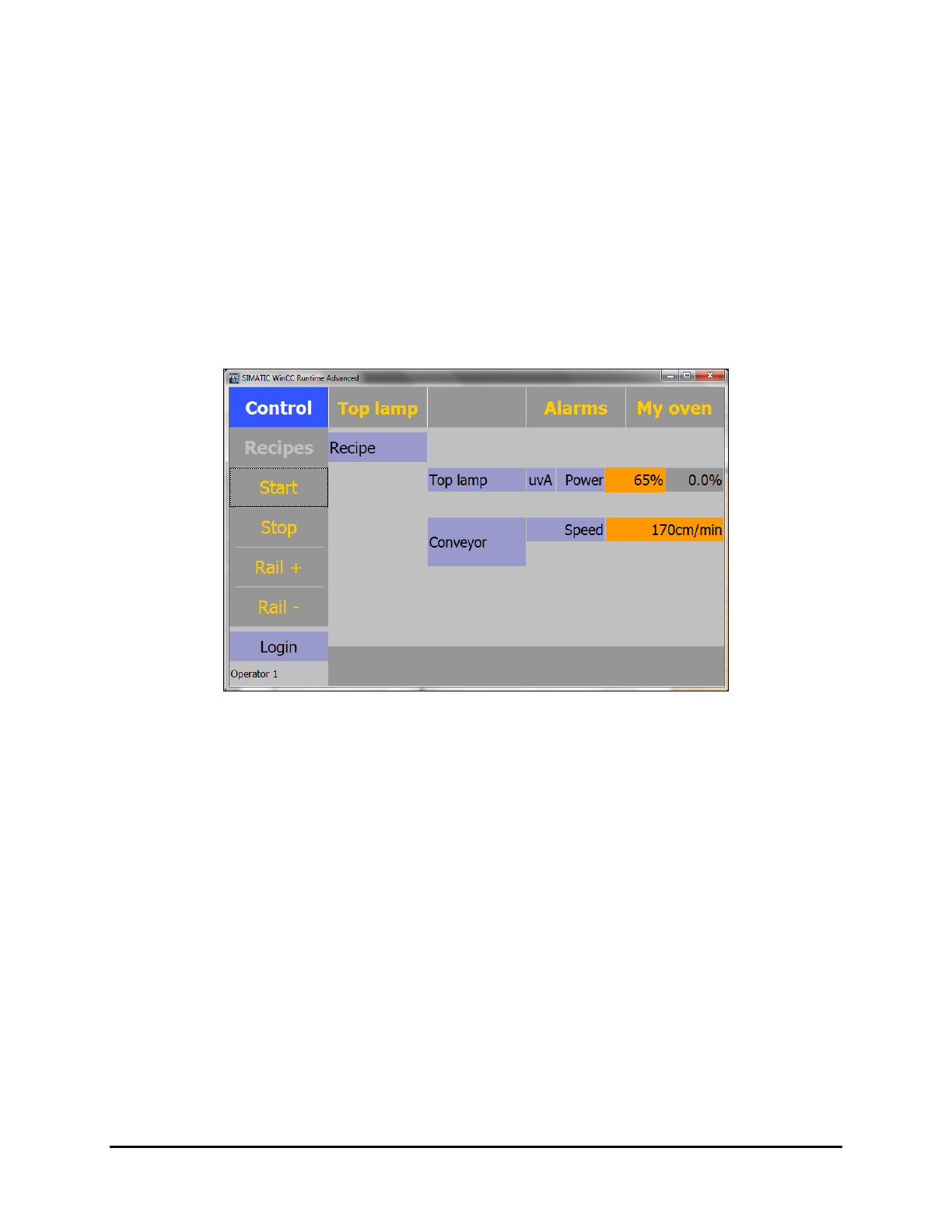
1. Start the system as described in 5.4 System Startup.
The Control menu opens (Figure 4-1).
2. Click on the “
Rail +” or “Rail -” button until the desired width is achieved.
NOTE On a dual track conveyor, no electrical width adjustment is available. It must be manually
adjusted.
Figure 4-1 Control Menu
4-2 Adjustments