UV-9+Cure+Module+7269348_B+Manual.pdf - 第73页
5.7.2.1 Lam p P arameter s Name Descripti on Enable Button Activates the UV lamp. The background is yellow when the lamp is active. Disable Button Disables the UV lamp. Manu Button Disables the close loop option and runs…
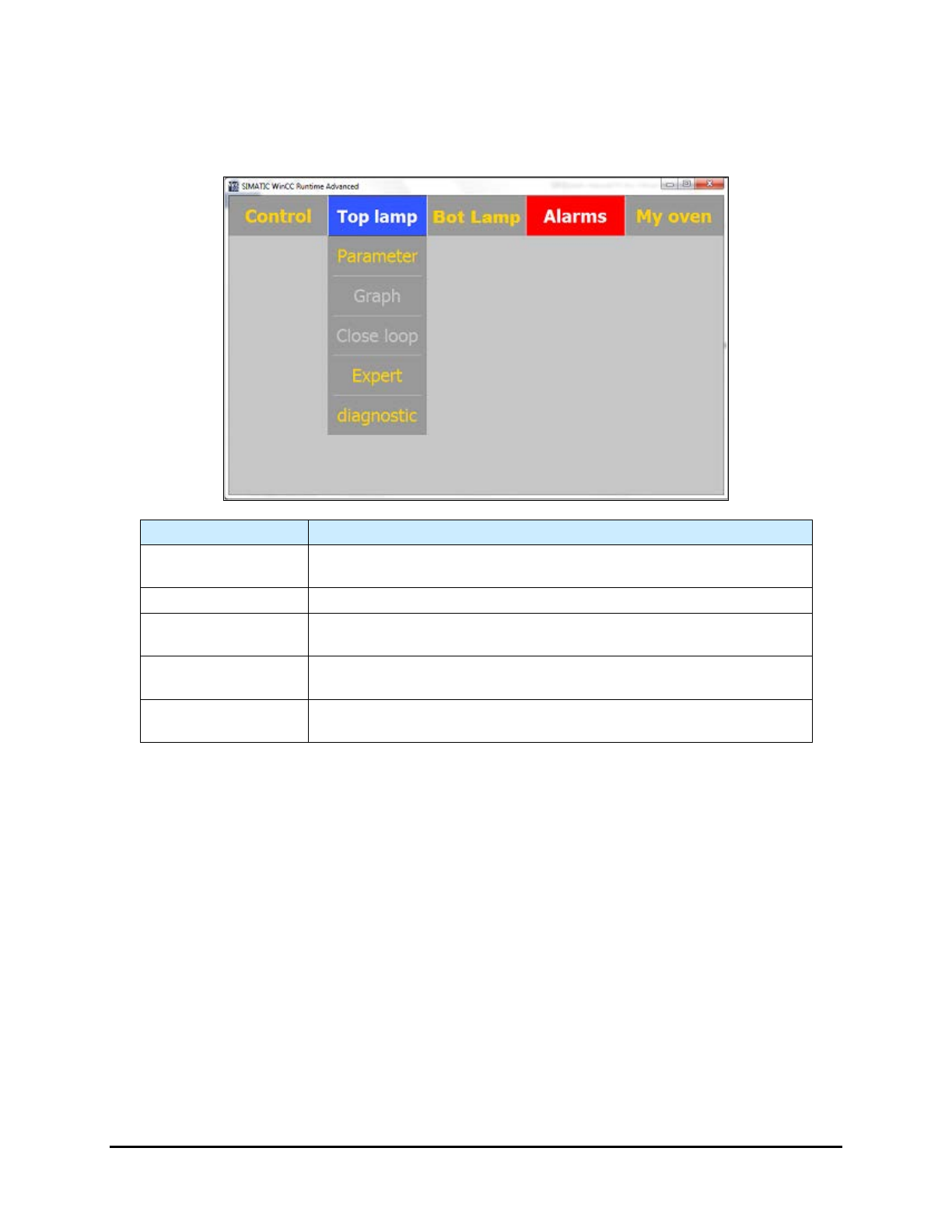
5.7.2 Top/Bottom Lamp Menus
The functions are the same for both the Top Lamp and Bottom Lamp Menus. The Bottom Lamp Menu is
only available when the Bottom Lamp option is installed.
Name
Description
Parameter
Select Parameter to open the Lamp Parameters screen. See 5.7.2.1
Lamp Parameters.
Graph
Select
Graph
to open the Graph screen See 5.7.2.2 Graph.
Close Loop
Select Close Loop to open the Close Loop Parameters screen. See
5.7.2.3 Close Loop Menu (Option).
Expert
Select Expert to open the Expert Parameters Screen. This menu is for
factory/Nordson access only.
Diagnostic
Select Diagnostic to open the Diagnostic screen. See 5.7.2.4
Diagnostic .
Figure 5-11 Top Lamp/Bottom Lamp Menus (Top Lamp shown)
5-10 Operation
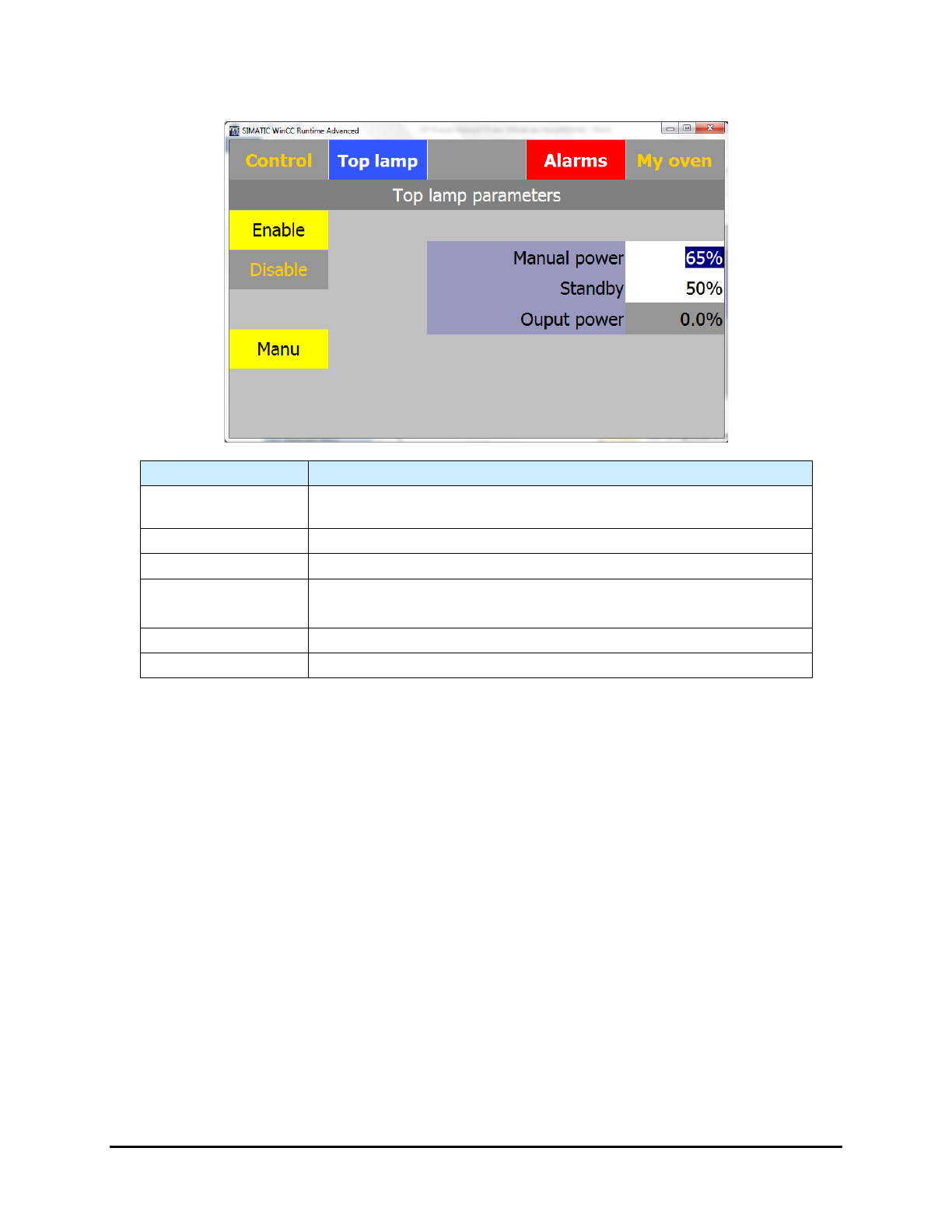
5.7.2.1 Lamp Parameters
Name Description
Enable Button
Activates the UV lamp. The background is yellow when the lamp is
active.
Disable Button
Disables the UV lamp.
Manu Button
Disables the close loop option and runs in open loop.
Manual Power
Output power setpoint in % (open loop).
Select the field to change the setpoint.
Standby
Standby setpoint. Select the field to change the setpoint.
Output Power
Current output power setpoint (view only).
Figure 5-12 Lamp Parameters Screen (Top Lamp shown)
Operation 5-11
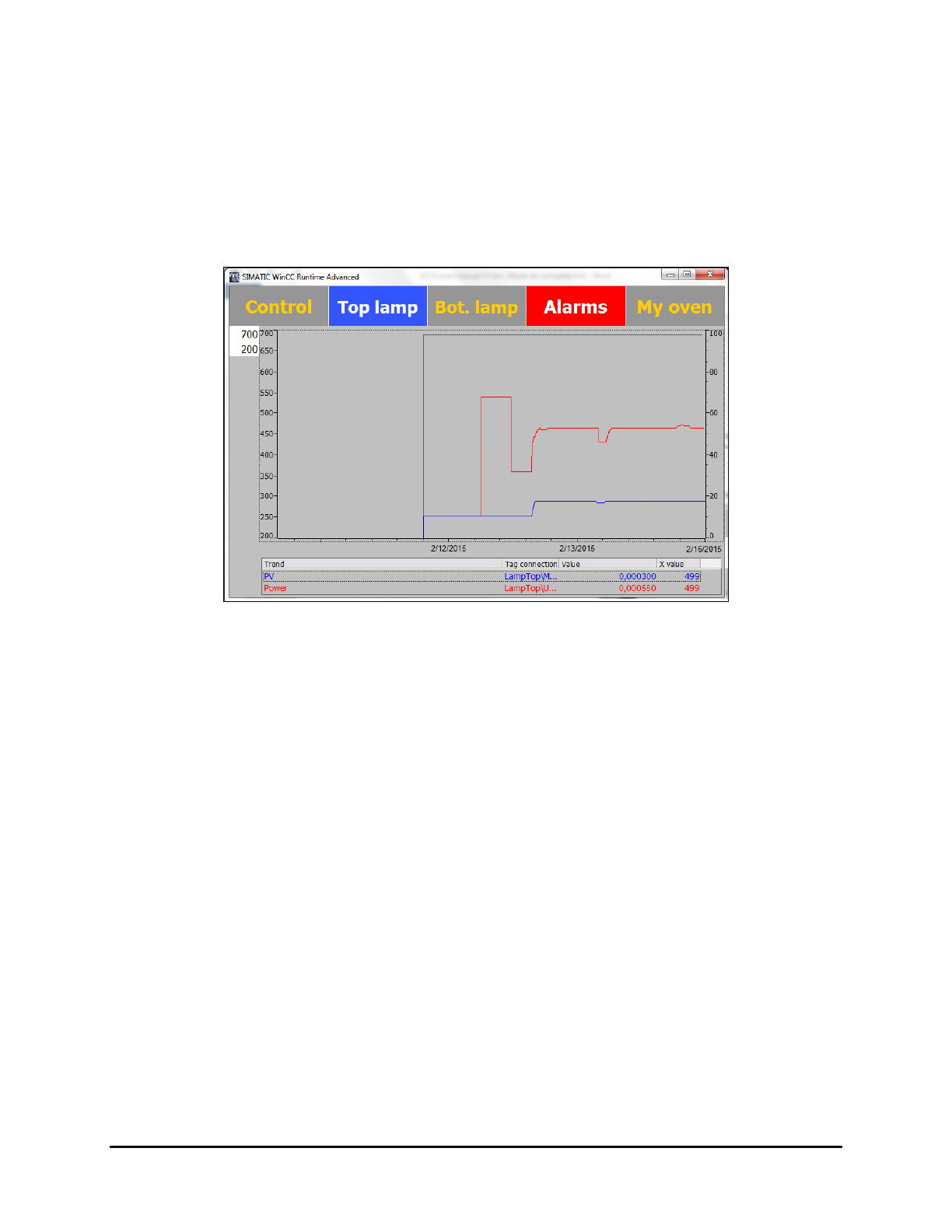
5.7.2.2 Graph
The graph is enabled with the closed loop option. The lamp graph displays a history of the following
parameters:
• Current output power in % (red curve)
• Measured irradiance in mW/cm² (blue curve)
It is a graphic tool that can be used for maintenance and process purposes.
Figure 5-13 Lamp Graph Screen (Top Lamp shown)
NOTE You can change the scale by selecting the value and entering a new one.
5-12 Operation