UV-9+Cure+Module+7269348_B+Manual.pdf - 第93页
2. Click on the up ar row at the bottom of the sc reen ( Figure 5- 34 ). Figure 5- 34 Save PLC Settings Important! Make sure you click on the up arr ow . If you cl ick on the down arrow (toward the PLC) you will lose all…
5.7.4.11 Backup Data/Factory Settings
It is recommended that you to back up the data once the unit is installed. This allows you to
reload the configuration settings in case of an error.
NOTE This does not make a copy of the program, it makes a copy of the PLC settings that are
necessary for proper operation of the UV-9 Cure Module.
To backup data:
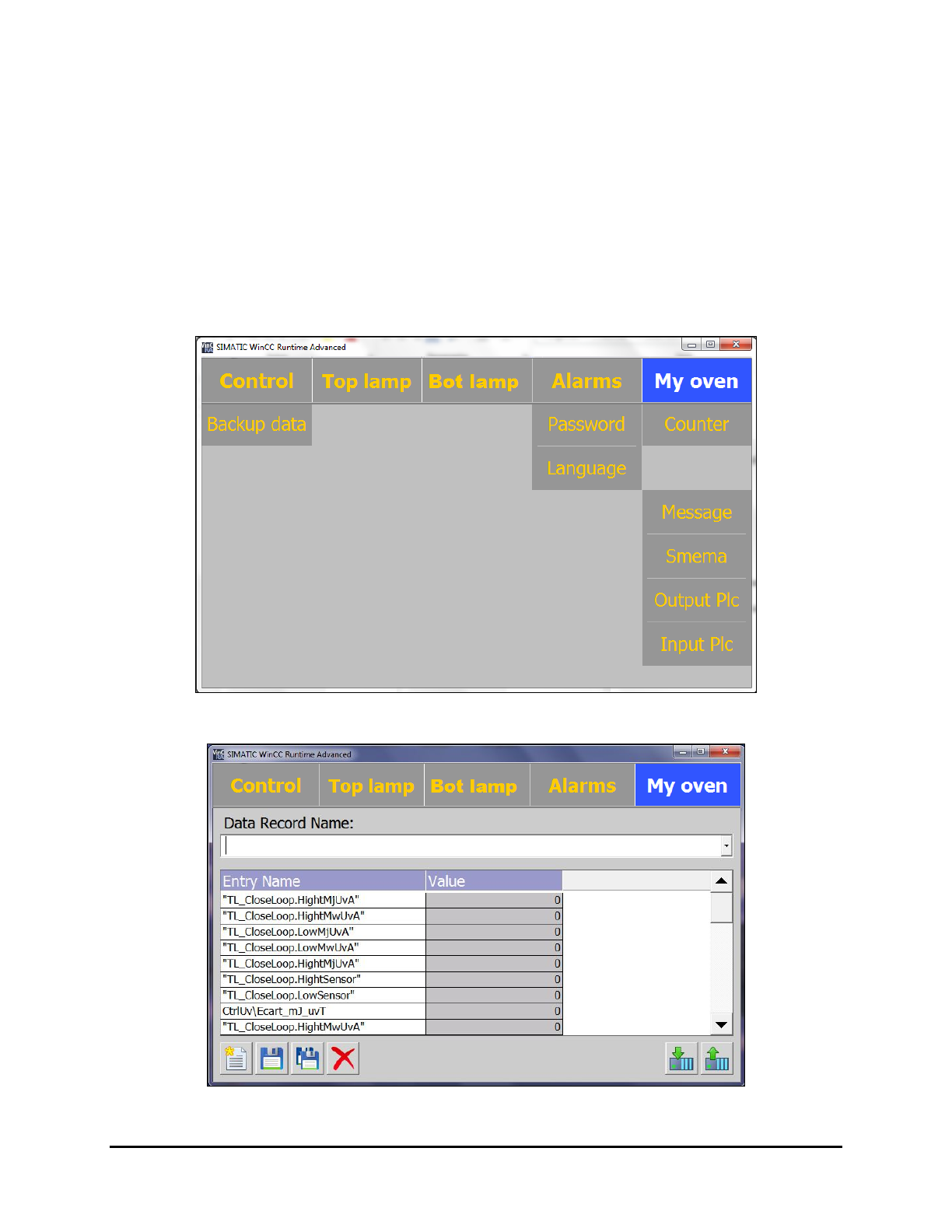
1. Select
My Oven and then select Backup Data (Figure 5-32).
The Data Record screen opens (Figure 5-33).
Figure 5-32 My Oven – Control Menu
Figure 5-33 Enter Data Record Name
5-30 Operation
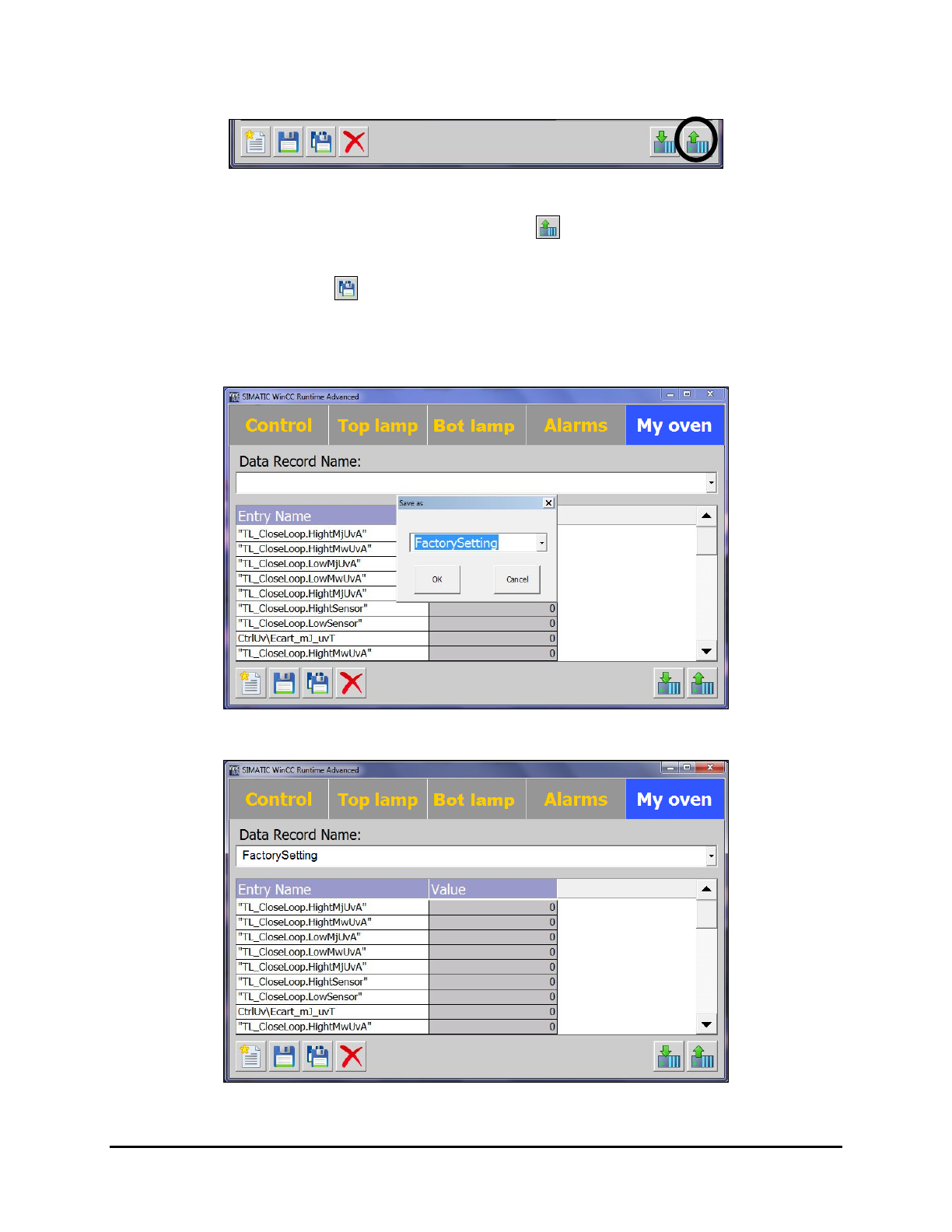
2. Click on the up arrow at the bottom of the screen (Figure 5-34).
Figure 5-34 Save PLC Settings
Important! Make sure you click on the up arrow . If you click on the down arrow
(toward the PLC) you will lose all the system parameters.
3. Click on Save As .
4. Enter Factory Setting in the "Save As" text box and click on OK (Figure 5-35).
The PLC settings are saved (Figure 5-36).
Figure 5-35 Enter File Name
Figure 5-36 PLC Settings Saved
Operation 5-31