UV-9+Cure+Module+7269348_B+Manual.pdf - 第69页
5.7.1.1 Reci pes Menu The Recipes Menu i s used to select the access lev el for Recipes ( Figure 5-7). Name Description Operator Access Select Operator Access to open the O perator Mode screen . Process Access Select Pro…
5.7 Software Description
5.7.1 Control Menu
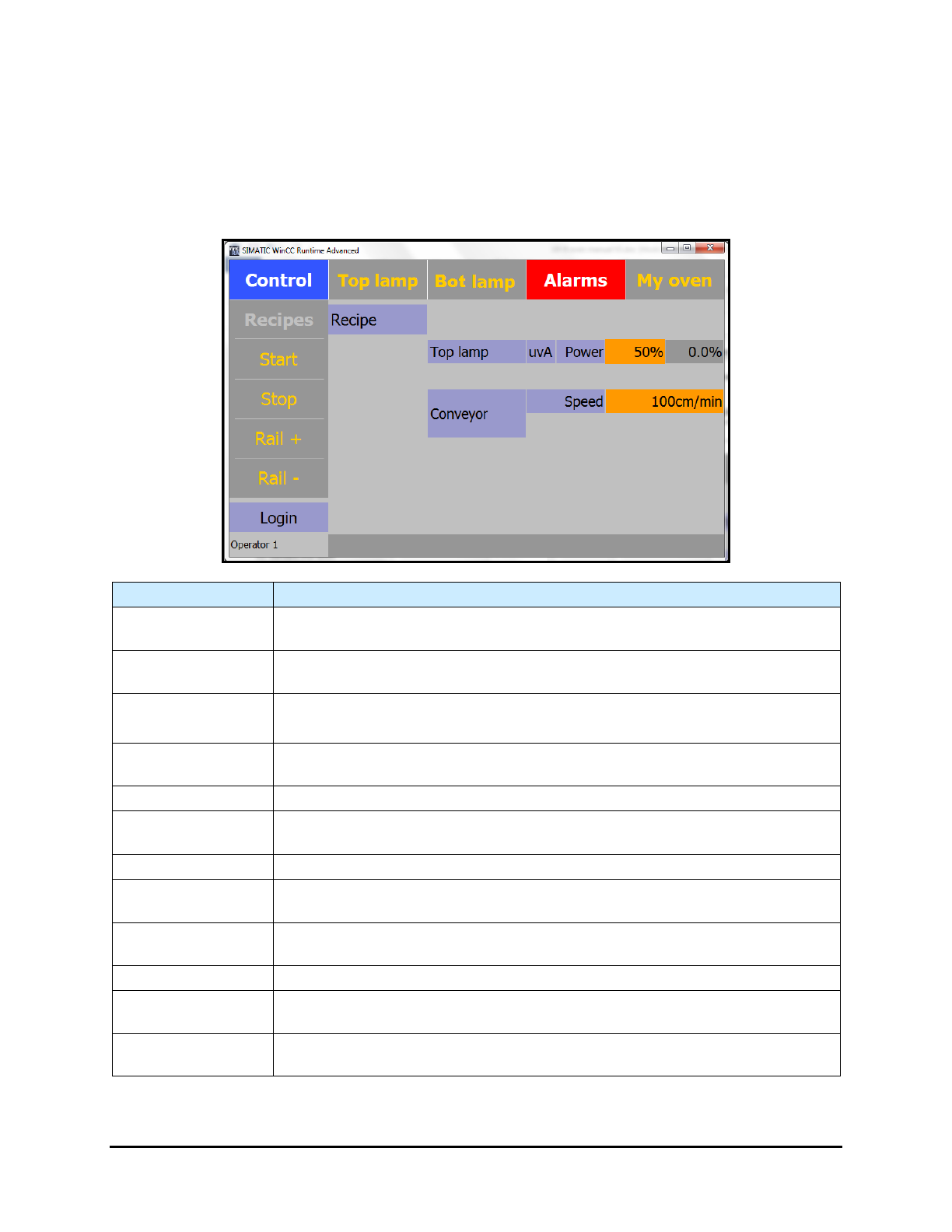
Select Control to open the Control Menu (Figure 5-6). The button background color is blue when the
menu is active. Depending on system configuration, there may be additional buttons on the Control Menu
(PCB Counter, Shutter, etc.).
Name Description
Top Lamp Button
Select Top Lamp to open the Top Lamp Menu.
The button background color is blue when the menu is active.
Bot Lamp Button
Select Bot Lamp to open the Bottom Lamp Menu.
The button background color is blue when the menu is active.
Alarms Button
Select Alarms to open the Alarm Menu. See 5.7.3 Alarms .
The background is red when an alarm is active.
My Oven Button
Select My Oven to open the My Oven Menu.
The button background color is blue when the menu is active.
Recipes Button Select Recipes to open the Recipes Menu. See 5.7.1.1 Recipes Menu.
Start Button
Select Start to start the oven. The background is yellow when the oven is
running.
Stop Button Select Stop to stop the oven.
Rail +/ Rail -
Adjusts the conveyor width. Click on Rail + to widen the distance between the
rails and Rail – to make the distance more narrow.
Login
The current user name is displayed below the login button. Click the current
user name to login as a different user.
(Recipe Name)
Displays the name of the current recipe.
Top Lamp Power
Top lamp power level percentage level. The background of the set value is
orange when the value is not reached and green when the value is reached.
Conveyor Speed
Conveyor speed. The background of the set value is orange when the value is
not reached and green when the value is reached.
Figure 5-6 Control Menu – Top and Bottom Lamps
5-6 Operation
5.7.1.1 Recipes Menu
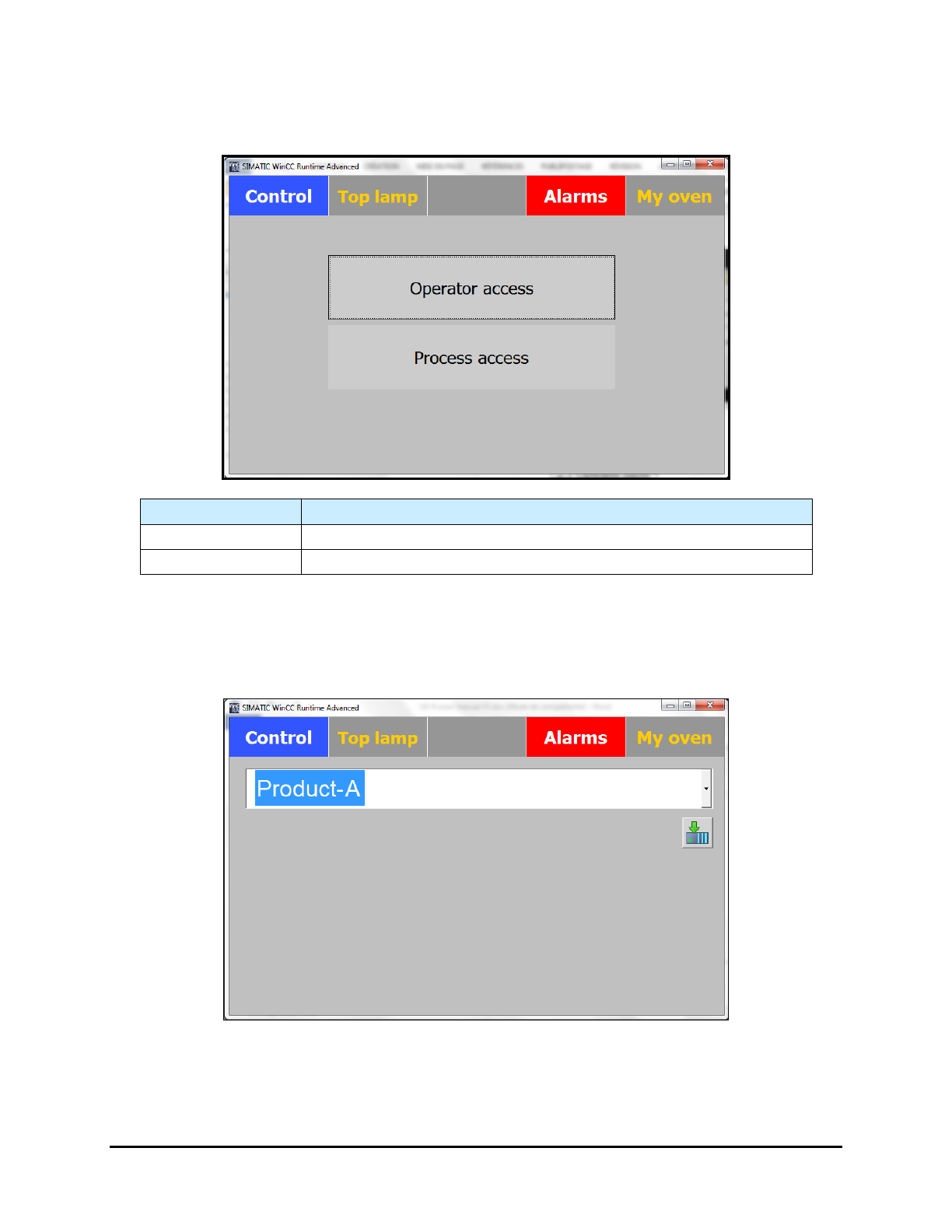
The Recipes Menu is used to select the access level for Recipes (Figure 5-7).
Name
Description
Operator Access
Select Operator Access to open the Operator Mode screen.
Process Access Select Process Access to open the Process Mode screen.
Figure 5-7 Select Access Level
Operator Access
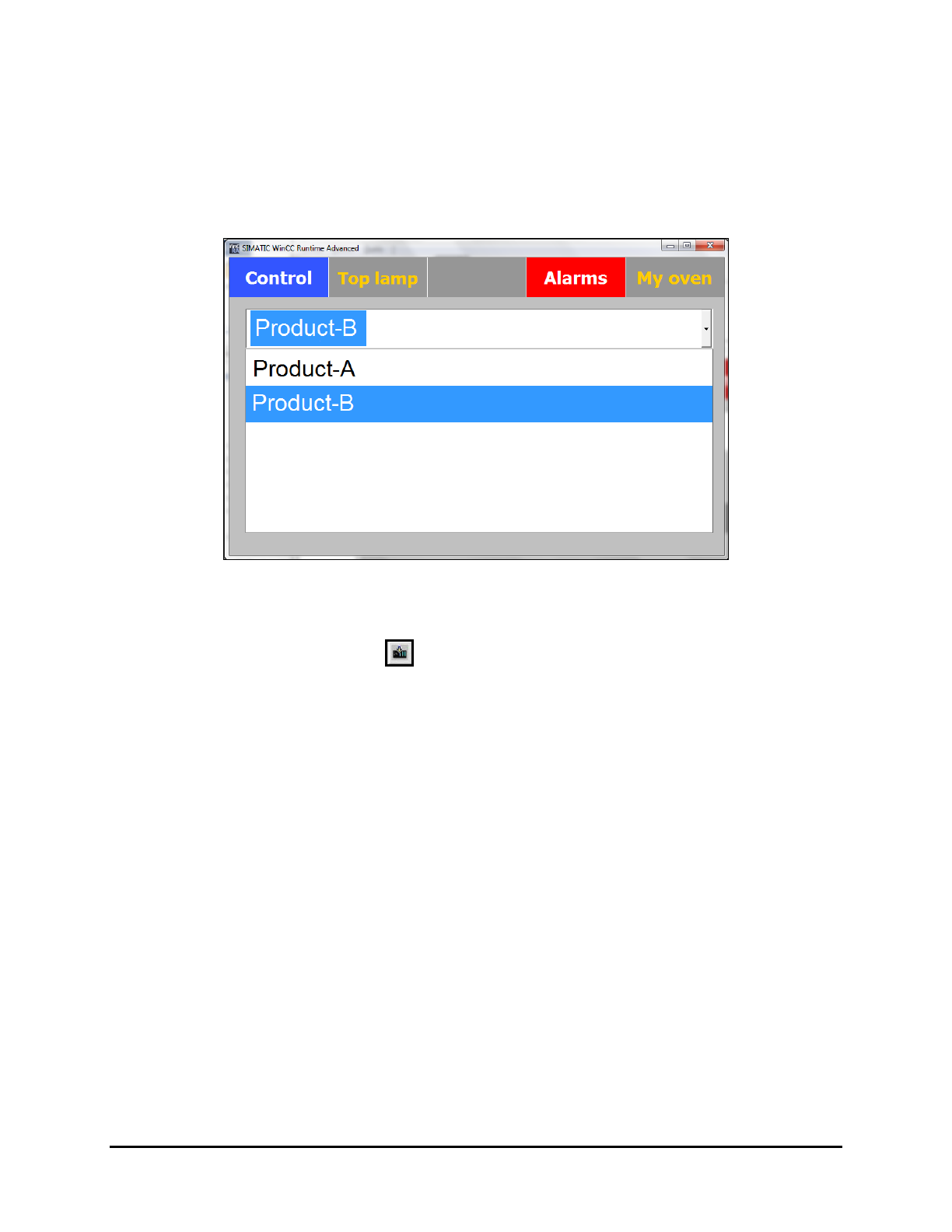
The Operator Access screen ONLY allows loading of a recipe for production (Figure 5-9).
Figure 5-8 Operator Level Screen
Operation 5-7
To load a recipe:
1. Click on the
Recipe button in the Control Menu (Figure 5-6).
2. Select
Operator Access (Figure 5-7).
3. Click on the right side arrow of the Recipe List drop-down to see a list of recipes
(Figure 5-9).
Figure 5-9 Operator Level Screen – Recipe List
4. Select the desired recipe.
5. Click on the
Load button to load the recipe.
The oven is ready for production.
5-8 Operation