drt2_devicenet_q102-e1_20_22_csm2147.pdf - 第32页
12 Smart Slaves DRT2 Series Functions Supported by Smart Slaves OK: Function supported, ---: Function not supported. *1. The operation time monitor cannot be used with the DRT2- @ D08(-1). *2. Expansion Units cannot be a…
Smart Slaves DRT2 Series 11
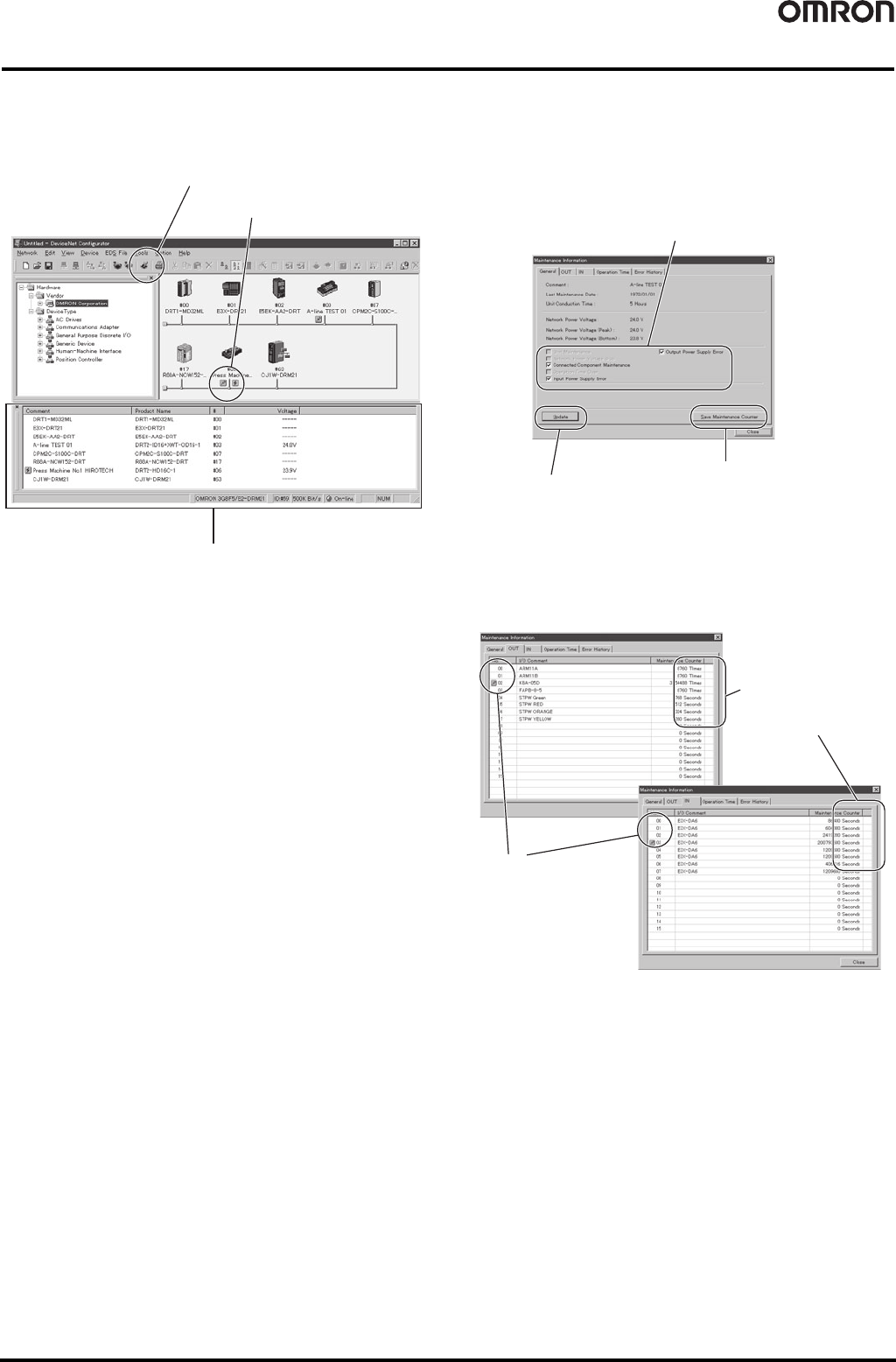
Configurator (Ver. 2.20 or Later) Maintenance Window
Various equipment information can be monitored from the following Configurator window (Ver. 2.20 or later) through DRT2-series Smart Slaves.
● Maintenance Mode Window
● Individual Slave’s Maintenance Information Window
A DRT2-series Smart Slave’s maintenance information window can
be displayed by double-clicking the Slave’s icon if an alarm indicator
appears next to the Slave’s icon.
Depending on the maintenance information that has been generated,
more details can be viewed by clicking the OUT tab, IN tab, or
Operation Time tab.
Maintenance information refresh icon
Reads the current maintenance information.
Alarm indicator icon
Maintenance information window
Maintenance information
Displays current maintenance information.
A Smart Slave’s maintenance counters can be
stored in flash memory. The “number of contact
operations” count is normally stored every 6
minutes, so up to 6 minutes of data may be lost
depending on when the power is turned OFF.
Refreshes the current
Slave’s maintenance
information
An alarm indicator will
appear wherever the
present value exceeds
the monitor value, so
locations requiring
maintenance can be
identified immediately.
Depending on the
maintenance information
that has been generated,
more details can be
viewed by clicking the
OUT tab, IN tab, or
Operation Time tab.
12 Smart Slaves DRT2 Series
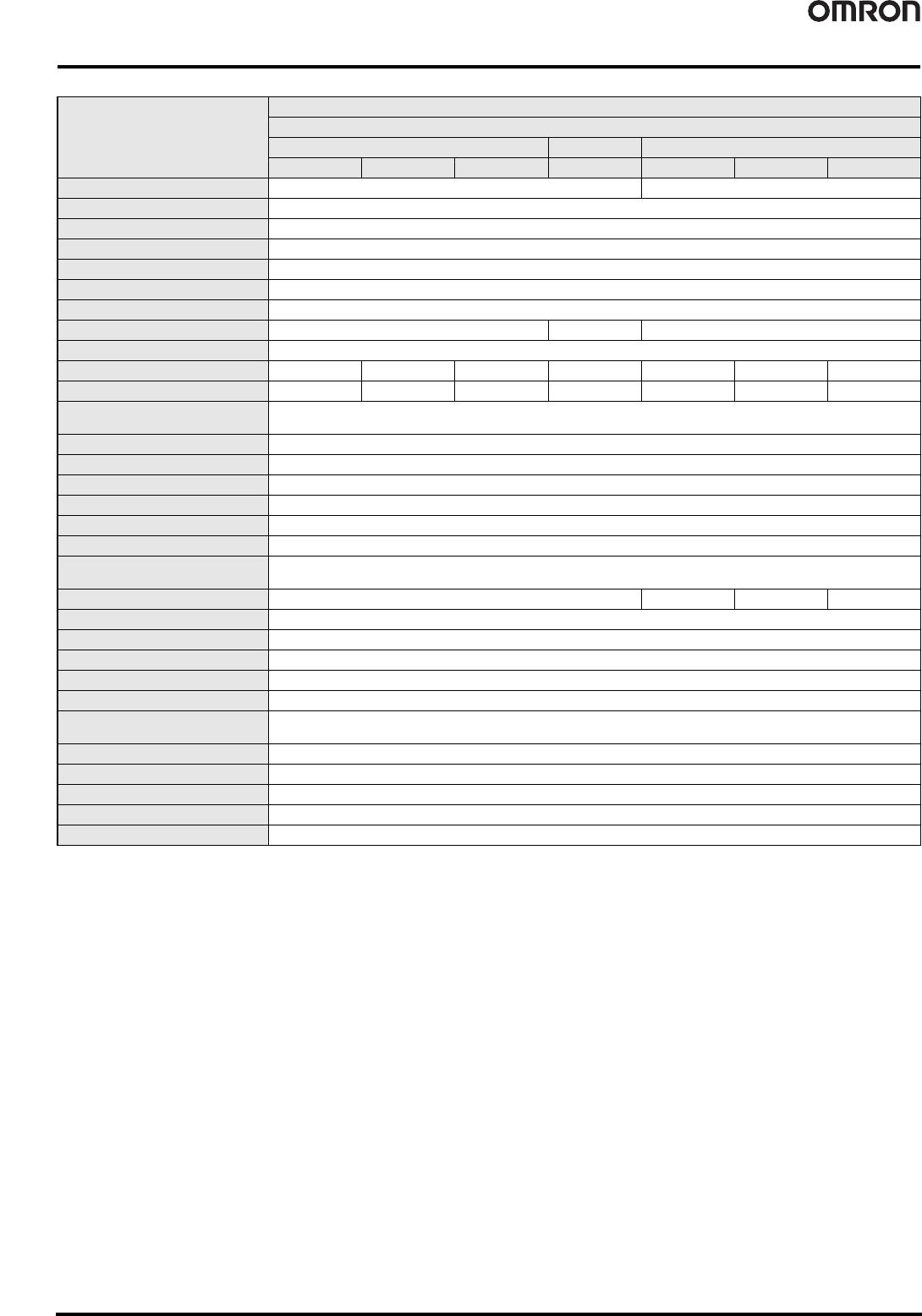
Functions Supported by Smart Slaves
OK: Function supported, ---: Function not supported.
*1. The operation time monitor cannot be used with the DRT2-@D08(-1).
*2. Expansion Units cannot be added with the DRT2-@D08(-1) or DRT2-MD16(-1).
Notice: The contact operation counter function and the total ON time monitor function cannot be used simultaneously for the same contact.
Function
General Slaves
Remote I/O Terminals
Transistors Relays Transistors with 3-tier terminal block
Input Output I/O Output Input Output I/O
Operation time monitor OK (Input+Output only) *1OK
Contact operation counter OK
Unit conduction time monitor OK
Total ON time monitor OK
Unit comments OK
Connected device comments OK
Network power supply voltage monitor OK
I/O power supply monitor OK --- OK
Communications error log monitor OK
Input filter OK --- OK --- OK --- OK
Power-ON inrush current protection OK --- OK --- OK --- OK
Sensor power supply short-circuit
detection
---
Disconnected sensor detection ---
External load short-circuit detection ---
Disconnected sensor detection ---
Removable terminal block OK
Communications speed auto-detect OK
No need to wire Unit power supply OK
No need to wire input device power
supply
---
Expansion via Expansion I/O Units OK *2 --- --- ---
Scaling ---
User compensation ---
Last maintenance date OK
Cumulative counter ---
Moving average processing ---
Number of A/D conversion points
(conversion cycle) setting
---
Peak/bottom hold ---
Top/valley hold ---
Percentage change calculation ---
Comparator ---
Selectable output value after error ---
Smart Slaves DRT2 Series 13
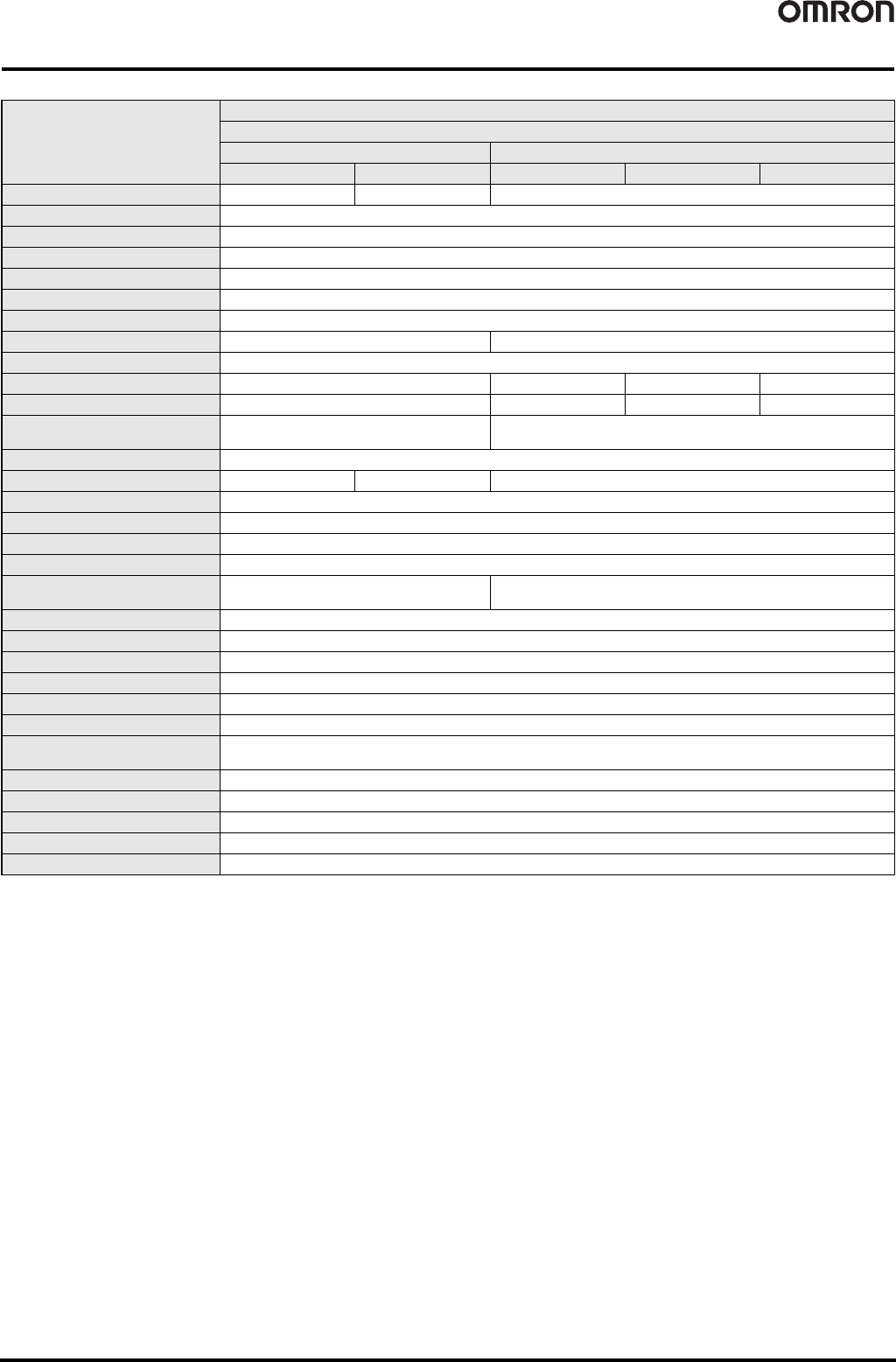
OK: Function supported, ---: Function not supported.
Notice: The contact operation counter function and the total ON time monitor function cannot be used simultaneously for the same contact.
Function
General Slaves
Connector Terminals
e-CON Connector Board Terminals with MIL Connector
Input I/O Input Output I/O
Operation time monitor --- OK OK
Contact operation counter OK
Unit conduction time monitor OK
Total ON time monitor OK
Unit comments OK
Connected device comments OK
Network power supply voltage monitor OK
I/O power supply monitor --- OK
Communications error log monitor OK
Input filter OK OK --- OK
Power-ON inrush current protection OK OK --- OK
Sensor power supply short-circuit
detection
OK ---
External load disconnection detection ---
External load short-circuit detection --- OK ---
Disconnected sensor detection ---
Removable terminal block ---
Communications speed auto-detect OK
No need to wire Unit power supply OK
No need to wire input device power
supply
OK ---
Expansion via Expansion I/O Units ---
Scaling ---
User compensation ---
Last maintenance date OK
Cumulative counter ---
Moving average processing ---
Number of A/D conversion points
(conversion cycle) setting
---
Peak/bottom hold ---
Top/valley hold ---
Percentage change calculation ---
Comparator ---
Selectable output value after error ---