创建组件识别数据的方法.pdf - 第149页
149/178 IM-SMT-VSNDI C-0002 -000 Items to be set Set value Explanation Reflect LL.: 1 S (mm) *4 Sets the lead length on the image of G roup 1 in the S direction. Lead W idth: 1S (mm) *4 Sets the width of the leads of Gro…
148/178
IM-SMT-VSNDIC-0002-000
Note
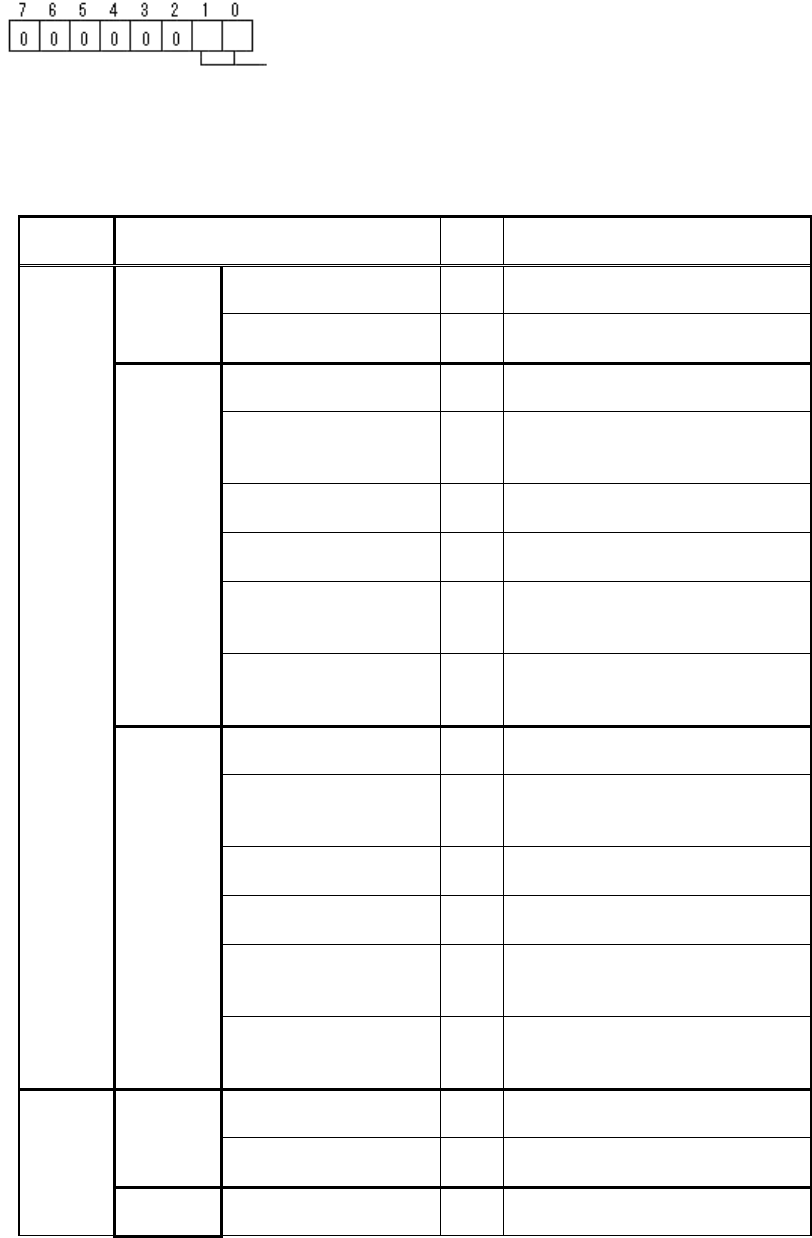
*3
: This option parameter consists of one byte of data, and each bit has different
meaning.
<< Mark-General purpose : Items to be set for components consists of multiple parts >>
(continued)
Items to be set
Set
value
Explanation
Lead Group N
Sets the number of Lead Group.
(1 or 2)
Common
Ruler Offset N 0
Sets the offset amount of the
detection line in the N direction.
Lead Number: 1N
Sets the number of leads of
Group 1 in the N direction.
Reflect LL.: 1N (mm)
*4
Sets the lead length on the
image of Group 1 in the N
direction.
Lead Width: 1N (mm)
*4
Sets the width of the leads of
Group 1 in the N direction.
Lead Pitch: 1N (mm)
Sets the lead pitch of Group 1 in
the N direction.
Find Pos X: 1N (mm)
*5
Sets the reference position X for
the lead of Group 1 in the N
direction.
Group
1
Find Pos Y: 1N (mm)
*5
Sets the reference position Y for
the lead of Group 1 in the N
direction.
Lead Number: 2N
Sets the number of leads of
Group 2 in the N direction.
Reflect LL.: 2N (mm)
*4
Sets the lead length on the
image of Group 2 in the N
direction.
Lead Width: 2N (mm)
*4
Sets the width of the leads of
Group 2 in the N direction.
Lead Pitch: 2N (mm)
Sets the lead pitch of Group 2 in
the N direction.
Find Pos X: 2N (mm)
*5
Sets the reference position X for
the lead of Group 2 in the N
direction.
N
direction
Group
2
Find Pos Y: 2N (mm)
*5
Sets the reference position Y for
the lead of Group 2 in the N
direction.
Lead Group S
Sets the number of the Lead
Group (1 or 2).
Common
Ruler Offset S 0
Sets the offset amount of the
detection line in the S direction.
S
direction
Group
Lead Number: 1S
Sets the number of leads of
Group 1 in the S direction.
Bit position
Center Detection Algorithm:
0: Center of circumscribed rectangle
1: Center of rectangle composed of component inclination lines
passing through the center of gravity of each of the sides
2: Center of all leads

149/178
IM-SMT-VSNDIC-0002-000
Items to be set
Set
value
Explanation
Reflect LL.: 1S (mm)
*4
Sets the lead length on the
image of Group 1 in the S
direction.
Lead Width: 1S (mm)
*4
Sets the width of the leads of
Group 1 in the S direction.
Lead Pitch: 1S (mm)
Sets the lead pitch of Group 1 in
the S direction.
Find Pos X: 1S (mm)
*5
Sets the reference position X for
the lead of Group 1 in the S
direction.
1
Find Pos Y: 1S(mm)
*5
Sets the reference position Y for
the lead of Group 1 in the S
direction.
Lead Number: 2S
Sets the number of leads of
Group 2 in the S direction.
Reflect LL.: 2S (mm)
*4
Sets the lead length on the
image of Group 2 in the S
direction.
Lead Width: 2S (mm)
*4
Sets the width of the leads of
Group 2 in the S direction.
Lead Pitch: 2S (mm)
Sets the lead pitch of Group 2 in
the S direction.
Find Pos X: 2S (mm)
*5
Sets the reference position X for
the lead of Group 2 in the S
direction.
Group
2
Find Pos Y: 2S(mm)
*5
Sets the reference position Y for
the lead of Group 2 in the S
direction.
Lead Group E
Sets the number of the Lead
Group (1 or 2).
Common
Ruler Offset E 0
Sets the offset amount of the
detection line in the E direction.
Lead Number: 1E
Sets the number of leads of
Group 1 in the E direction.
Reflect LL.: 1E (mm)
*4
Sets the lead length on the
image of Group 1 in the E
direction.
Lead Width: 1E (mm)
*4
Sets the width of the leads of
Group 1 in the E direction.
Lead Pitch: 1E (mm)
Sets the lead pitch of Group 1 in
the E direction.
Find Pos X: 1E (mm)
*5
Sets the reference position X for
the lead of Group 1 in the E
direction.
Group
1
Find Pos Y: 1E(mm)
*5
Sets the reference position Y for
the lead of Group 1 in the E
direction.
Lead Number: 2E
Sets the number of leads of
Group 2 in the E direction.
E
direction
Group
2
Reflect LL.: 2E(mm)
*4
Sets the lead length on the
image of Group 2 in the E
direction.

150/178
IM-SMT-VSNDIC-0002-000
Items to be set
Set
value
Explanation
Lead Width: 2Emm)
*4
Sets the width of the leads of
Group 2 in the E direction.
Lead Pitch: 2E(mm)
Sets the lead pitch of Group 2 in
the E direction.
Find Pos X: 2E (mm)
*5
Sets the reference position X for
the lead of Group 2 in the E
direction.
Find Pos Y: 2E(mm)
*5
Sets the reference position Y for
the lead of Group 2 in the E
direction.
Lead Group W
Sets the number of the Lead
Group (1or 2).
Common
Ruler Offset W 0
Sets the offset amount of the
detection line in the E direction.
Lead Number: 1W
Sets the number of leads of
Group 1 in the W direction.
Reflect LL.: 1W (mm)
*4
Sets the lead length on the
image of Group 1 in the W
direction.
Lead Width: 1W (mm)
*4
Sets the width of the leads of
Group 1 in the W direction.
Lead Pitch: 1W (mm)
Sets the lead pitch of Group 1 in
the W direction.
Find Pos X: 1W (mm)
*5
Sets the reference position X for
the lead of Group 1 in the W
direction.
Group
1
Find Pos Y: 1W(mm)
*5
Sets the reference position Y for
the lead of Group 1 in the W
direction.
Lead Number: 2W
Sets the number of leads of
Group 2 in the W direction.
Reflect LL.: 2W(mm)
*4
Sets the lead length on the
image of Group 2 in the W
direction.
Lead Width: 2Wmm)
*4
Sets the width of the leads of
Group 2 in the W direction.
Lead Pitch: 2W(mm)
Sets the lead pitch of Group 2 in
the W direction.
Find Pos X: 2W(mm)
*5
Sets the reference position X for
the lead of Group 2 in the W
direction.
W
direction
Group
2
Find Pos Y: 2Wmm)
*5
Sets the reference position Y for
the lead of Group 2 in the W
direction.
Table 100
Note
*4
: The size (surface area) of the object being detected is set to the “Reflect LL.” and
“Lead Width.” field.
The diameter of the circle is specified by using the lead width as follows:
If the shape is a rectangle: The lead length x the lead width.
If the shape is a circle, The lead length = 0
Note
*5
: The center of gravity of the object being detected is set at the position offset from
the component center.