OptimaUserManual.pdf - 第106页
OPTIMA PROM SOF TW AR E Opti ma User M anual 100
OPTIMA PROM SOFTWARE
Optima User Manual
99
The Help Menu
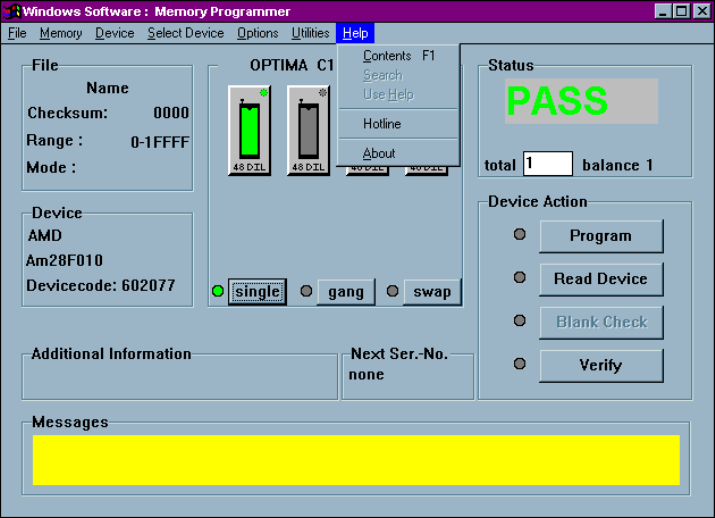
The seventh menu on the Main Programming screen is the Help menu.
The Help menu
The Help menu provides assistance with commonly used features and functions of the
Optima software. This menu function may not be available in early versions of the
Optima software. To ensure that you are using the latest revision of programmer
software, download the programmer updates from Data I/O’s web site.
OPTIMA PROM SOFTWARE
Optima User Manual
100
OPTIMA PAL SOFTWARE
Optima User Manual
101
OPTIMA PAL SOFTWARE
This section of the Optima User Manual provides detailed descriptions of the Optima
PAL software used for programming logic devices. If you wish to get started
programming logic devices quickly, go to the QUICK START section of the Optima
User Manual.
Main Programming Screen
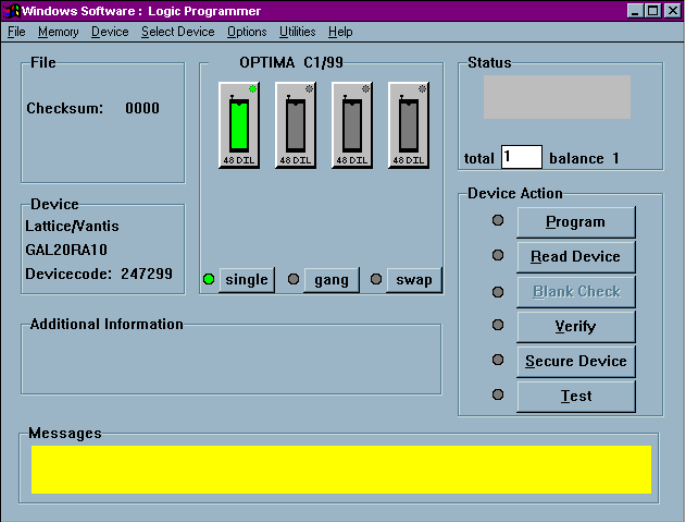
Once the device has been selected, the Main Programming screen for the Optima PAL
software will appear:
PAL software Main Programming screen